Quick Answer#
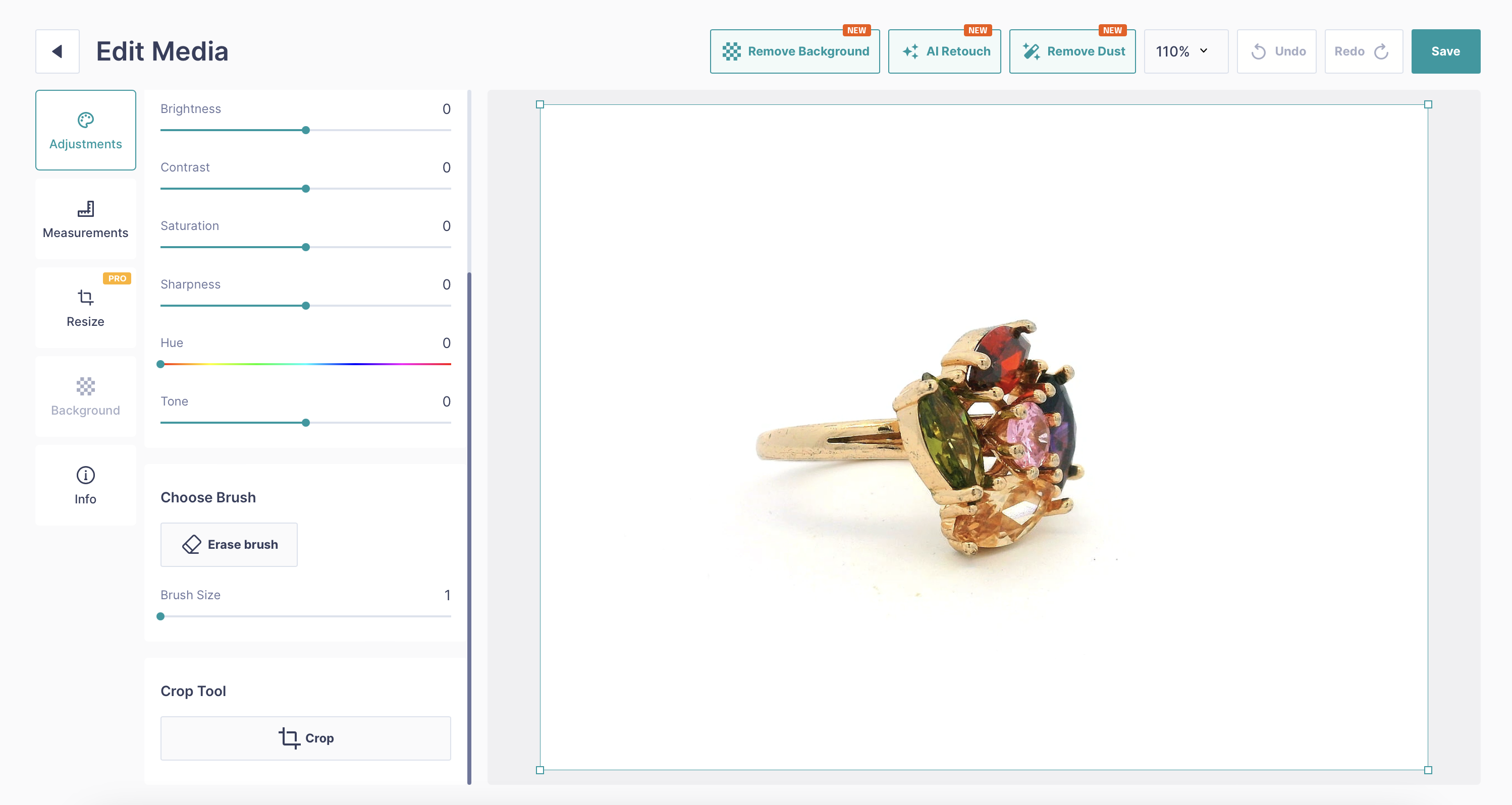
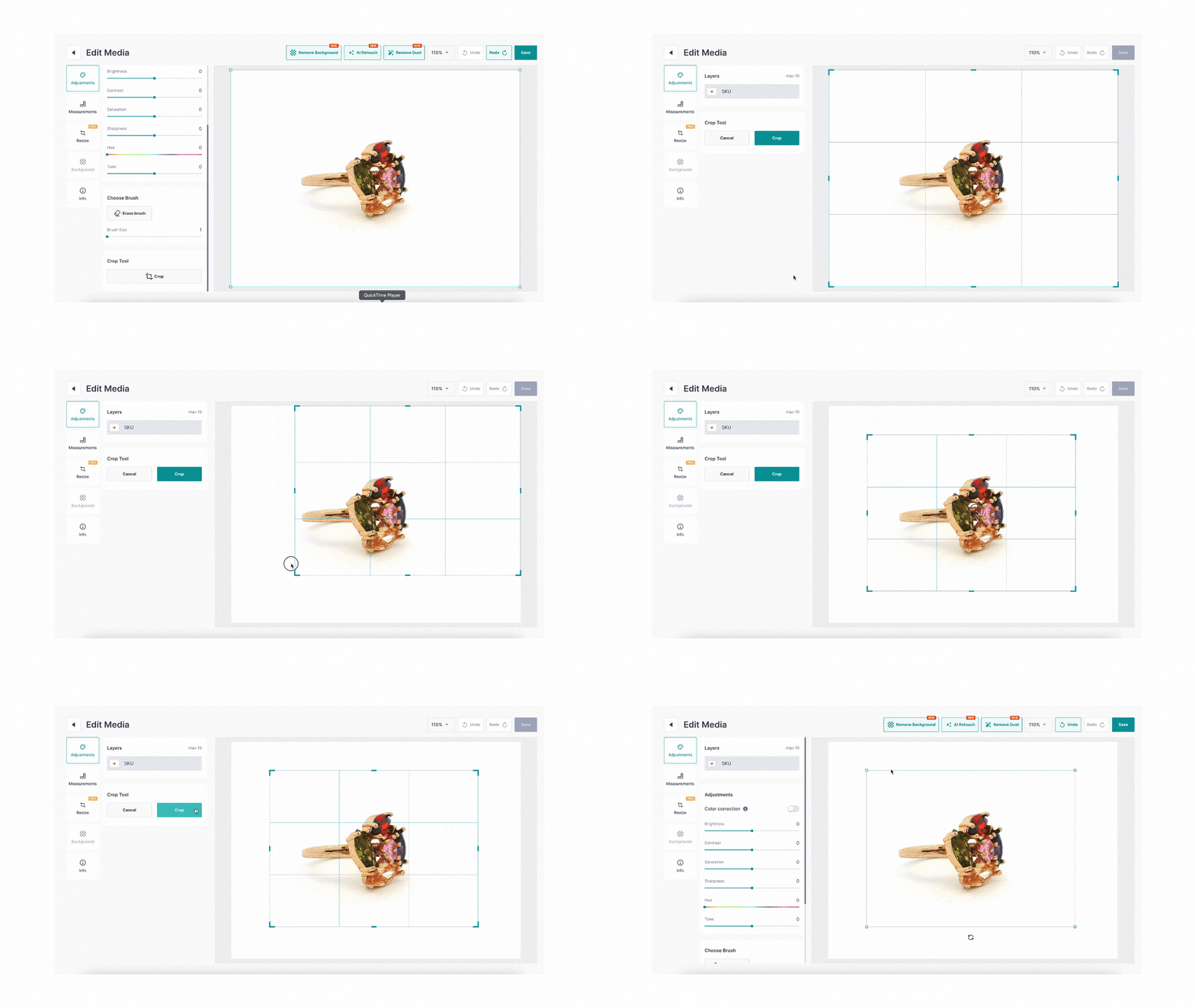
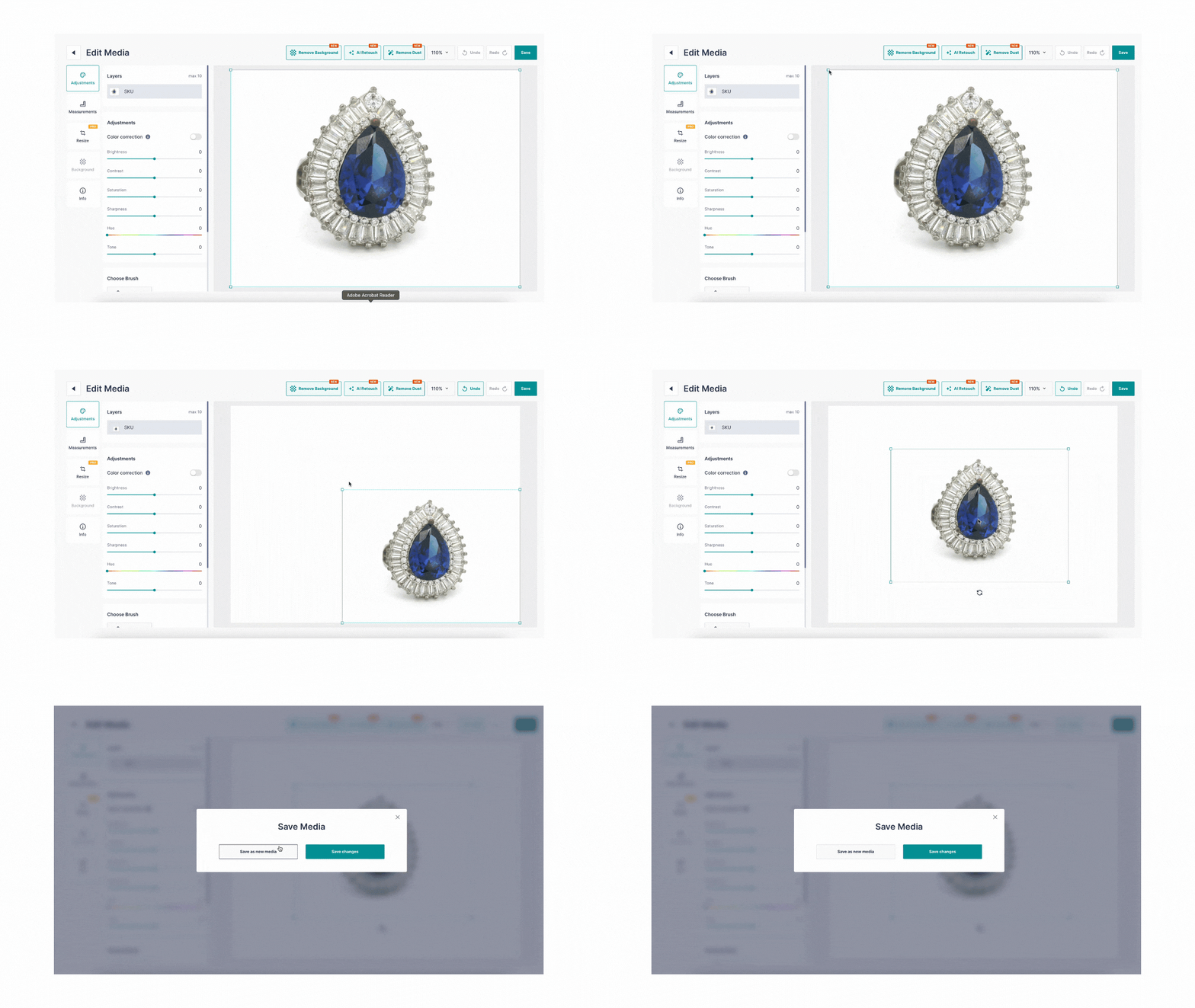
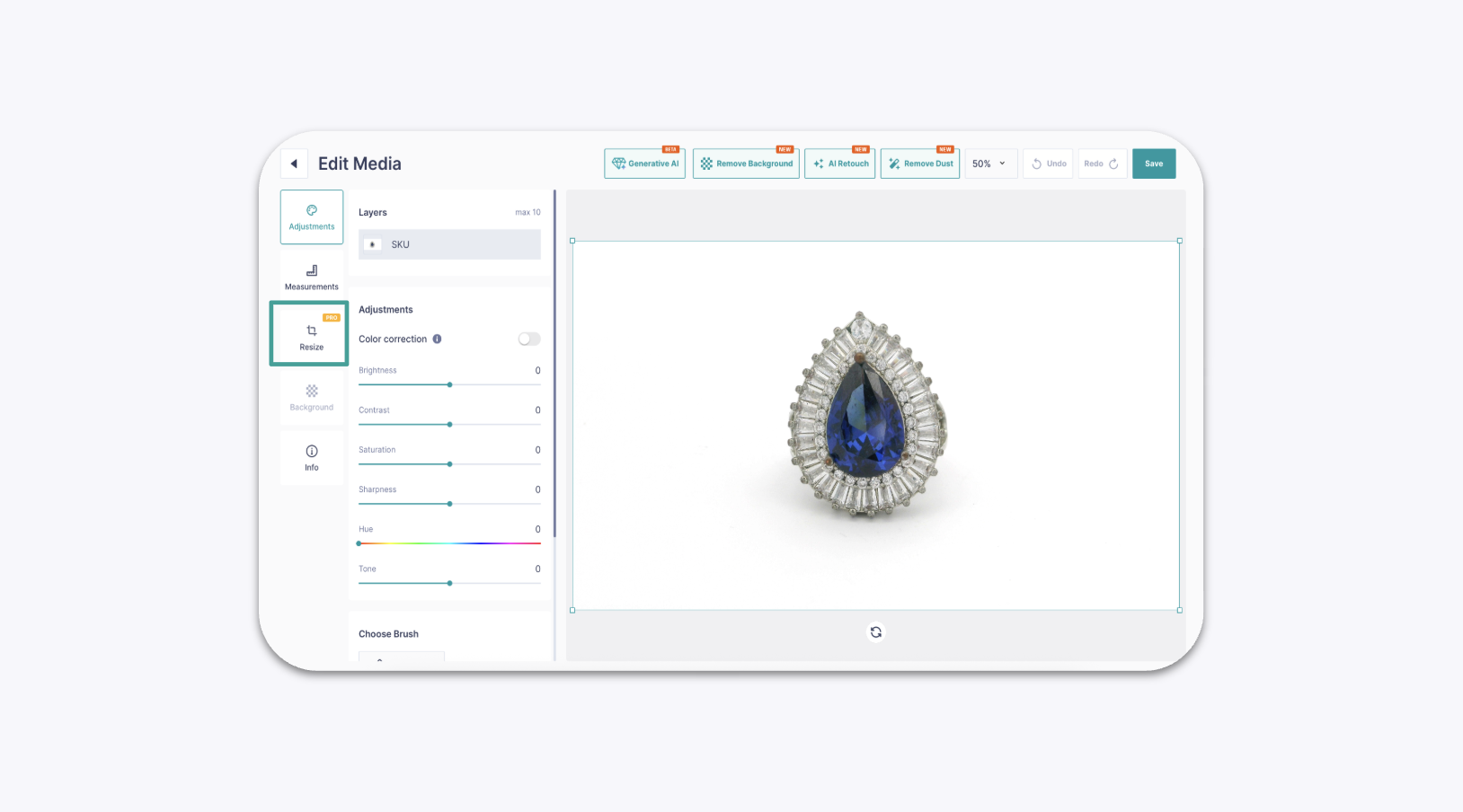
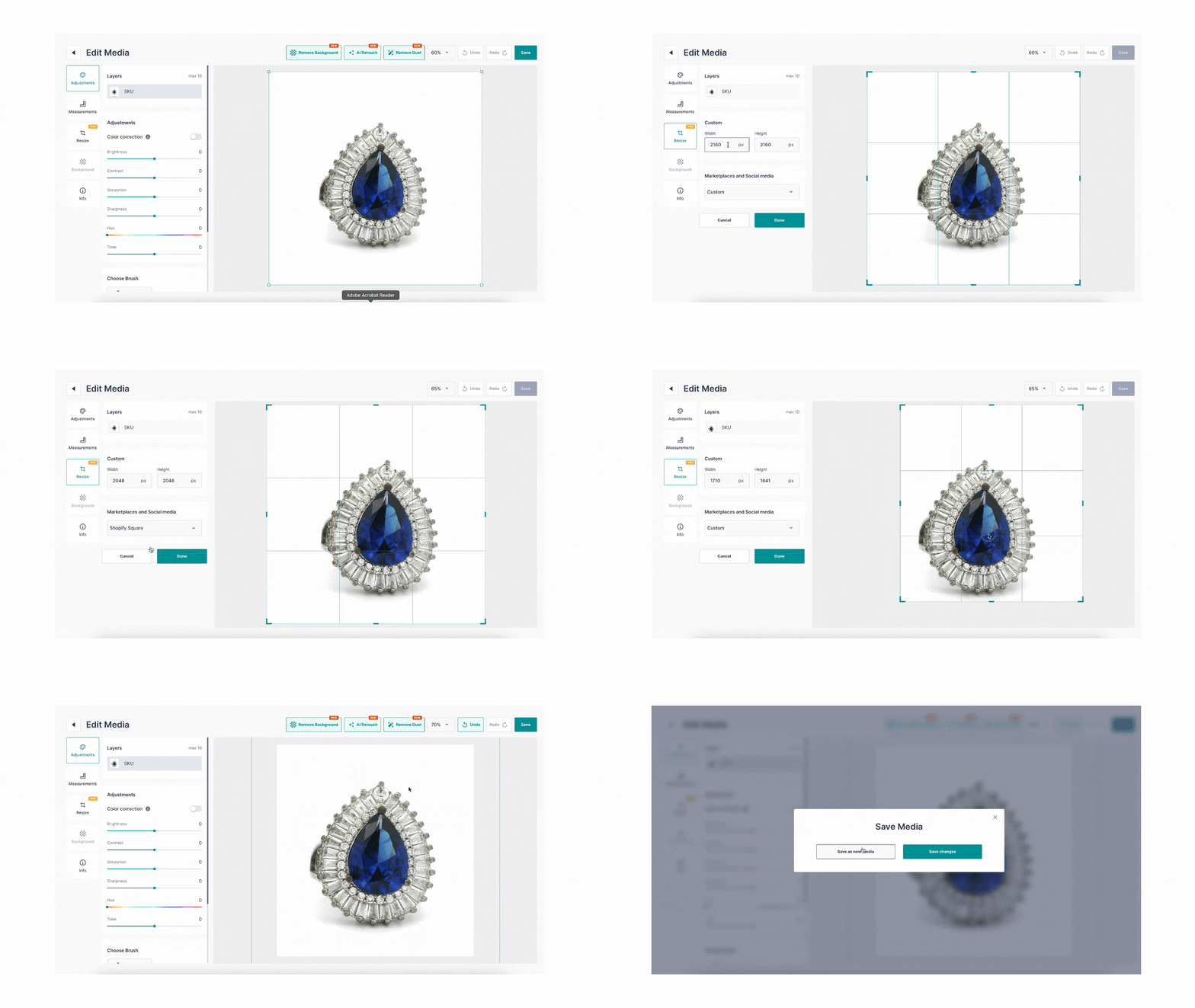
GemIQ includes an image editor that allows you to crop unwanted areas, resize your jewelry within the frame, and change the overall canvas size to fit specific requirements for e-commerce or social media platforms.
Before You Start#
You need an image or video saved in your GemIQ Media gallery.
This guide covers editing on the GemIQ desktop app. Features may differ on mobile.
Steps#
First, open the image editor:
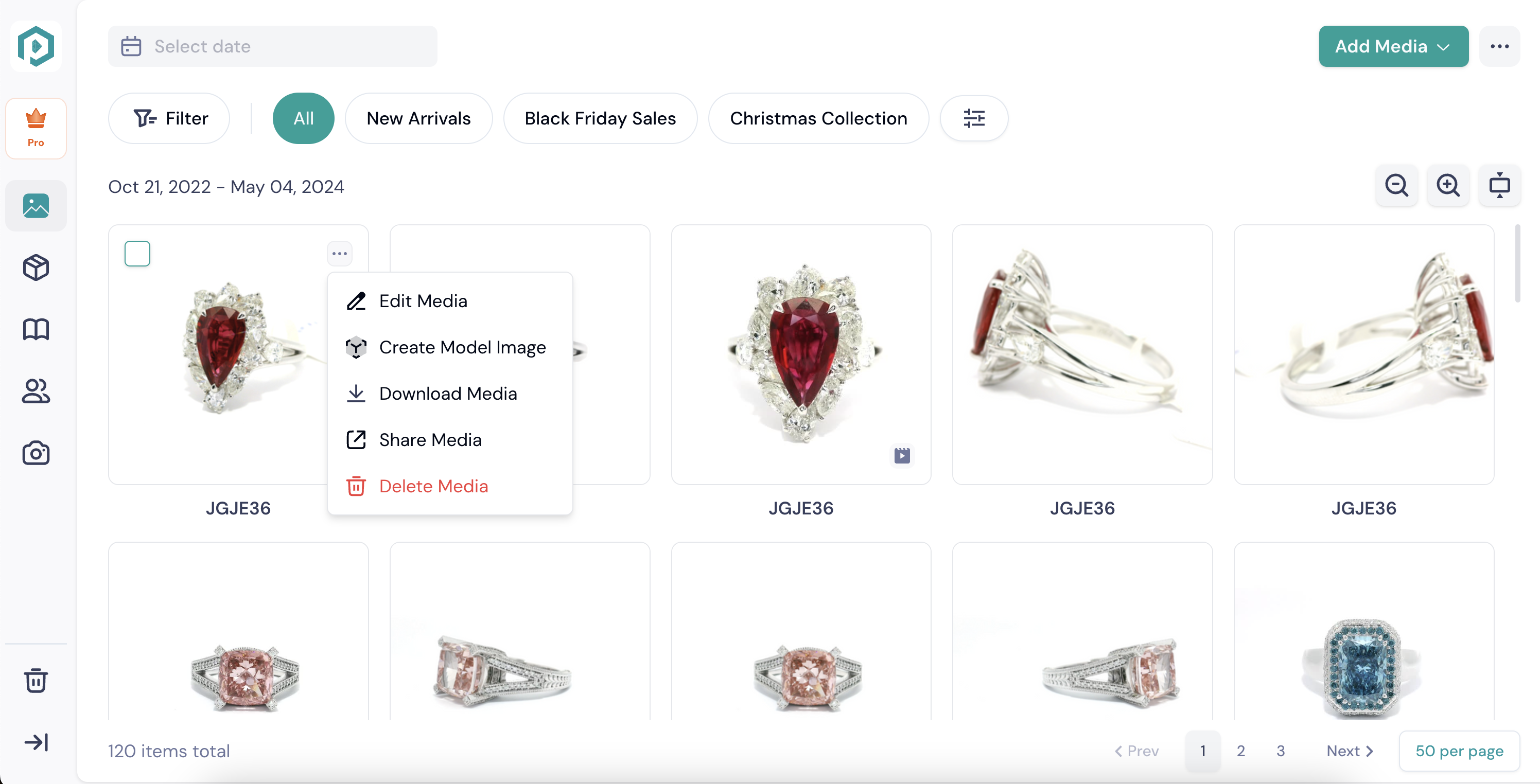
Navigate to the Media tab in GemIQ.
Hover your mouse over the image you want to edit.
Click the three-dot menu (⋯) that appears.
Select Edit Media from the dropdown menu to open the editor.