Quick answer#
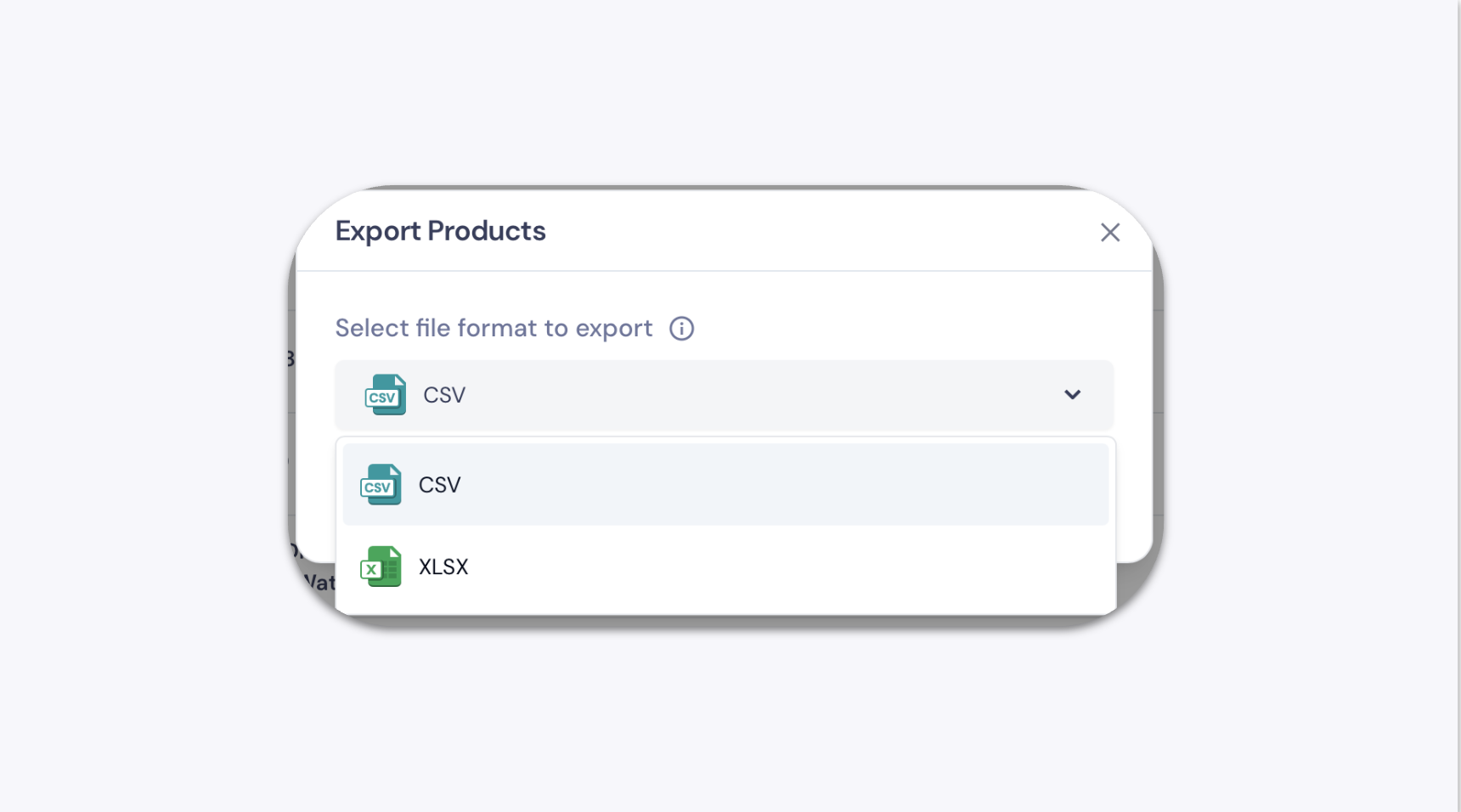
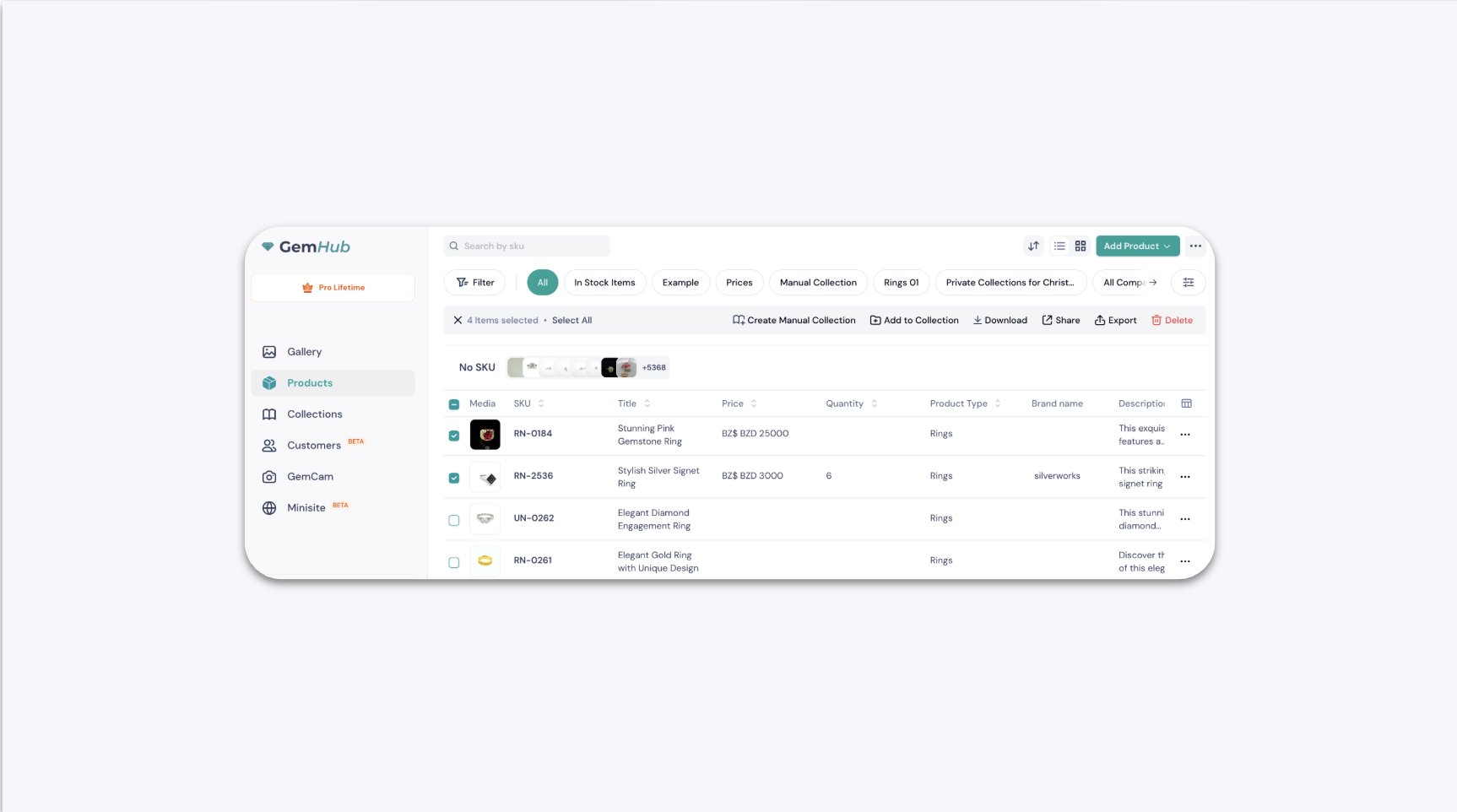
In GemIQ, you can export your product listings as a CSV or XLSX file — either all products at once or just a selected group. The exported file downloads automatically to your browser's downloads folder.
Before you start#
Make sure you are logged in to GemIQ.
Confirm the products you want to export are already saved in your Products library.
Steps#
Export All Products#
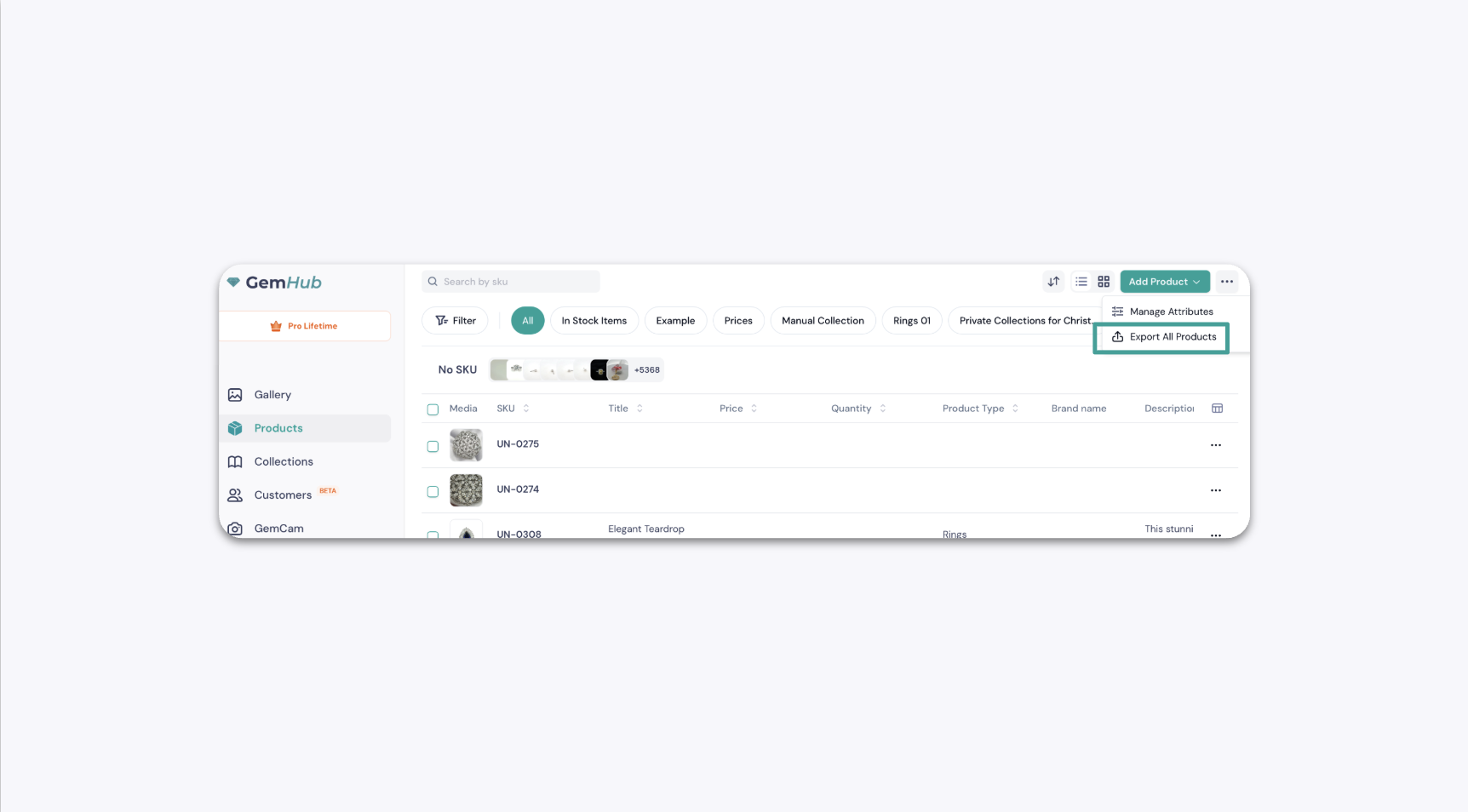
Click Products in the main navigation menu.
In the top-right corner of the page, click the ellipsis (…) button to open the options menu.