How to Embed a GemIQ Video on Your Website#
Quick Answer#
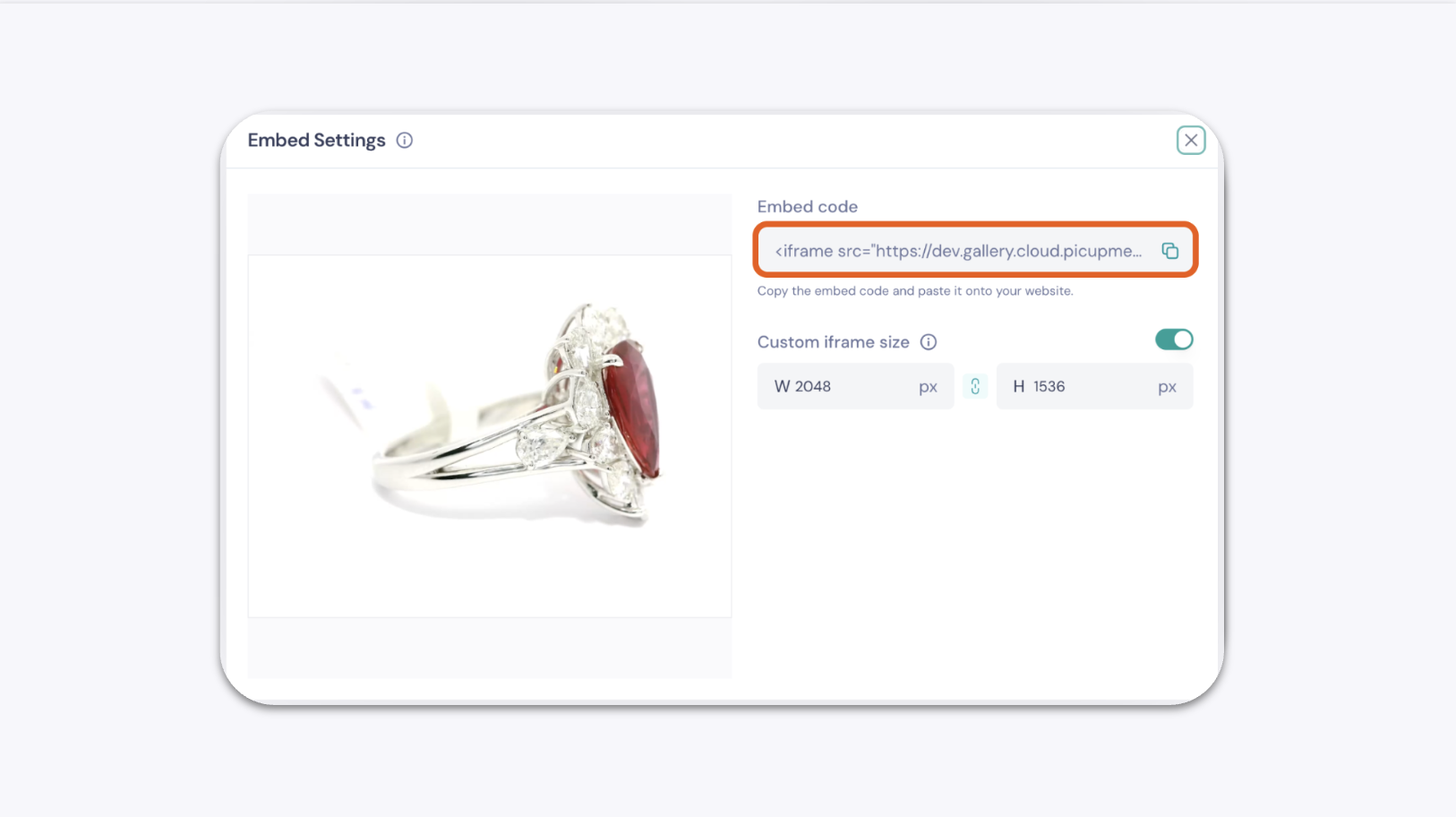
GemIQ lets you generate an iFrame embed code for any video in your Gallery. Copy the code and paste it into your website's HTML to display the video directly on your page.
Before You Start#
You have a GemIQ account with at least one video saved in your Gallery.
You have access to your website's HTML editor.
Steps#
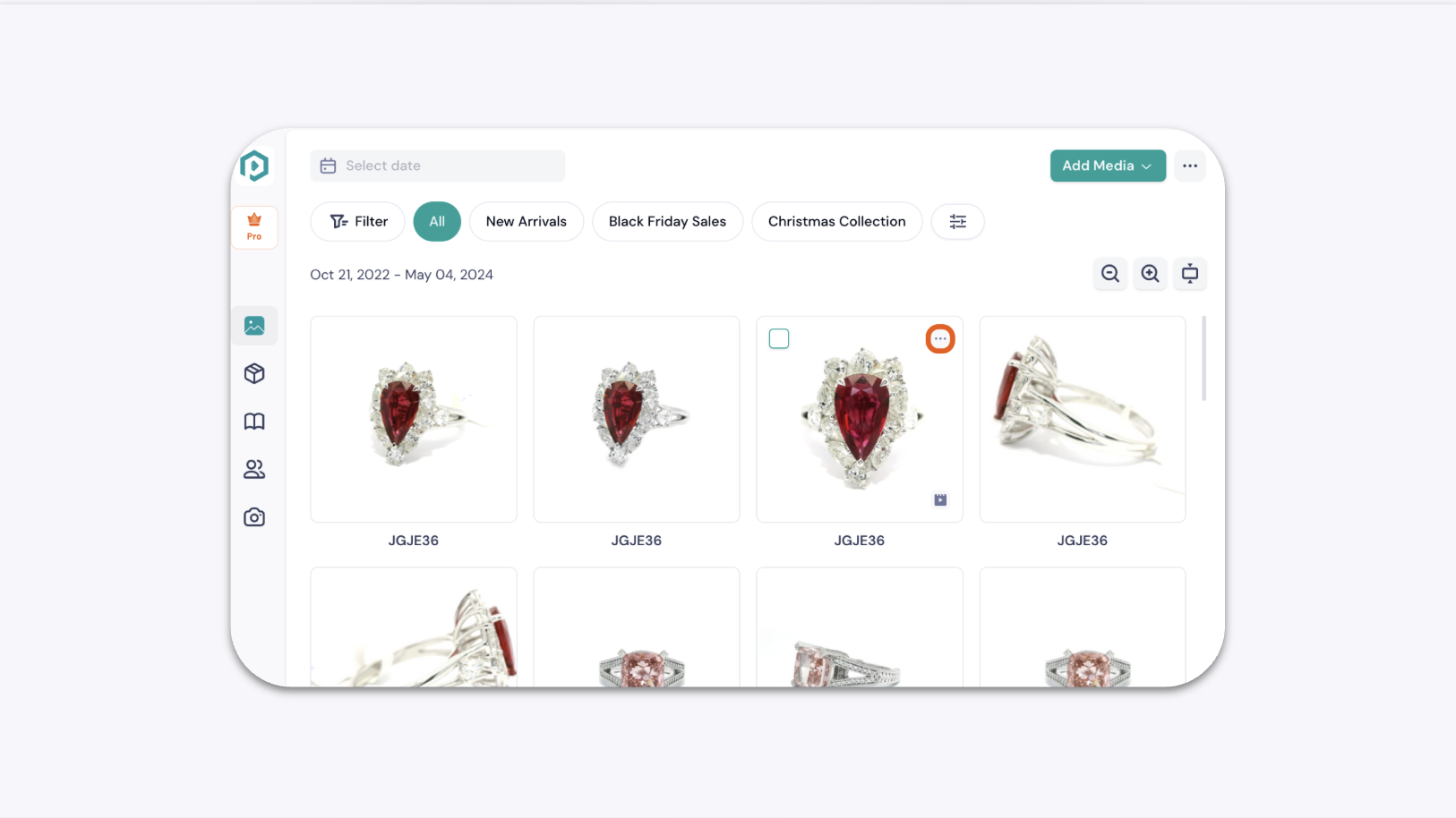
In the GemIQ, go to Gallery and find the video you want to embed.
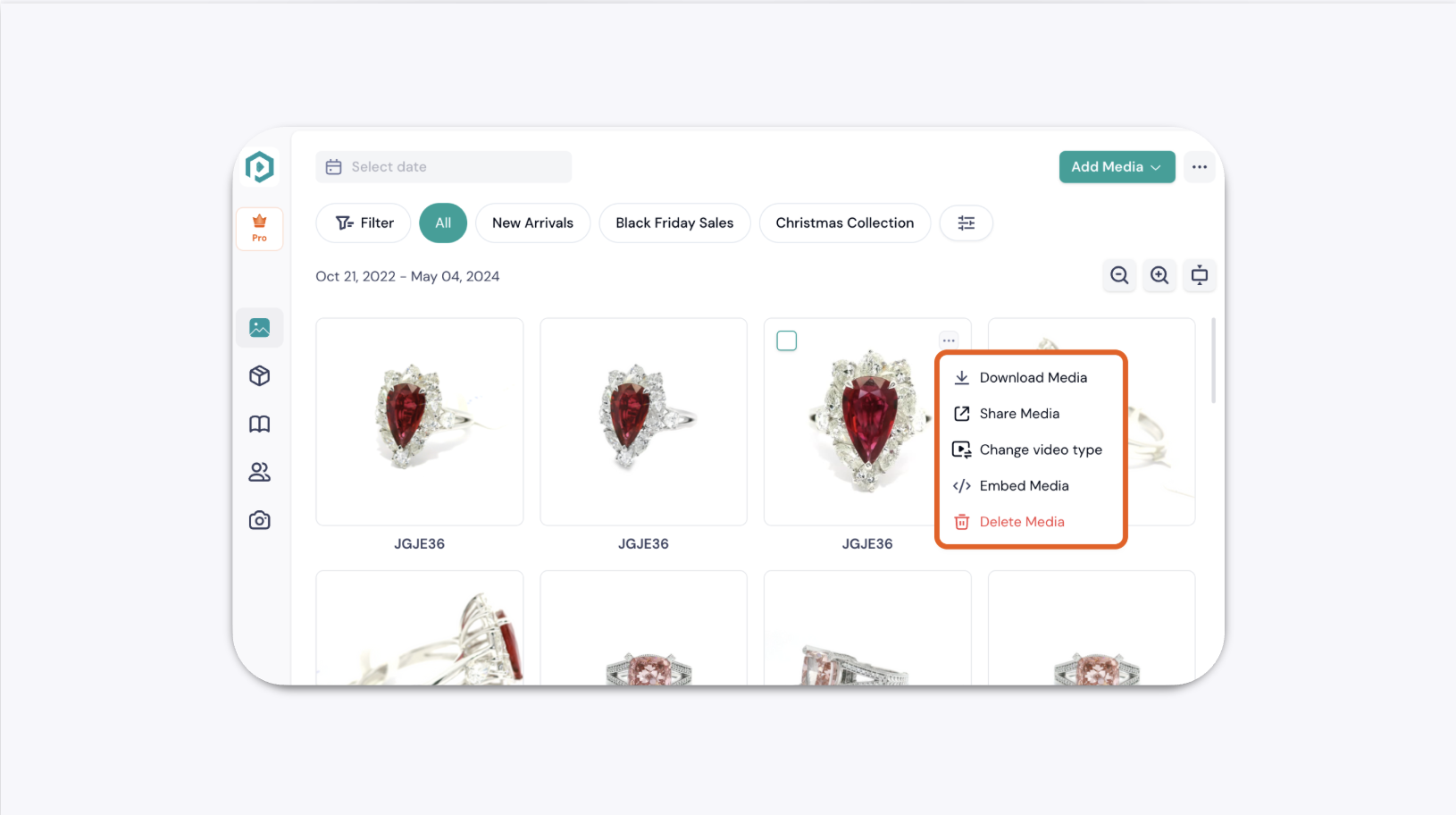
Tap the ellipsis icon (...) in the top-right corner of the video thumbnail.