Quick Answer#
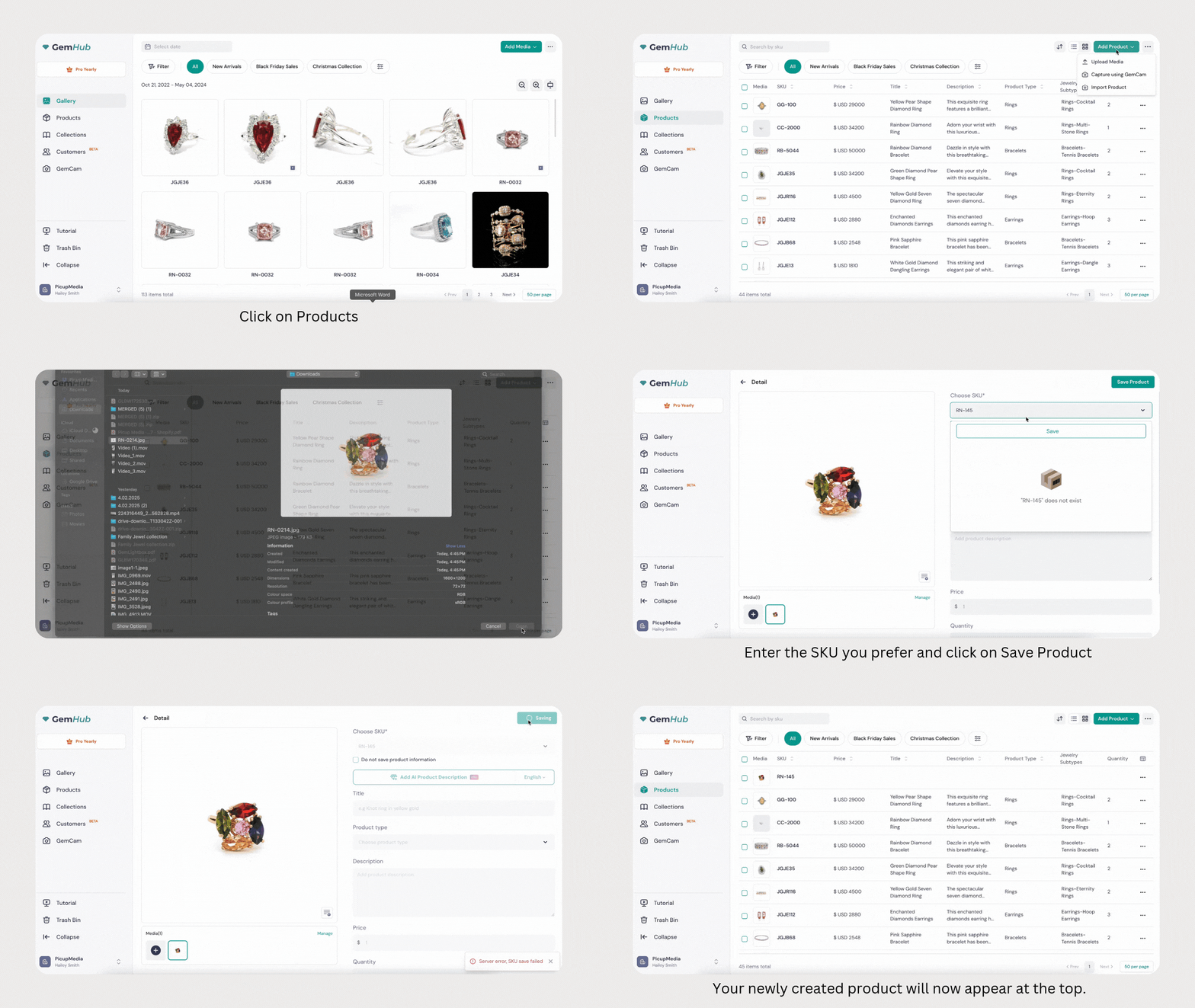
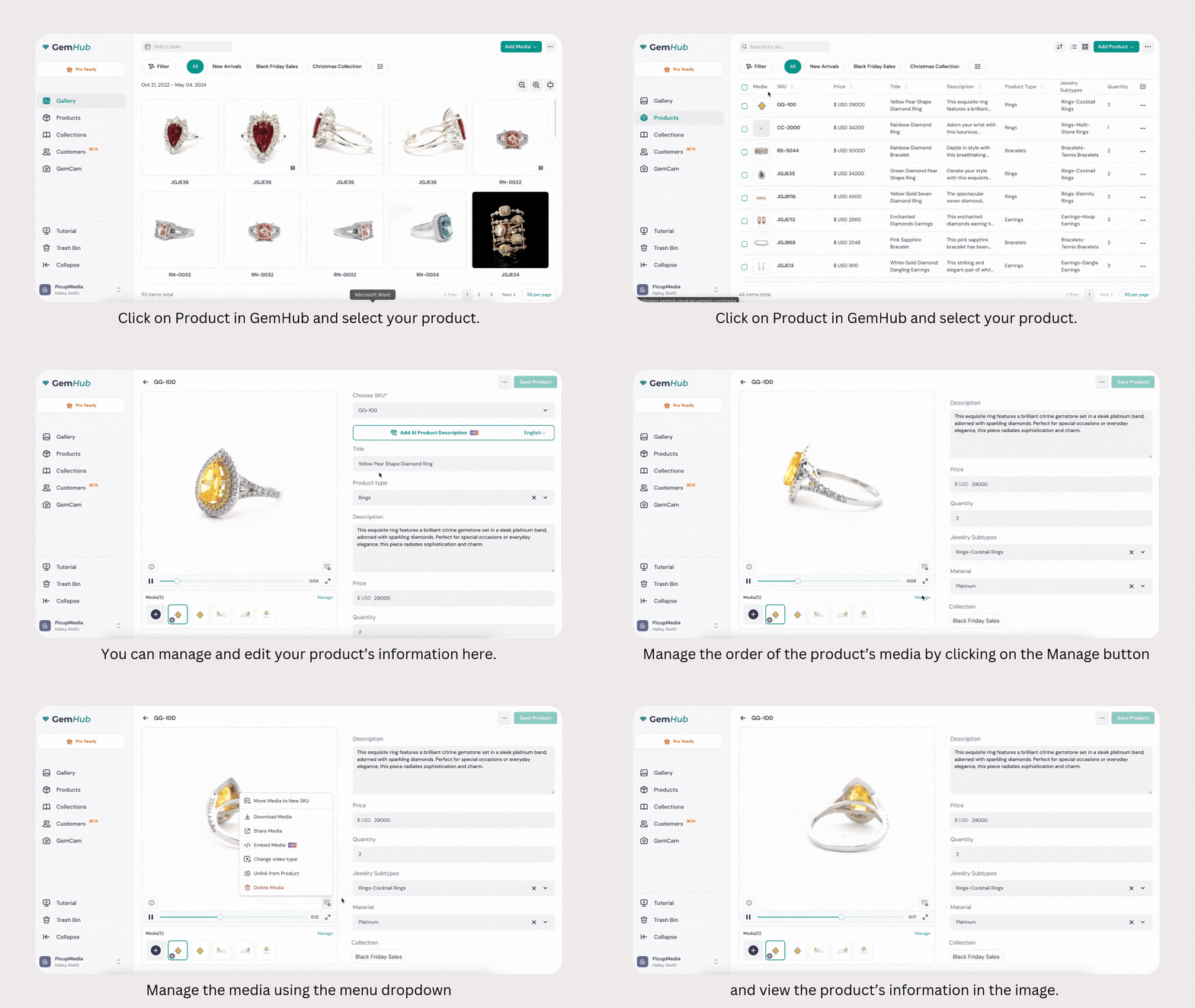
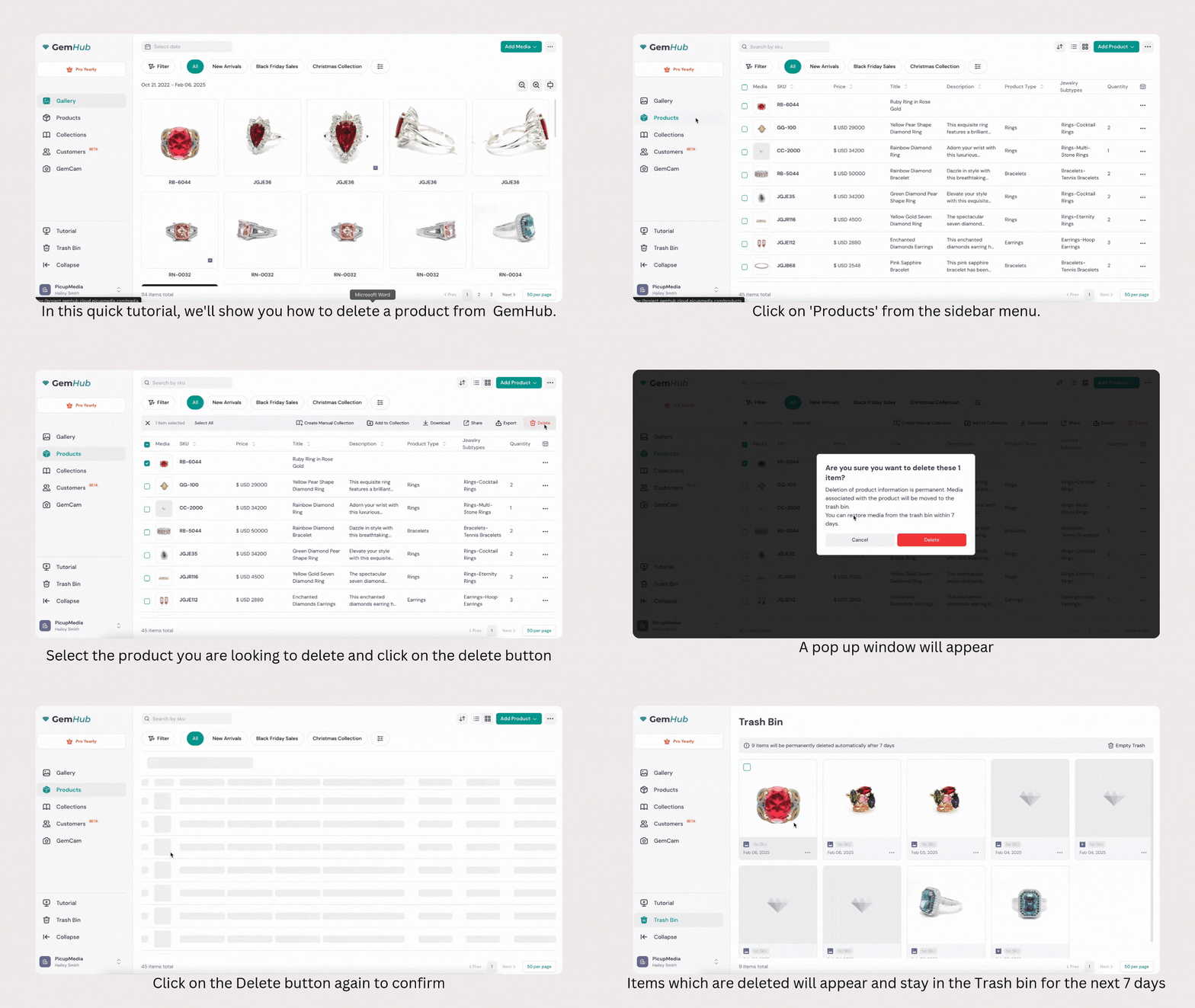
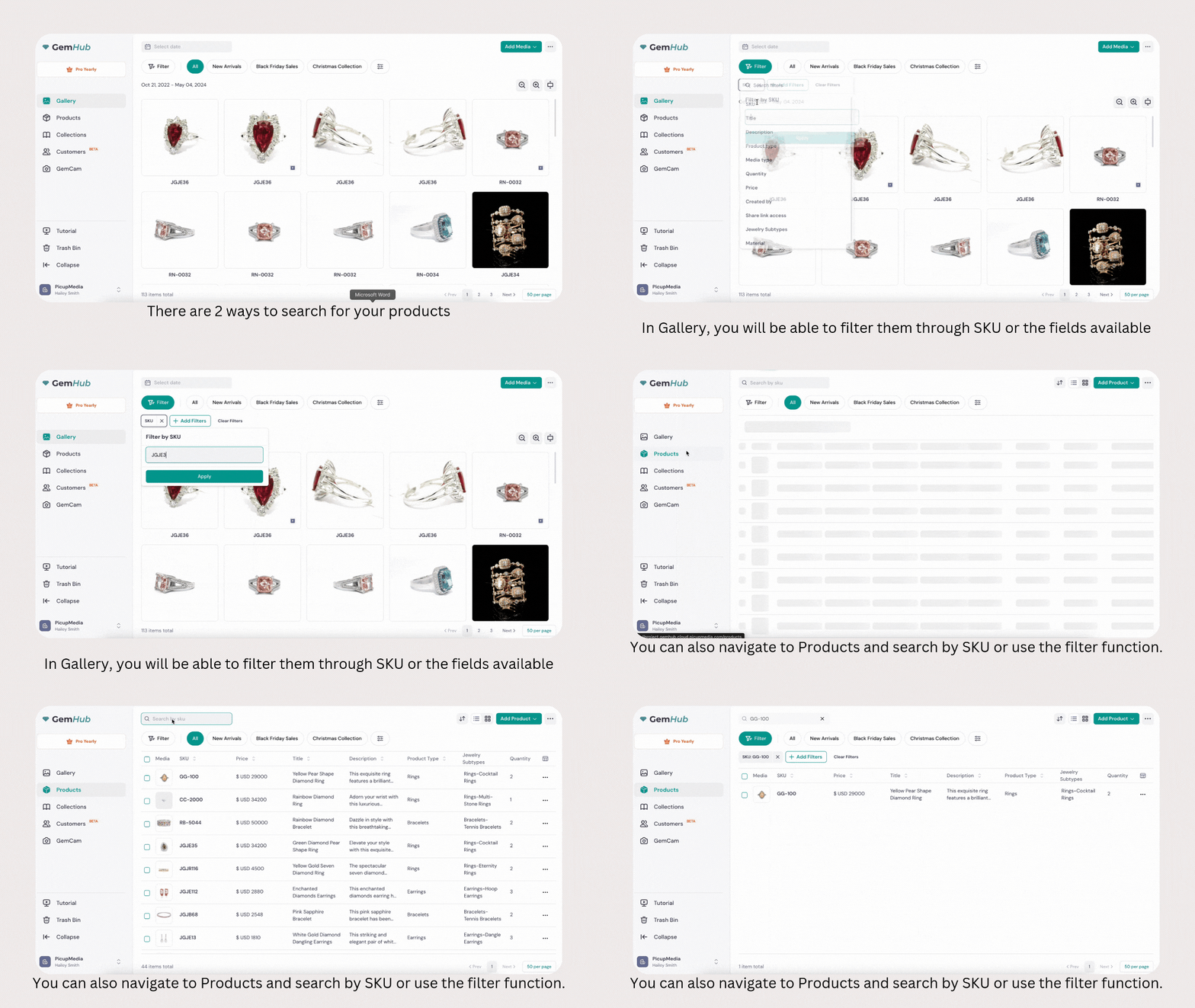
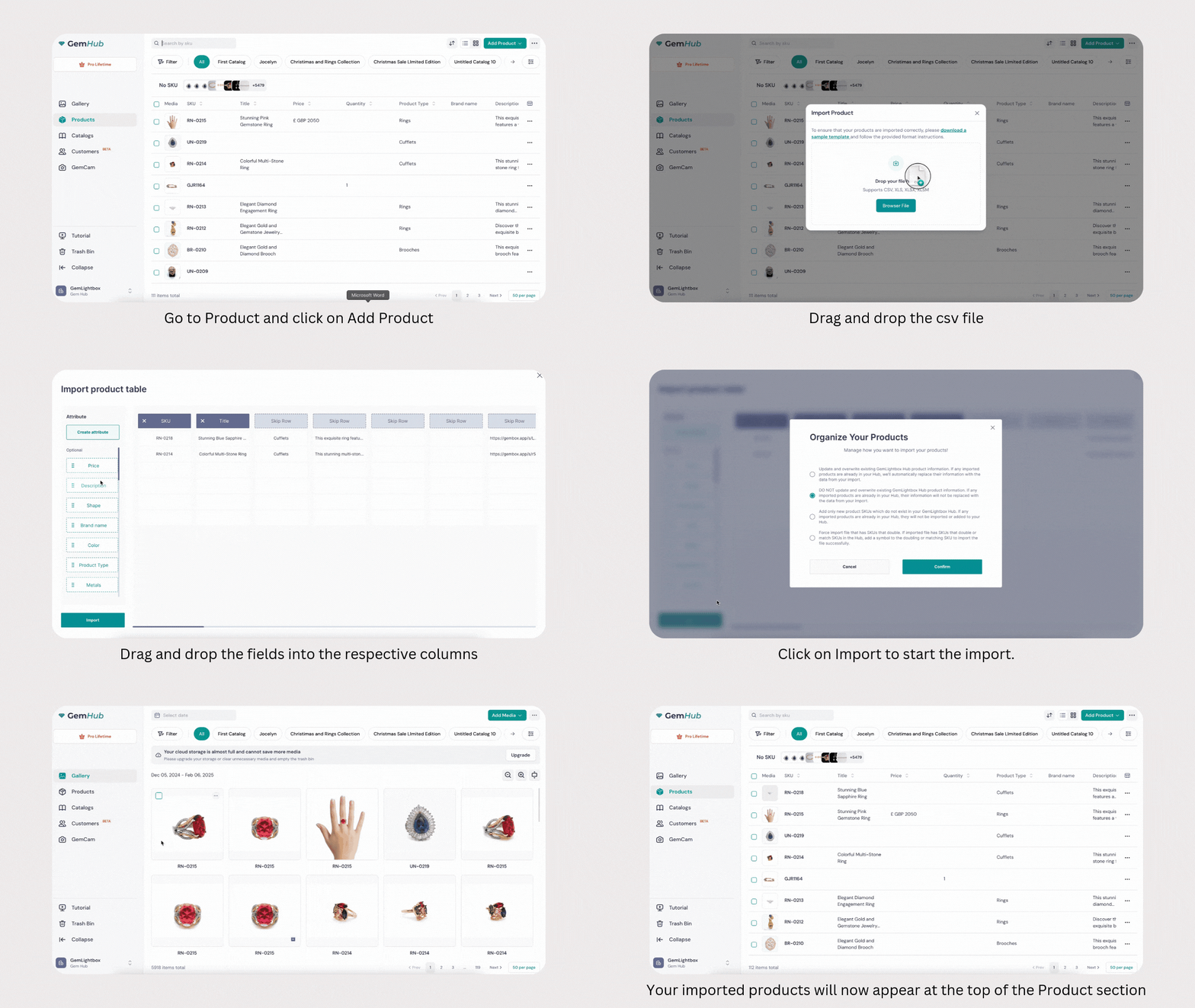
The Products section in GemIQ App lets you create, edit, delete, find, and import your jewelry product catalog. Every product requires a SKU; all other fields are optional. Deleted products go to the Trash and can be recovered within 7 days.
Before You Start#
Log in to your GemIQ account the GemIQ Desktop App.
To import products in bulk, download the sample import file and use it as your template.
Any product types referenced in an import file must already exist in your GemIQ account before you import.
Steps#
Create a Product#