Quick Answer#
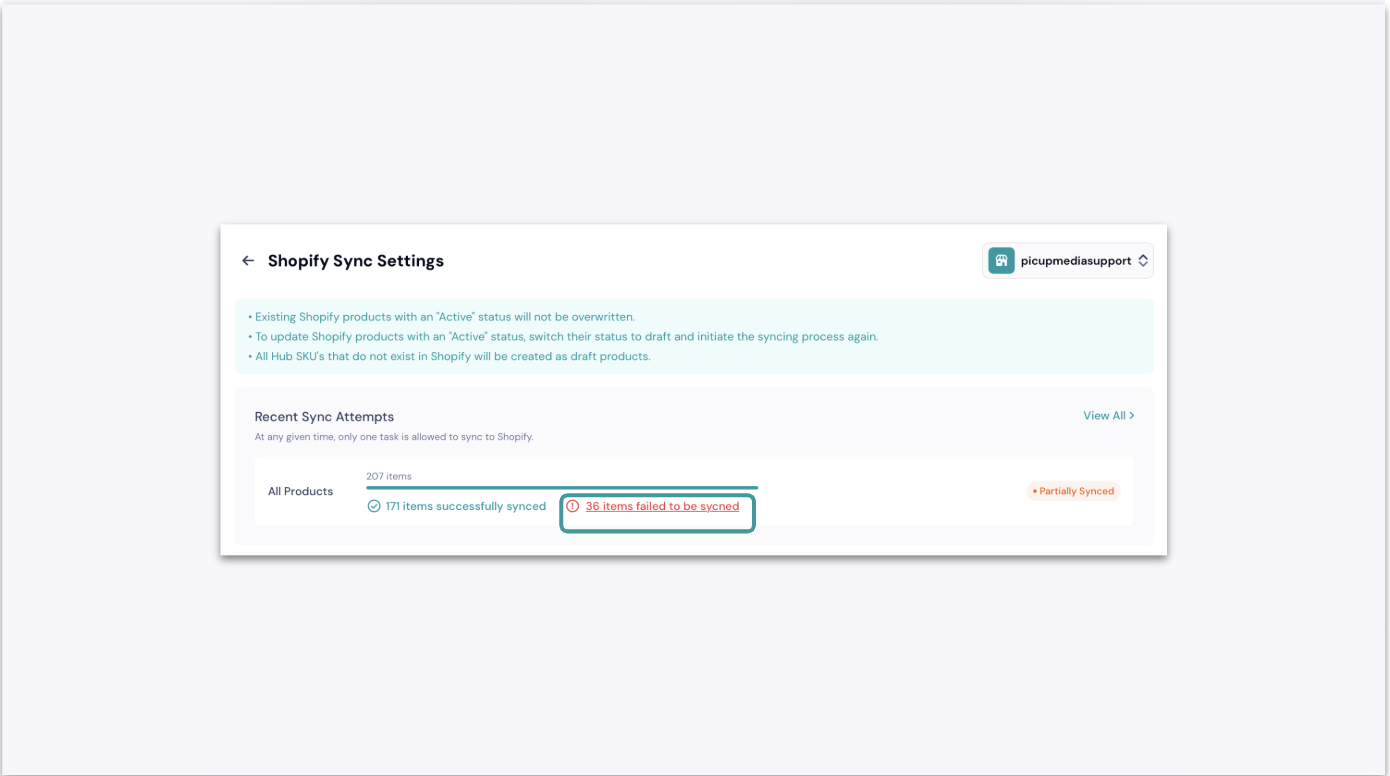
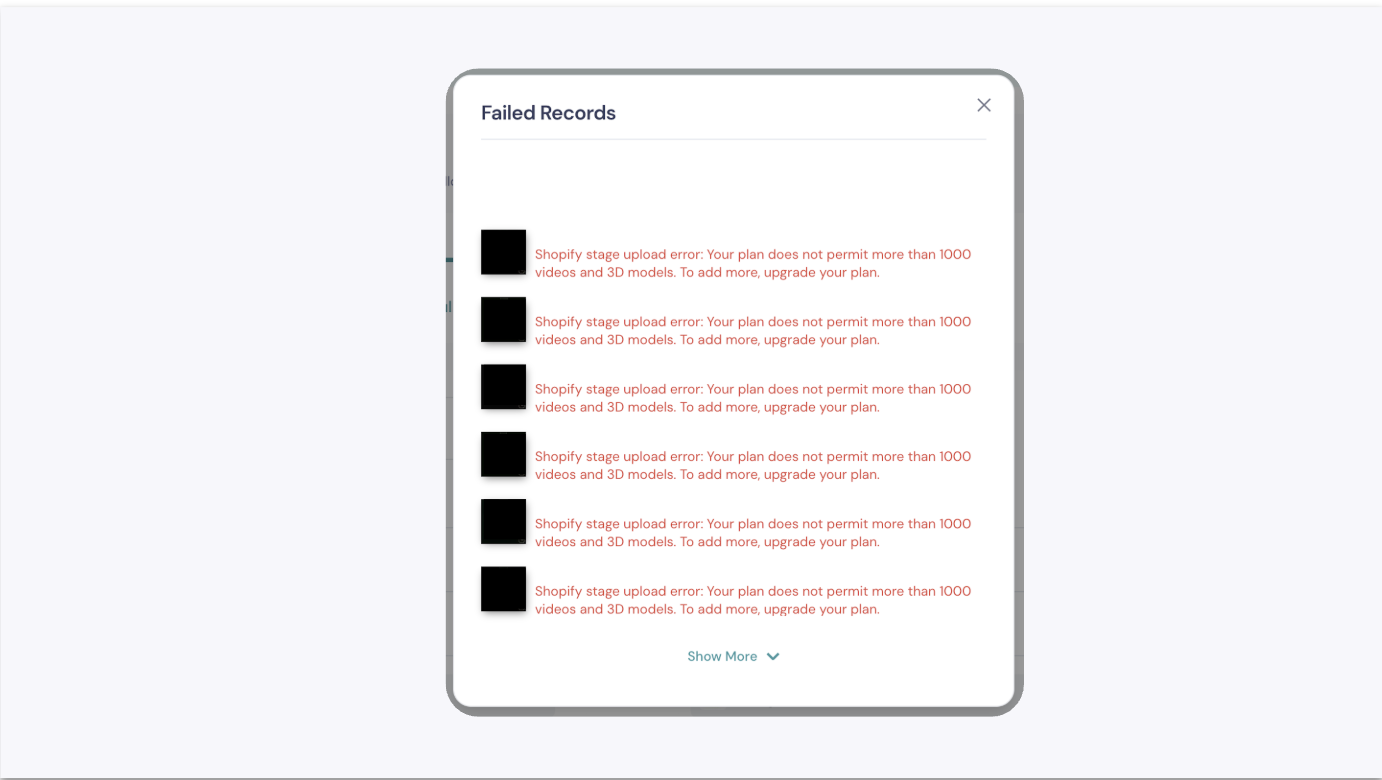
If your sync to Shopify fails, it is most likely due to Shopify's media limit per product or a network interruption. You can find the specific reason by clicking "View Errors" in the Shopify integration section of the GemIQ app.
Note: Shopify integration is only available through the GemIQ Desktop application.
Before You Start#
Ensure you have a stable internet connection.
Be logged into your GemIQ account and your Shopify account.
Steps#
Navigate to Shopify Integration: In the GemIQ app, go to the Integrations section and select Shopify.
Check Sync History: Find the product sync that failed in your history list.
View the Error Details: Click the View Errors button next to the failed sync status to see the specific error message provided by Shopify.