

Overview#
The Edge is a comprehensive jewelry store management system designed specifically for independent retail jewelers, ideal for businesses with 1 to 10 stores. Key features include:
Point of Sale (POS)
Customer Management
Accounting
Inventory Management
Reporting
GemIQ and The Edge offer a two-way synchronization integration, allowing you to:
Push inventory from The Edge into GemIQ
Add photos and videos within GemIQ
Sync media back into The Edge automatically
This integration helps streamline your jewelry inventory workflow and media management process.
Before You Begin#
Before attempting to integrate GemIQ with The Edge, please ensure that you have contacted The Edge support team to enable the integration on your account.
📧 Email: support@ajsllc.com
Once enabled, you will receive an email from The Edge containing instructions to install your new license.
⚠️ Important:
Please authenticate using the main GemIQ main account login. Using a Member account for authentication will result in an authentication error.
Steps to Integrate GemIQ with The Edge#
Open Both Programs#
Ensure that the Edge application is open and GemIQ is accessible and ready to use.
Authenticate GemIQ in The Edge#
Within The Edge application:
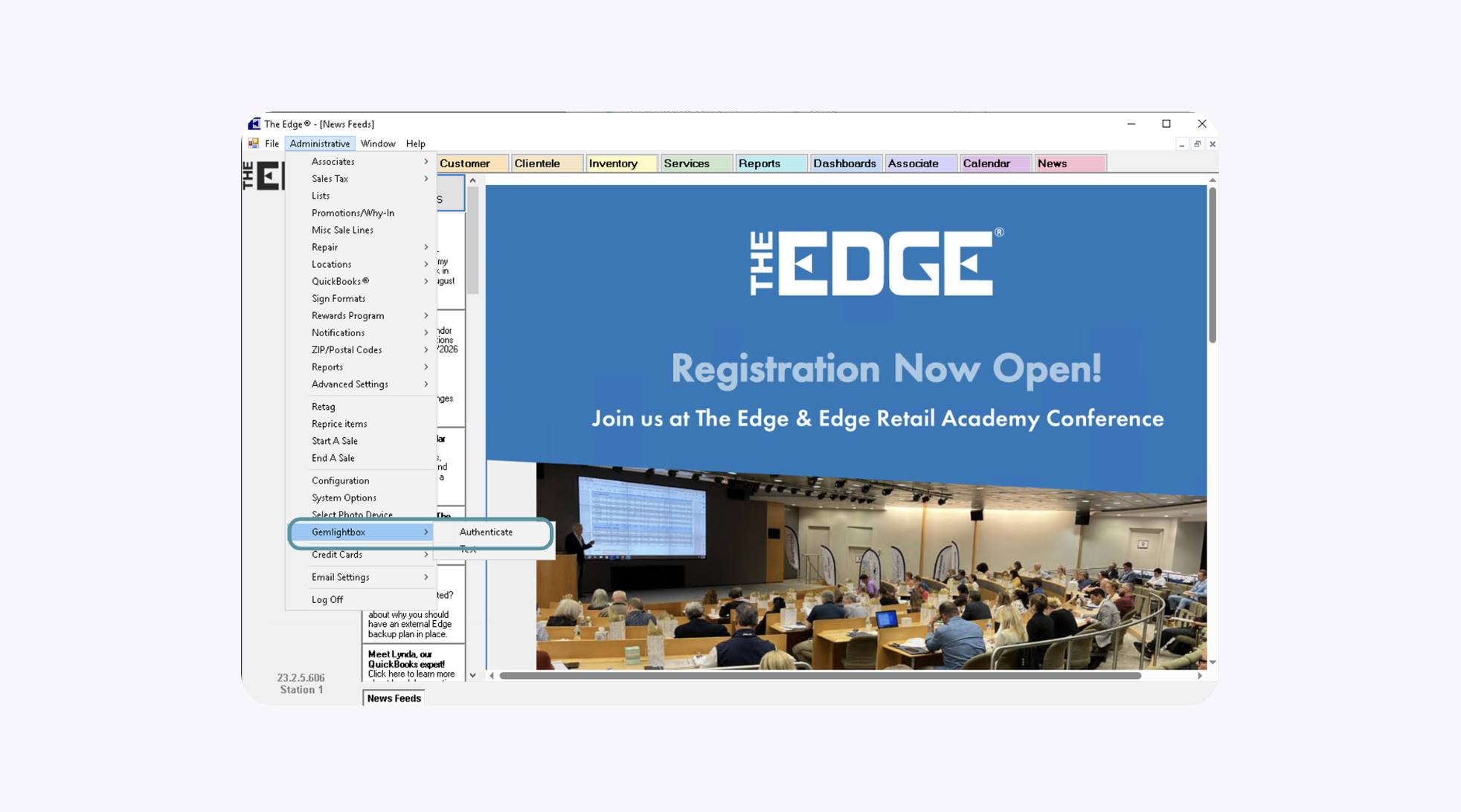
Navigate to Administrative > Gemlightbox > Authenticate
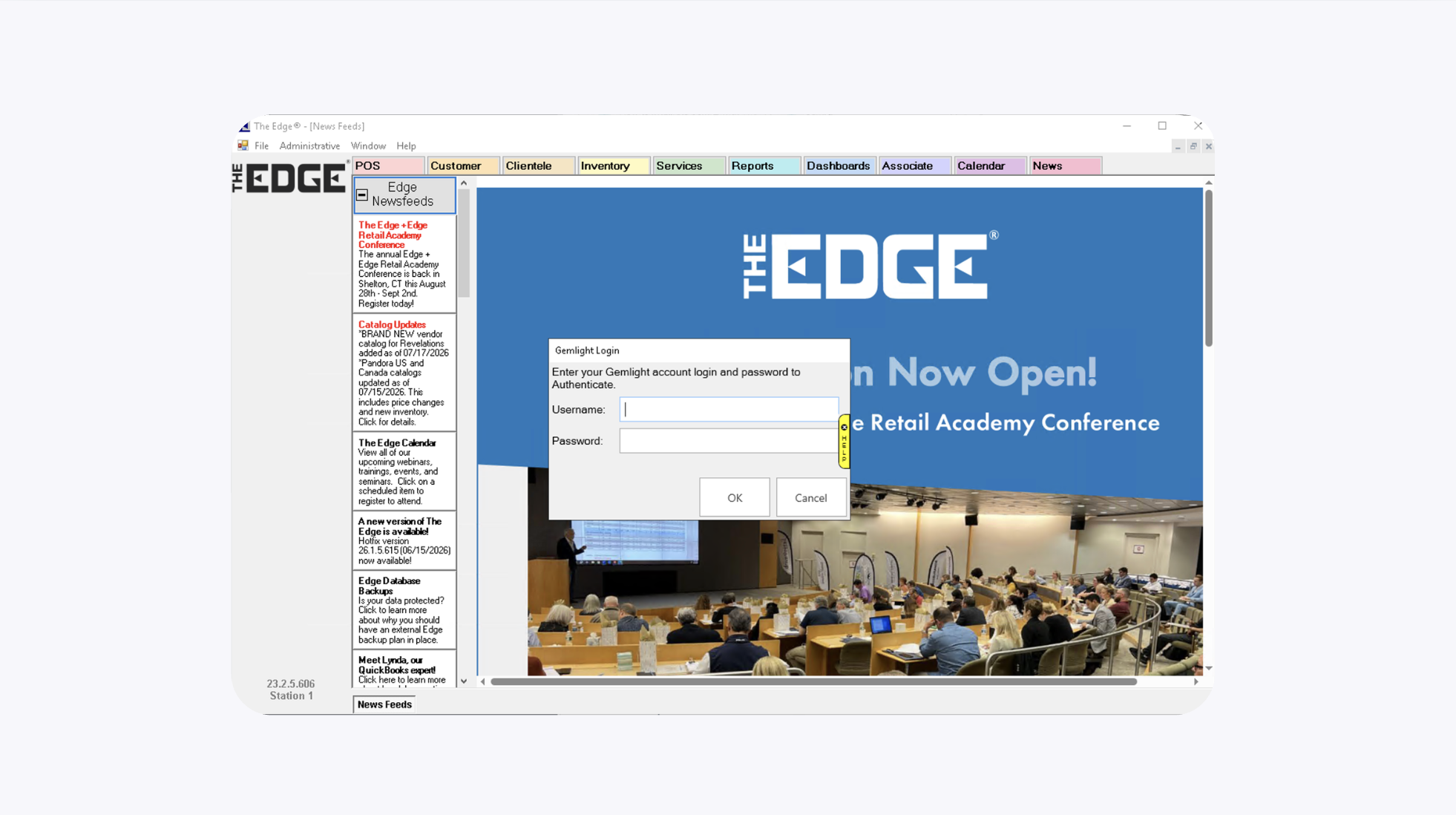
Enter your GemIQ Admin account credentials and complete the authentication process
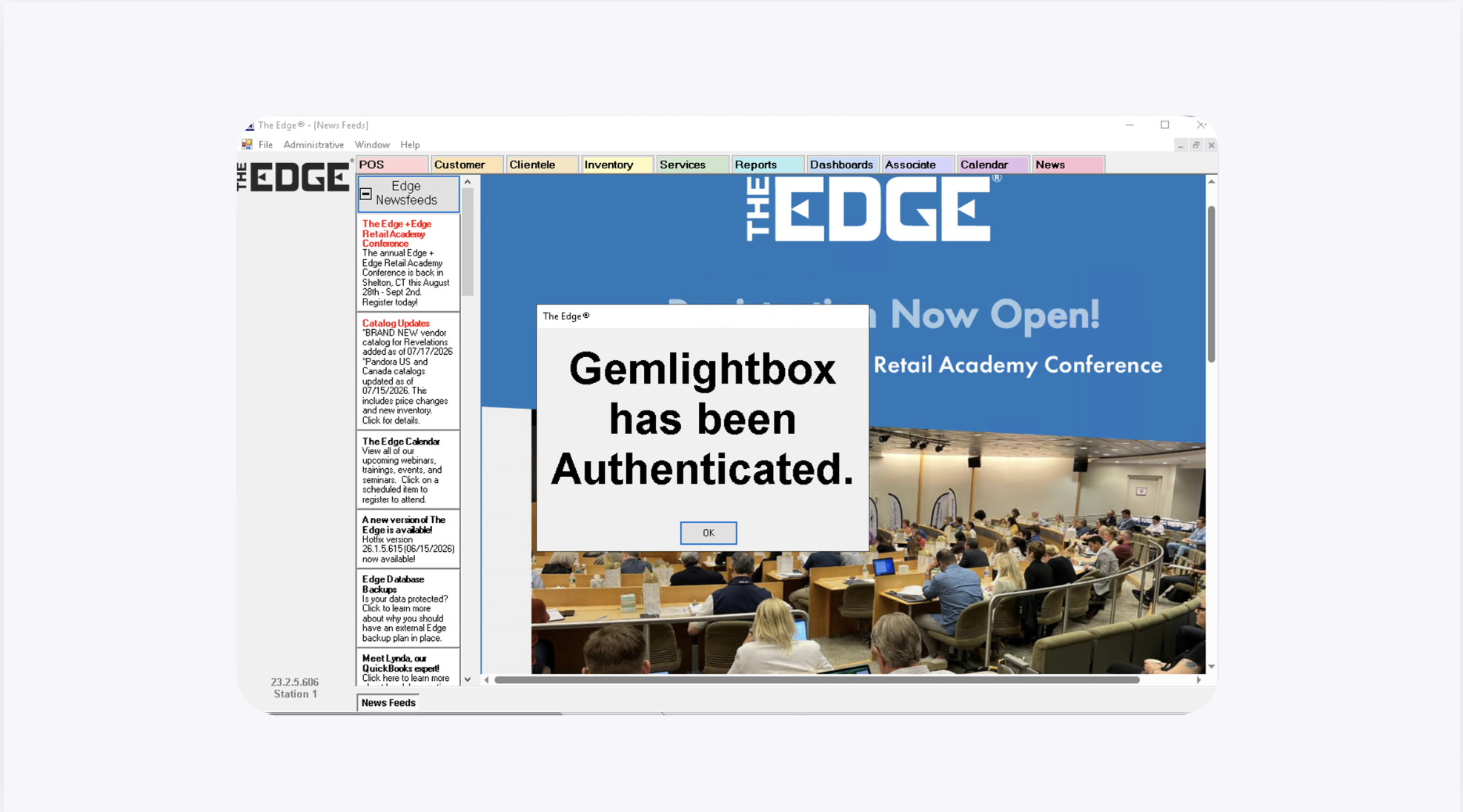
A confirmation popup will appear once authentication is successful.
Select Items to Sync from The Edge#
To sync inventory items into GemIQ:
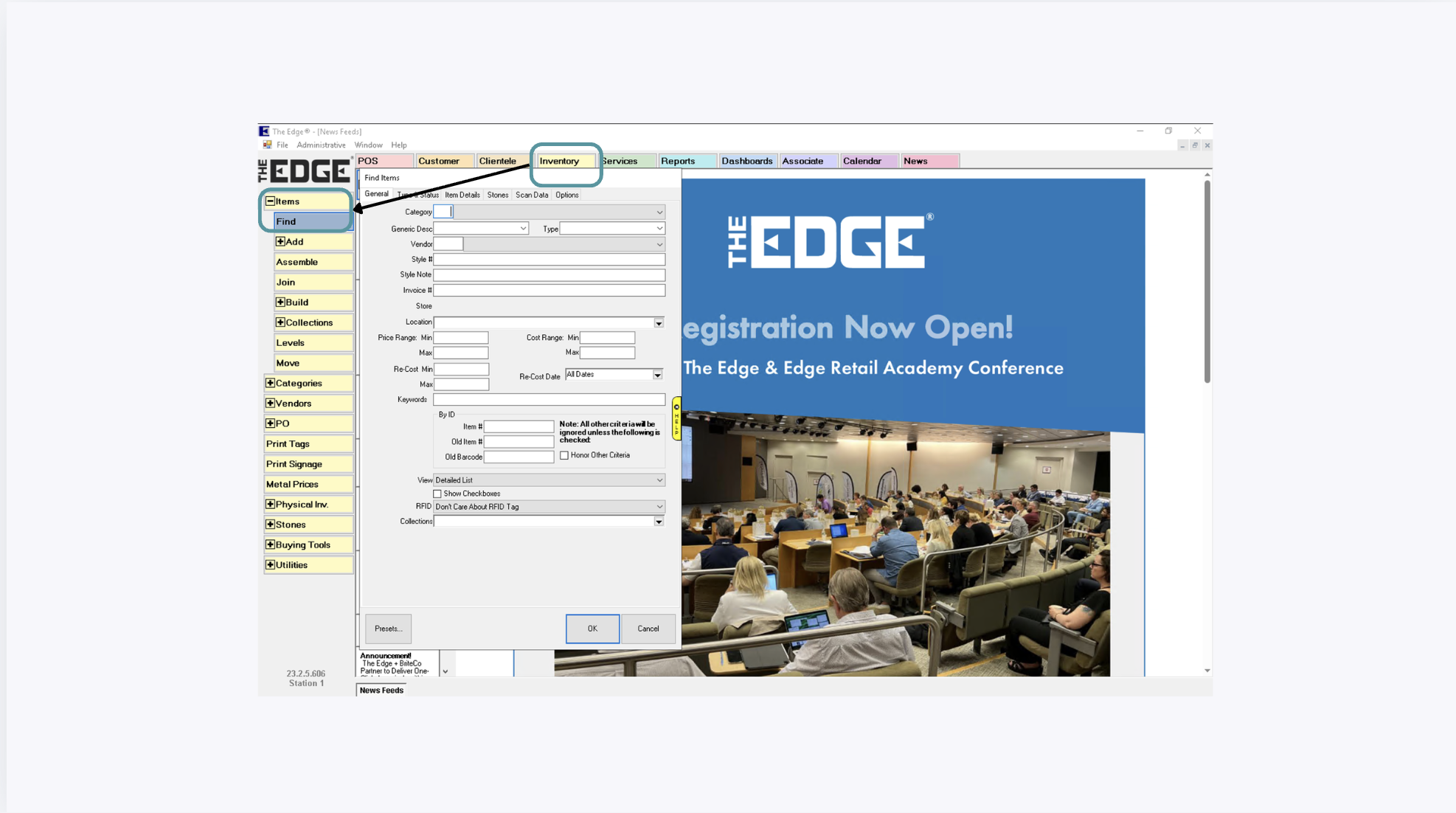
Navigate to Inventory > Item > Find
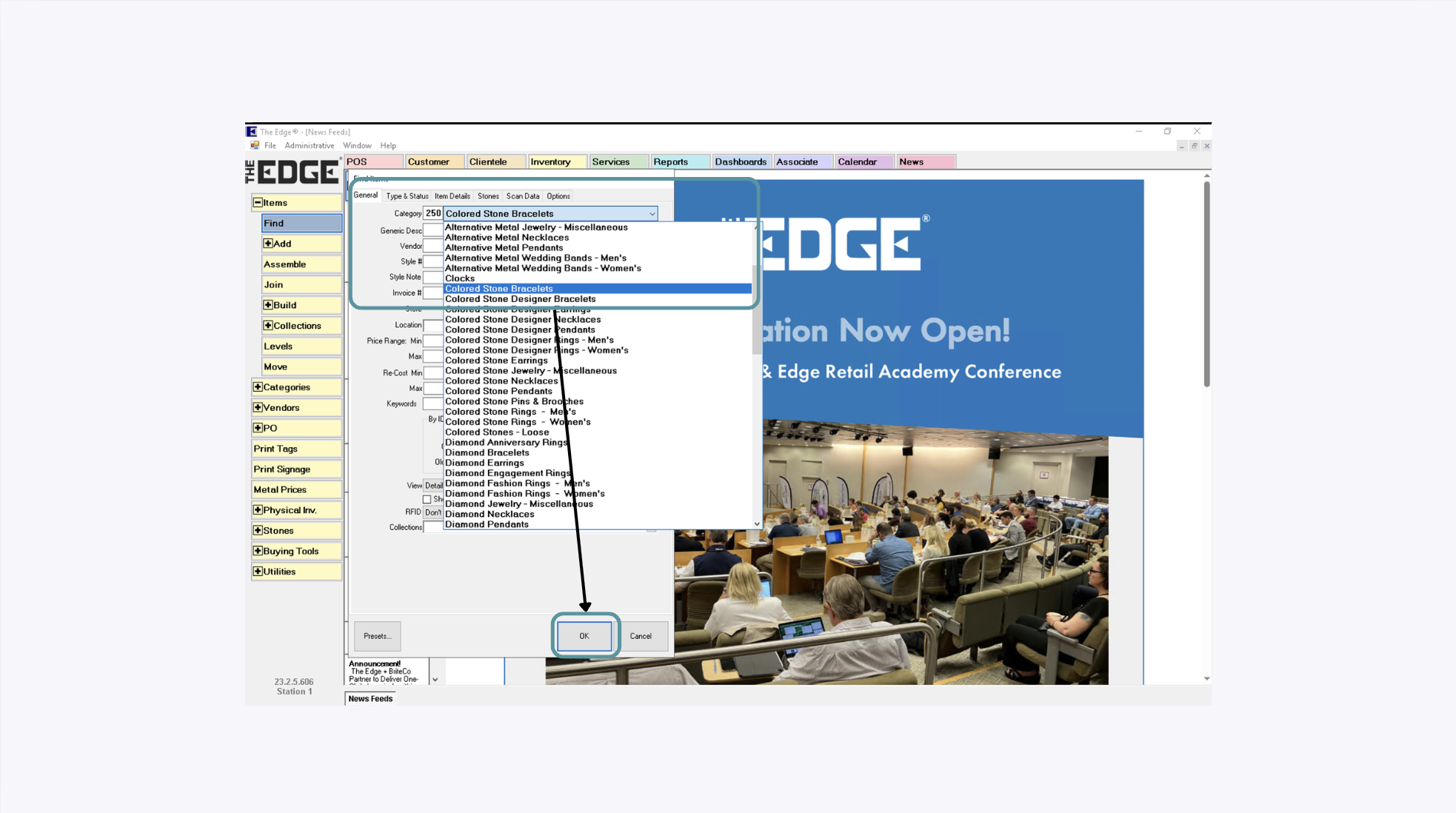
Enter your desired search criteria and select OK.
The item list with the associated products will be generated.
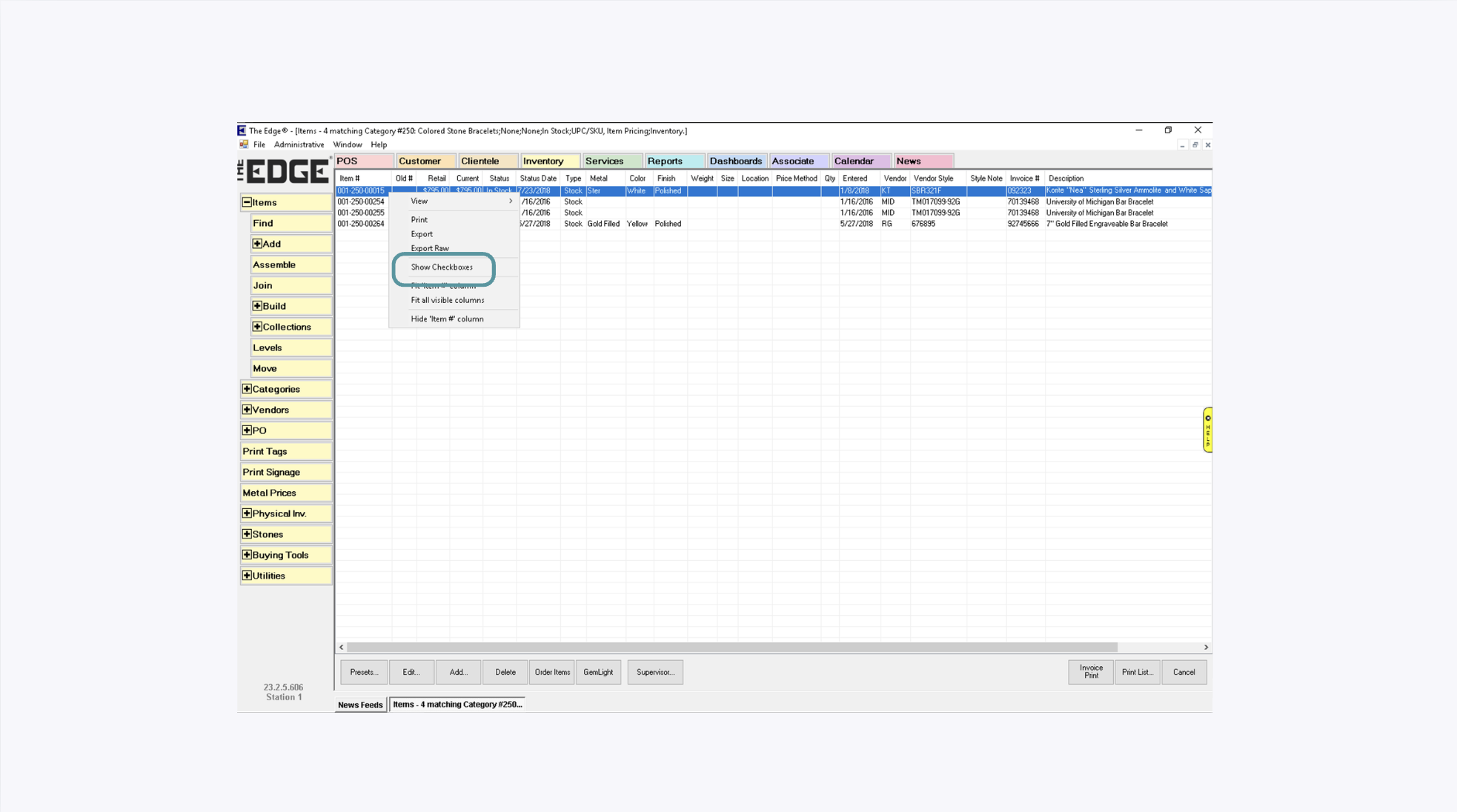
From the item list, right click to enable and select checkboxes.
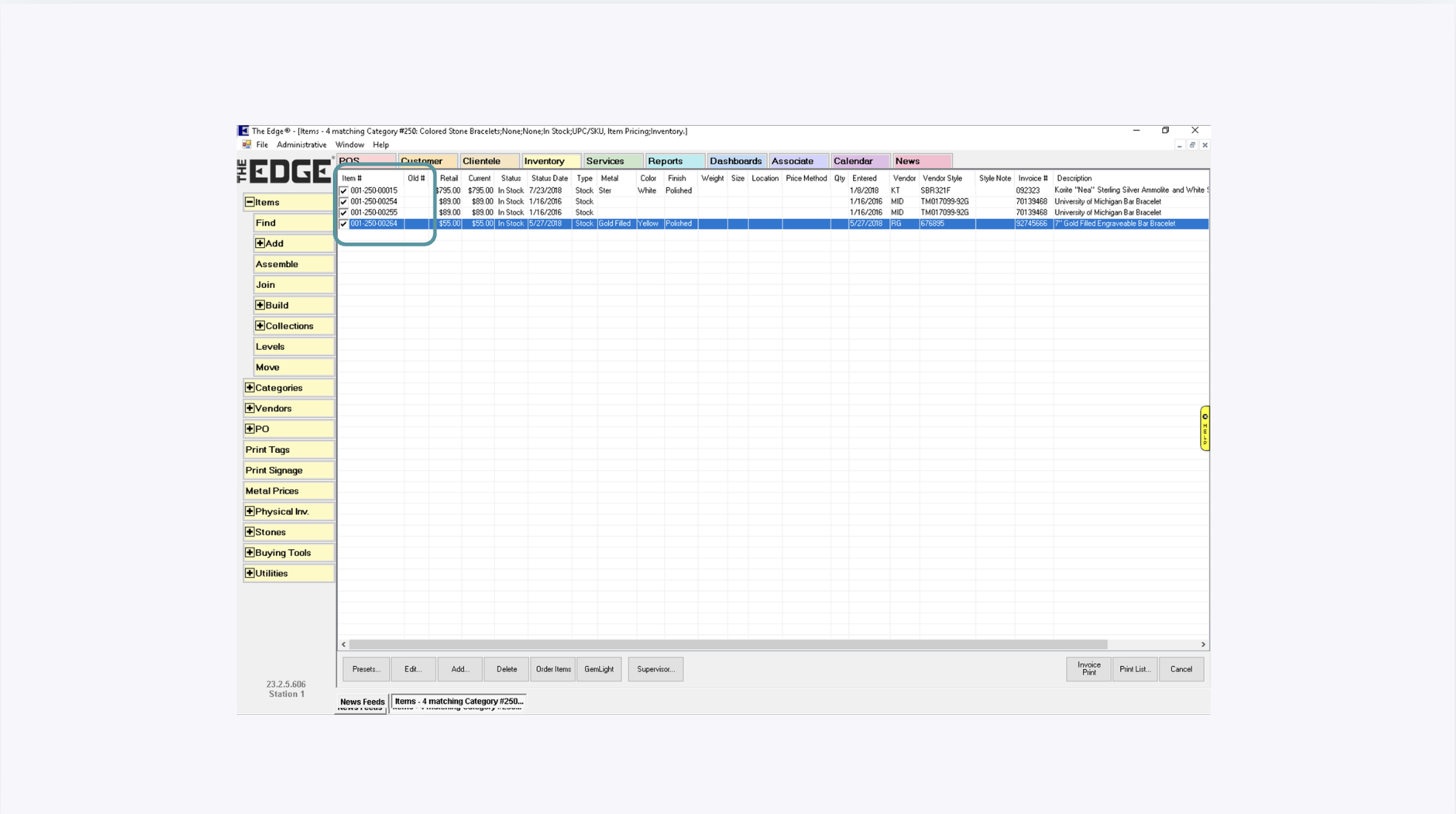
Select the items you wish to sync.
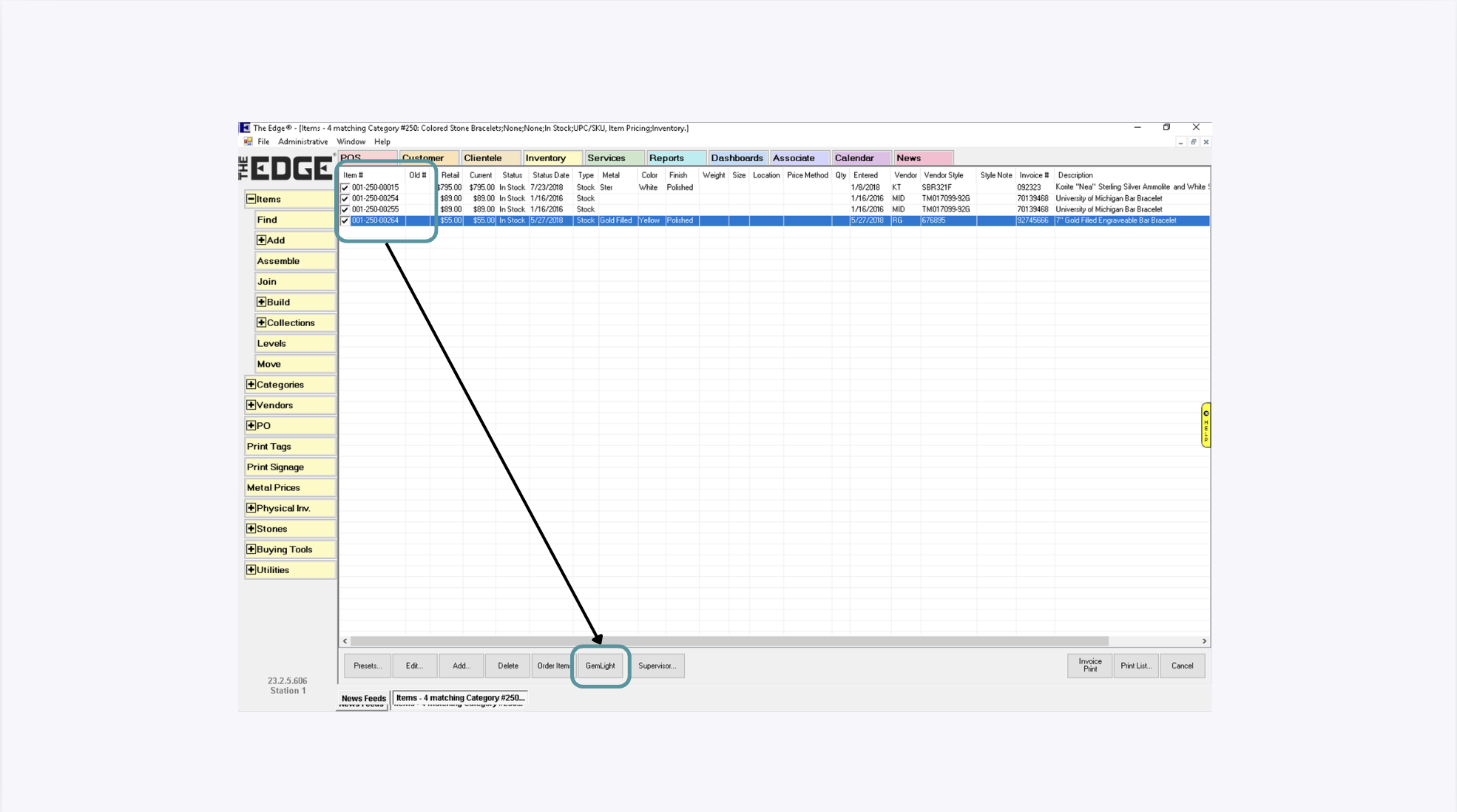
Click the GemLight button located at the bottom of the screen.
This will initiate the synchronization process and upload selected items into GemIQ.
Add Photos and Videos in GemIQ#
Once the sync is successful, the products will show in GemIQ.
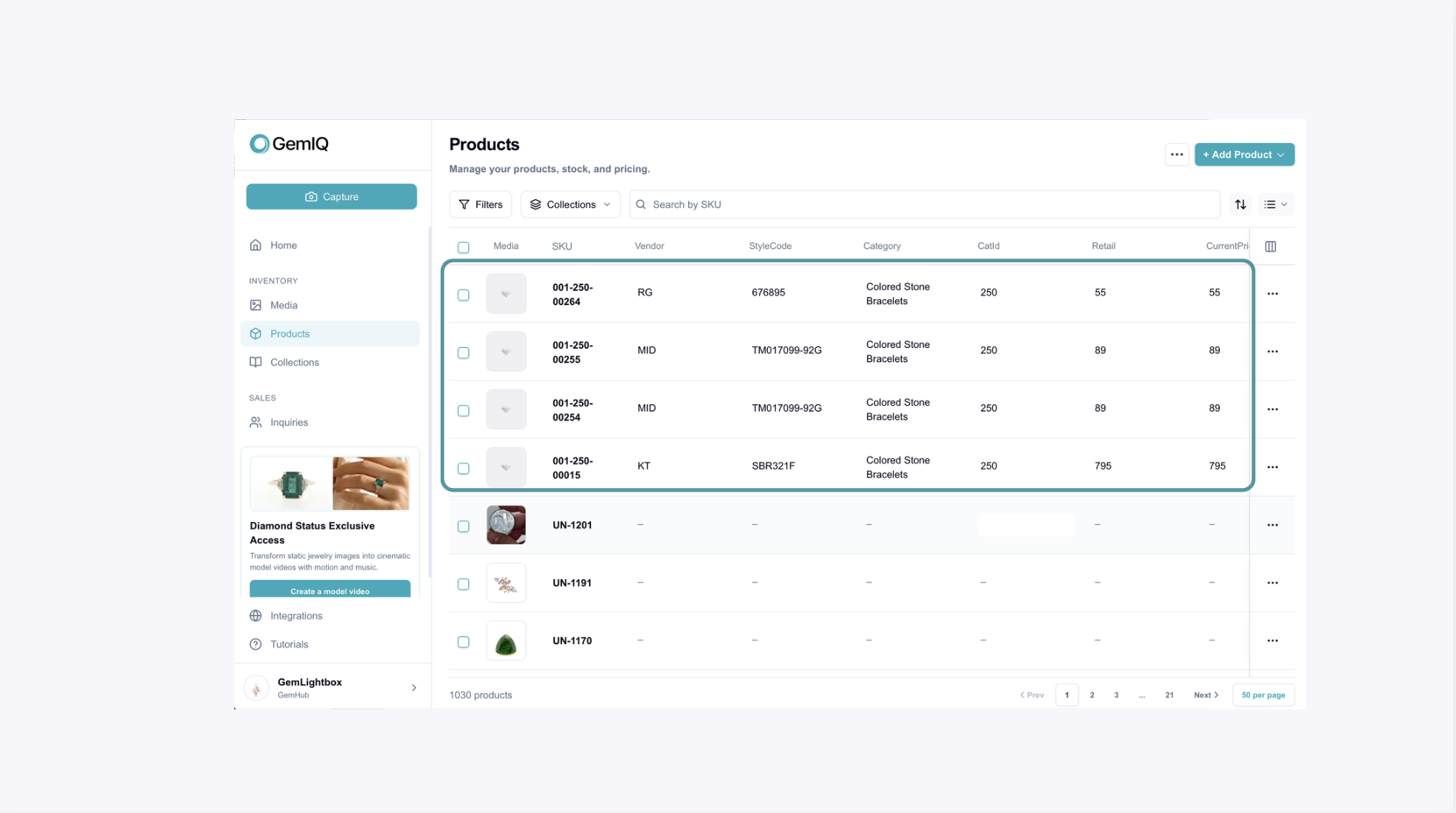
Once the items are available in GemIQ, you can add media from either the product page or media by associating them with the related SKU.
Sync Media Back into The Edge#
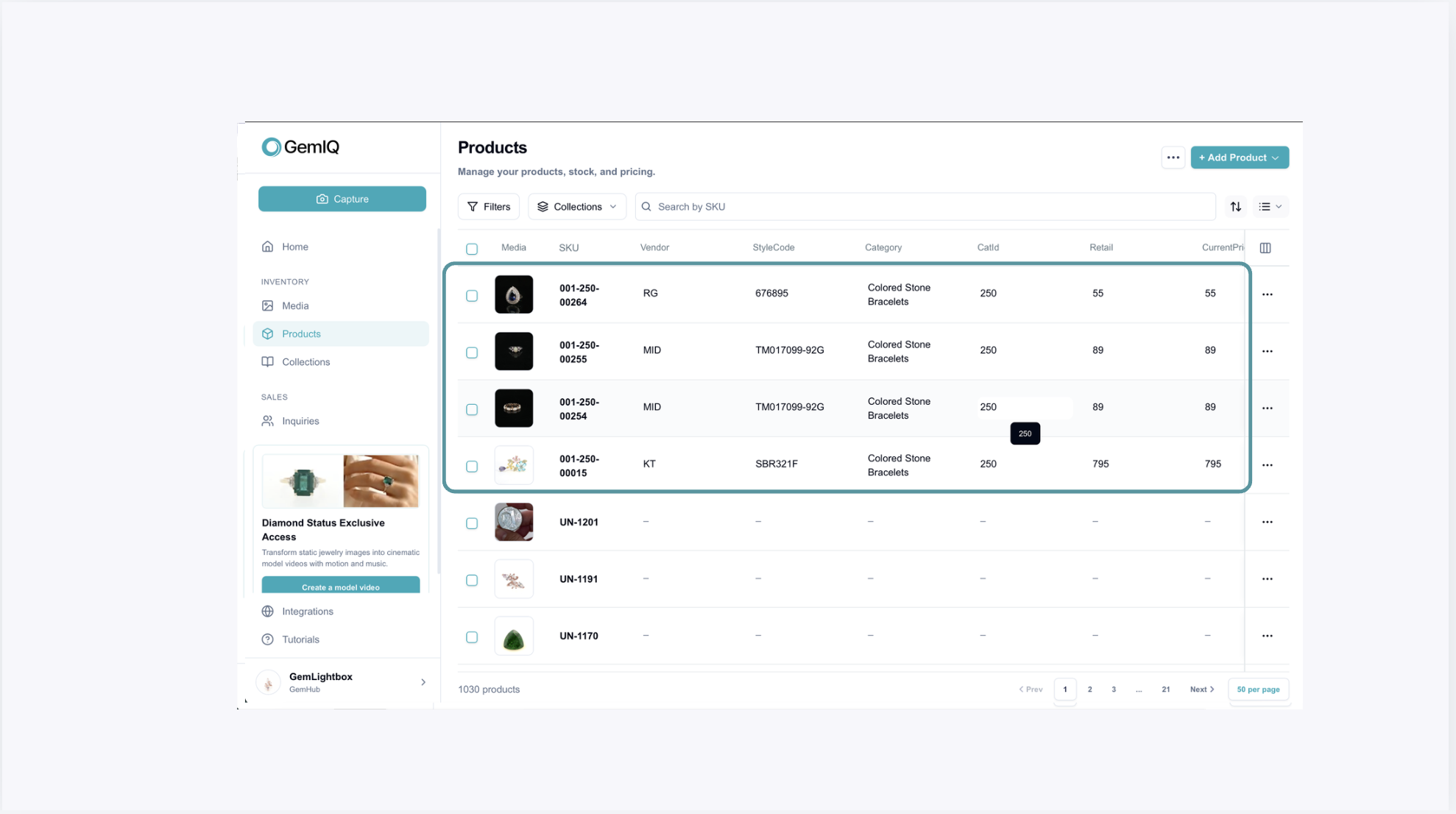
After media has been added in GemIQ, you can now navigate back to the Edge.
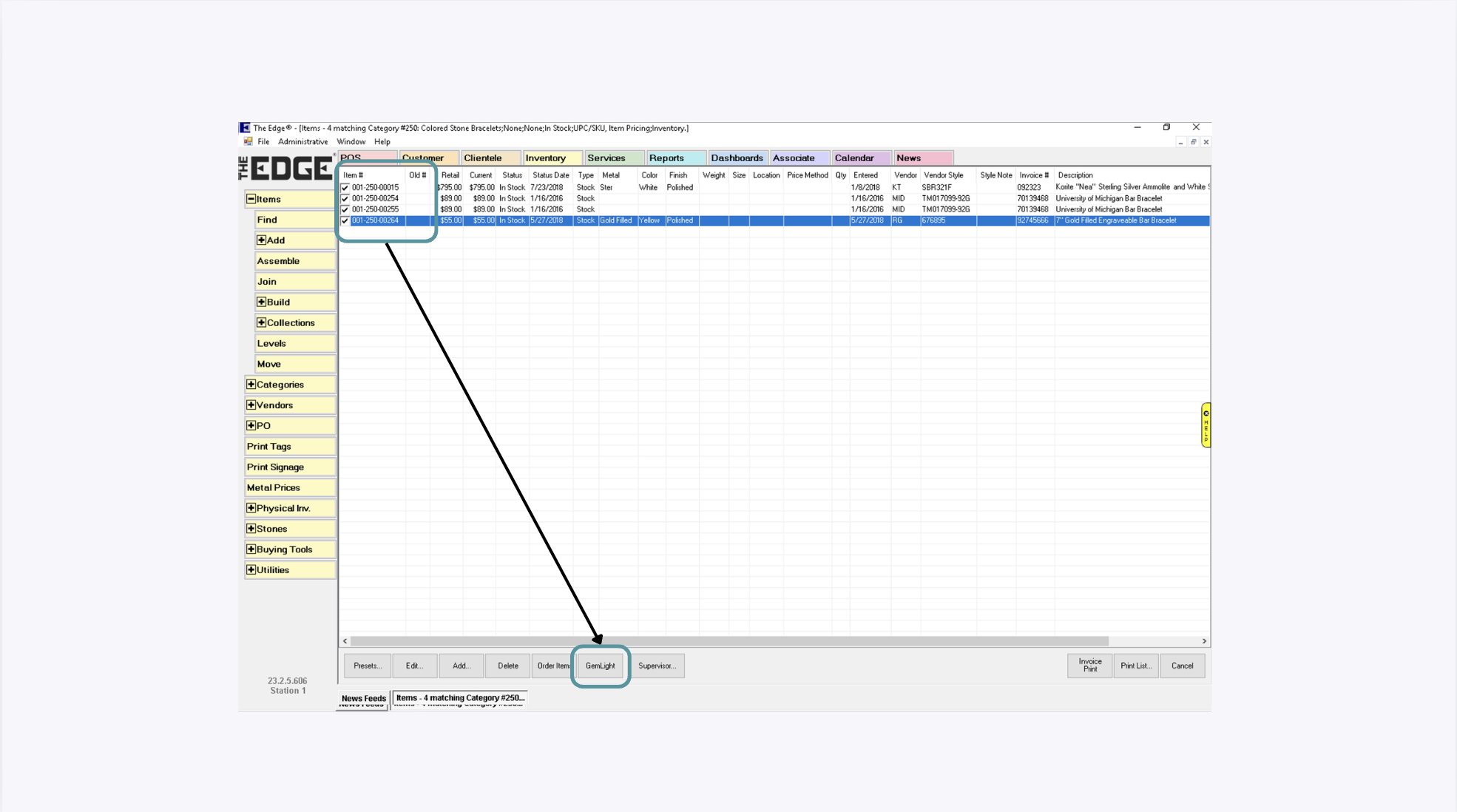
Find the same products again through SKU and click on GemLight.
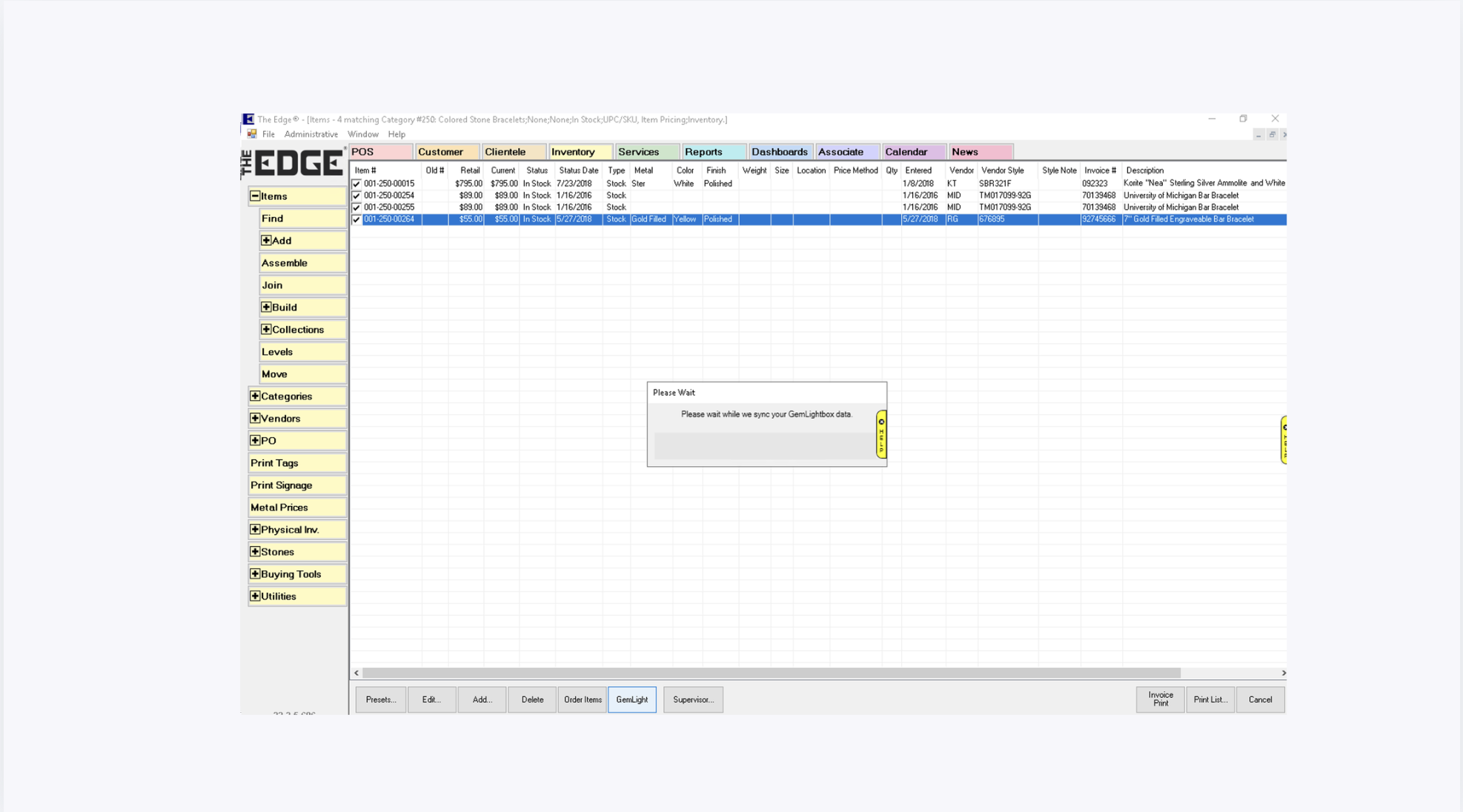
During this synchronization:
New items will continue syncing into GemIQ
Existing items will have their latest photos and videos downloaded back into The Edge
⏳ Note:
Sync duration may vary depending on the number of items and media files being processed.
View Synced Images and Videos#
Once synchronization is complete, double click to open the item within The Edge.
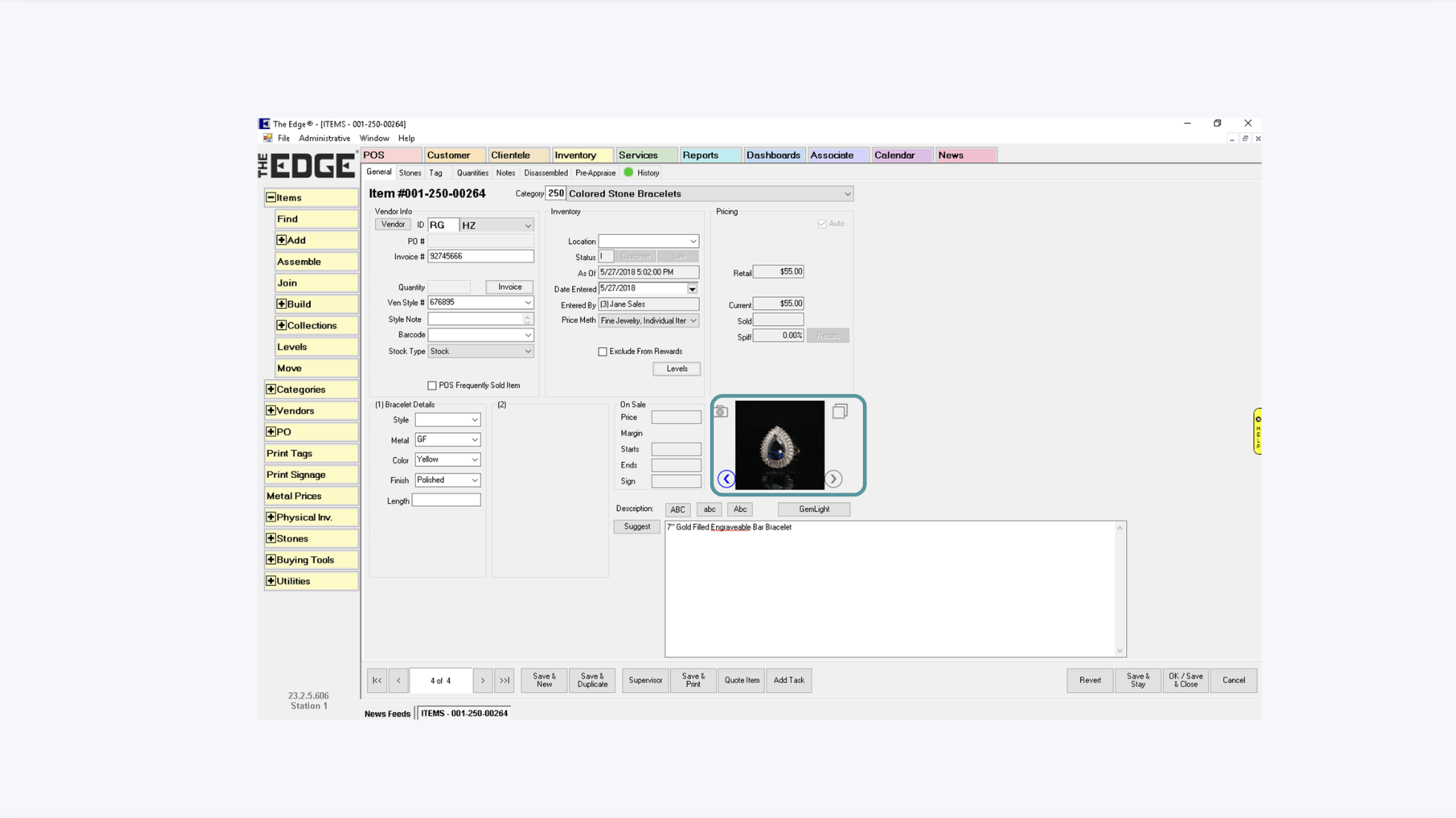
Your synced media will now appear on the Edge.
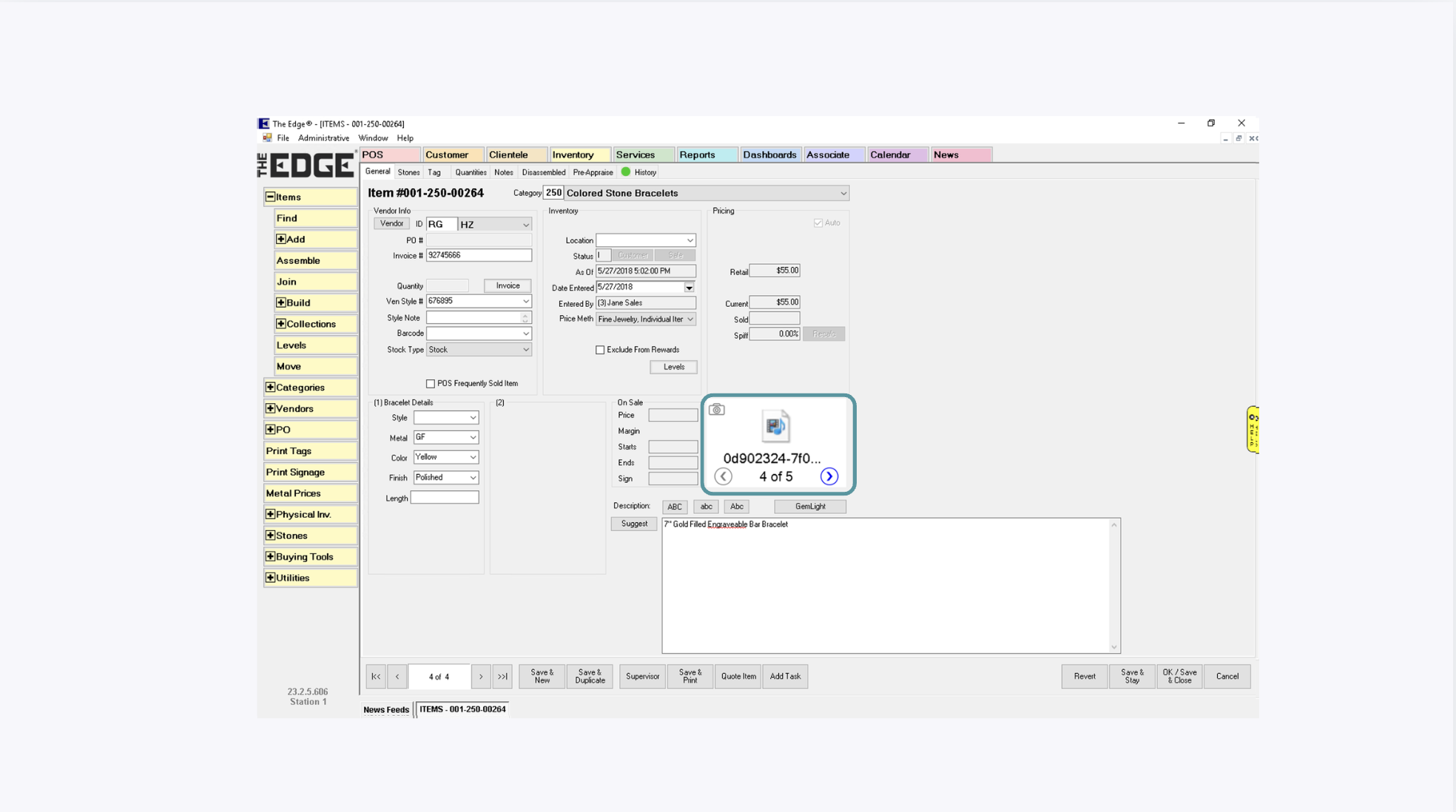
🎥 Videos will appear as icons within the item view. Click the video icon to open and play the video using Windows Media Player.
Manage Images and Videos#
To manage uploaded media from the Edge:
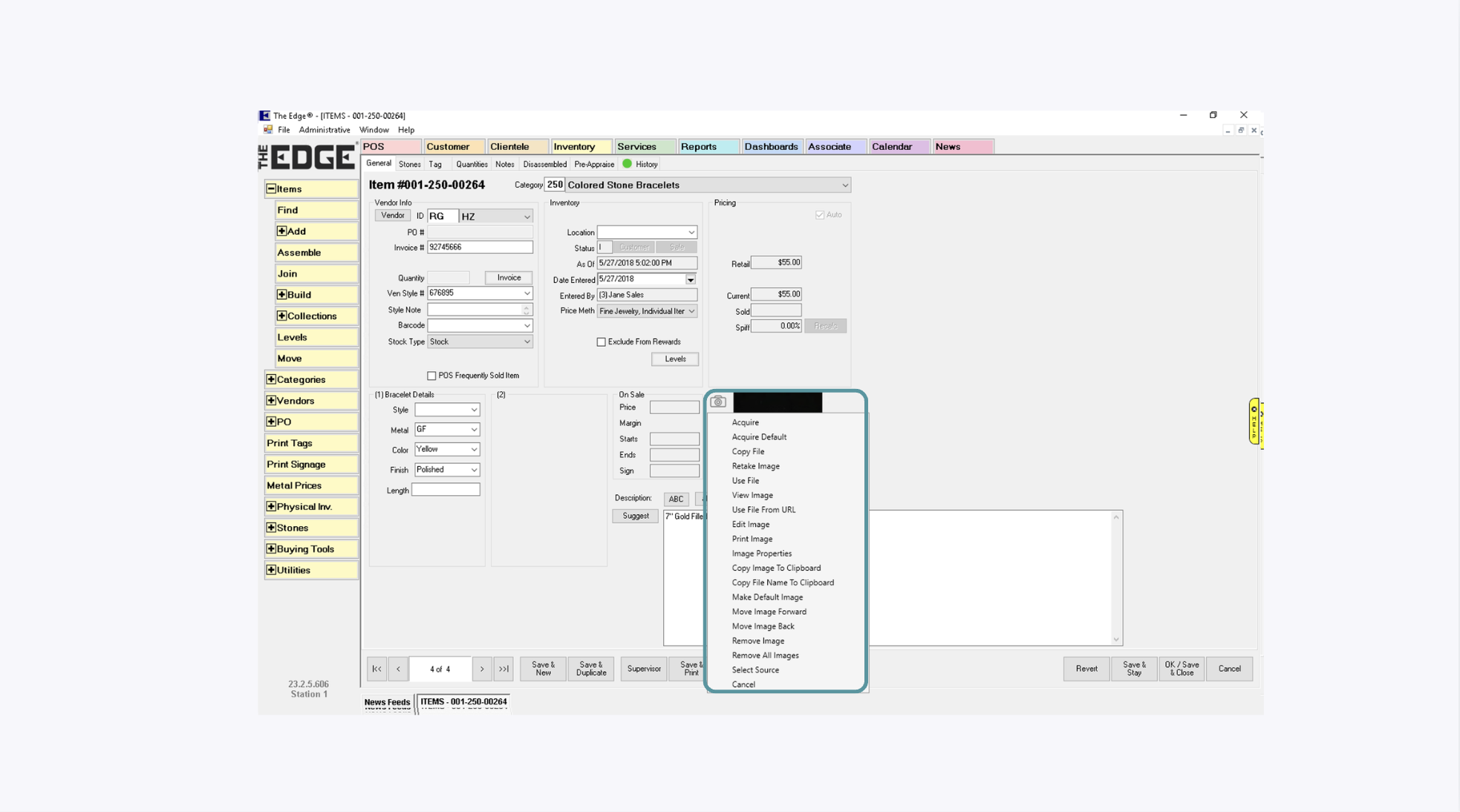
Tap the Camera button located at the top left corner and use the available options to:
Open files
Delete files
Manage videos and images conveniently
Save and Close#
After completing any required actions, ensure that the items are saved.
Integration Complete#
Once all steps are completed successfully, GemIQ and The Edge will be fully integrated.
You can now seamlessly:
Synchronize inventory
Manage jewelry media assets
Streamline product workflows between both platforms
Important Synchronization Notes#
💡 Source of Truth
The Edge acts as the definitive Source of Truth during synchronization.
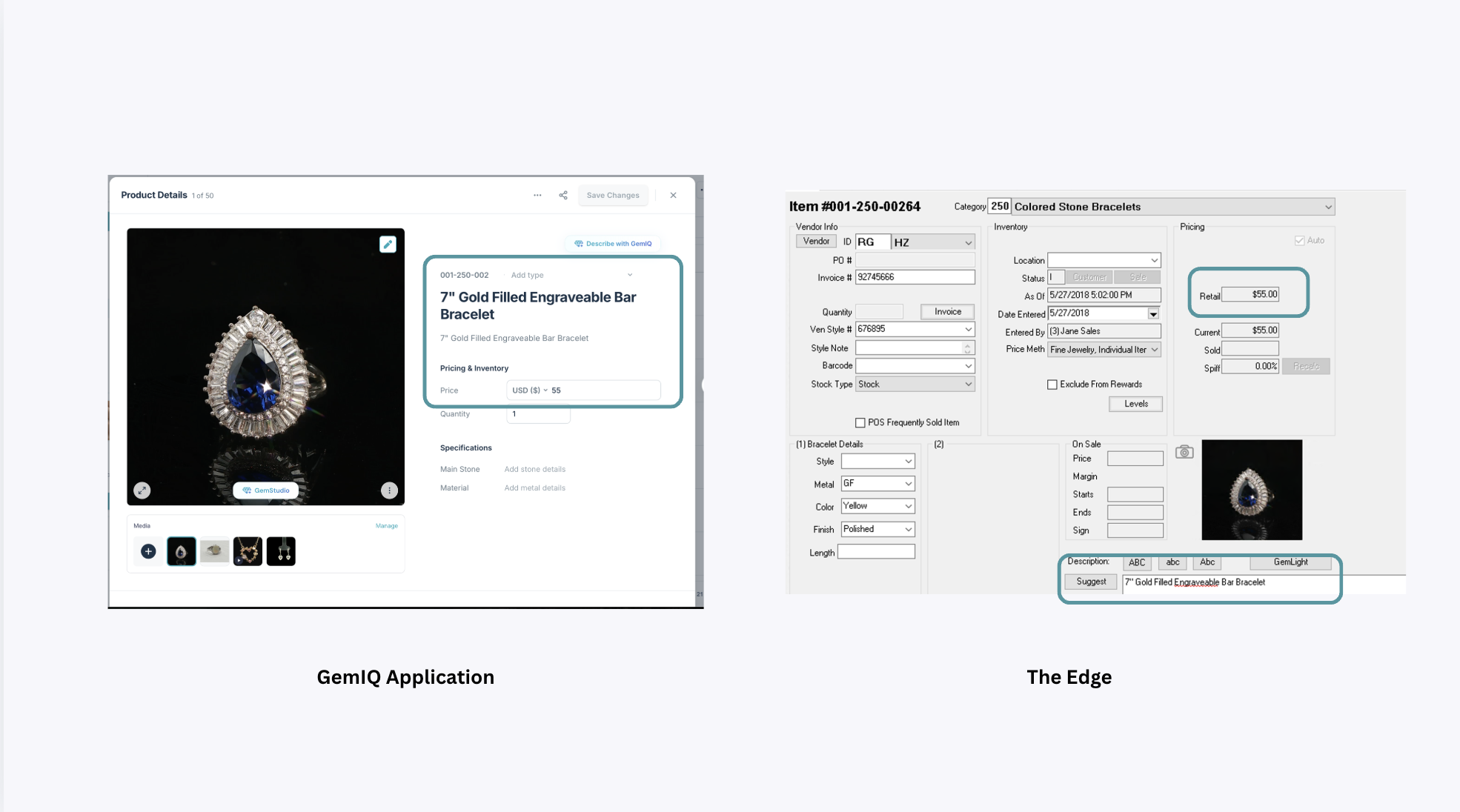
This means:
Any modifications made within The Edge will take precedence
Data from The Edge will overwrite existing product information in GemIQ during sync
Note:
Only the Media components will refresh back into The Edge during synchronization. Other product information remains managed through The Edge.
Common Questions#
Why am I receiving an authentication error?#
Make sure you are signing in using the primary GemIQ account owner’s credentials. Member accounts cannot be used to authenticate The Edge integration.
Why do I not see the GemLightbox authentication option?#
The integration may not have been enabled for your account. Contact The Edge support team at support@ajsllc.com for assistance.
How do I send products from The Edge to GemIQ?#
Find and select the products in The Edge, then click the GemLight button at the bottom of the item list.
How do I transfer photos and videos back into The Edge?#
After adding the media in GemIQ, find and select the same products in The Edge and click GemLight again.
Where can I find the videos in The Edge?#
Videos appear as icons within the item record. Click the icon to play the video through Windows Media Player.
Why is the synchronization taking a long time?#
The processing time depends on the number of selected products and the number and size of the associated media files.
Where should I update product information?#
Continue managing product information in The Edge. The Edge is the source of truth and its information will take priority during synchronization.