

Quick Answer#
You can update the contact email displayed on your Collection Share Link by editing the Contact Information section in Share Settings.
Steps#
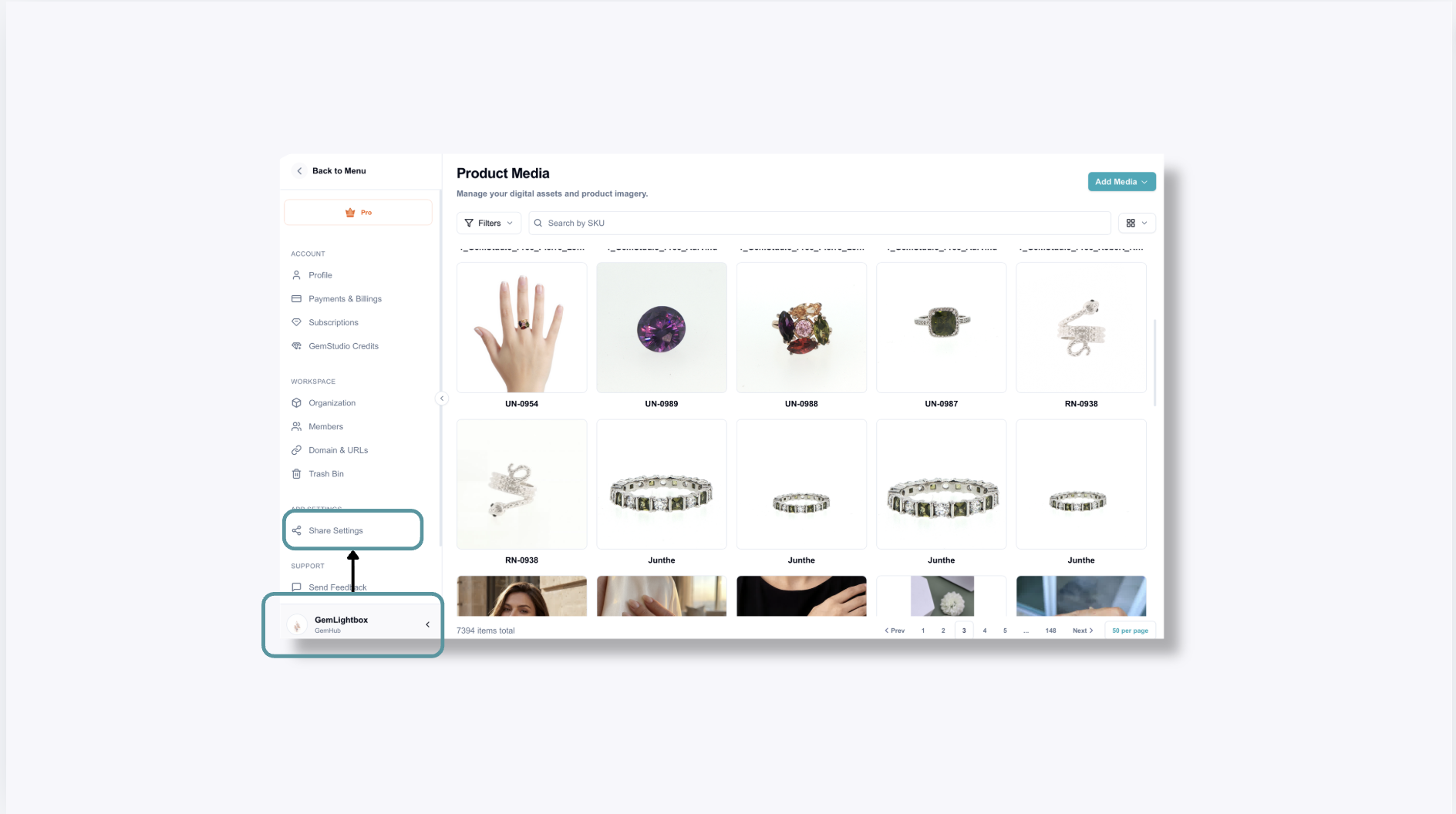
1. Log in to GemIQ#
Sign in to your GemIQ account.
2. Open Share Settings#
Navigate to Profile name on the bottom left and go to Share Settings.
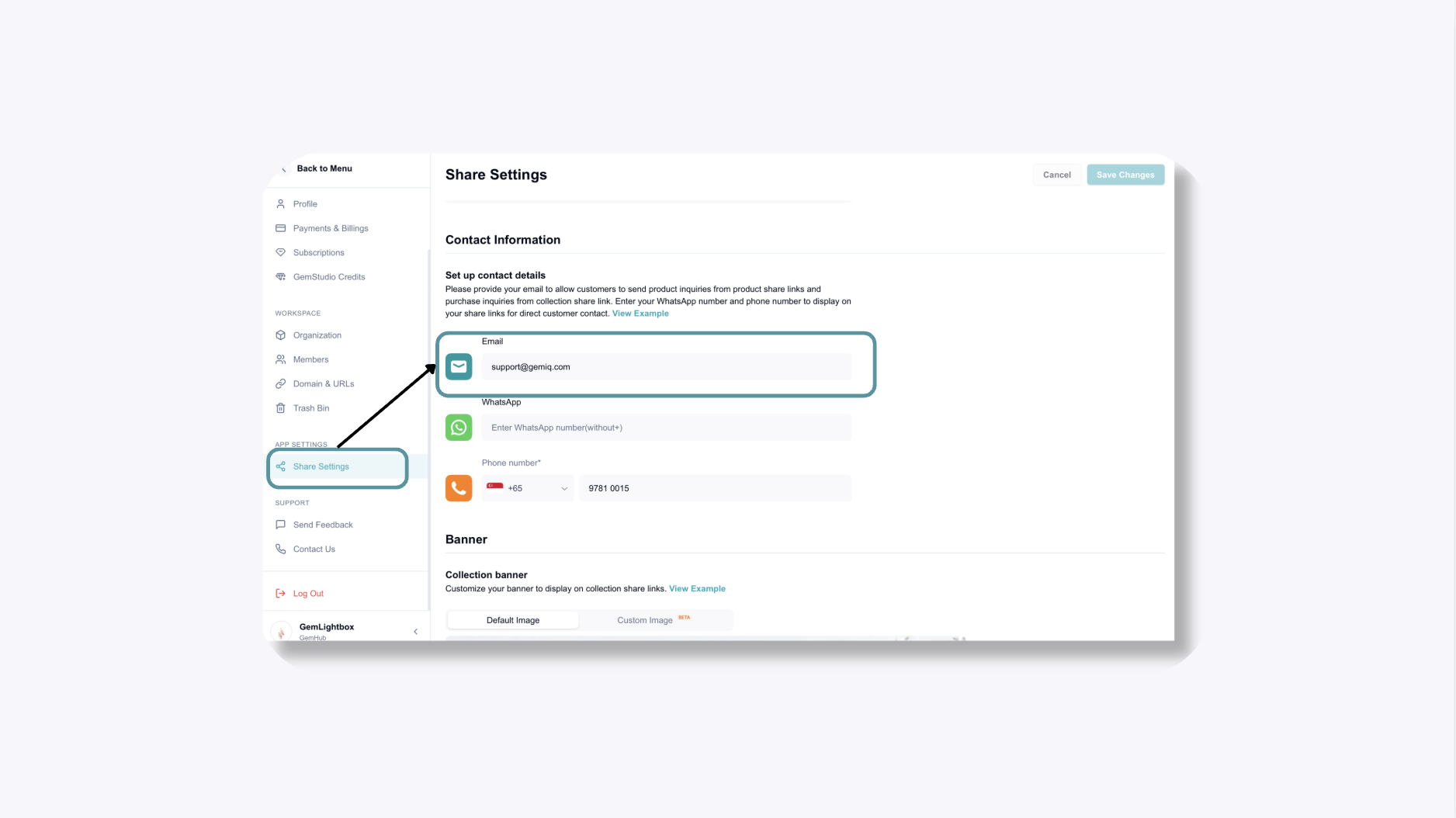
3. Scroll to Contact Information#
Locate the Contact Information section.
4. Update Your Contact Email#
Enter the email address you'd like customers to see on your Collection Share Link.
5. Save Your Changes#
Once saved, your updated email will be displayed on future Collection Share Links.
Important#
Updating the contact email in Share Settings only changes the email displayed on your Collection Share Links.
It does not change:
Your GemIQ login email ( this cannot be changed once account is set up)
Your billing email
If you need to change the billing email associated with your GemIQ account, please reach out to support@gemiq.com for assistance.
Expected Result#
Your Collection Share Links will display the updated contact email, allowing customers to contact the correct person directly from the shared collection.
Common Questions#
Does this change my GemIQ login email?#
No. This only updates the contact email shown on your Collection Share Links.
Will my existing Collection Share Links update automatically?#
Yes. Once your contact information is updated and saved, your Collection Share Links will display the new contact email.
Where do I find Share Settings?#
Log in to GemIQ and navigate to Share Settings from the main menu.