

Before You Start#
Before connecting your Shopify store, make sure that:
You have an active GemIQ account.
You have an active Shopify store.
You are using the GemIQ Desktop App.
You have administrator permissions to install apps in Shopify.
You are signed in to the correct Shopify account.
Steps#
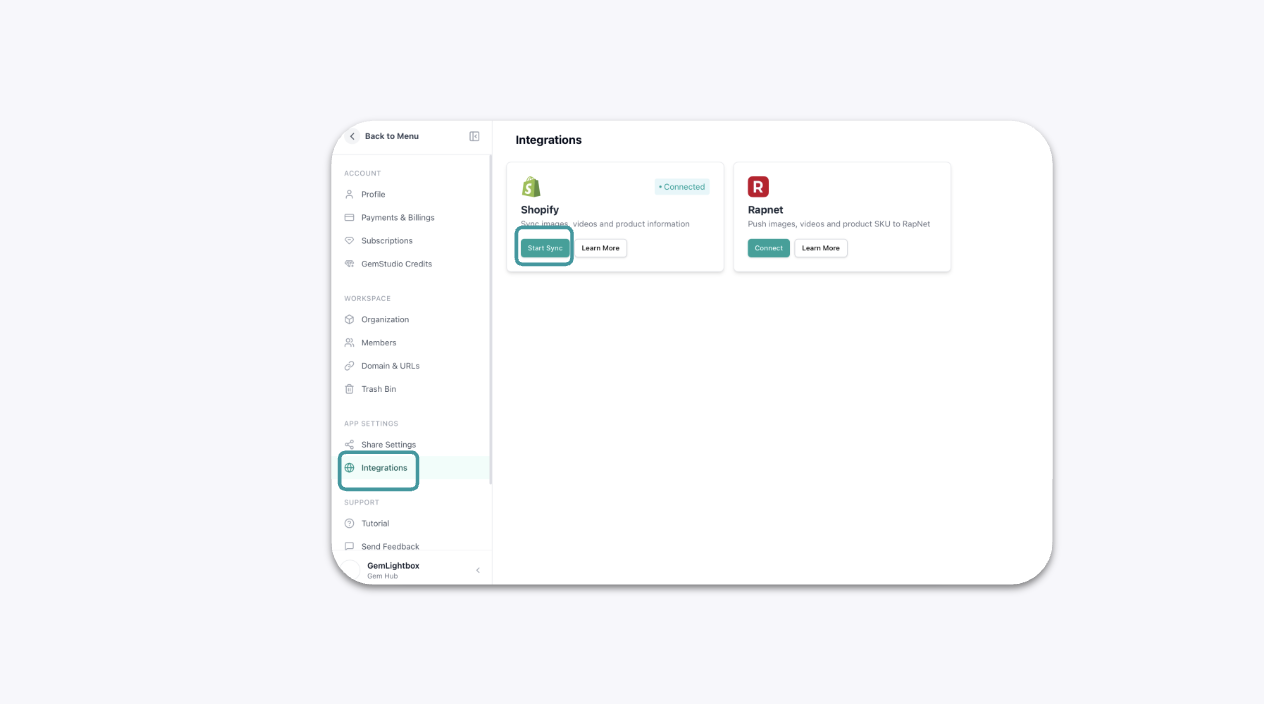
In the GemIQ app, go to the menu on the bottom left, click on Integrations and go to Shopify. Click on Connect or Start Sync to start your connection or sync.
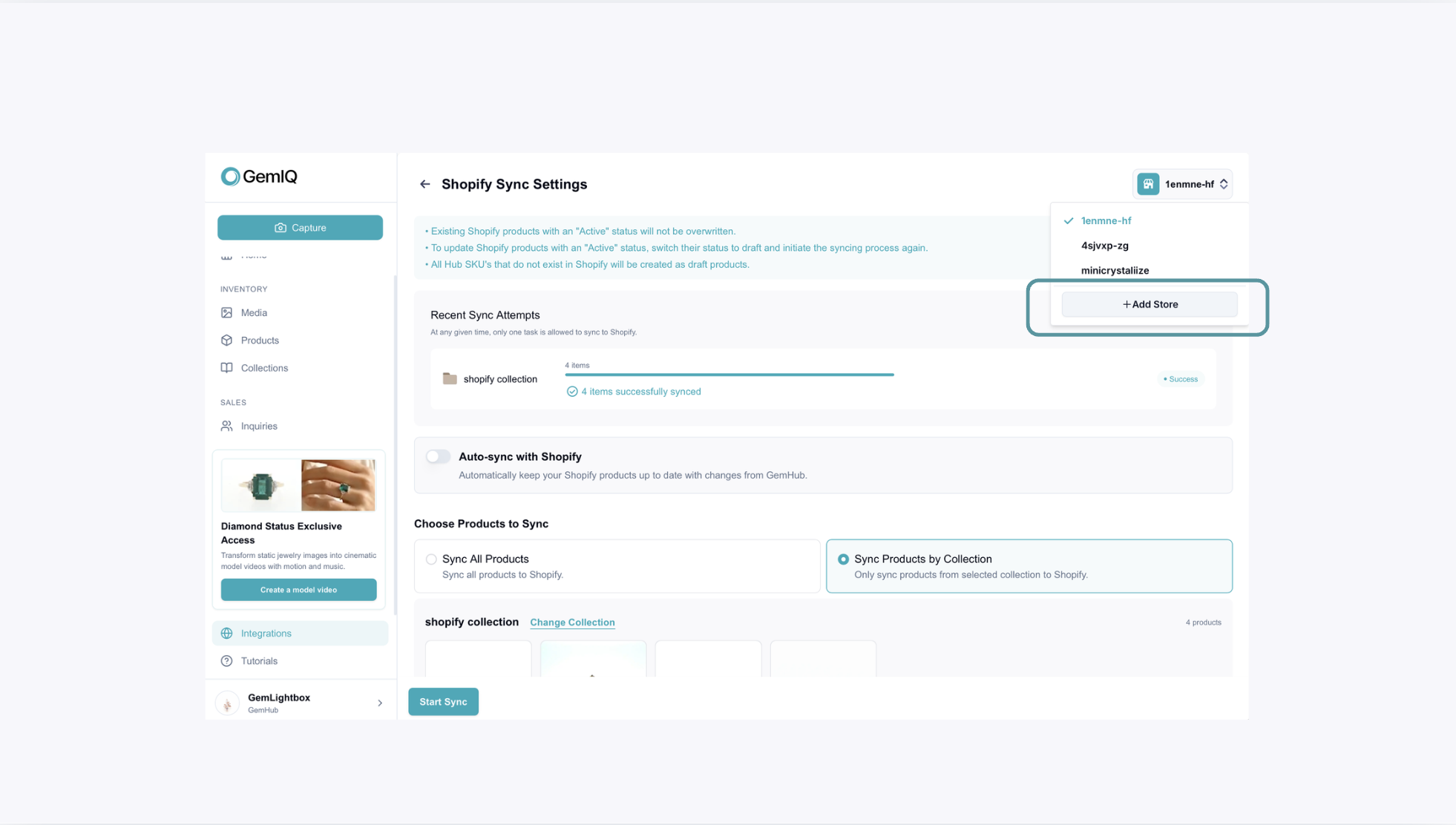
If your store is not connected yet, click on the top right hand corner to Add Store.
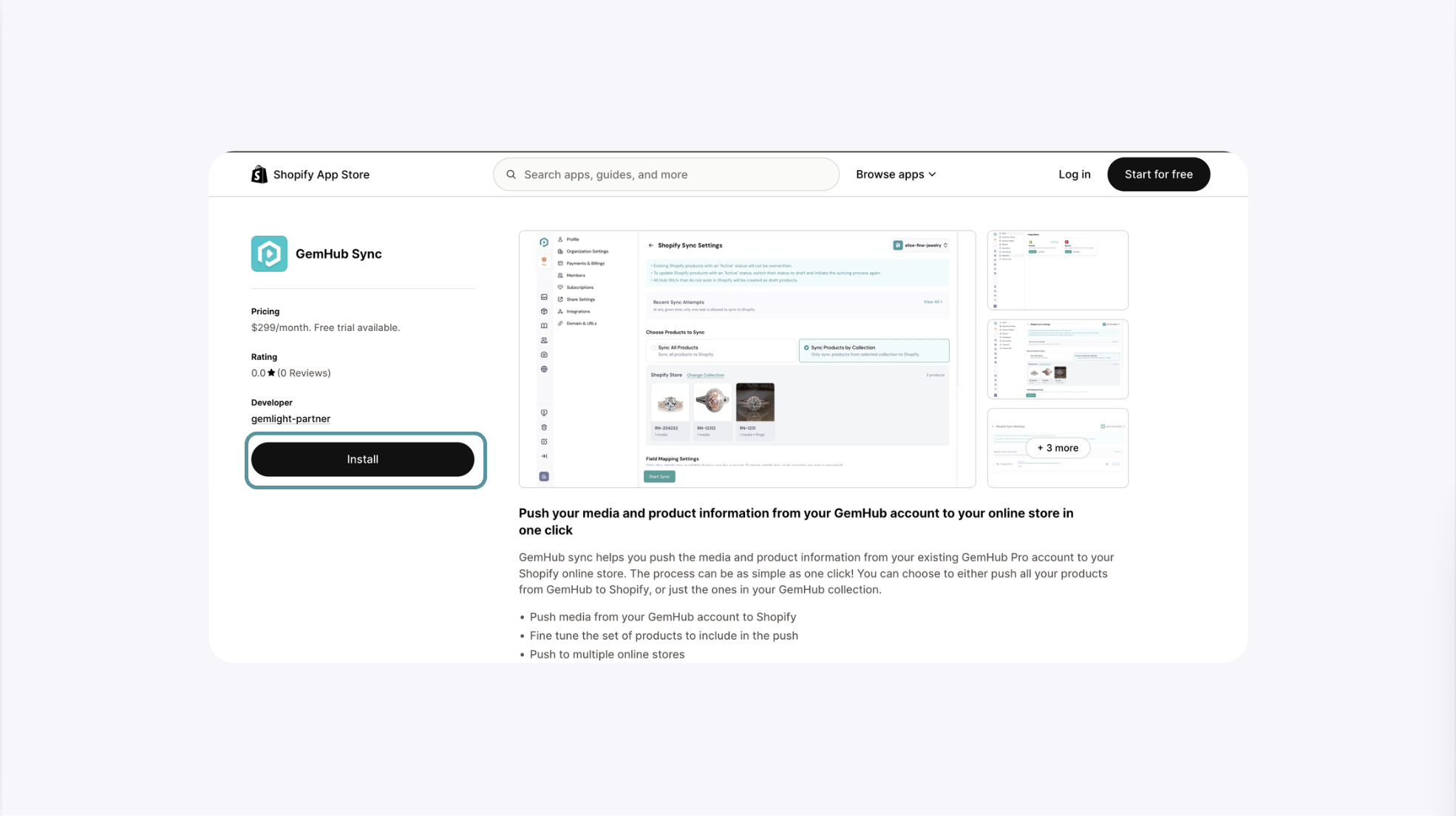
On the Shopify installation page, click Install to connect your Shopify store to GemIQ.
Customers with an active GemIQ Pro subscription will not be charged an additional fee for installing the integration.
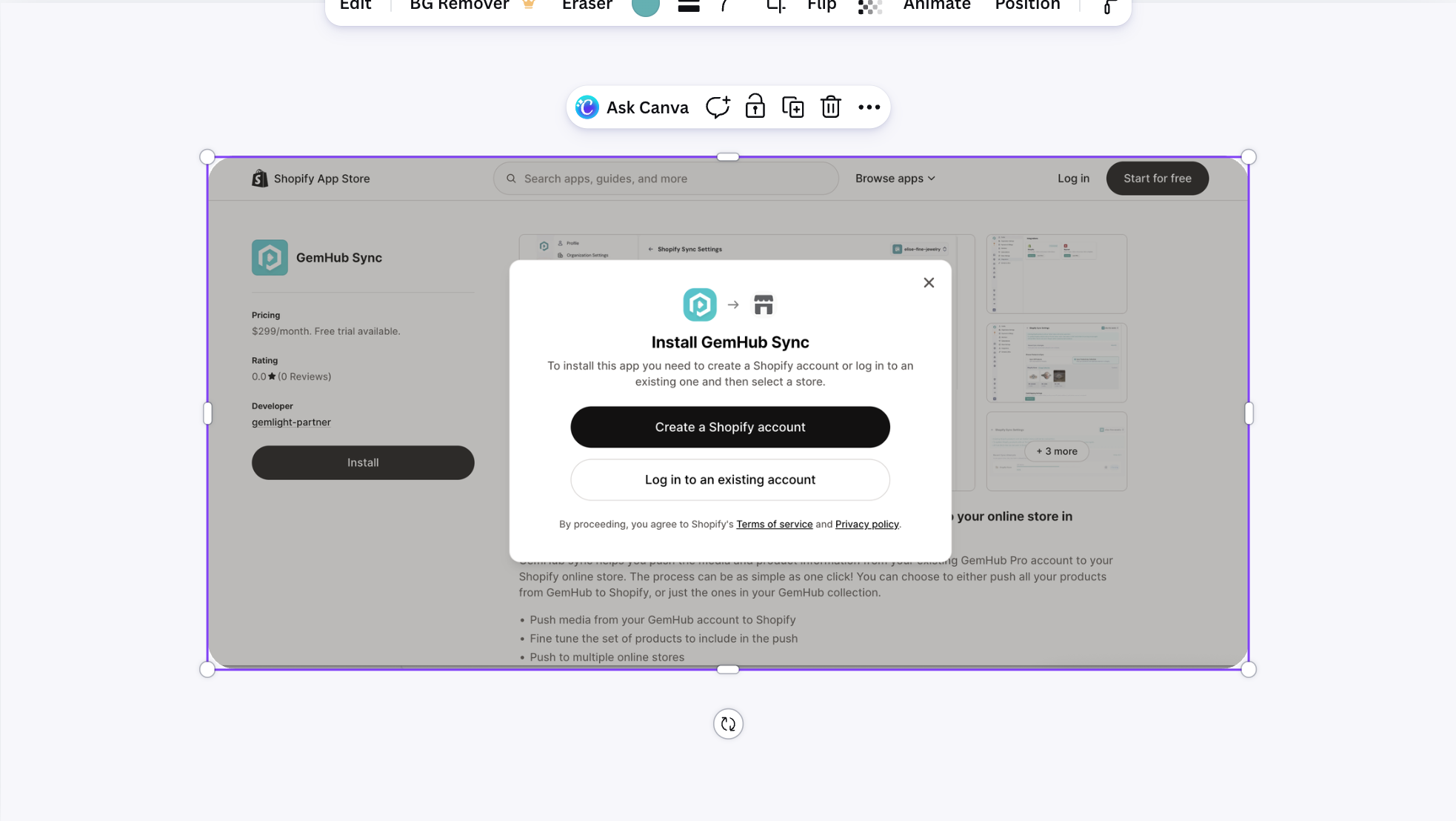
Shopify will prompt you to sign in to the account.
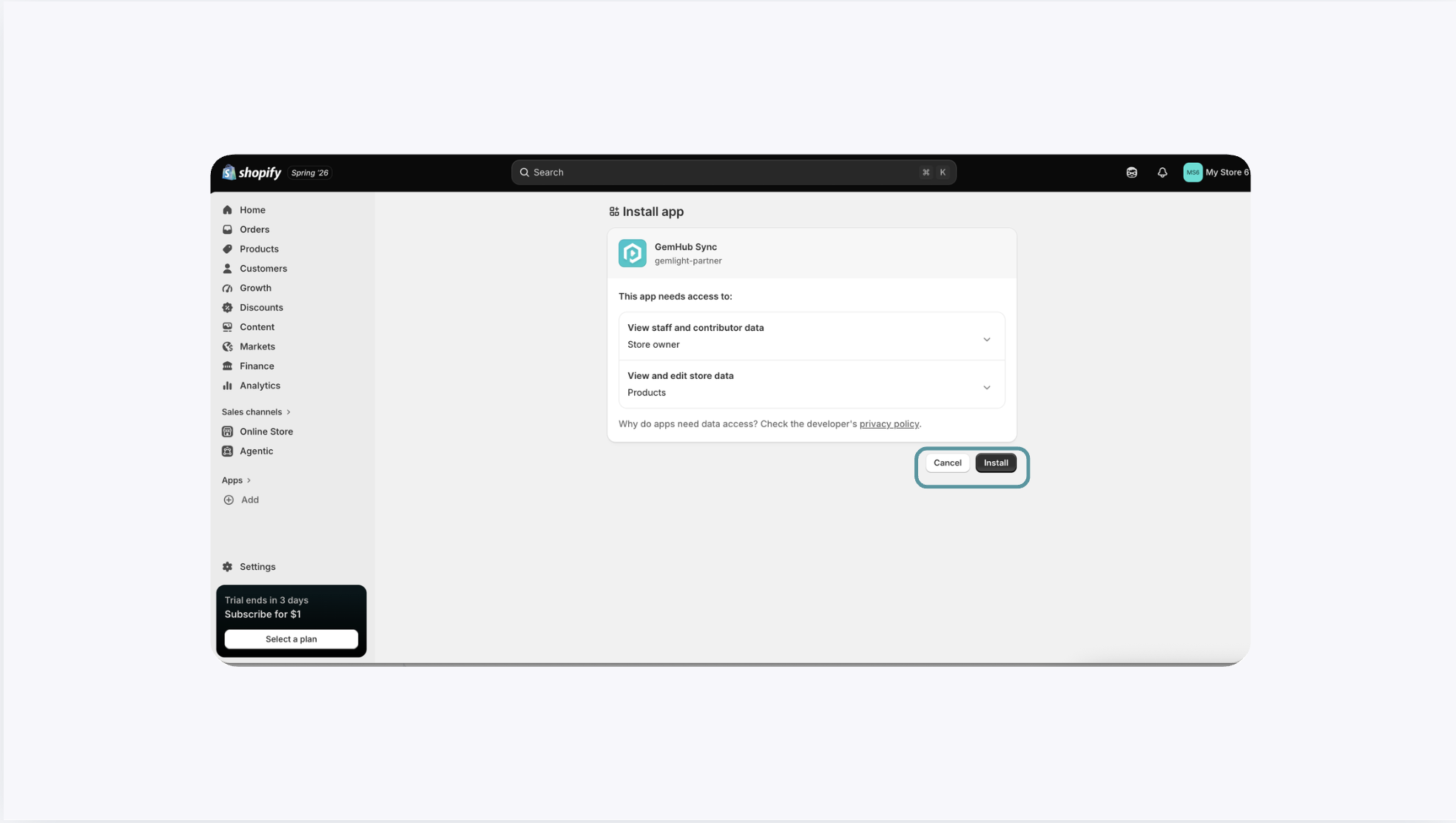
Once you are signed in, it will bring you into the Shopify admin page to continue with the installation.
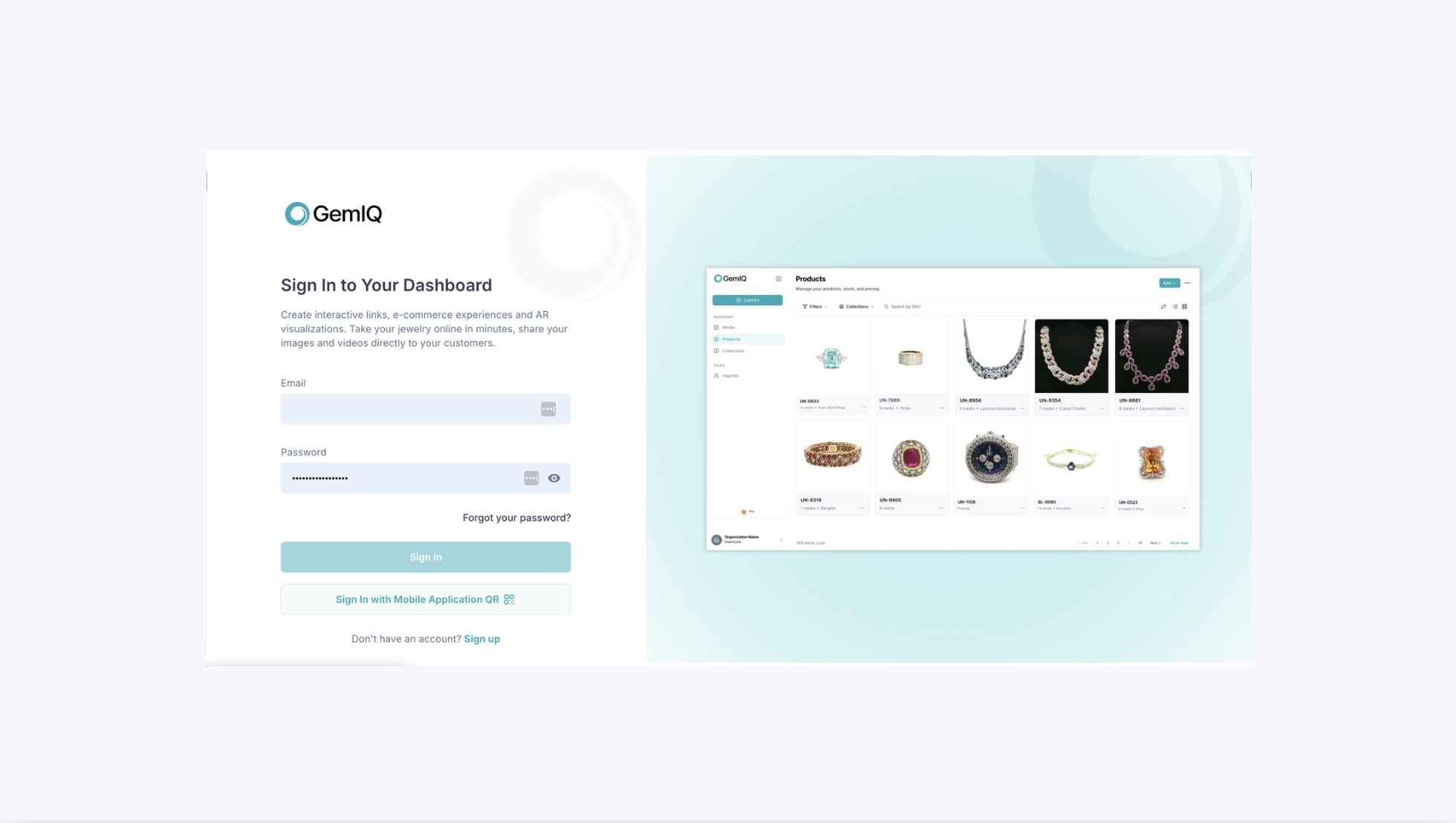
You may be prompted to sign in again. Proceed to sign in and go to Integration.
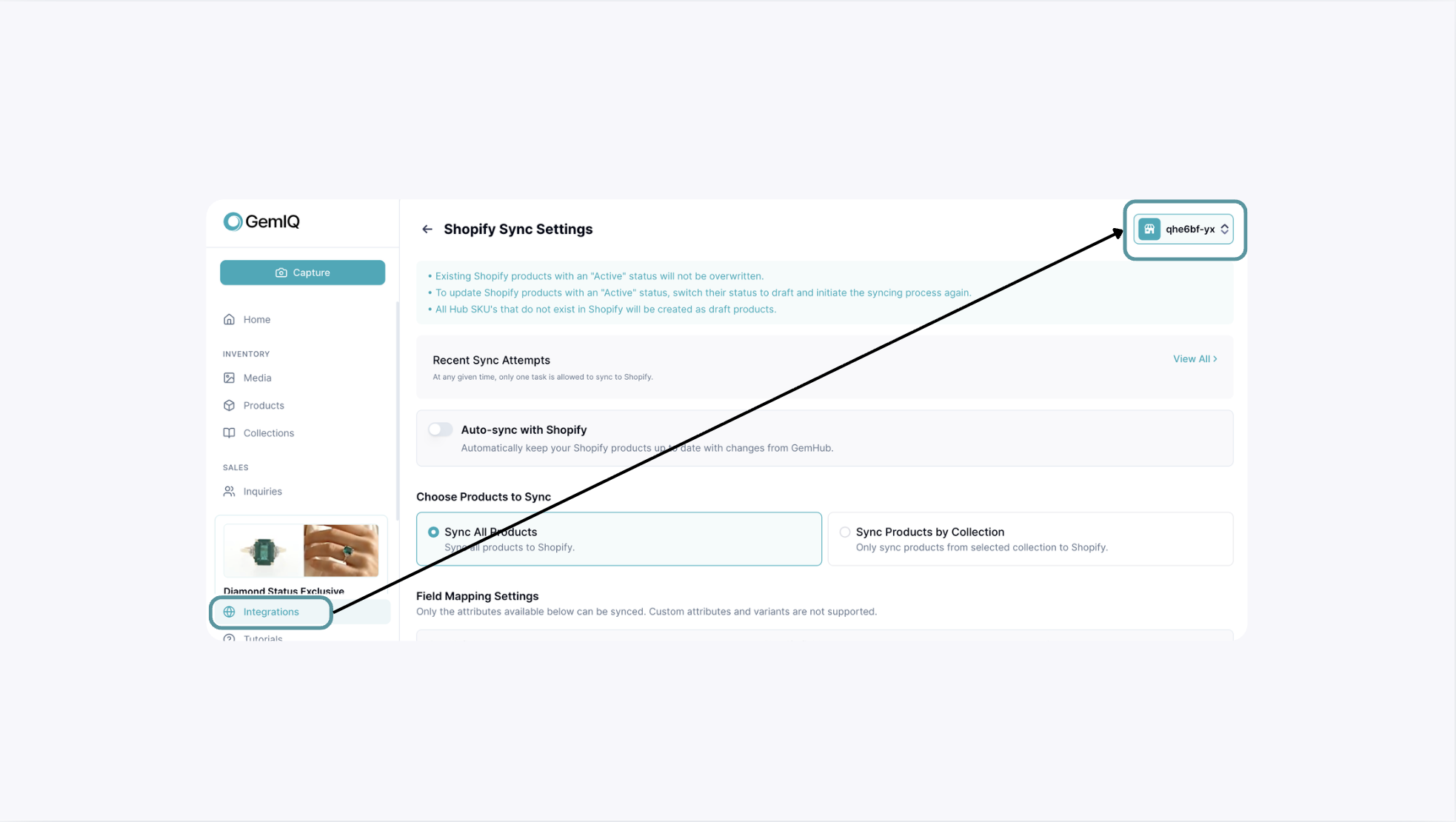
If the connection is successful, your store will appear on the top right hand corner of the intergration's page.
Expected Result#
Once the app is installed, the connection is complete. The Shopify integration will show as "Active" on the Integrations page in your GemIQ and you will be ready to configure your product sync settings.
If This Does Not Work#
Check your Shopify URL: Make sure you are only pasting the unique store name (e.g.,
my-jewelry-store), not the full URL (my-jewelry-store.myshopify.com).Check permissions: Confirm that you are logged into Shopify with an account that has permission to install new applications.
Restart the process: If the connection fails, return to GemIQ, disconnect the attempted integration, and try the steps again.
Common Mistakes#
Pasting the wrong URL: Entering your public-facing custom domain (e.g.,
www.mybrand.com) instead of your store's internal.myshopify.comname.Including extra text: Pasting the full URL including
https://or.myshopify.cominto the connection field.
Can I Sync Only Certain Media from a SKU?#
GemIQ currently syncs media at the SKU level.
If a SKU contains product images, videos, and AI-generated images, you cannot choose to sync only selected media from that SKU.
If you only want to sync your product images, they will need to be assigned to a different SKU from the videos or AI-generated images.
Note: Individual media selection within the same SKU is not currently supported. We are exploring more flexible syncing options for future updates.
A note on video sync and interactive video#
When syncing directly to Shopify through GemIQ, only standard MP4 video files are included in the sync. Interactive 360° videos are not transferred through the direct Shopify sync.
Common Questions#
Is Shopify integration available through the GemIQ mobile app?#
Yes. Shopify integration is available through the GemIQ mobile app.
Is Shopify integration included with the GemLightbox Macro?#
Shopify integration is not included with or determined by the device. Access is based on your GemIQ subscription.
Do I need a specific GemLightbox model to use Shopify integration?#
No. Shopify integration is linked to your GemIQ subscription and is not dependent on a specific GemLightbox model.
Is there an additional charge for Shopify integration?#
Customers with an active GemIQ Pro subscription will not be charged an additional fee for installing the Shopify integration.
Why can’t I see the Shopify integration option?#
Check that:
Your GemIQ subscription is active.
You are using the GemIQ Desktop App.
You are signed in with an account that has permission to manage integrations.
Why is my Shopify store not appearing in GemIQ?#
The installation may not have been completed successfully. Return to Shopify, confirm that the GemIQ app was installed, then restart the GemIQ app and check the Integrations page again.
Can I connect more than one Shopify store?#
Yes, you can connect more than one Shopify store but only one store can be synced at one time.
Can I sync only product images without videos or AI-generated images?
Not within the same SKU. GemIQ currently syncs the media associated with a SKU together. To sync only product images, they need to be stored under a separate SKU.