Quick answer#
You can organize items within a GemIQ collection by sorting them alphabetically or by manually arranging them in a custom order. This gives you full control over how your products are presented before you share the collection.
Before you start#
An active GemIQ account.
GemIQ is installed on your device or open in your web browser.
A collection containing at least two items.
Steps#
Method 1: Automatic Sorting#
Navigate to the Collections section in GemIQ.
Open the collection you want to organize.
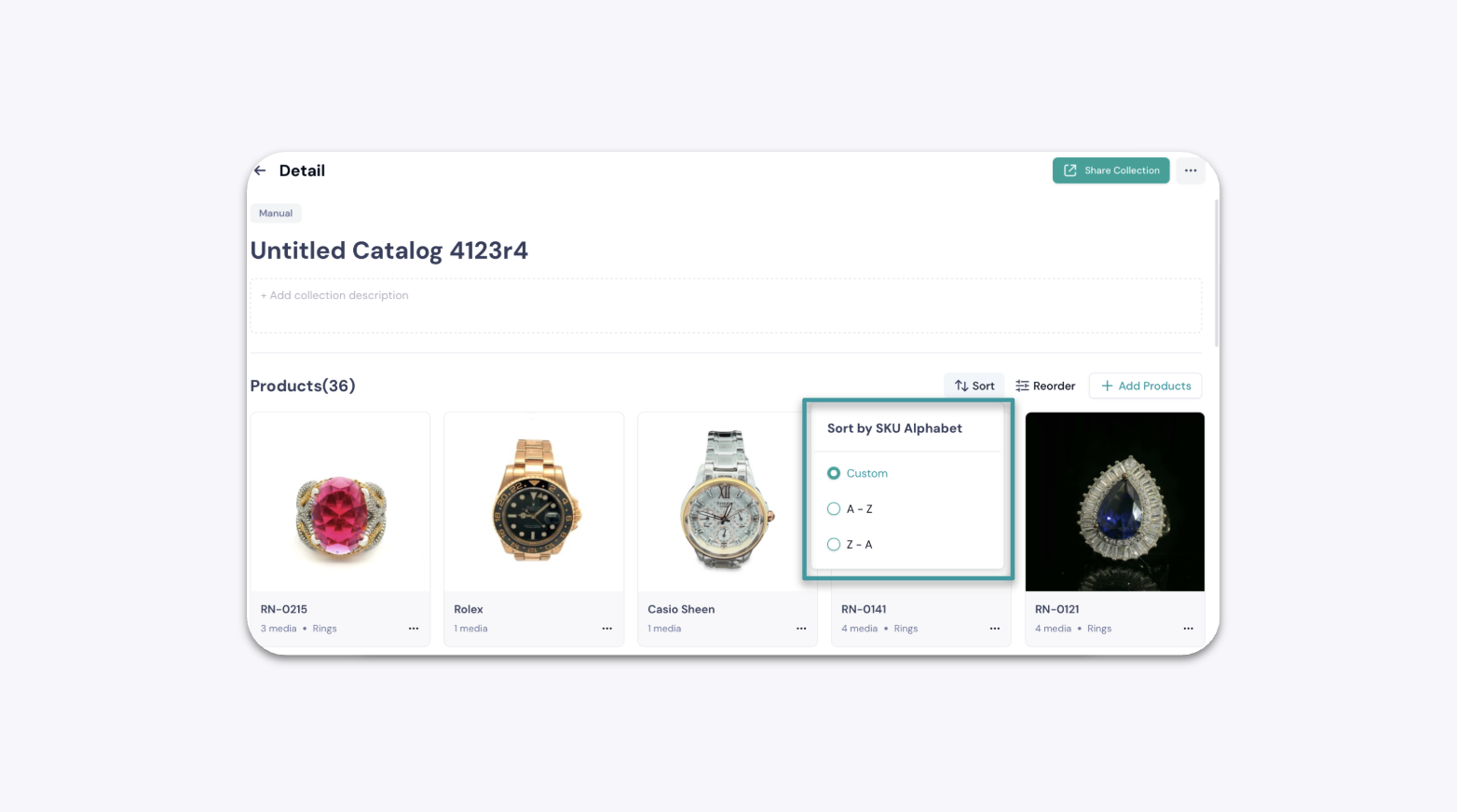
Locate and click the Sort button.
Select an alphabetical sorting option, such as A-Z or Z-A