How to Download Your Invoices#
Quick Answer#
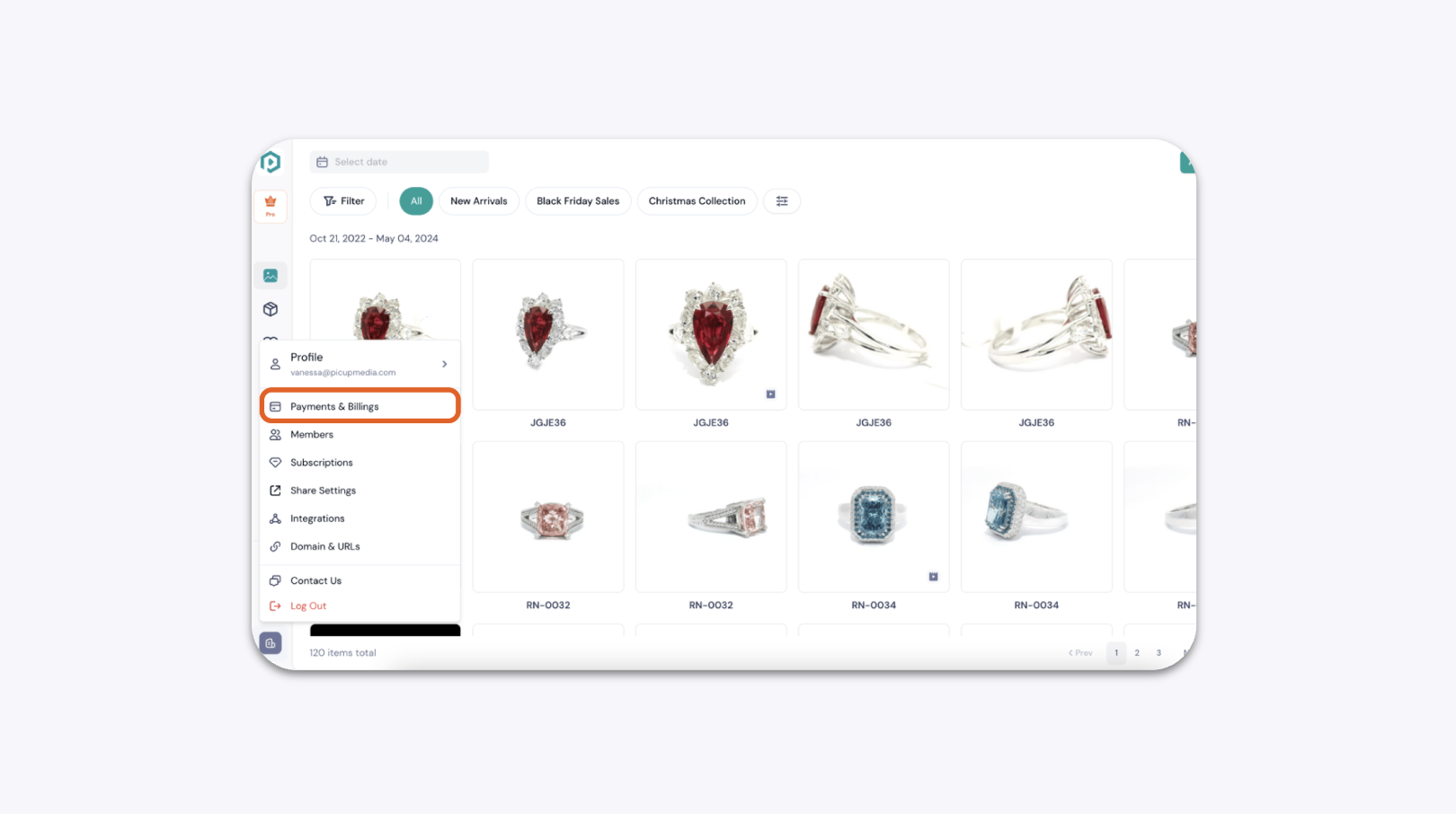
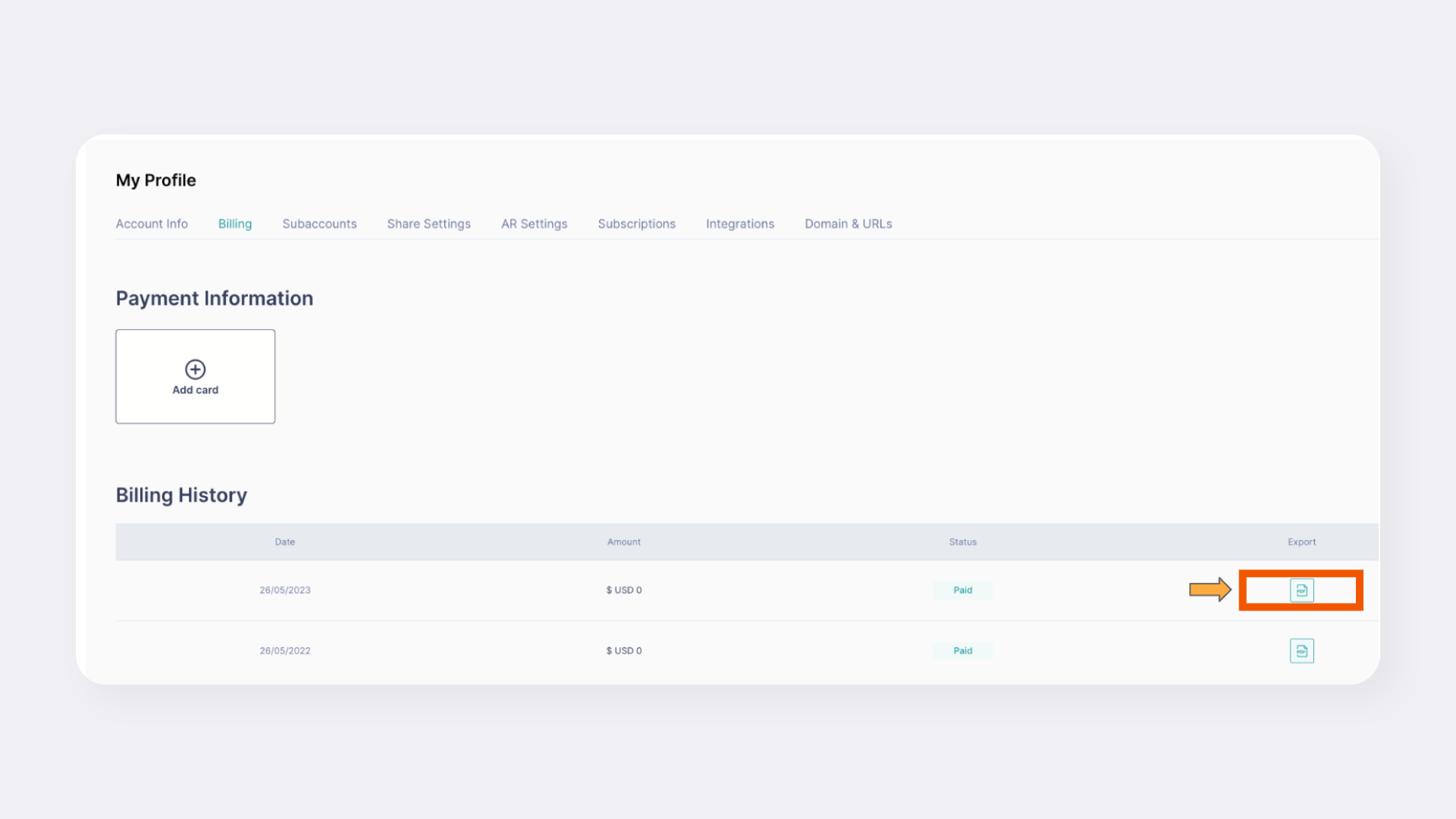
You can download your invoices directly from GemIQ. Log in to your account, navigate to the "Payments & Billings" section, find the invoice you need, and click "Export" to download it as a PDF.
Before You Start#
You will need your GemIQ account login credentials.
You need access to GemIQ, typically on a desktop computer.
You will need a PDF viewer installed on your computer to open the downloaded invoice.
Steps#
Log in to your account on GemIQ.
From the main menu, navigate to the Payments & Billings section.