

Link The Edge to a Cloud Storage Drive#
Before you can upload your images, you'll need to connect The Edge POS to a supported cloud storage service.
Follow The Edge's step-by-step guide to configure your cloud storage.
Important: This feature is only available in The Edge version 19.2 or later.
During the setup process, make a note of the cloud storage folder you configure, as you'll need it when exporting your media from GemIQ.
Export Your Images and Videos from GemIQ#
Once your cloud storage has been configured:
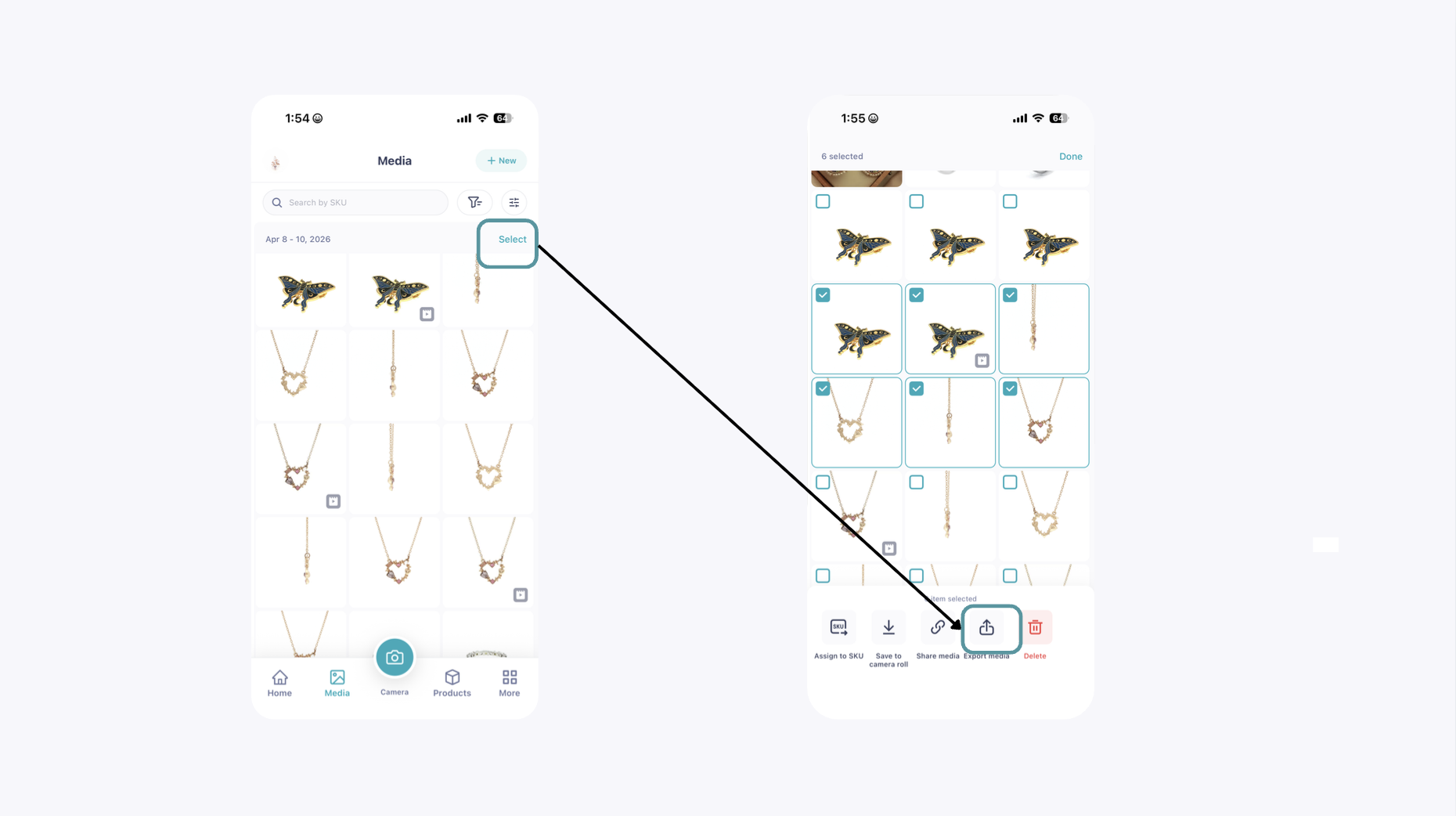
Open GemIQ.
Select the images or videos you want to export.
Use the Export function.
Choose the cloud storage folder that you configured in Step 1.
Your media files will now be available for import into The Edge.
Import Your Media into The Edge#
Within The Edge POS:
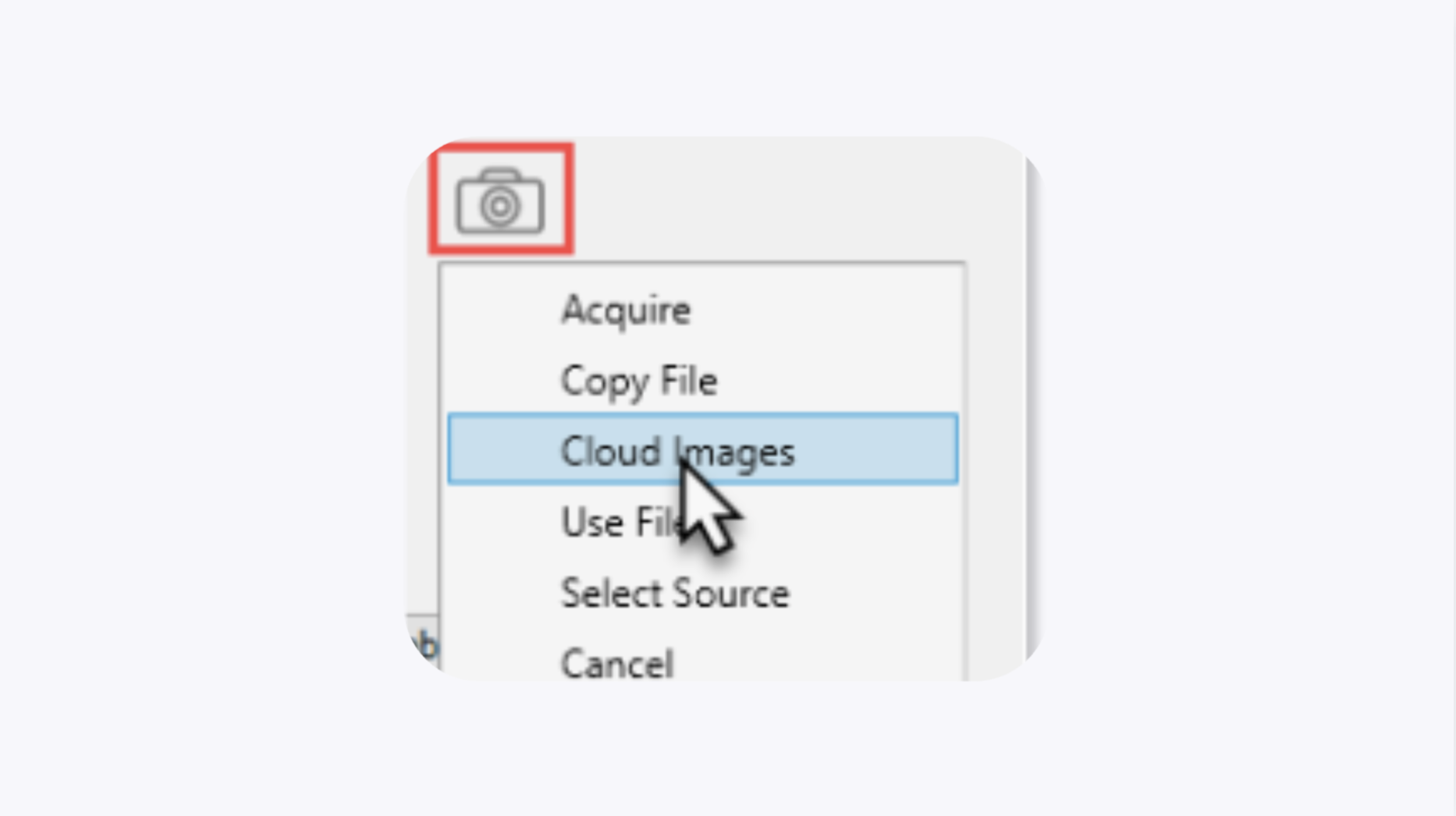
Open the record you want to update.
Click the Camera icon.
Select Cloud Images.
The Cloud Images window will open.
From here:
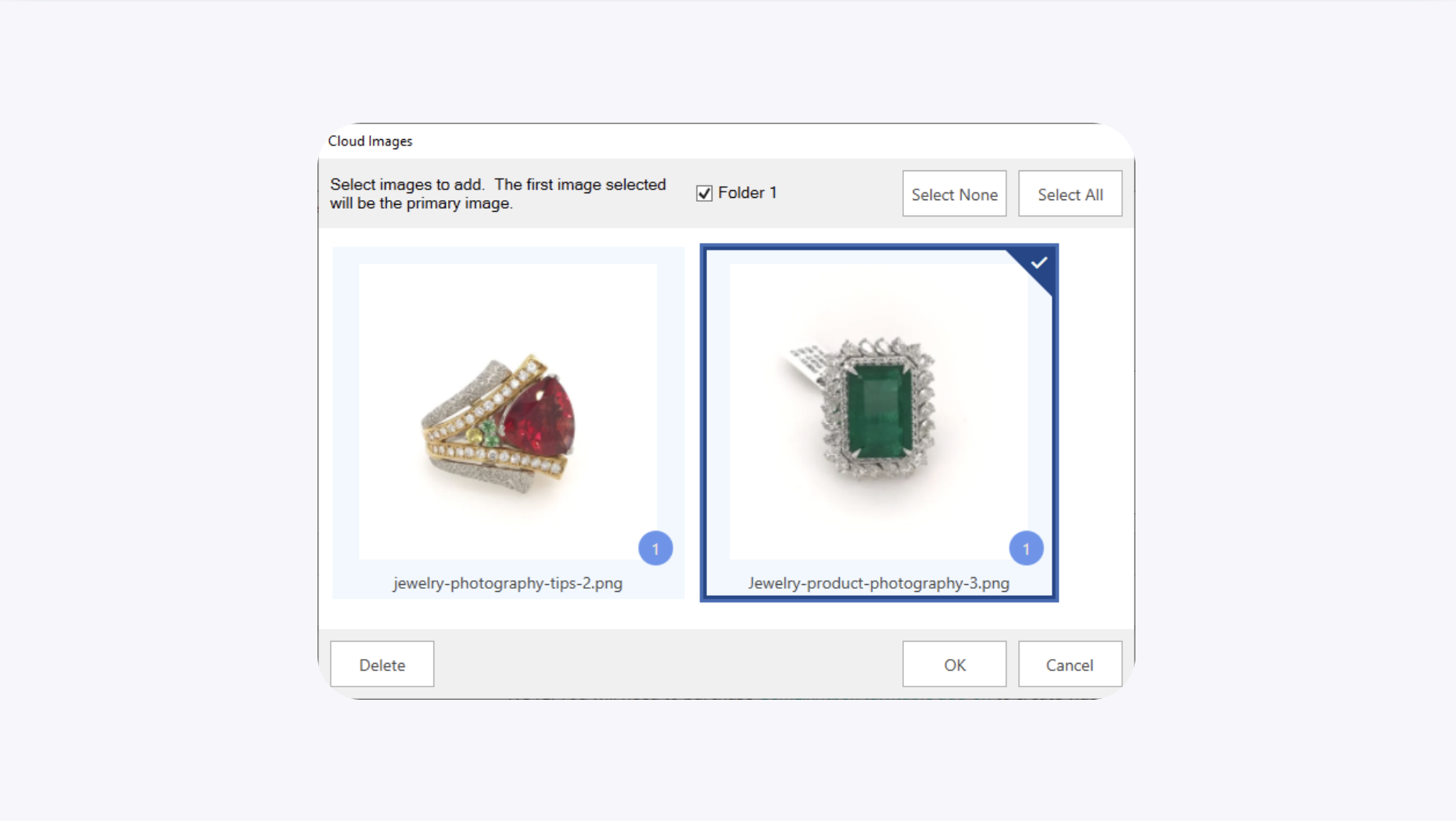
Select one or more images or videos.
Click OK.
The selected media will be assigned to the record.
Video Tutorial#
For a complete walkthrough, watch the tutorial below:
How to Upload Files to The Edge Using Cloud Storage
Common Questions#
Do I need to use the direct The Edge Integration?#
No. If you prefer, you can transfer your images and videos using a supported cloud storage service.
Which version of The Edge supports Cloud Images?#
The Cloud Images feature is available in The Edge version 19.2 and later.
Can I upload both images and videos?#
Yes. You can export both images and videos from GemIQ and import them into The Edge using Cloud Images.
Where should I export my files?#
Export your media to the same cloud storage folder that you configured when linking The Edge to your cloud storage service.