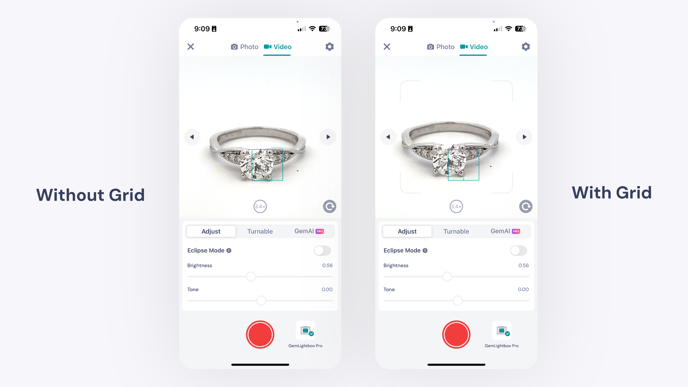
How to Use the Camera Grid in the GemHub
Quick Answer
Enable the camera grid in the GemHub's camera settings to display alignment lines over your live view. This helps you center your jewelry and capture perfectly framed, consistent photos and videos.
Before You Start
Ensure the GemHub is installed on your mobile device.
Have your GemLightbox and jewelry ready for photography.
Steps
Open the GemHub and tap the Capture button to open the camera interface.
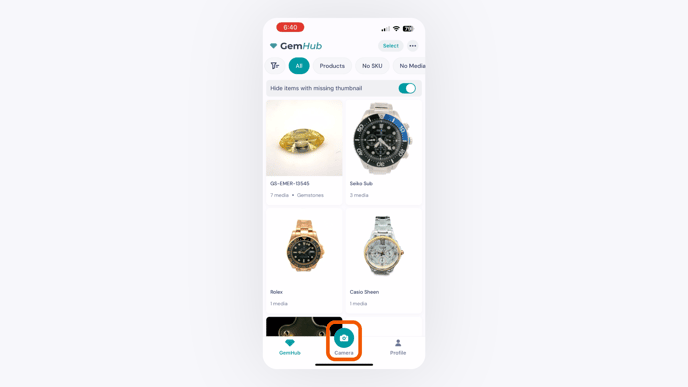
The GemIQ App Camera Interface With the Capture Button Circled. Tap the Settings icon (⚙️) to open the camera settings menu.
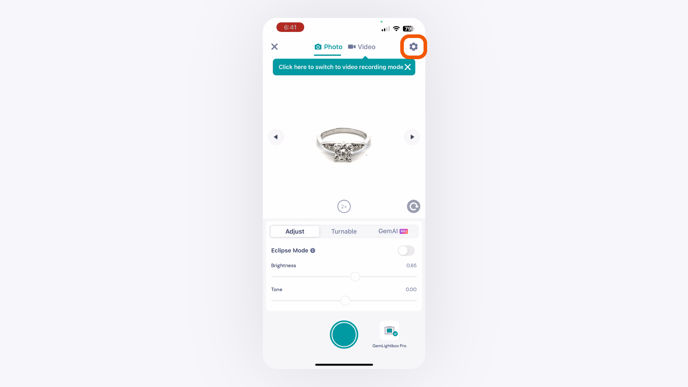
The Settings Icon Circled in the GemIQ App Camera View. In the camera settings menu, locate the Enable Grid option and toggle it on.
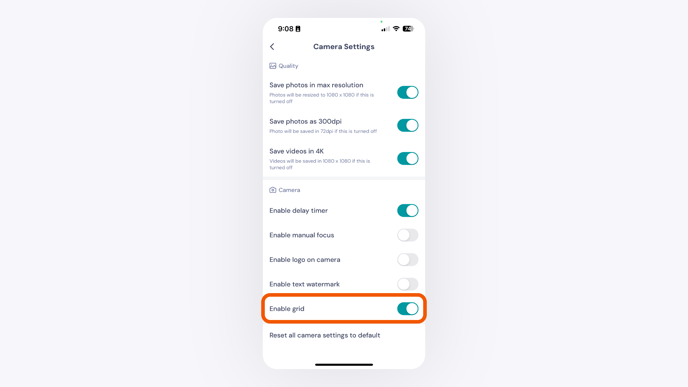
The Enable Grid Option Circled in the Camera Settings Menu.