
Managing Your Products in the GemHub
Quick Answer
The Products section in the GemHub lets you create, edit, delete, find, and import your jewelry product catalog. Every product requires a SKU; all other fields are optional. Deleted products go to the Trash and can be recovered within 7 days.
Before You Start
Log in to your GemIQ account.
To import products in bulk, download the sample import file and use it as your template.
Any product types referenced in an import file must already exist in your GemIQ account before you import.
Steps
Create a Product
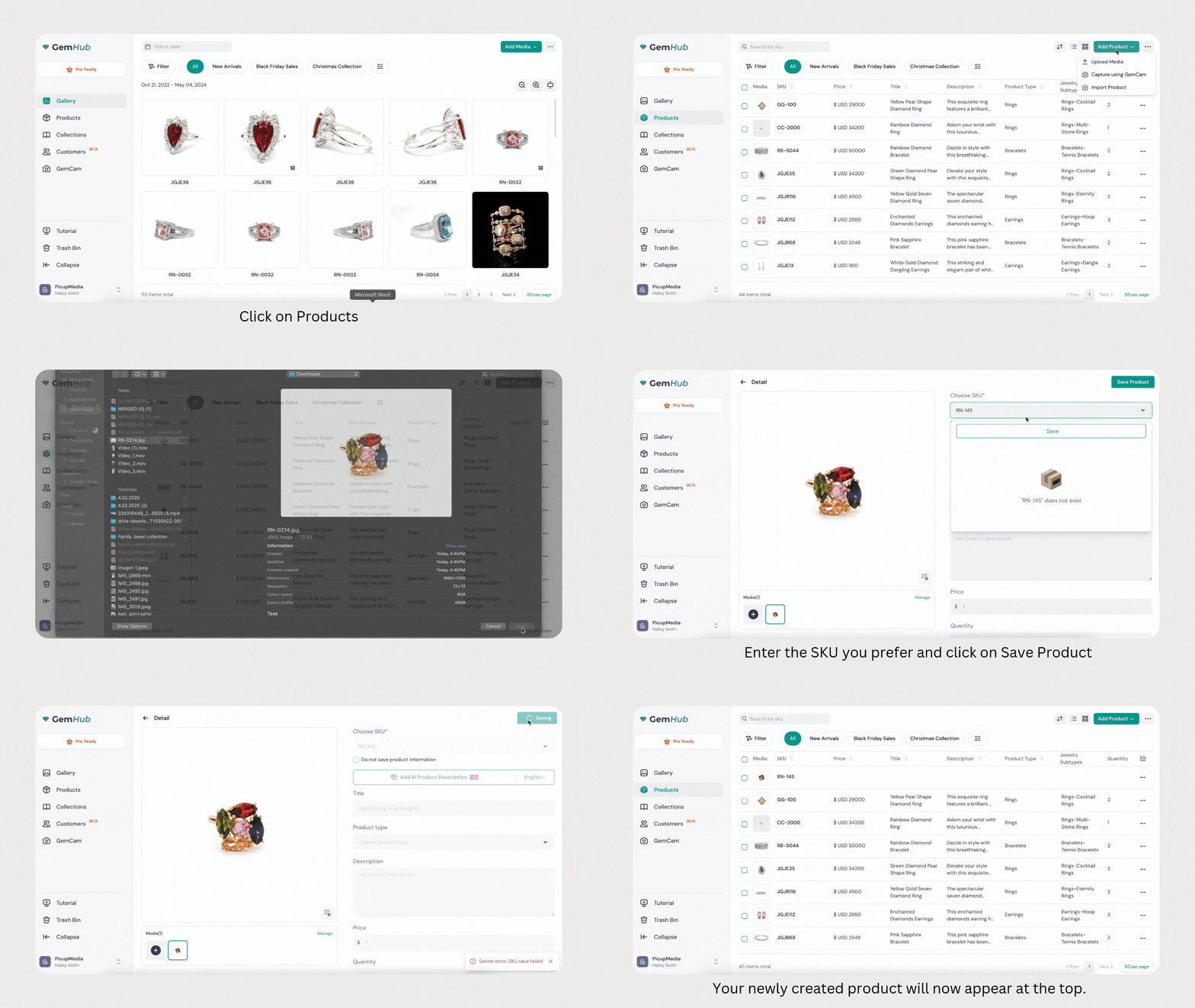
Go to the Products section.
Click Create Product.
Enter a SKU (required).
Optionally, add a title, description, product type, price, quantity, and media (images or videos).
Click Create. The new product appears at the top of your product list.
Edit a Product
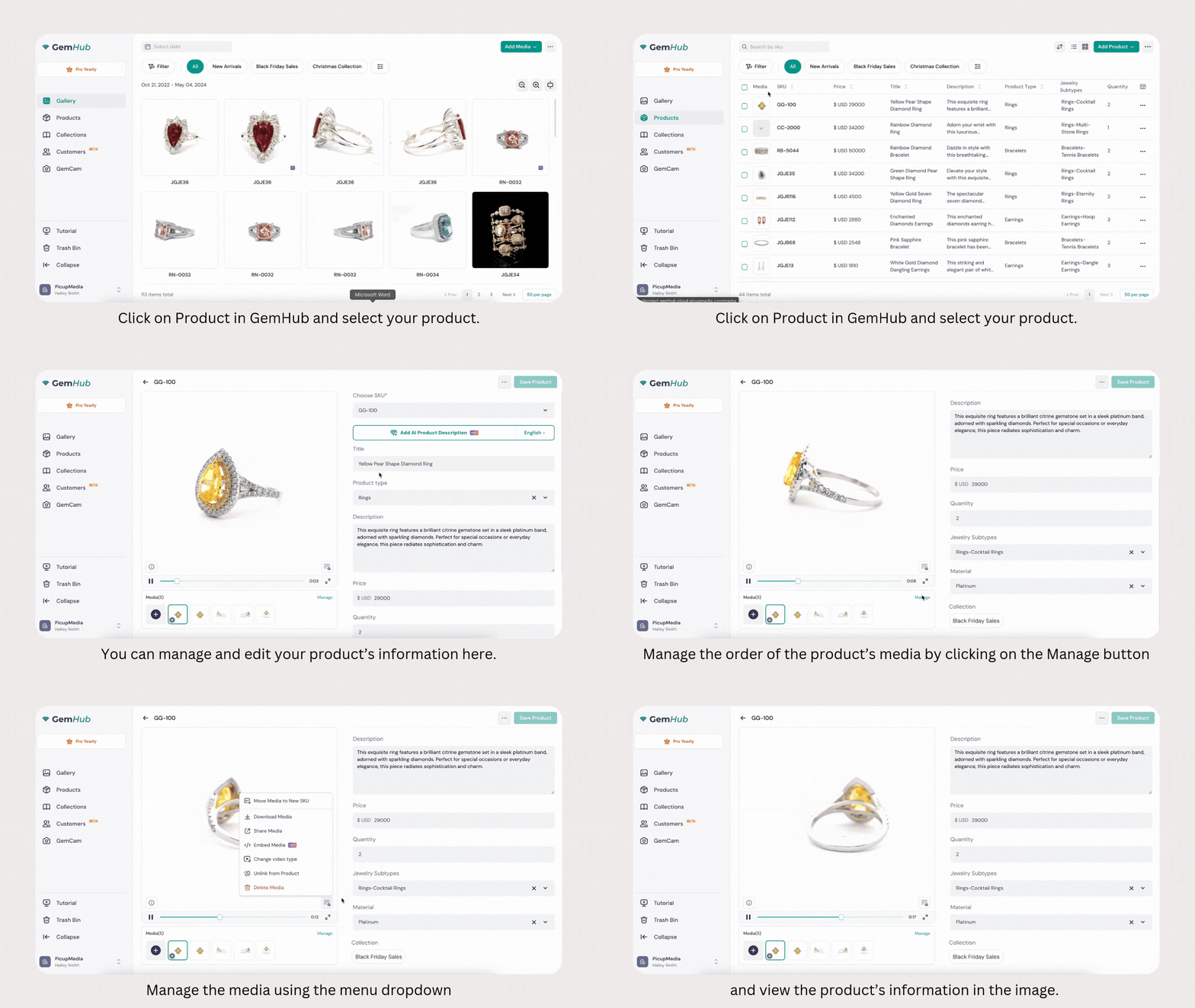
-gif.gif?width=688&height=387&name=To%20edit%20a%20product%E2%80%99s%20information%2c%20click%20on%20Product%20in%20GemHub%20(1)-gif.gif)
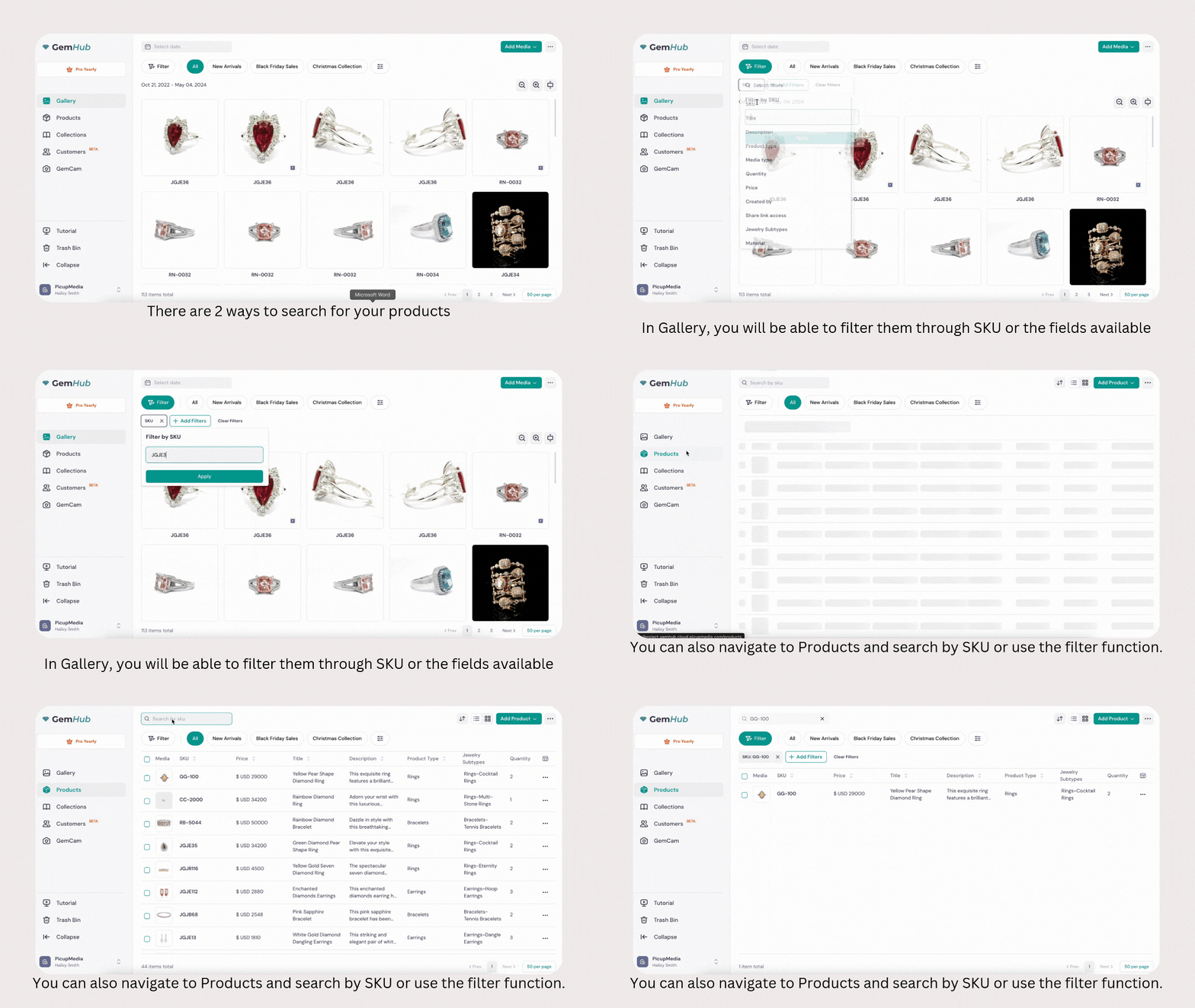
-gif.gif?width=1152&height=648&name=Importing%20Media%20(1)-gif.gif)