
Export GemHub Products to WooCommerce
Quick answer
GemHub does not currently have a direct WooCommerce integration. You can export your product catalog as a CSV file from the GemHub and import it into WooCommerce using WooCommerce's built-in product importer. This guide walks you through both steps.
Before You Start
You have a GemIQ account with products already added.
You have a WooCommerce store set up and WordPress admin access.
You are comfortable with basic WooCommerce product management.
Looking for Shopify? GemHub has a native Shopify integration. See [Connect GemHub to Your Shopify Store] for that workflow.
Steps
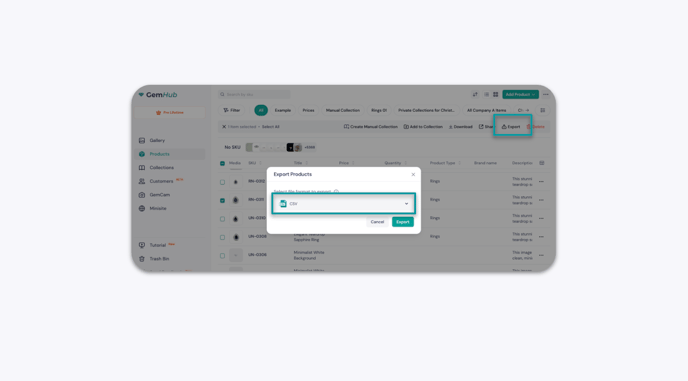
Step 1 — Export Your Products from the GemHub
Log in to your GemHub dashboard.
Go to the Products section.
Select the Export option.
Download the
.csvfile to your computer.
Step 2 — Import the CSV into WooCommerce
Log in to your WordPress admin panel.