iPhone Pro Camera Focusing Issues When Shooting Jewelry
Quick answer
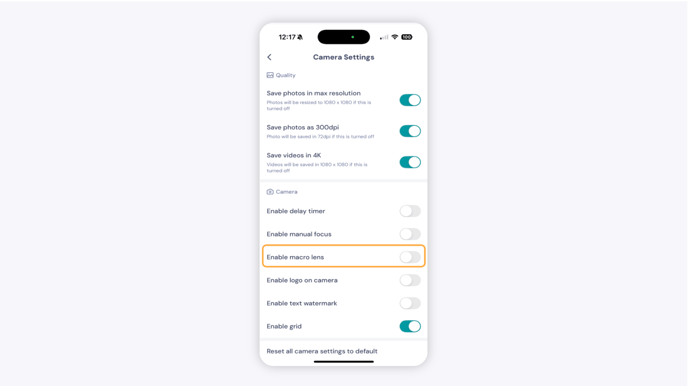
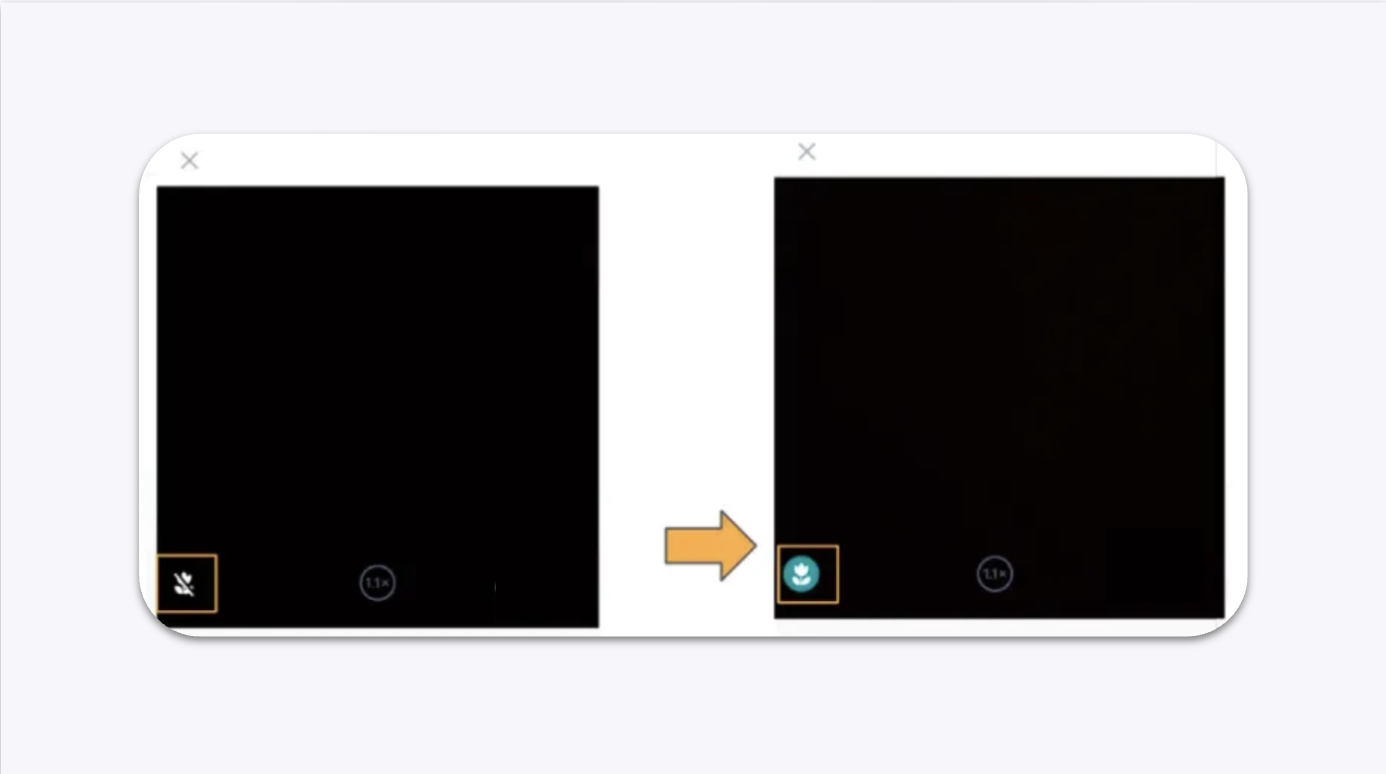
If your photos look blurry or out of focus when shooting jewelry with an iPhone Pro or Pro Max (iPhone 12 and later), the camera is too close to the subject. Move your phone slightly farther back, or enable the Macro Lens option in the GemHub to improve close-up focus.
Before You Start
Confirm you are using an iPhone Pro or Pro Max, iPhone 12 or later
Make sure the GemHub is installed and up to date
This issue is caused by iPhone hardware, not a GemHub or GemIQ software bug
Steps
Option 1 — Move the Phone Farther Back
Reposition your iPhone slightly farther away from the jewelry until the camera locks focus.
Take a test shot and confirm the image is sharp.
Option 2 — Enable Macro Lens in the GemHub (iPhone 13 Pro and Later)
Open the GemHub and tap Camera.
Tap the Settings icon in the top-right corner of the camera screen.
Turn on Enable Macro Lens.