
How to Access Video Tutorials in the GemHub
Quick answer
GemHub includes built-in video tutorials to guide you through the software. Click the Tutorial button inside GemHub to open them instantly — no external website required.
Before you start
GemHub must be installed on your computer.
Open the GemHub and log in before following these steps.
Steps
Open the GemHub on your computer.
Locate the Tutorial button in the GemHub interface.
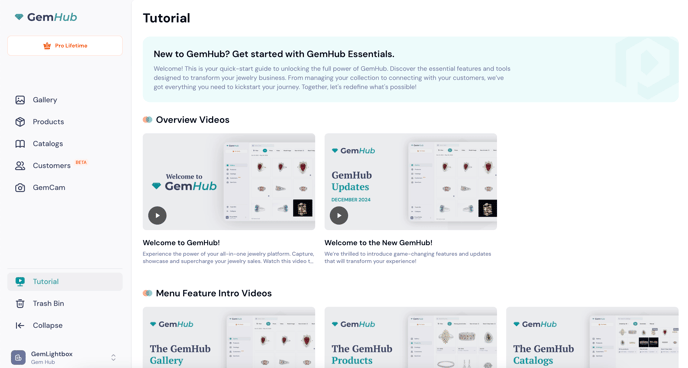
Click Tutorial to open the tutorial library.
Browse the available topics and select a tutorial to watch.
Expected result
A series of video tutorials opens covering GemHub's key features and workflows. You can watch them in any order.
If this does not work
Make sure GemHub has fully loaded before clicking the Tutorial button.
If the Tutorial button is not visible, update GemHub to the latest version.
Check your internet connection if tutorials do not play.