
Activating and Using GemStudio
Quick answer
GemStudio is an AI-powered feature inside GemHub that transforms your jewelry photos into hyper-realistic model shots, lifestyle images, and metal tone variations in one click. Redeem your activation code in the GemHub, then use your credits to generate images.
Before you start
You have purchased GemStudio credits and received your activation email.
You have an active GemIQ account.
Your jewelry photos are uploaded to the GemHub.
Steps
Part 1 — Activate Your Credits
Open the GemStudio activation email you received after purchase.
Copy the activation code from the email.

Log in to your GemIQ account.
Go to your profile and open the GemStudio Credits page.
Paste the activation code in the Redeem Your Credits field.
Confirm. Your credit balance updates immediately.
Part 2 — Open GemStudio
Inside GemHub, navigate to GemStudio.
Select the jewelry image you want to transform.
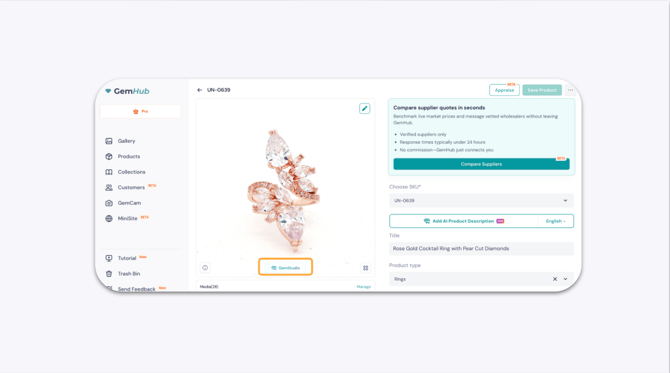
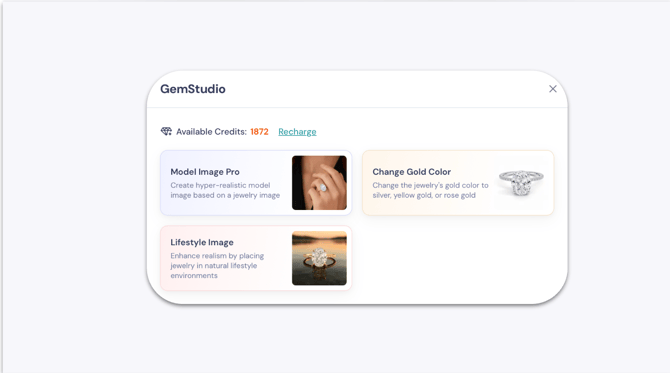
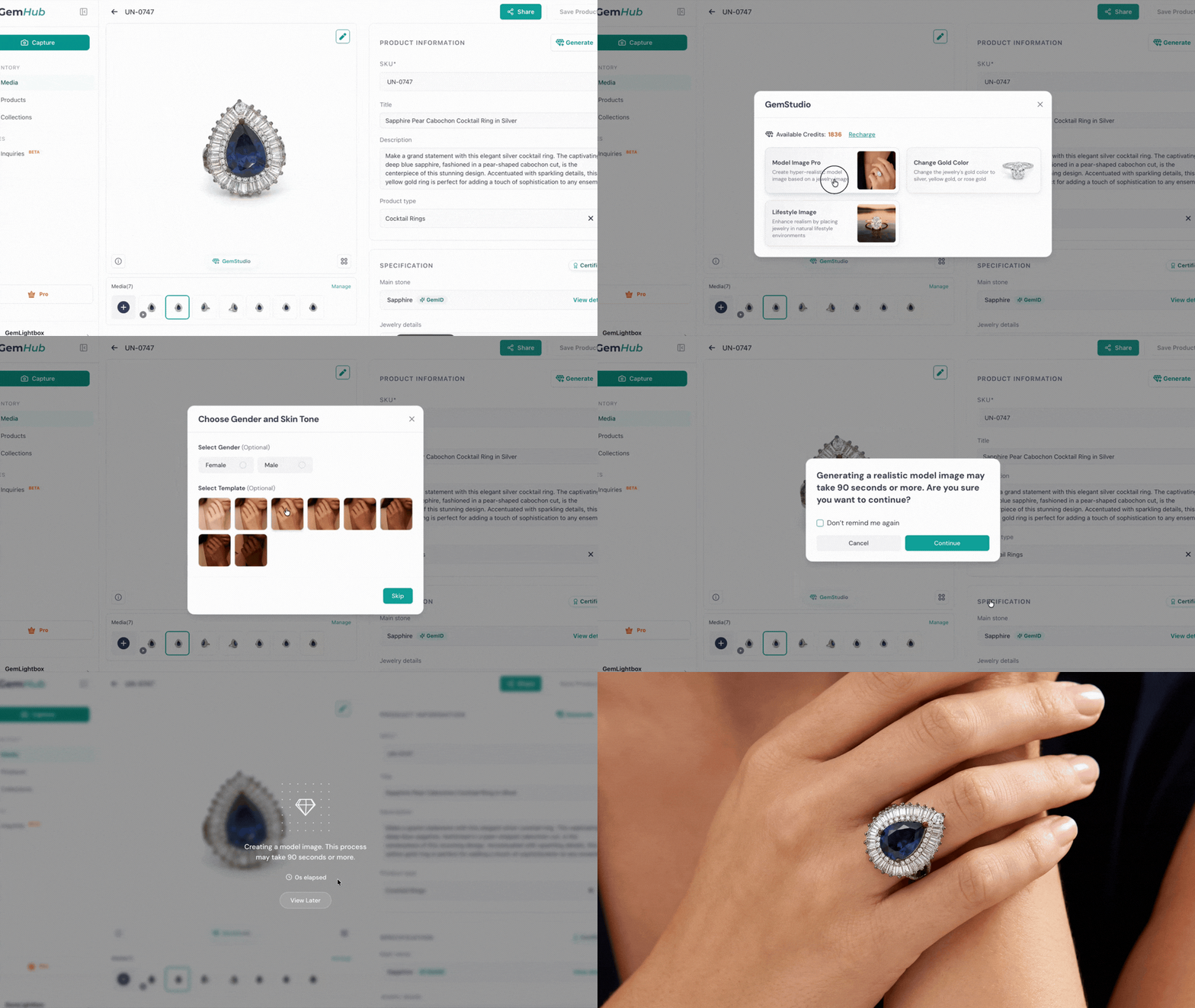
-4.gif?width=670&height=377&name=Untitled%20design%20(1)-4.gif)
-2.gif?width=670&height=377&name=Untitled%20design%20(2)-2.gif)