How to Check Your AI Feature Usage on the Free Plan
Quick Answer
Free Plan users receive 10 trial uses per month for each of three AI features: AI Background Removal, AI Retouching, and AI Dust Removal. You can check how many uses you have left directly in the GemHub by opening any image and tapping the edit icon.
Before You Start
The GemHub is installed on your device.
You are signed in to your Free Plan account.
You have at least one image saved in your gallery.
What the Free Plan Includes
Free Plan users receive 10 trial uses per month for each of the following AI features:
AI Background Removal
AI Retouching
AI Dust Removal
Each feature has its own separate quota. Uses reset at the start of each calendar month.
Steps
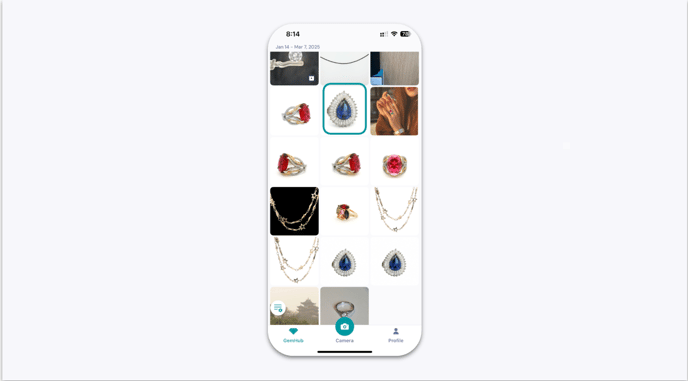
Open your gallery. Launch the GemHub and select any image from your gallery.
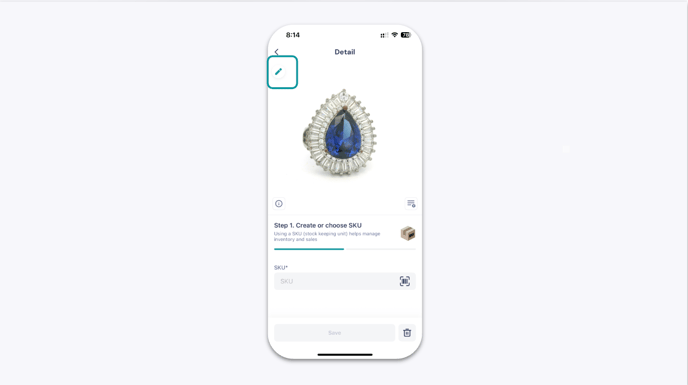
Open the Edit Media tool. Tap the pencil icon at the top-right corner of the image.