How to Share Multiple Images and Videos with a Single Link
Quick Answer
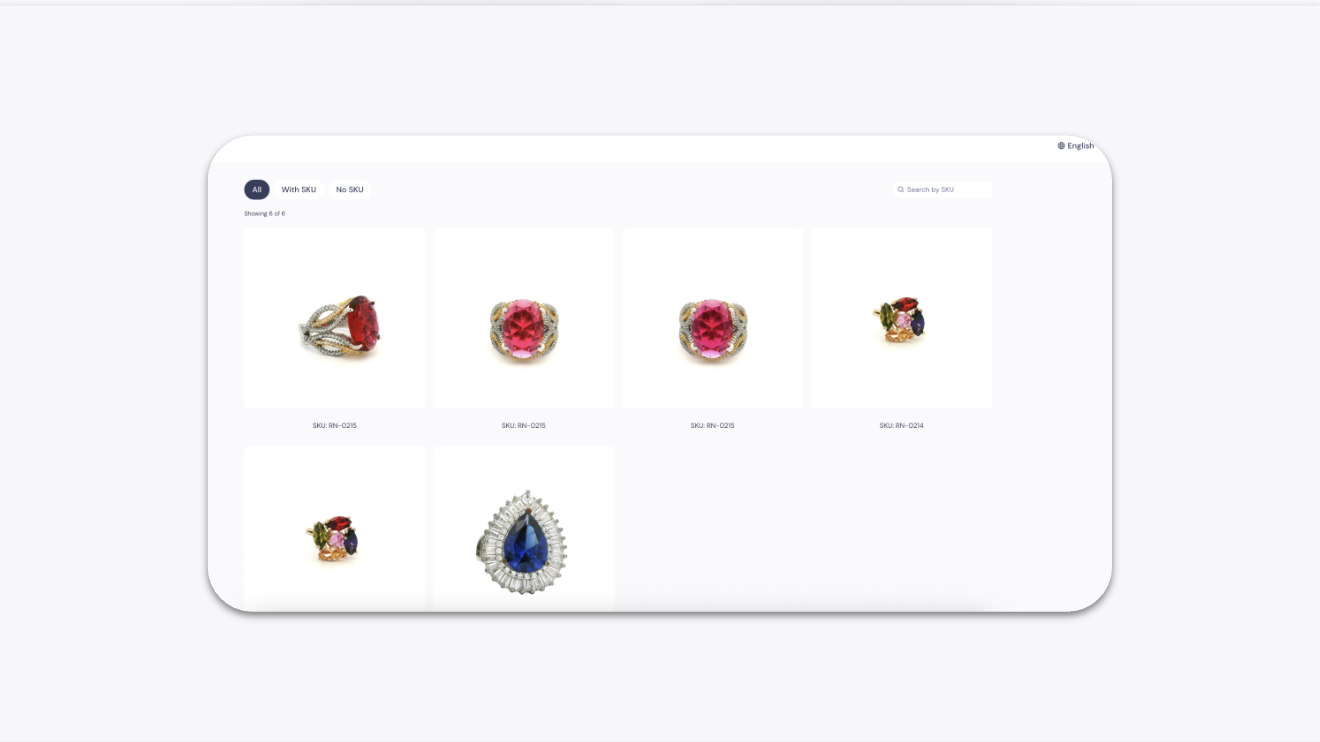
Select multiple images and videos in your GemHub gallery, click the "Share" button, and copy the generated link. This link creates a simple, shareable web page that displays all your selected media, which you can then send to clients or post on social media.
Before You Start
Ensure you are logged into your GemIQ account.
Have images and videos already uploaded to your GemHub gallery.
Steps
Open the GemHub and navigate to the Gallery.
Hover over the media files you wish to share and click the checkbox that appears on each one. You can select multiple images and videos.
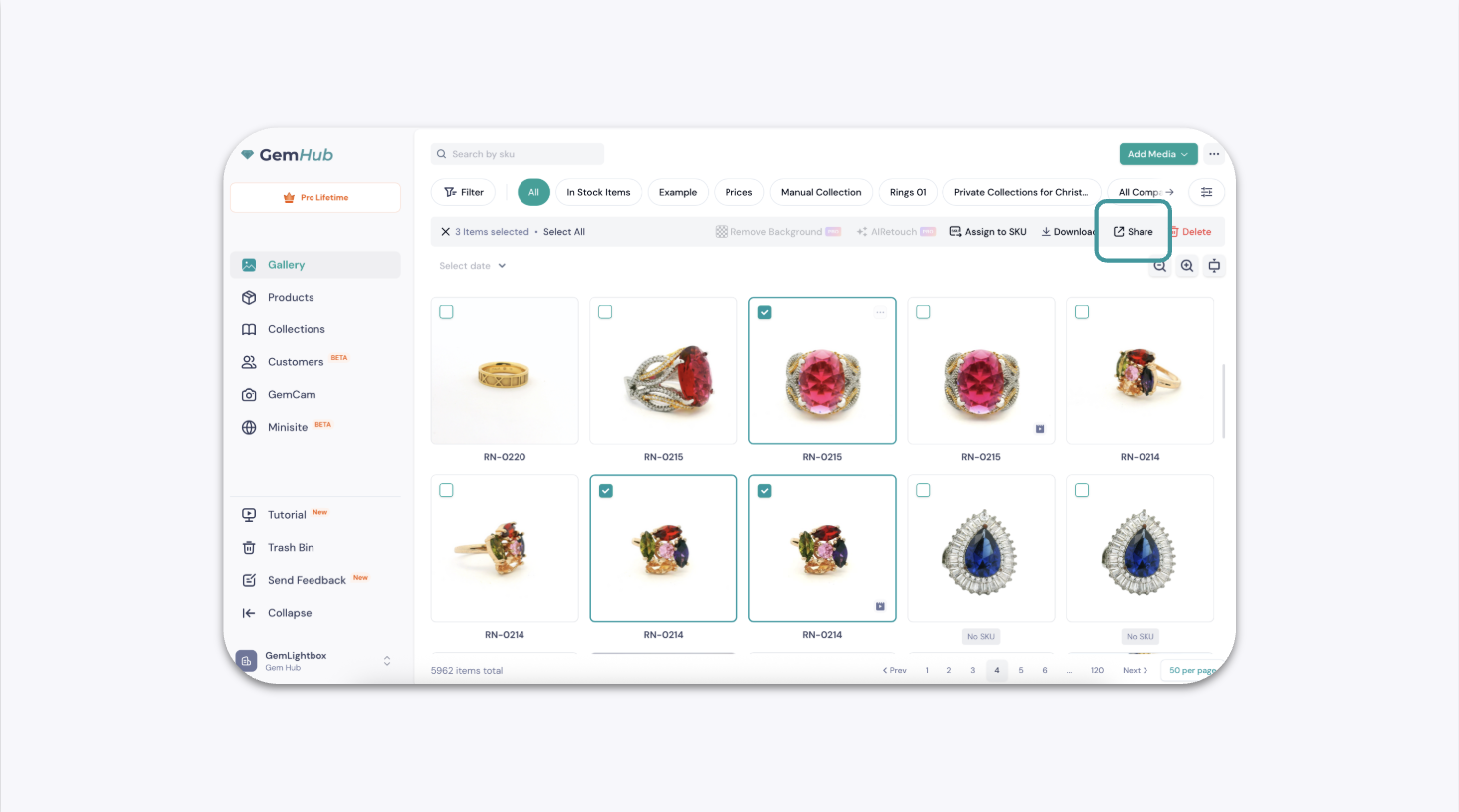
Once you have selected your files, an actions bar will appear at the top right. Click the Share button.
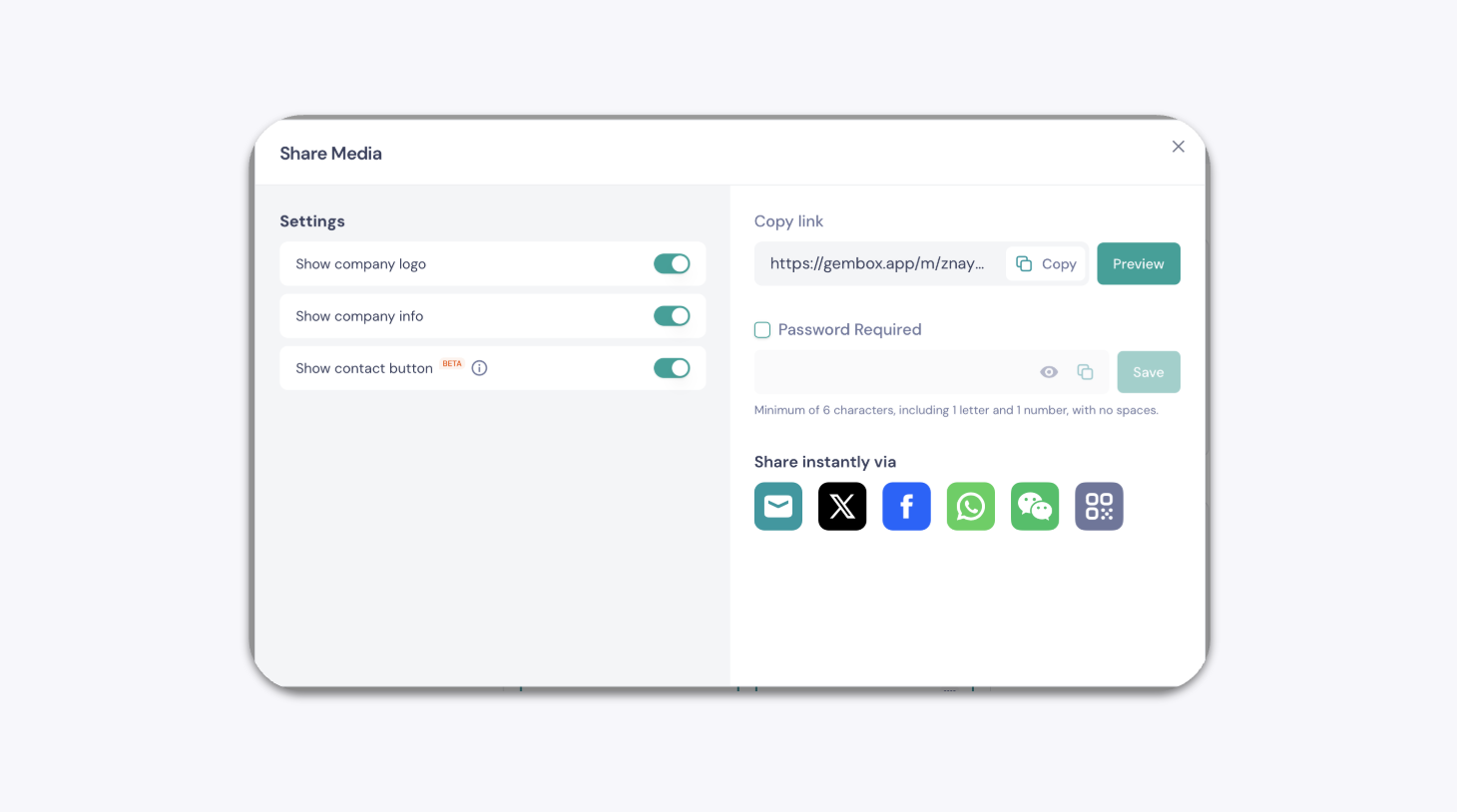
A pop-up window will open. You can either copy the generated URL directly or click one of the social media icons to share it on that platform.