How to Share a Collection from the GemHub
Quick Answer
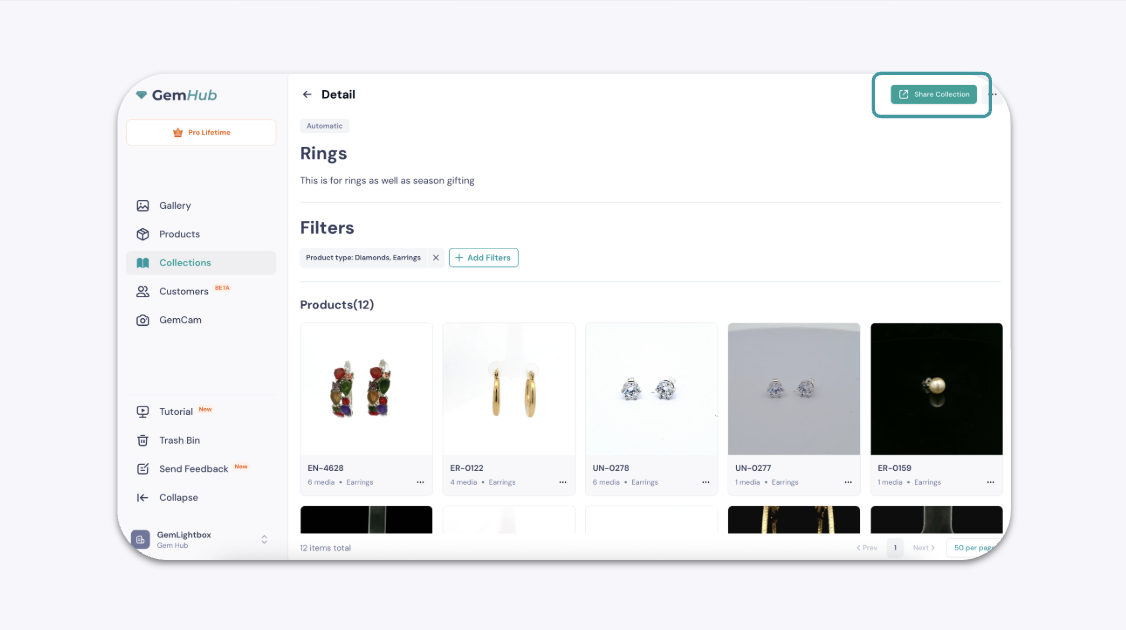
You can create a shareable link for a collection of your products directly from the GemHub. This allows you to easily showcase a curated group of items to your customers. You can generate this link from either the main Collections screen or from within a specific collection you are viewing.
Before You Start
Ensure you have the GemHub installed on your device.
You must have at least one collection created with products added to it.
Steps
There are two ways to share your collection:
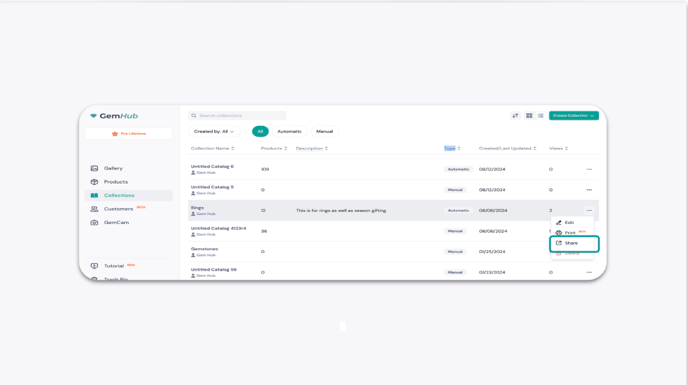
Option 1: From the Main Collections Screen
Open the GemHub and navigate to the Collections section.
Locate the collection you wish to share.
Click the three-dot menu (⋯) on the collection card.
Select Share from the dropdown menu.
Option 2: From Inside a Collection
Open the GemHub and navigate to the Collections section.
Click on a collection to open it and view its contents.