AI Retouch vs. AI Dust Removal: What's the Difference?
Quick answer
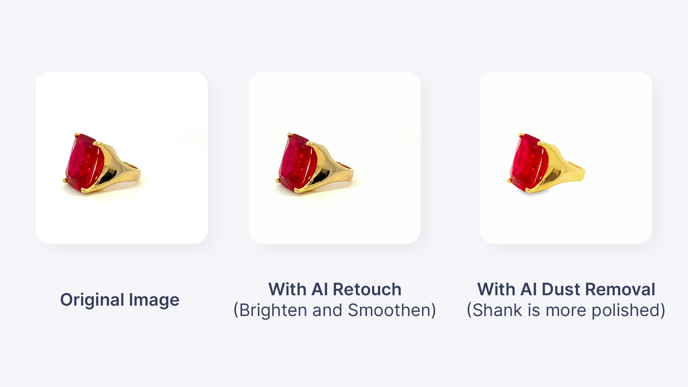
GemHub includes two AI-powered image enhancement tools: AI Retouch and AI Dust Removal. AI Retouch makes deeper corrections — removing scratches and blemishes while brightening and smoothing the overall image. AI Dust Removal makes lighter, subtler corrections, targeting surface dust and minor imperfections for a cleaner look without heavy processing.
Tool Comparison
AI Retouch AI Dust Removal What it does Removes scratches and blemishes; brightens and smooths the image Removes visible dust and minor surface imperfections Level of correction Deeper enhancement Light polish Best for Jewelry needing a polished, professional finish Quick clean-up that keeps the image looking natural How to apply Single click Single click
When to Use Each Tool
Use AI Retouch when: - Your image has visible scratches or blemishes on the jewelry - You want a brighter, smoother, more polished result - You are preparing images for product listings, catalogs, or marketing
Use AI Dust Removal when: - Your image has light dust or minor surface marks - You want a subtle improvement without changing the overall look - You need a fast clean-up with minimal processing
Comparison Example
The image below shows an original photo alongside the results after applying each tool.