How to Embed a GemHub Video on Your Website
Quick Answer
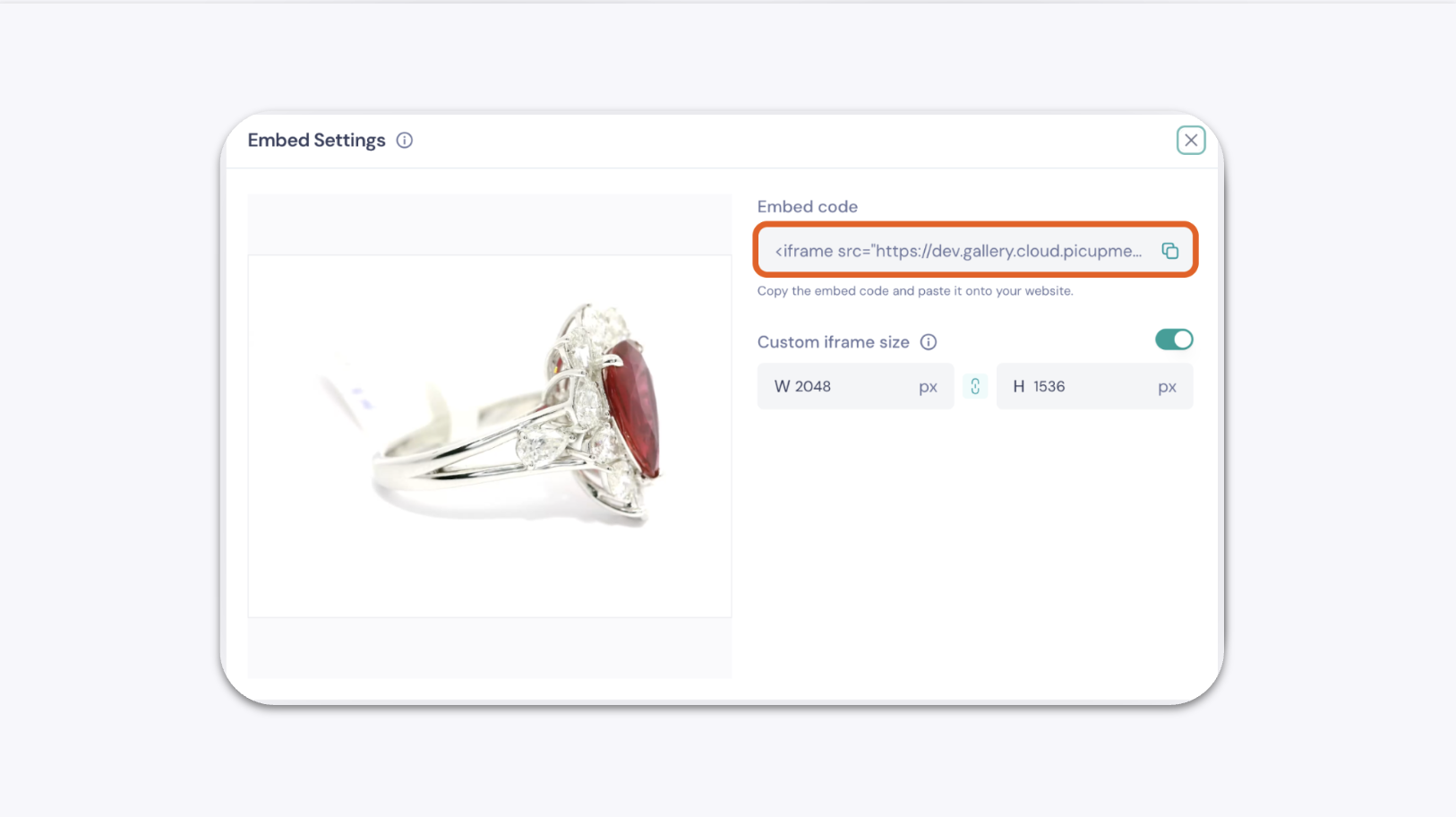
GemHub lets you generate an iFrame embed code for any video in your Gallery. Copy the code and paste it into your website's HTML to display the video directly on your page.
Before You Start
You have a GemIQ account with at least one video saved in your Gallery.
You have access to your website's HTML editor.
Steps
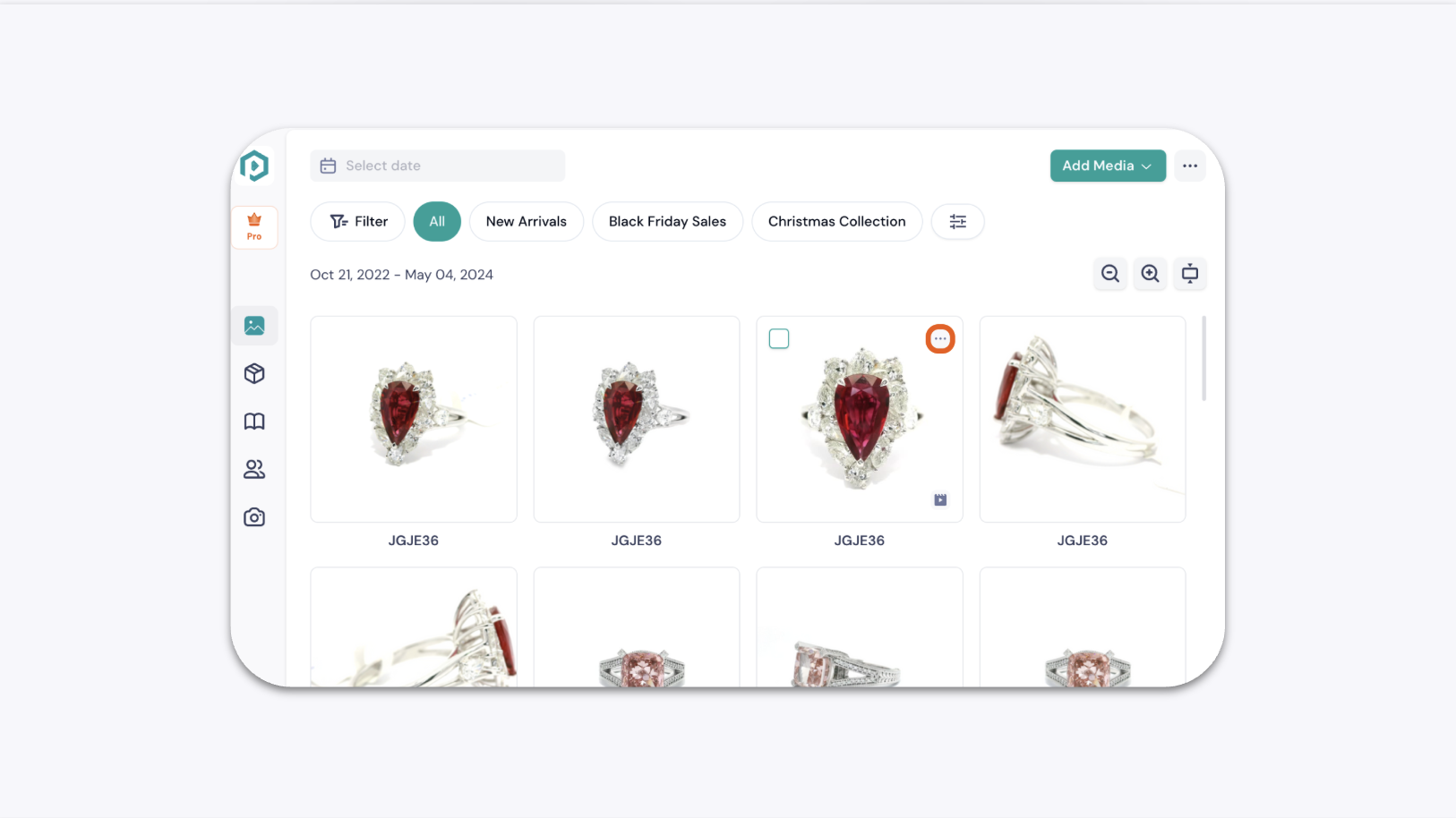
In the GemHub, go to Gallery and find the video you want to embed.
Tap the ellipsis icon (...) in the top-right corner of the video thumbnail.
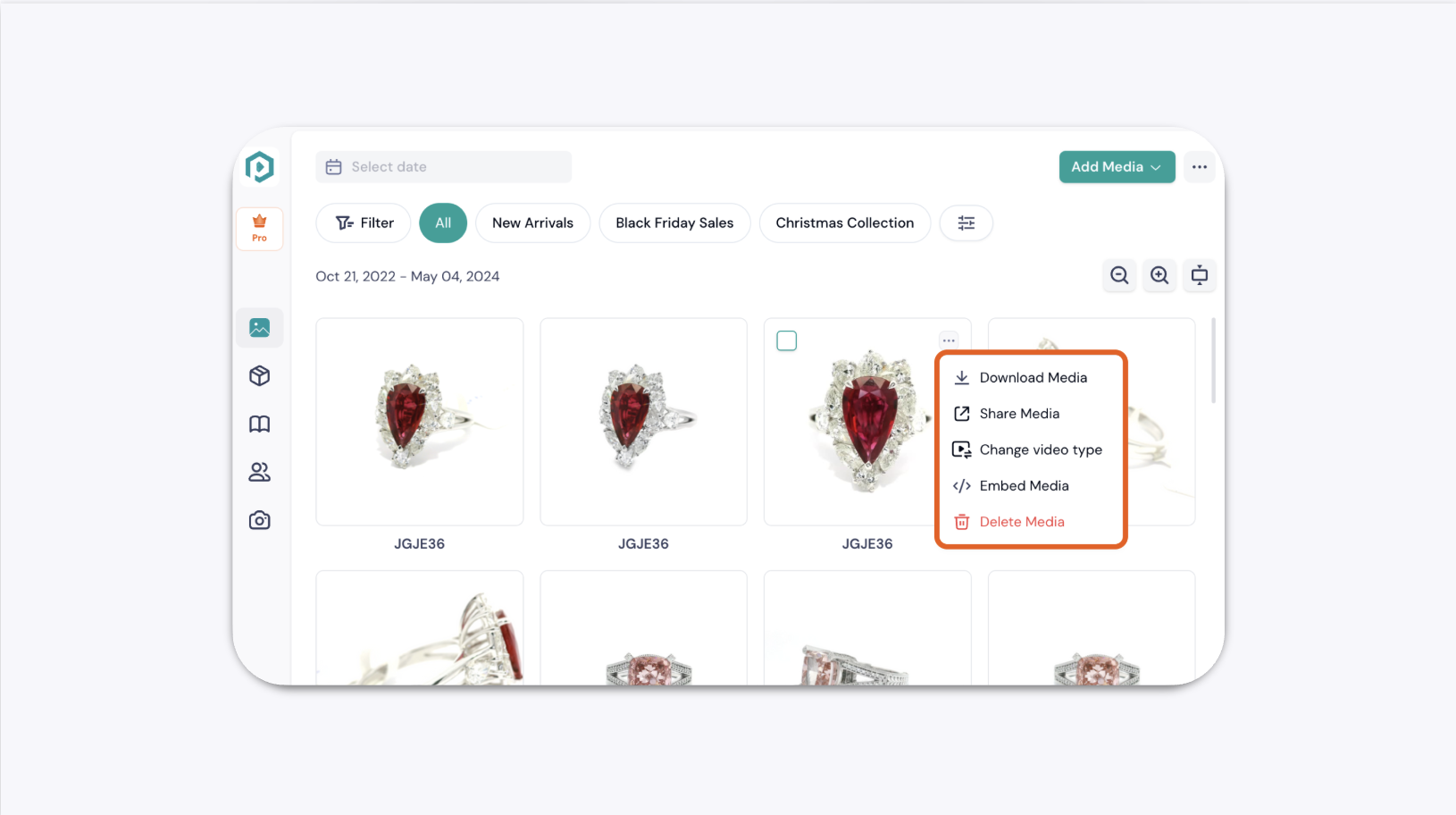
Select Embed Media from the dropdown menu.
In the preview window, copy the full iFrame embed code.