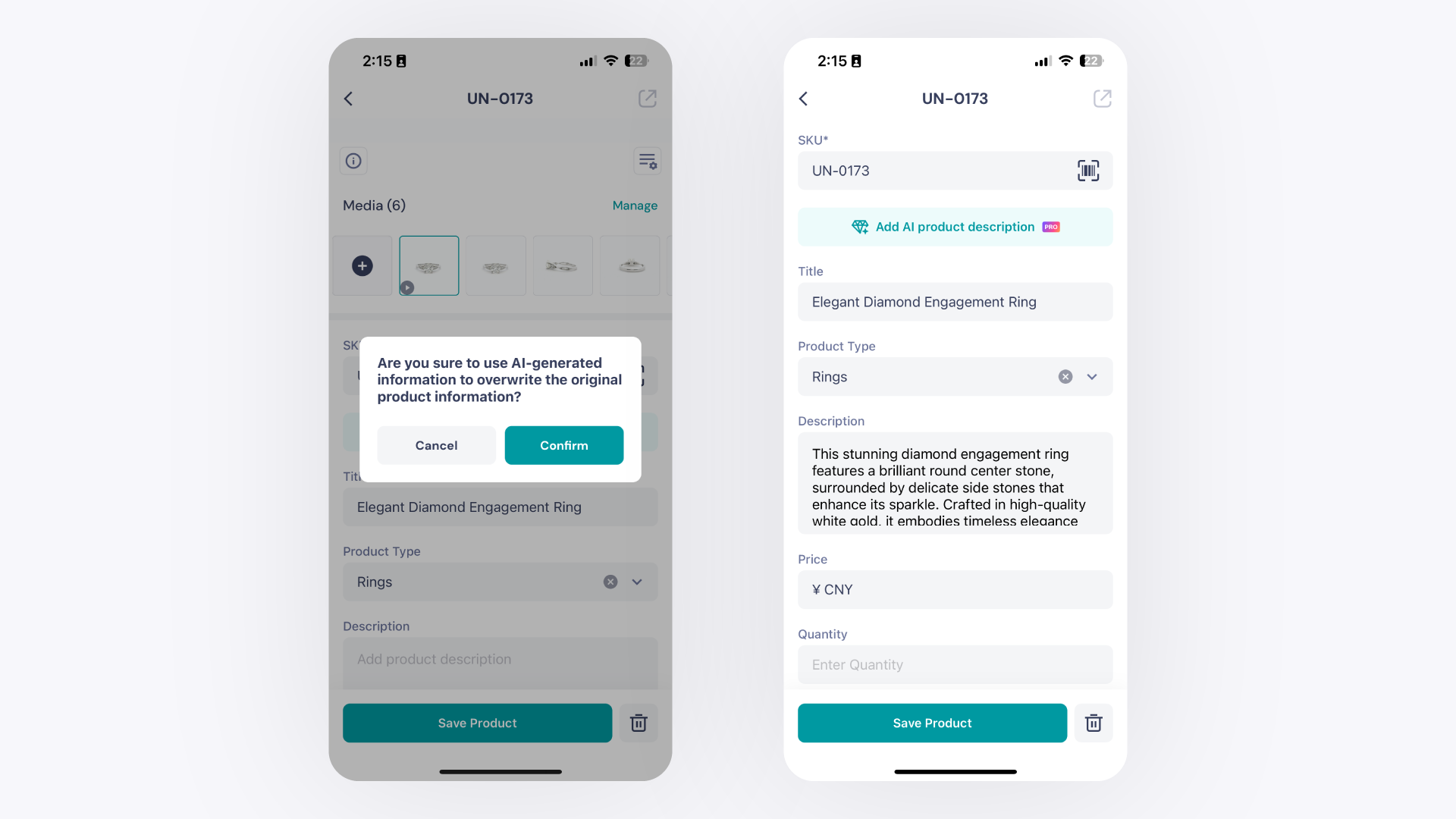
Generate an AI Product Description in the GemHub
Quick answer
The AI Description feature in the GemHub writes a product description for any item in your catalog automatically. Open an image in your gallery, tap the AI Description button, and a description is generated in seconds. This feature requires an active GemIQ subscription.
Before you start
Active GemIQ subscription (free plan users will see an upgrade prompt)
At least one image saved in your GemIQ Gallery
Active internet connection
Steps
On the GemHub
Open the GemHub and go to your Gallery.
Tap the image you want to add a description to.
A preview window opens. Scroll down until you see the AI Description button.
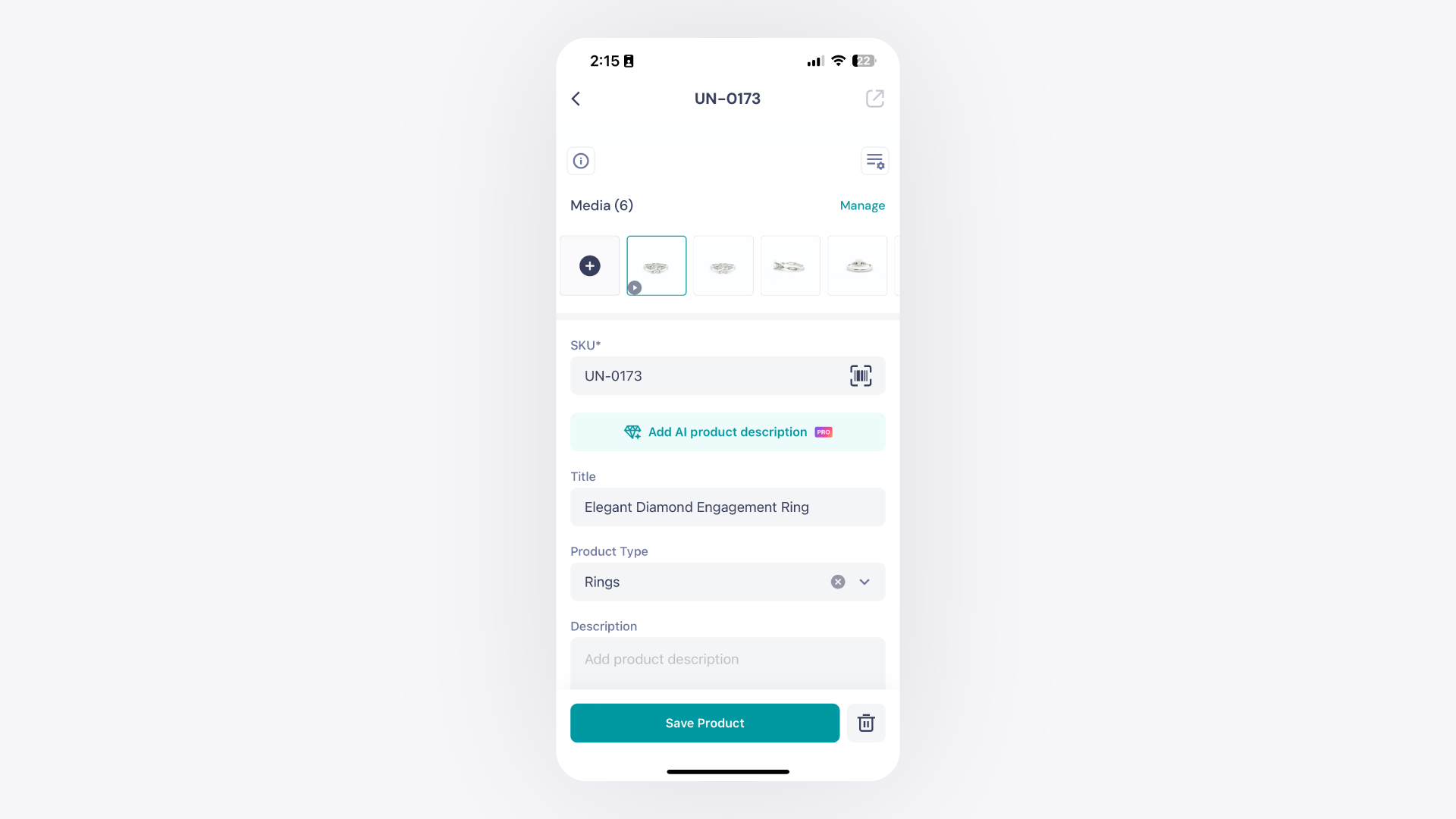
Tap AI Description. GemHub generates a product description for the selected item. - If a description already exists, you will be asked to confirm whether you want to overwrite it.