Quick answer#
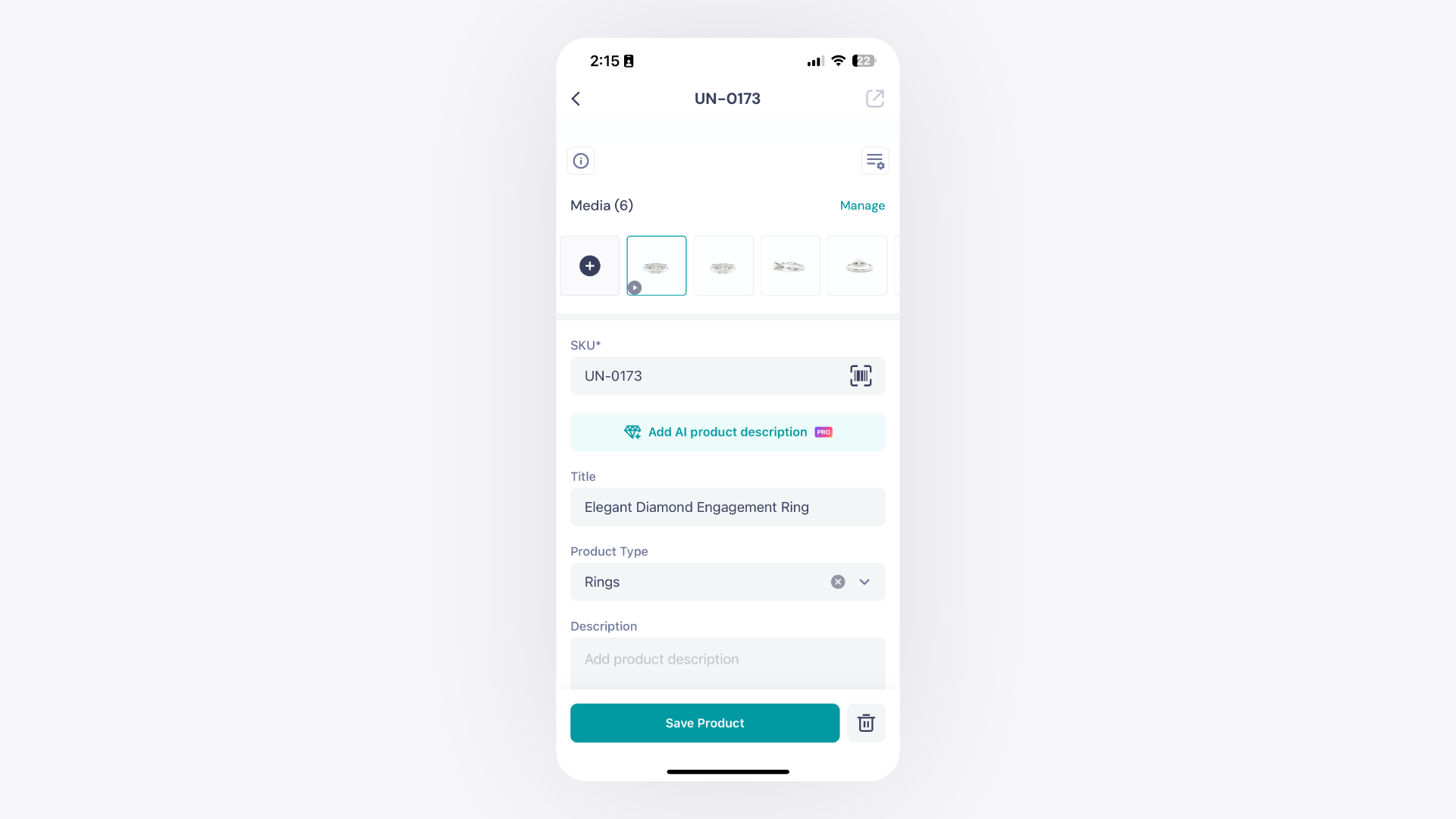
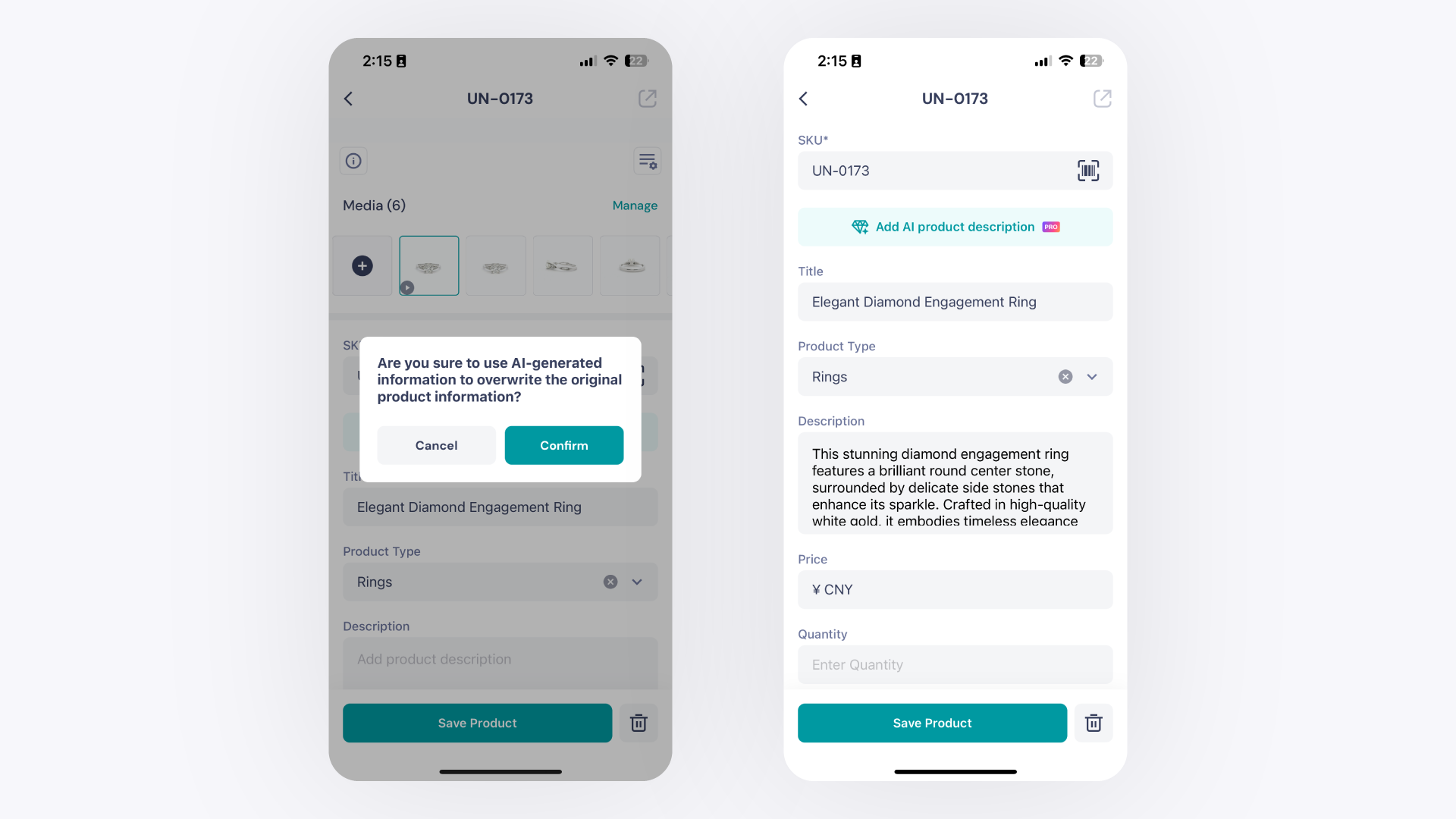
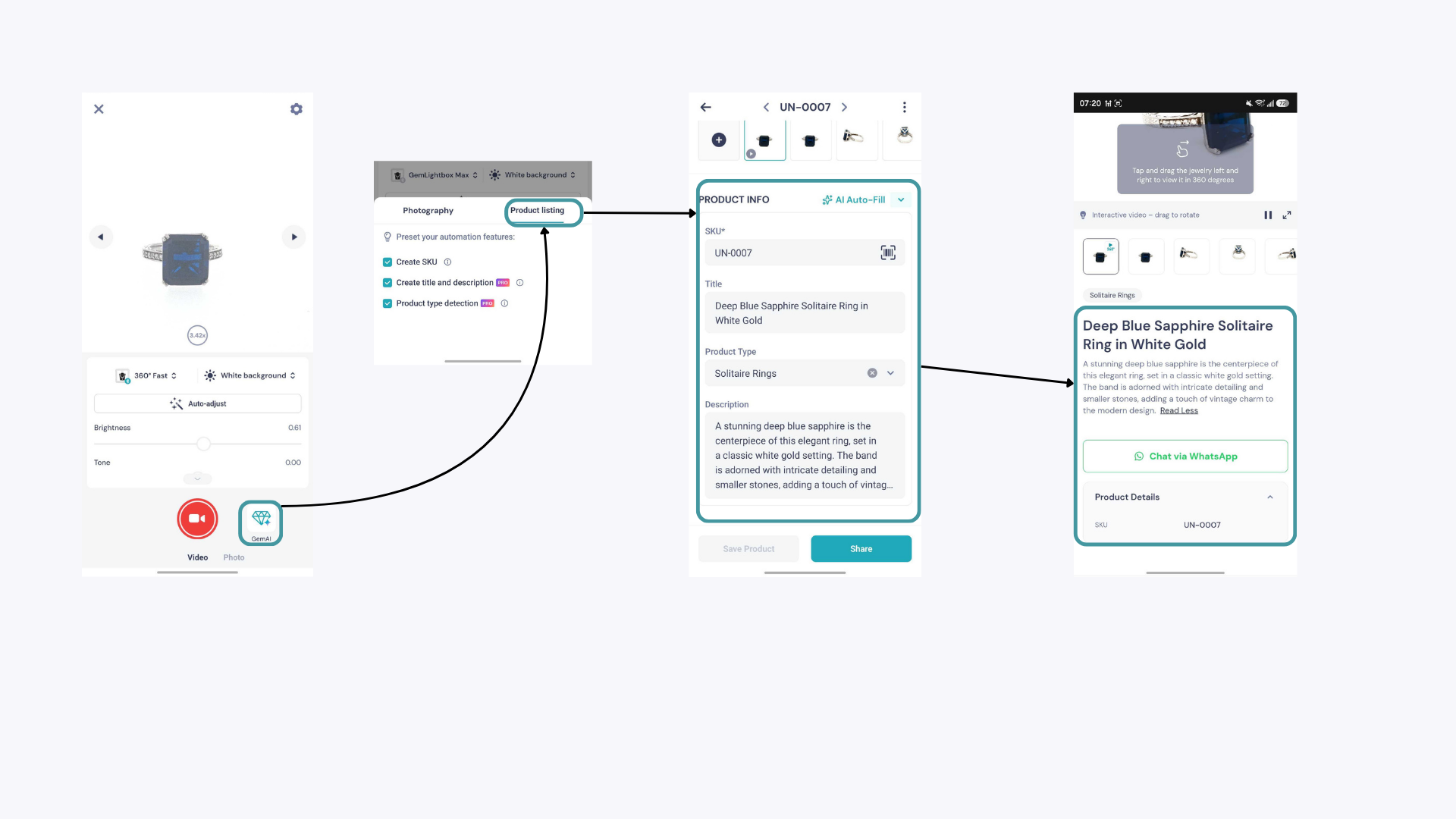
The AI Description feature in GemIQ Mobile App writes a product description for any item in your collection automatically. Open an image in your media, tap the AI Description button, and a description is generated in seconds. This feature requires is available to all GemIQ account tiers.
Before you start#
Active GemIQ account (free plan users get 10 descriptions per month and will see an upgrade prompt when limit is reached)
At least one image saved in your GemIQ Products Tab
Active internet connection
Steps#
Open GemIQ App and go to your Products.
Tap the image you want to add a description to.
A preview window opens. Scroll down until you see the AI Description button.