Quick Answer#
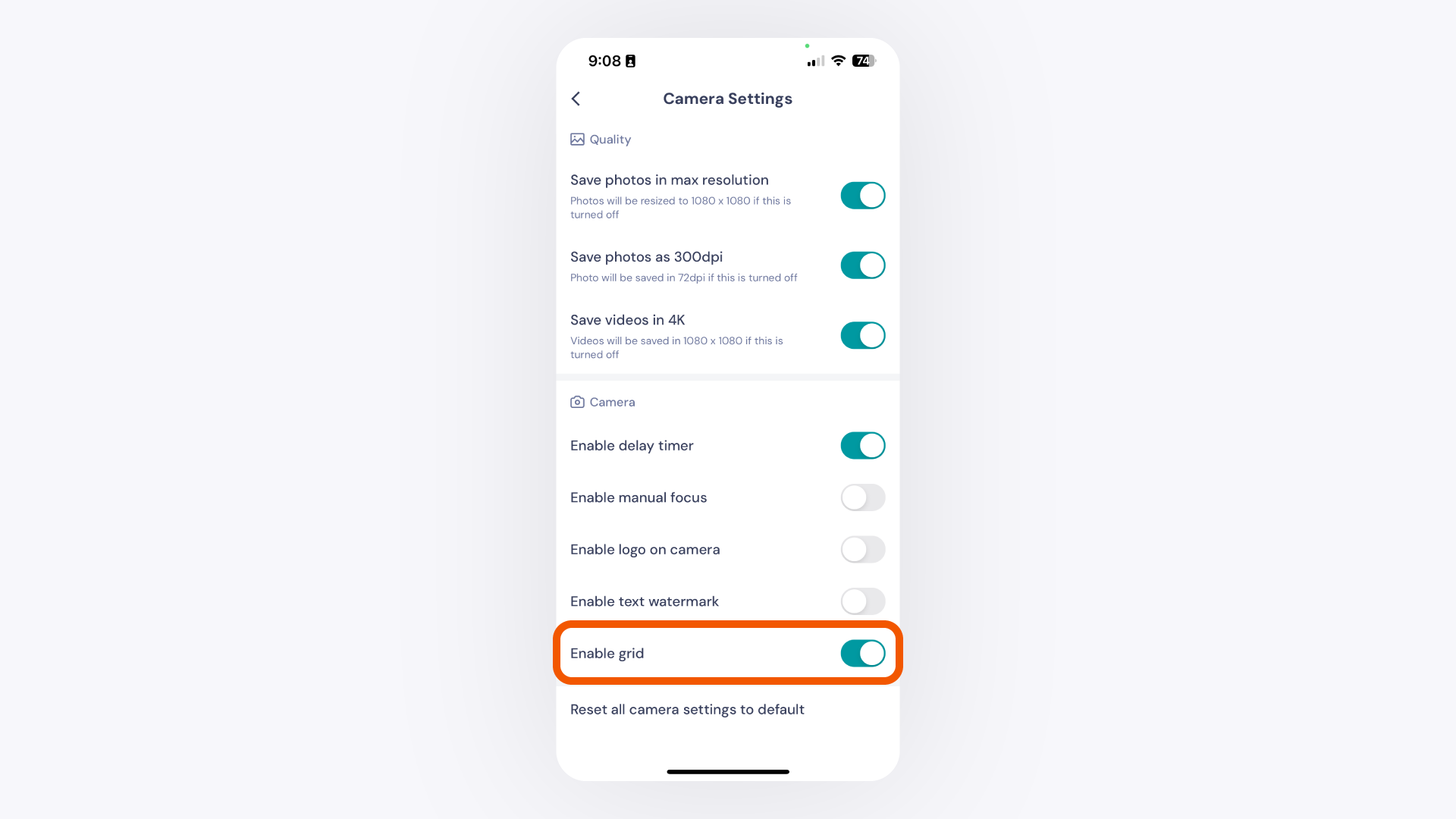
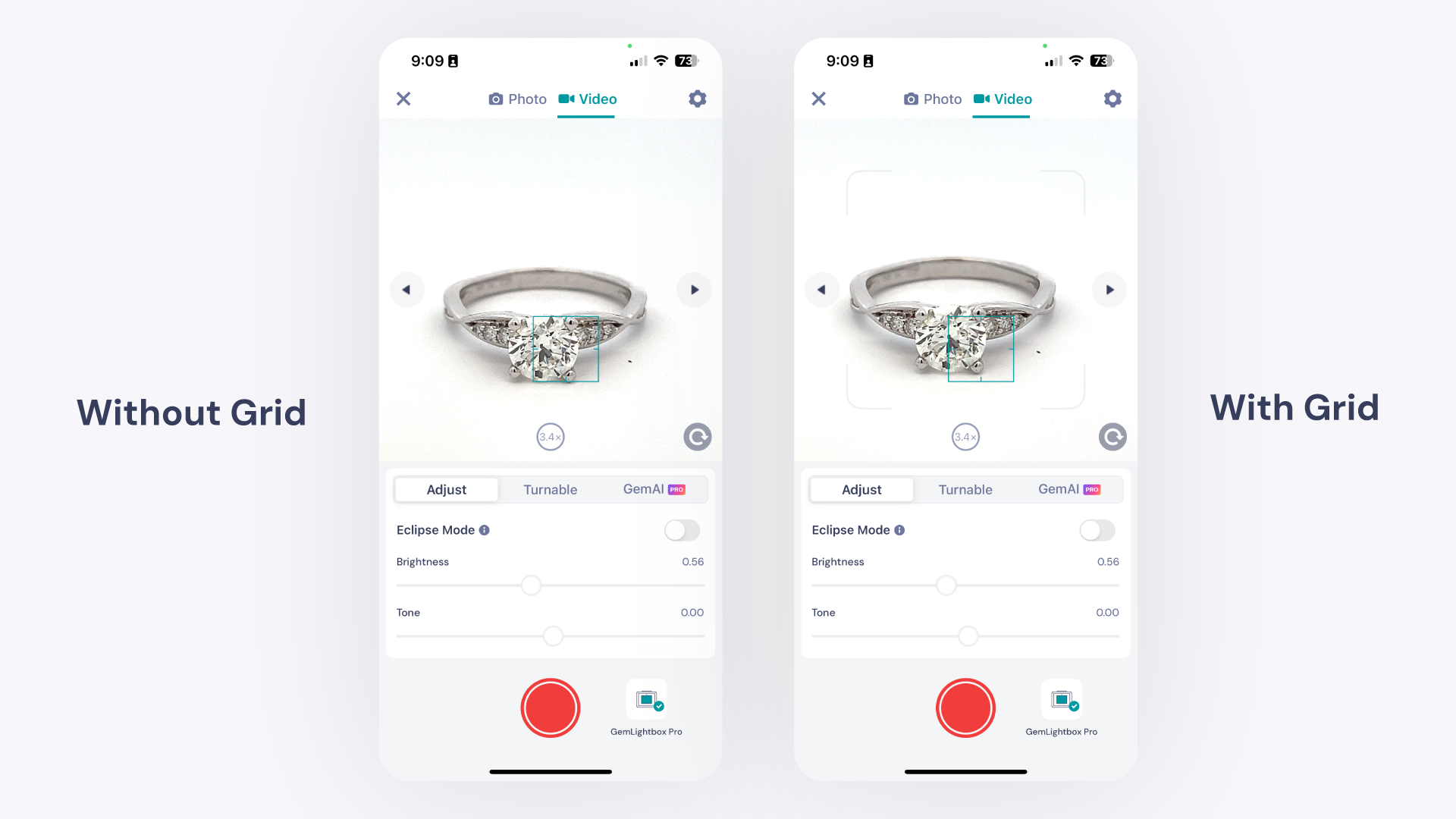
Enable the camera grid in GemIQ's camera settings to display alignment lines over your live view. This helps you center your jewelry and capture perfectly framed, consistent photos and videos.
Before You Start#
Ensure GemIQ is installed on your mobile device.
Have your GemLightbox and jewelry ready for photography.
Steps#
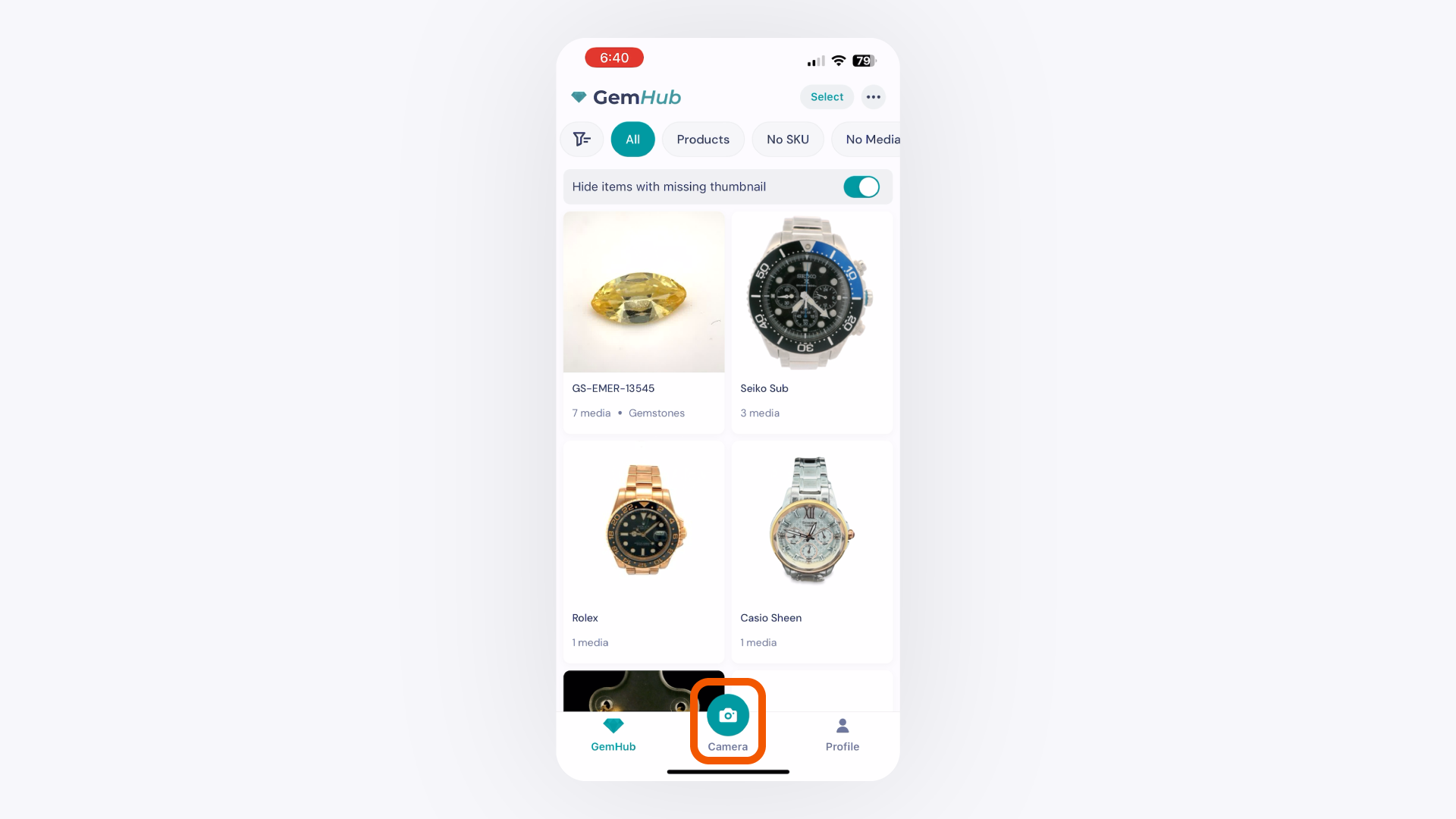
Open the GemIQ and tap the Capture button to open the camera interface.
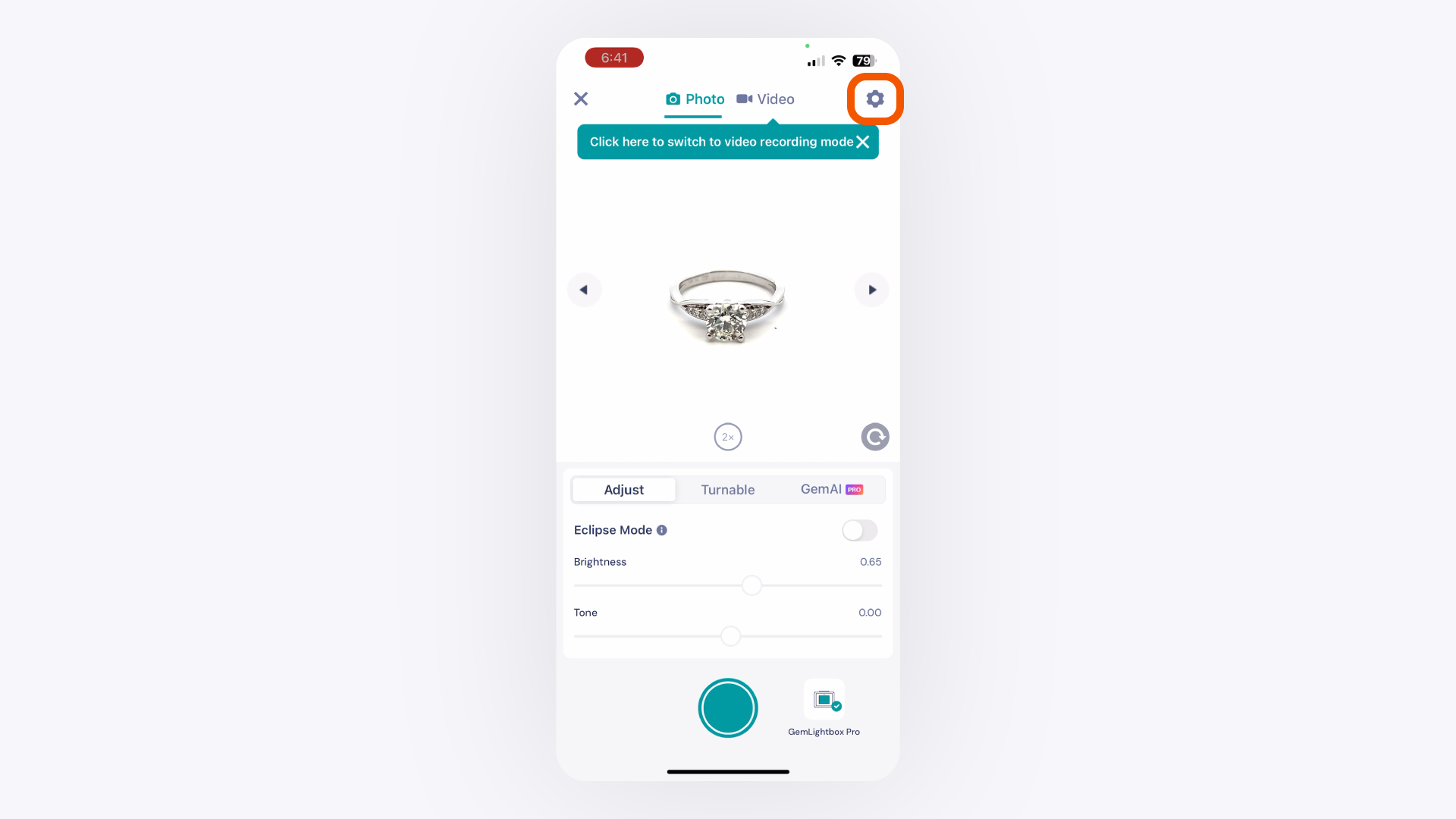
Tap the Settings icon (⚙️) to open the camera settings menu.
In the camera settings menu, locate the Enable Grid option and toggle it on.