Quick Answer#
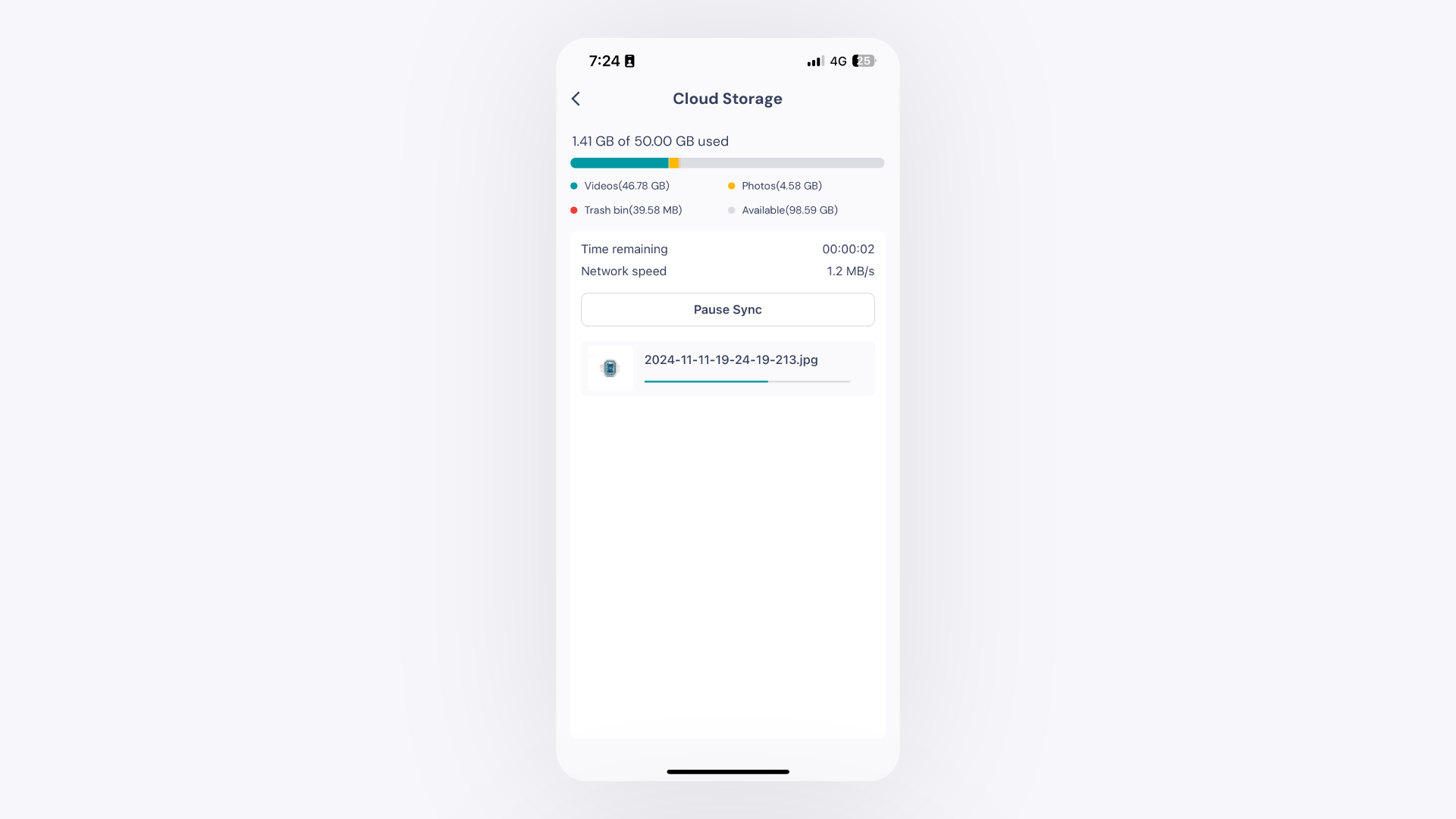
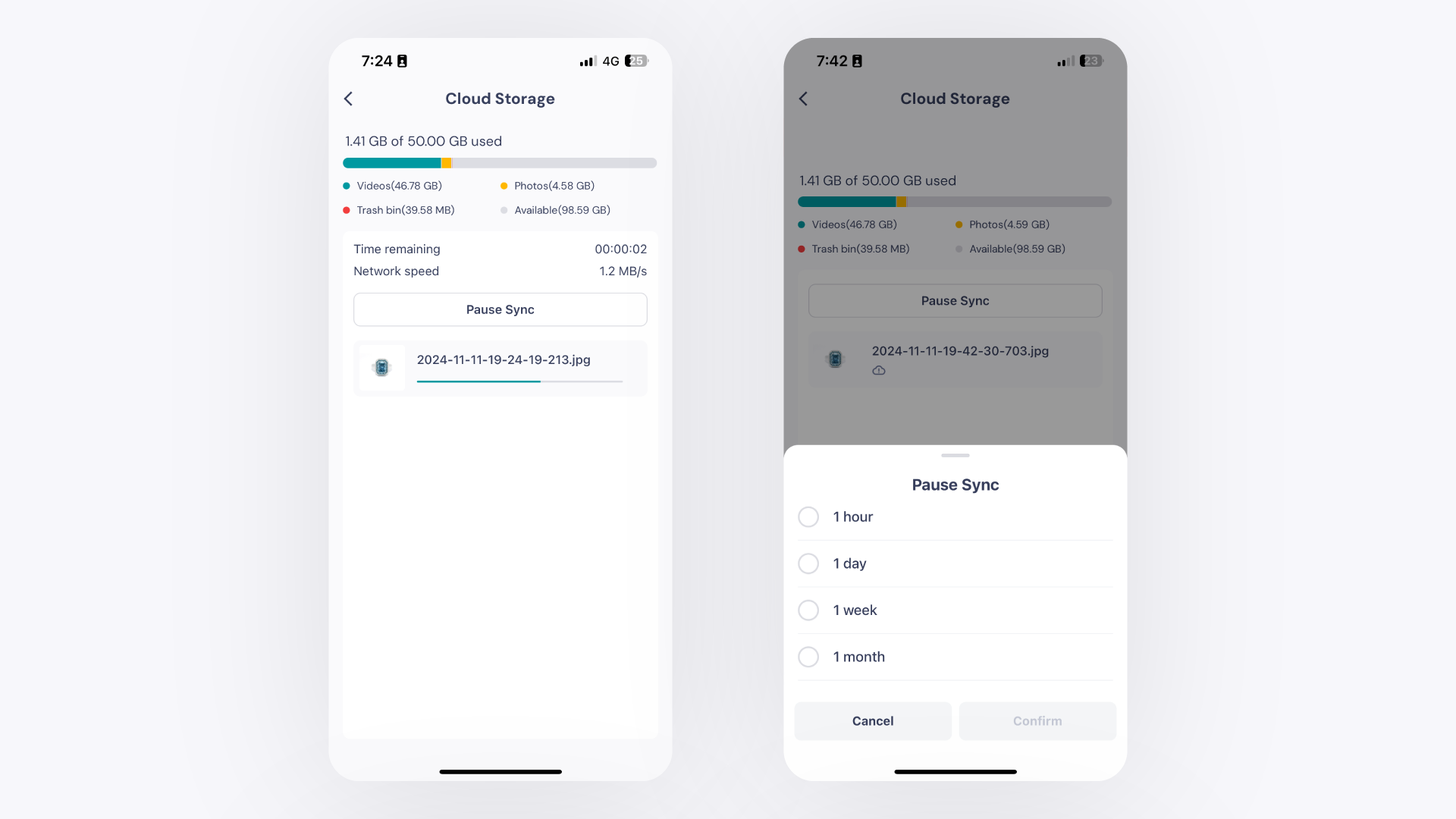
Files captured in the GemIQ mobile app automatically sync to your cloud storage, making them accessible on all your devices. You can monitor the sync status, check your storage usage, and pause or resume the sync process at any time from the Profile section of the app.
Before You Start#
Ensure the GemIQ application is installed on your mobile device.
Connect your device to a stable Wi-Fi or cellular network.
Have images or videos in your GemIQ gallery that need to be synced.
Steps#
Open the GemIQ application on your mobile device and tap on the Profile tab.
Locate the Cloud storage section. Here you can see how many files are waiting to be synced and view your current storage usage.
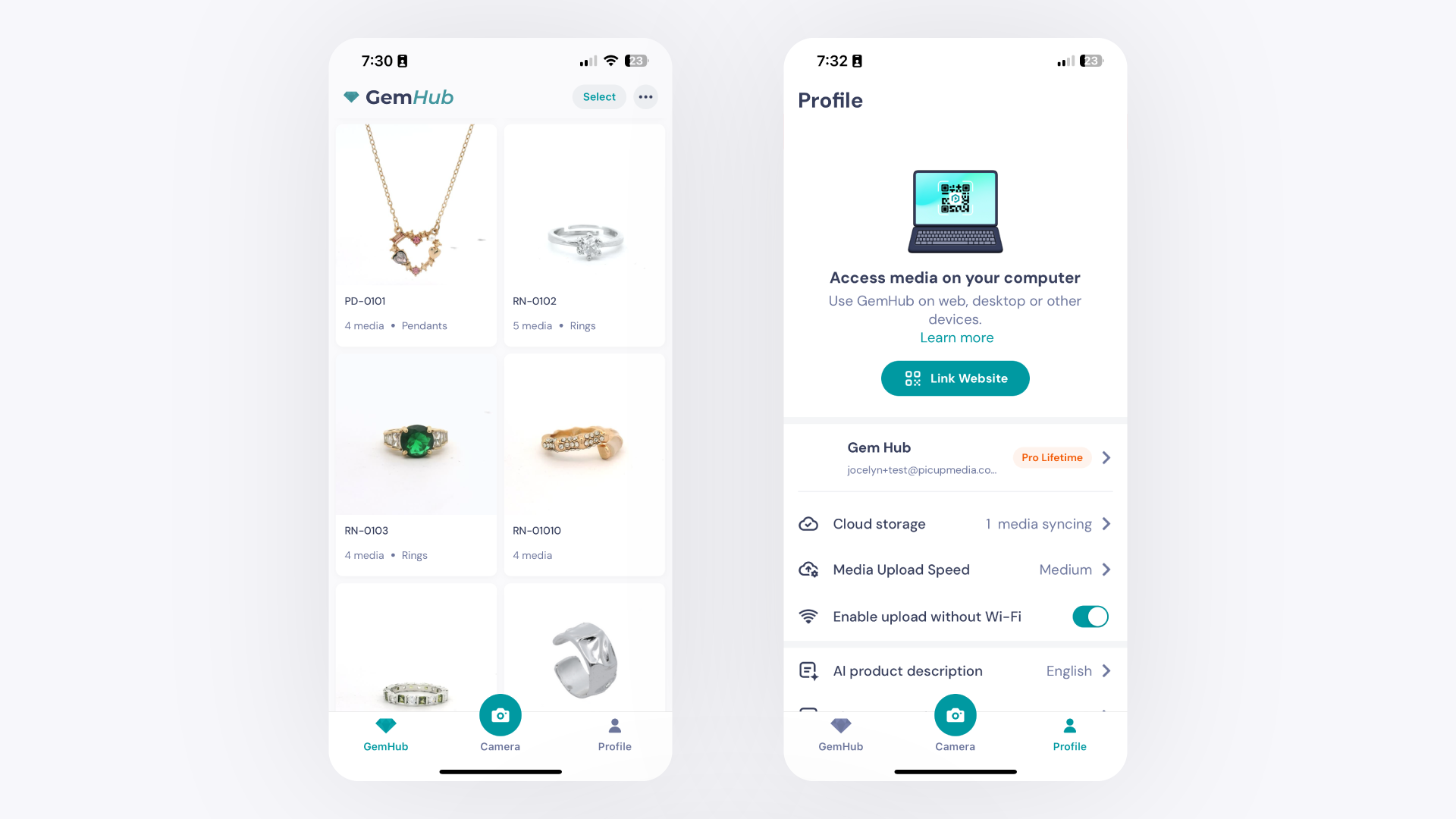
Tap on Cloud storage