

The GemIQ Mobile App is available from the Apple App Store for iPhone and iPad. This article explains which version of iOS or iPadOS your device needs before you can install it.
Quick Answer#
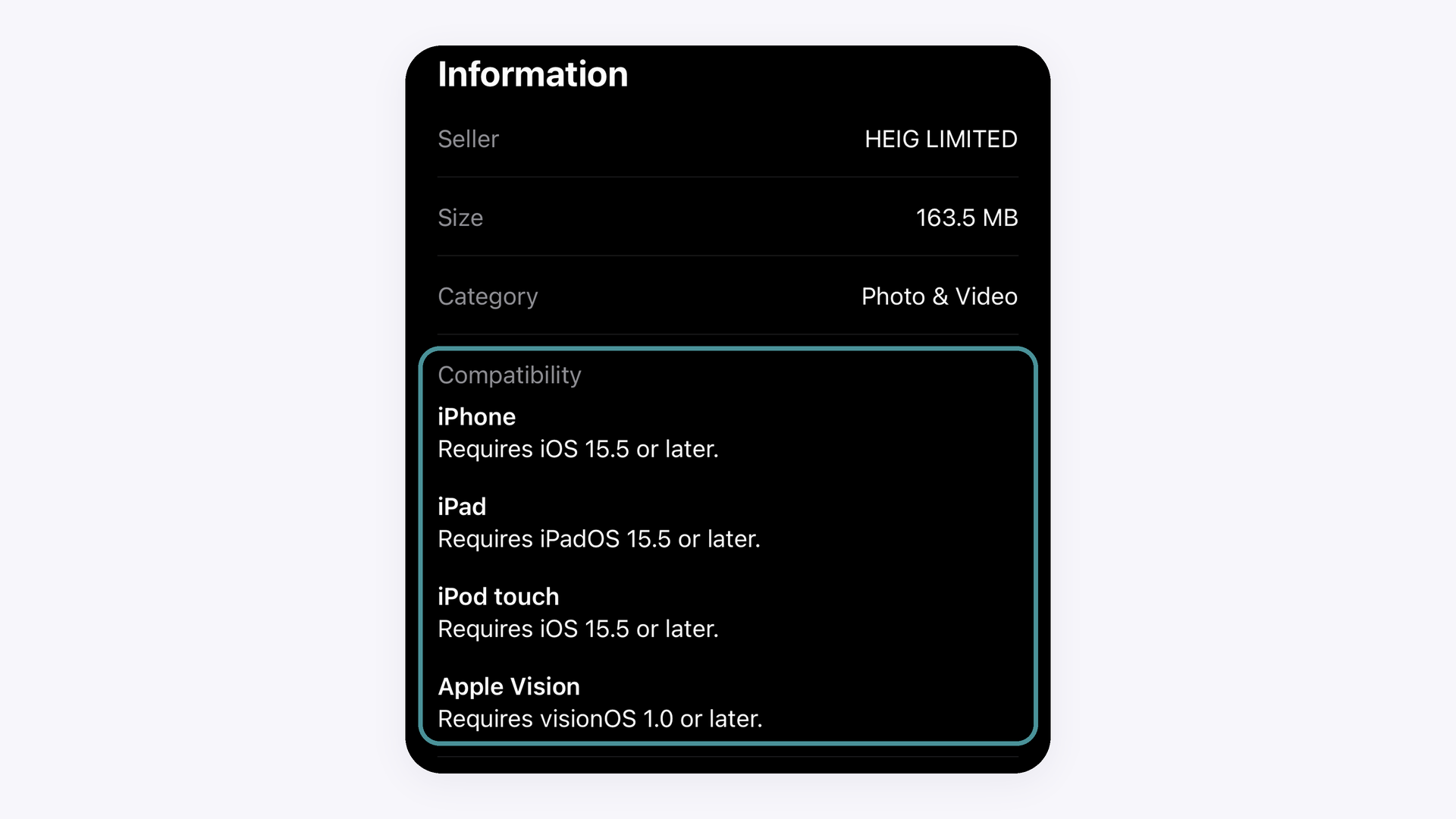
The GemIQ Mobile App requires iOS 15.5 or later on iPhone and iPadOS 15.5 or later on iPad, and is optimized for smartphones. If you are not sure your device qualifies, check the Compatibility section of the GemIQ listing on the App Store.
iOS 15.5 is the minimum version for iPhone, and iPadOS 15.5 is the minimum for iPad. If your device is running an earlier version, the App Store will not let you install the app until you update. The App Store listing also shows iOS 15.5 for iPod touch and visionOS 1.0 for Apple Vision.
Not sure? Check the App Store directly#
If you are not sure whether your device can run the app, open the GemIQ listing on the App Store, scroll down to Information, and read the Compatibility section. It shows the current minimum version for each type of device, and it is the final word if anything differs from this article.
The App Store does not list a minimum iPhone model for GemIQ. In practice, any iPhone that can run iOS 15.5 can install the app. We are confirming which is the oldest iPhone model we officially support, and we will update this article once that is confirmed.
iPhone and iPad#
The GemIQ Mobile App is compatible with iPads running iPadOS 15.5 or later, but it is optimized for smartphones, so we recommend using an iPhone for the best experience. On an iPad you can sign in with your existing GemIQ account and your content syncs across your devices.
GemCam Pro cannot be connected to an iPad or iPhone, because it requires a Windows or macOS computer. The GemLightbox Macro is also not compatible with iPads.
How to check your iOS version#
On your iPhone or iPad, open Settings.
Tap General, then tap About.
Tap iOS Version (shown as iPadOS Version on an iPad). The version number is shown at the top. If it is 15.5 or higher, you can install and use the GemIQ Mobile App.
If the version is lower than 15.5, go back to General, tap Software Update, and install any update that is available.
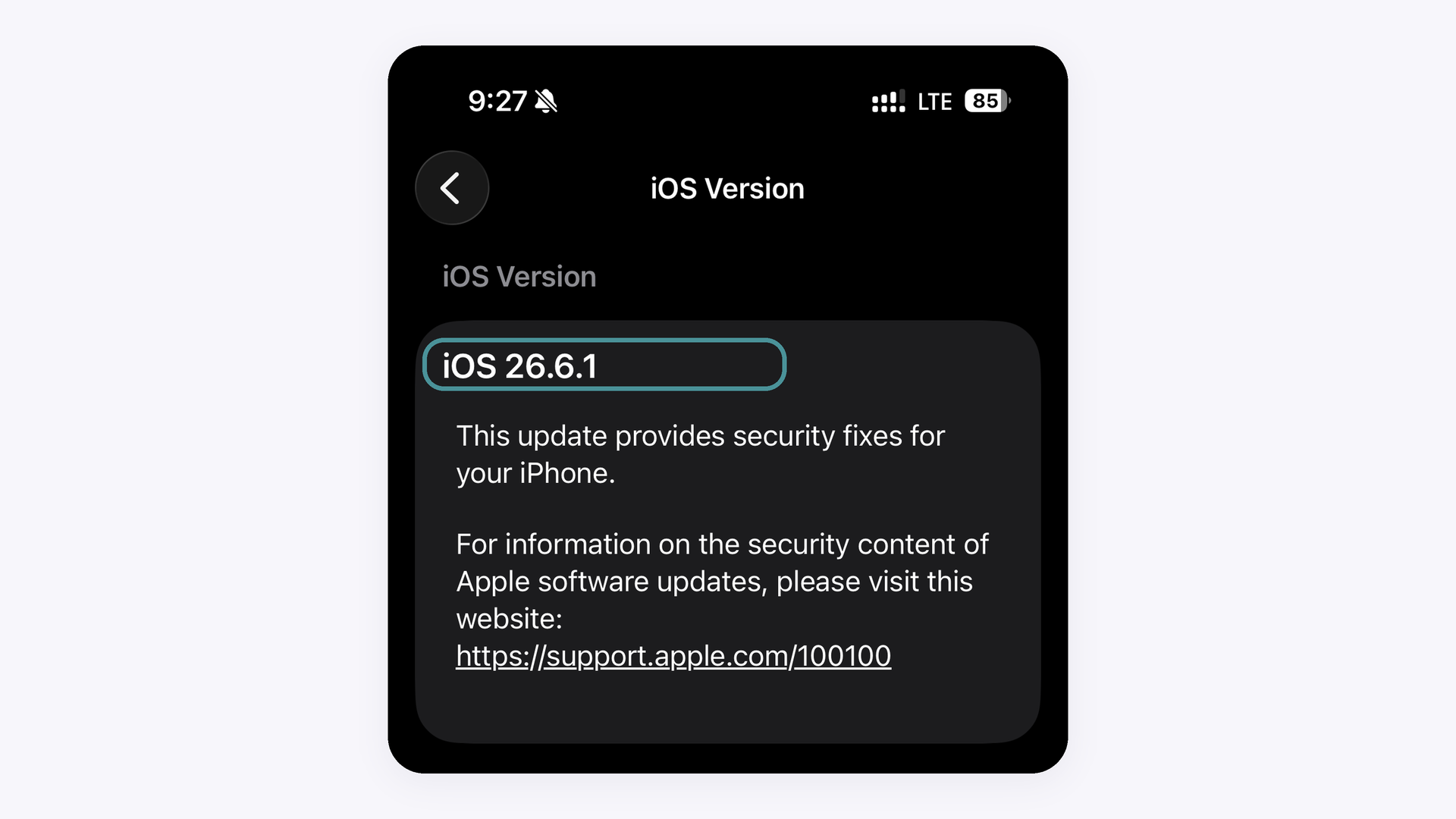
If no update is offered for your device, it cannot run iOS 15.5 or later, and the GemIQ Mobile App cannot be installed on it.
Expected Result#
You know the GemIQ Mobile App needs iOS 15.5 or later, works on iPhone and iPad, and can check whether your device meets the requirement.
Common Questions#
Q: What is the minimum iOS version for the GemIQ Mobile App?
A: iOS 15.5 or later on iPhone, and iPadOS 15.5 or later on iPad. This matches the requirement shown on the App Store.
Q: Which iPhone models can run the GemIQ Mobile App?
A: Any iPhone that can run iOS 15.5 can install the app. The App Store does not list a minimum iPhone model, and we are confirming the oldest model we officially support.
Q: Can I use the GemIQ Mobile App on an iPad?
A: Yes, on iPadOS 15.5 or later. The app is compatible with iPads, but it is optimized for smartphones, so we recommend an iPhone for the best experience.
Q: How do I check which iOS version my device is running?
A: Open Settings, tap General, then tap About, and read the iOS Version line (iPadOS Version on an iPad).
Q: Can I use the GemIQ Mobile App if my device cannot update to iOS 15.5?
A: No. The App Store will not install the app on a device that is below the minimum iOS version.