

There are two ways to transfer ownership of your GemIQ subscription.
Option 1: Contact the GemIQ Support Team#
If you would like our team to assist with the transfer, please provide your original order number and contact the GemIQ Support Team with your request. Our team will guide you through the process.
Option 2: Transfer Ownership Yourself#
You can transfer ownership directly from your GemIQ account by following these steps:
Log in to your GemIQ account on a desktop browser.
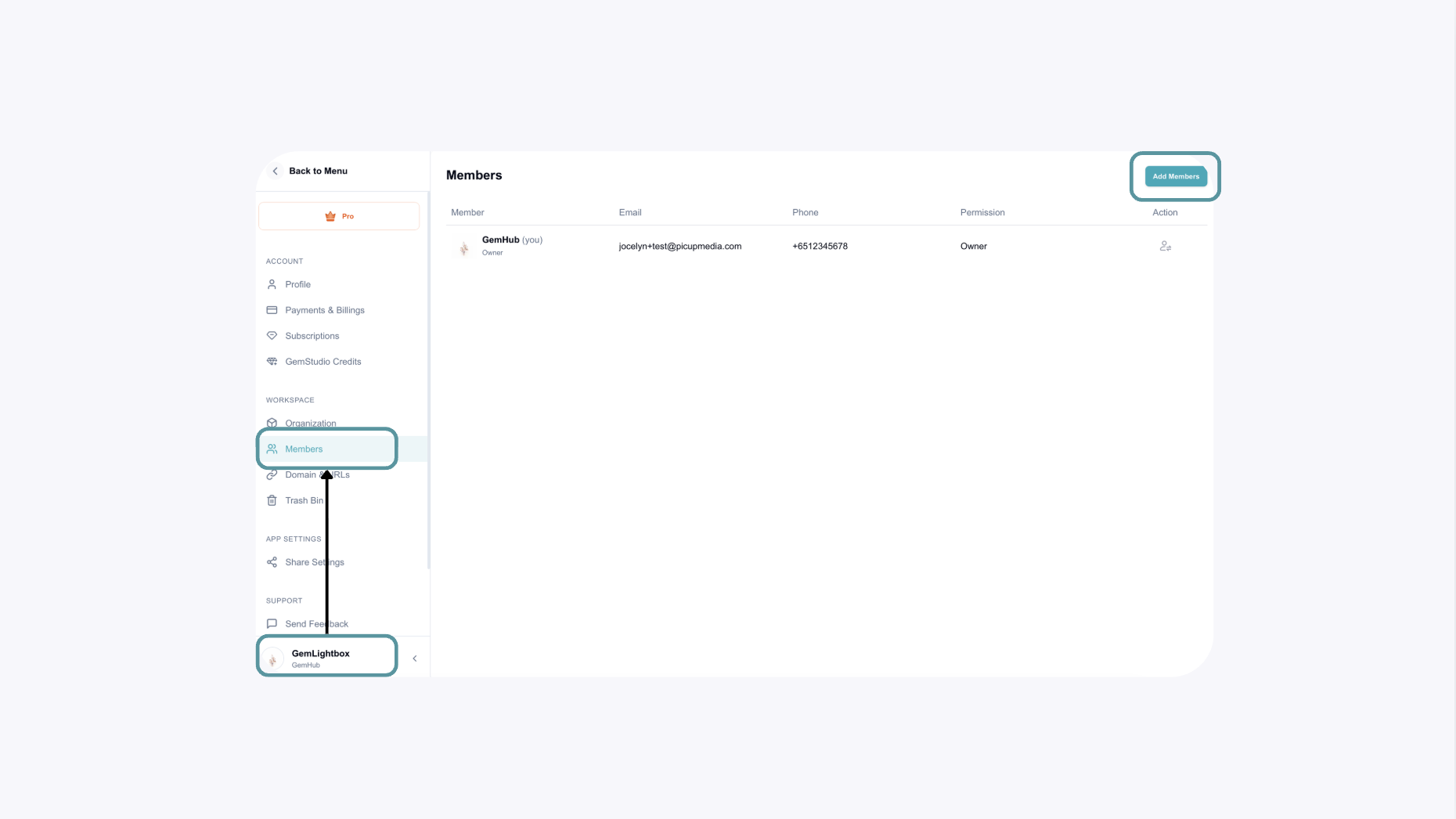
Click Profile in the bottom-left corner and select Members.
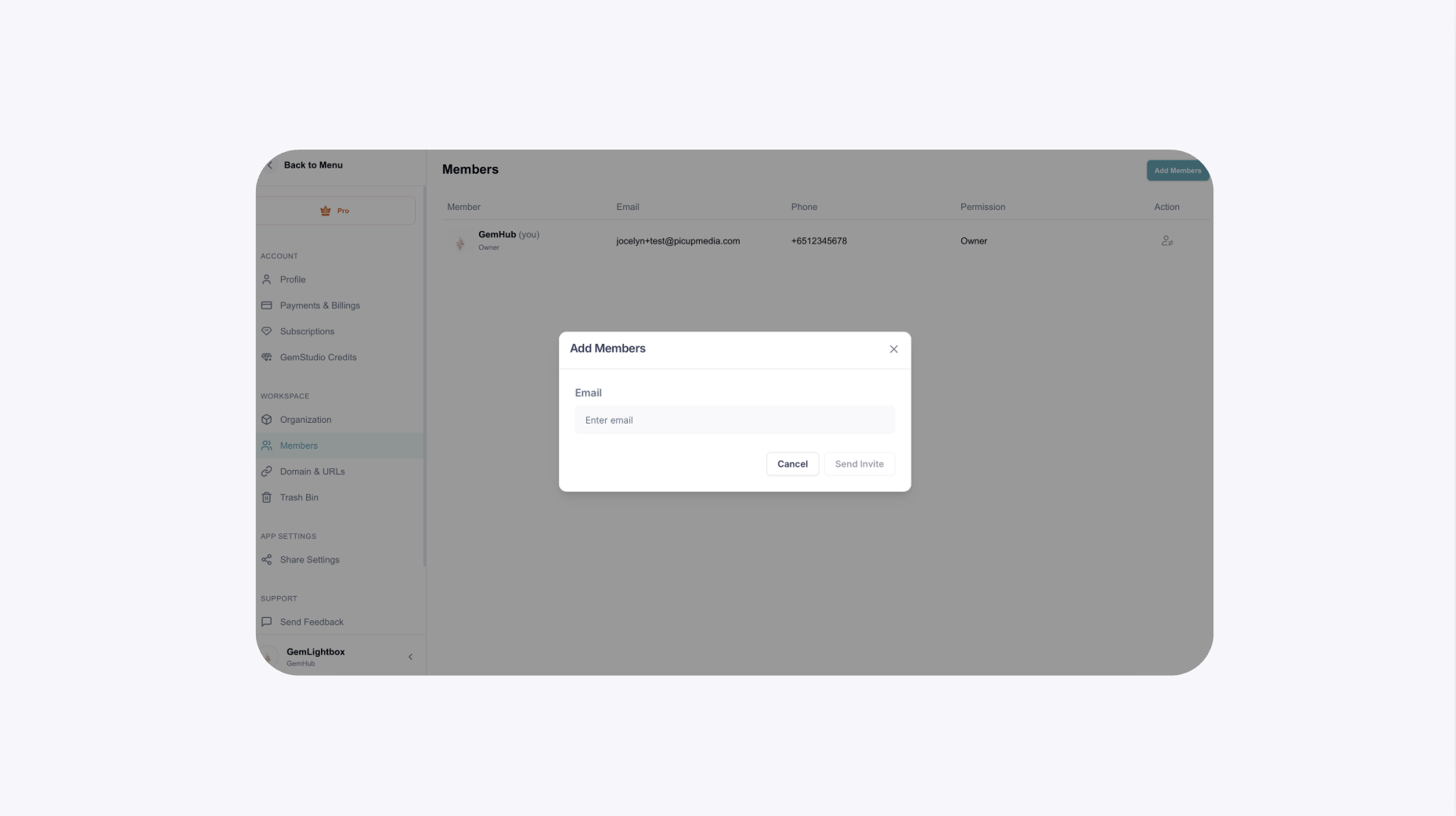
Add the new user's GemIQ email address and wait for them to accept the invitation.

The new user will receive an email with a link to join the GemIQ workspace.
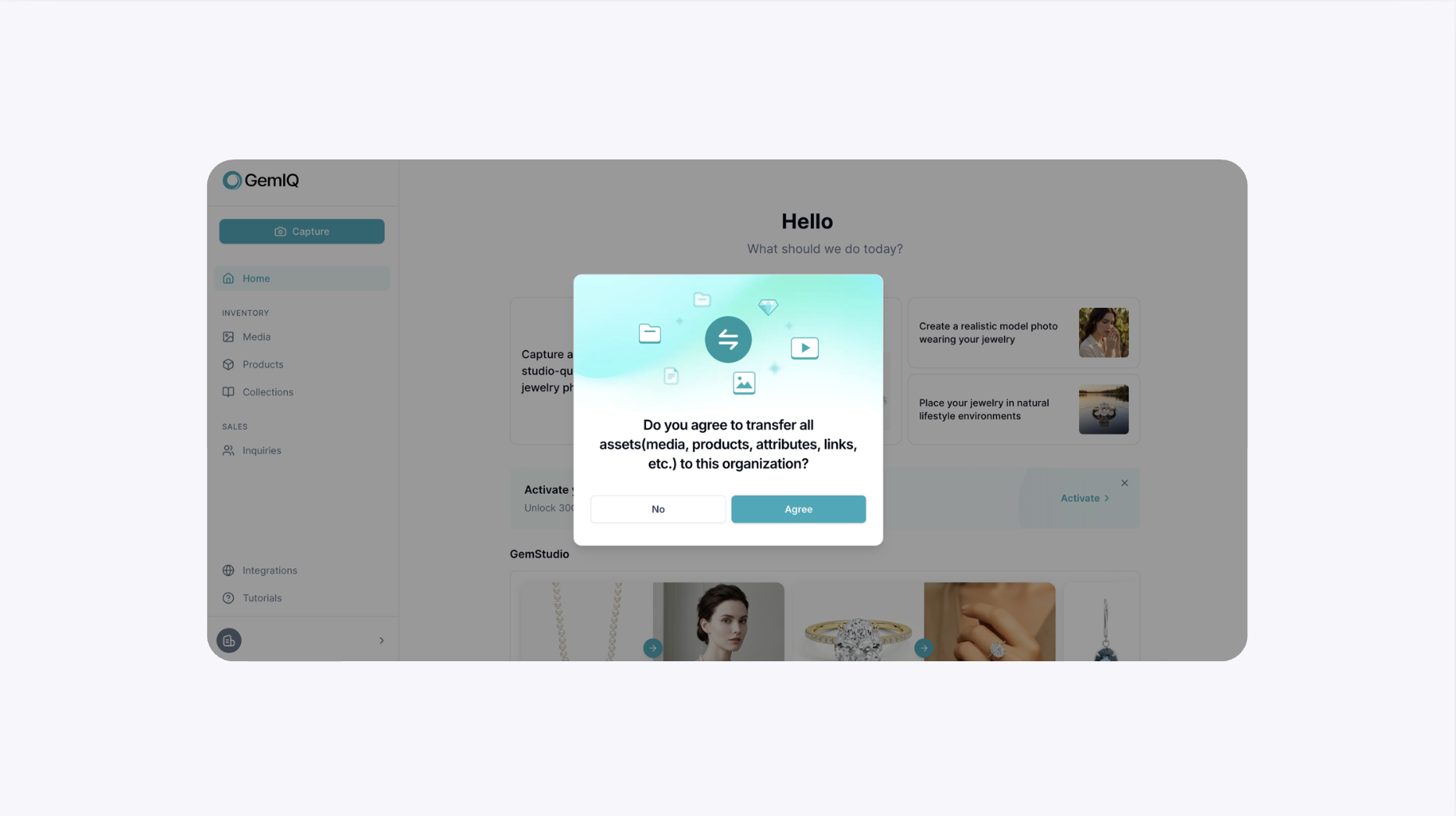
Once they login to their GemIQ through the link, a prompt will appear to seek permission on the sharing of assets.
The new user can choose to either agree or denied access to share their assets in the GemIQ application.
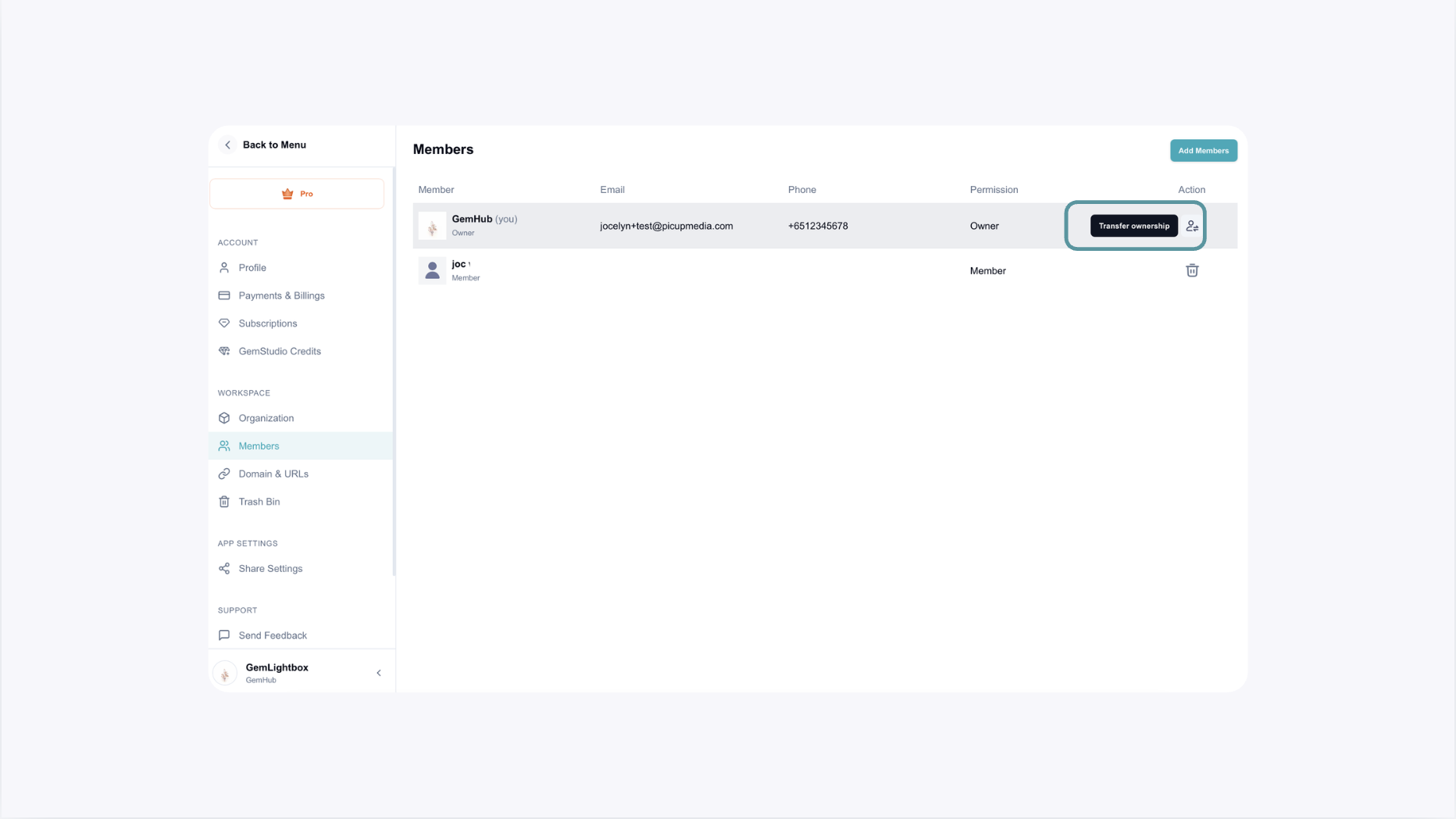
Once the invitation has been accepted, the main user can proceed to Transfer Ownership.
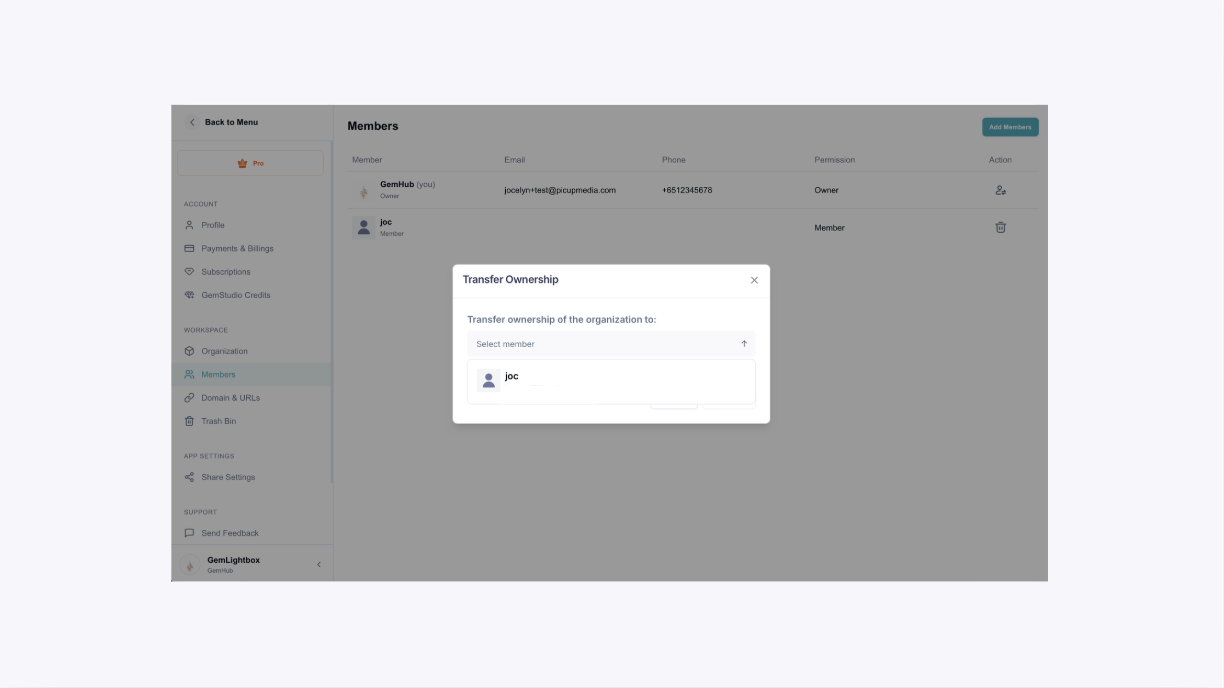
Select the new owner that you will want to transfer the subscription to.
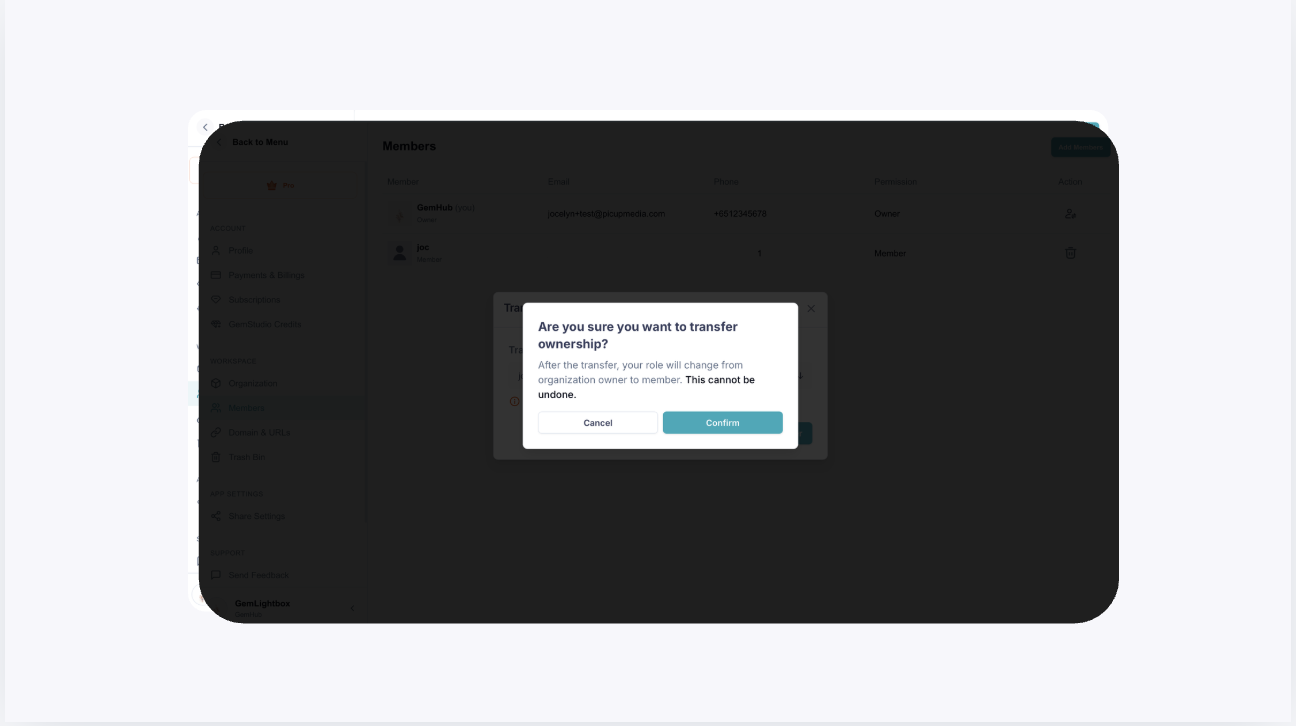
Do note that the transfer cannot be undone from your account once it has completed.
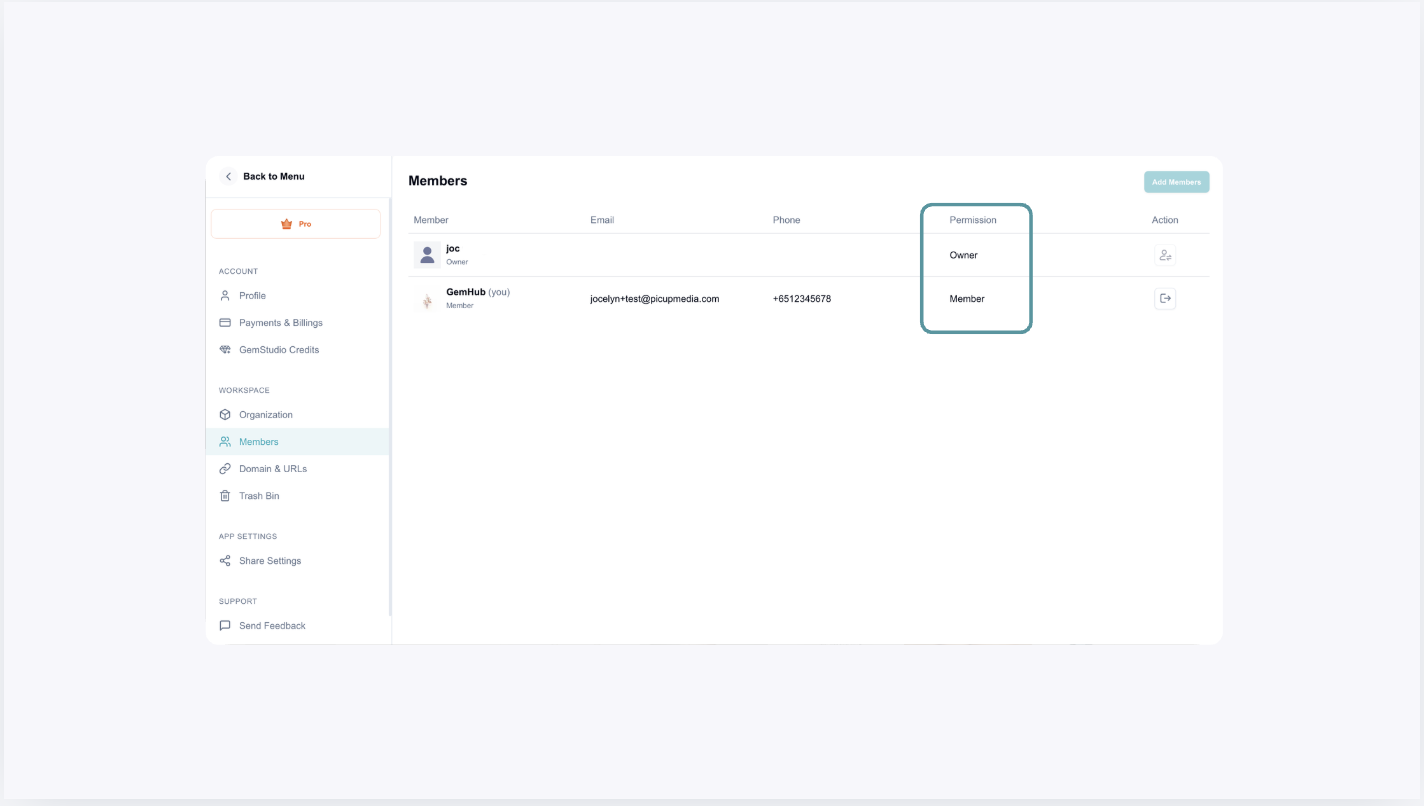
If the transfer is successful, you will see a change of permissions of the new user's email to owner.
Common Questions#
Can I transfer my subscription to someone else?#
Yes. You can either transfer ownership yourself through the Members page or contact the GemIQ Support Team for assistance.
Do I need the new owner's email address?#
Yes. The new owner must have a GemIQ account, and you'll need to invite them using their GemIQ email address.
Can I transfer ownership before the invitation is accepted?#
No. The new user must first accept the invitation before ownership can be transferred.
What if I can't access my GemIQ account?#
Please contact the GemIQ Support Team at support@gemiq.com and provide your original order number. We'll be happy to assist you with the ownership transfer.