

Quick Answer#
GemIQ allows you to save images and videos from your GemCam directly to a folder on your computer. Enable the "Save media to local disk" option in the GemCam control panel and select your desired save location.
Before You Start#
Your GemCam must be connected to your computer.
The GemIQ must be installed and running on your computer.
You should have a folder on your computer ready to store your media files.
Steps#
Launch GemIQ on your computer and open the GemCam interface.
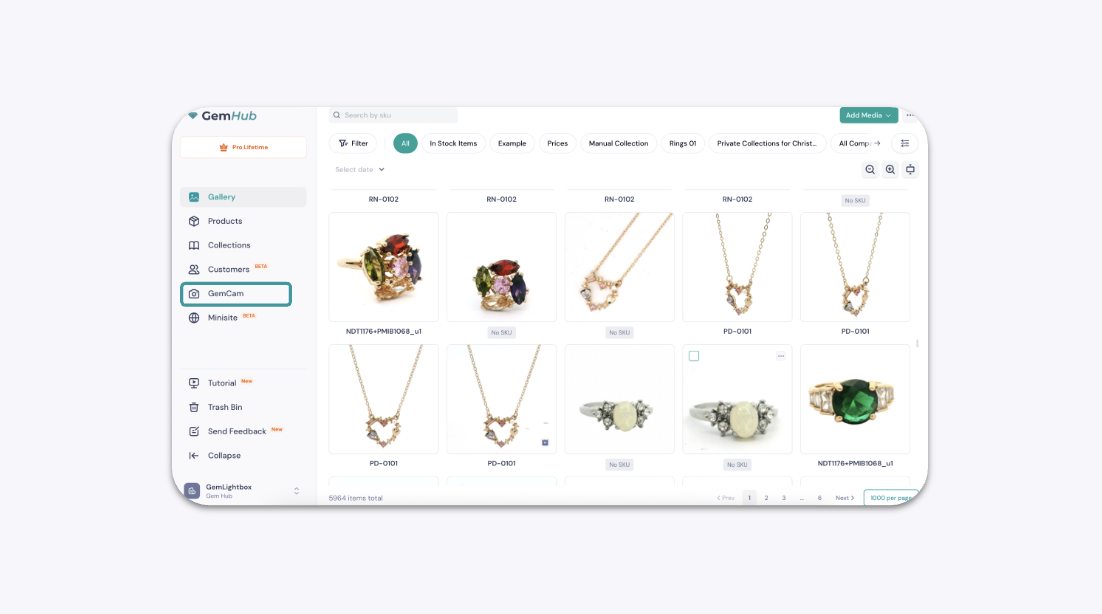
2. In the control panel, scroll down to find the Save media to local disk setting.
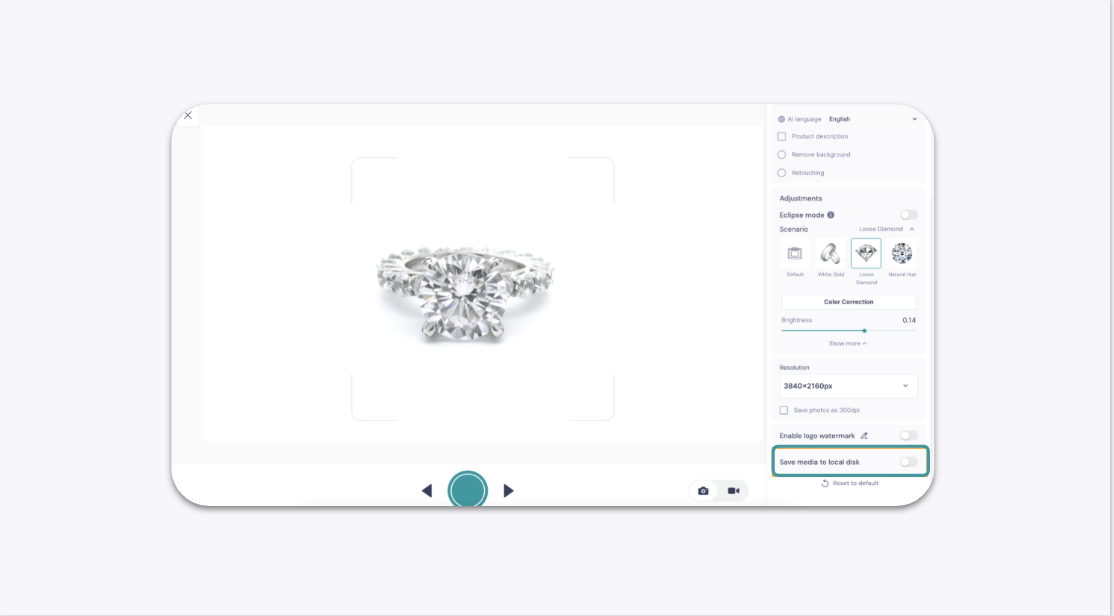
3. Click the toggle to turn this feature on.
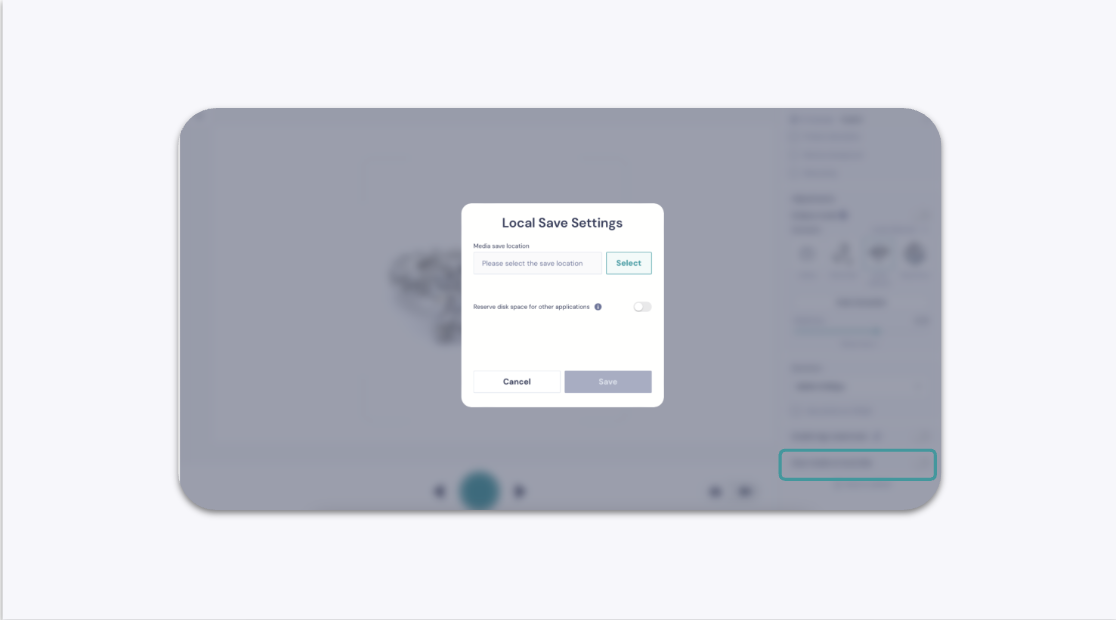
4. Your computer's file explorer will open. Navigate to and select the folder where you want to save your files. Click Select Folder to confirm.
5. (Optional) To prevent GemIQ from using too much storage, you can also enable the Reserve space on your local disk setting. Set a minimum amount of free space to maintain on your drive. The app will stop saving files locally when your disk space drops to this limit.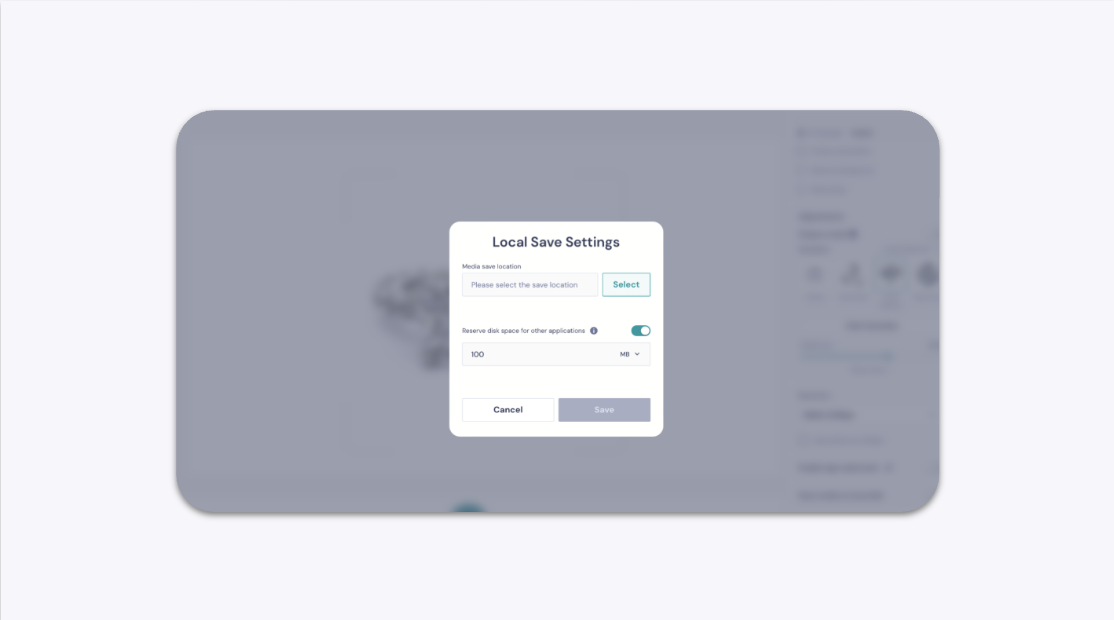
Expected Result#
After capturing an image or video with your GemCam, the file will automatically save into the folder you selected on your computer.
If This Does Not Work#
Check that you have permission to save files to the selected folder.
Ensure your computer has enough available disk space. If you set a reserved space limit, check if you have reached it.
Confirm the Save media to local disk toggle is still active in the app.
Restart GemIQ and try again.
Common Mistakes#
Forgetting to enable the local save option before starting a photoshoot.
Choosing a cloud-synced folder (like Dropbox, OneDrive, or iCloud) that is not fully available offline, which can cause save failures.
Overlooking the reserved disk space limit, which can cause captures to stop saving when the threshold is met.