

Insert the Eclipse#
Open your GemLightbox Max and place the GemLightbox Max Eclipse backdrop and plate directly over the built-in white shooting surface.
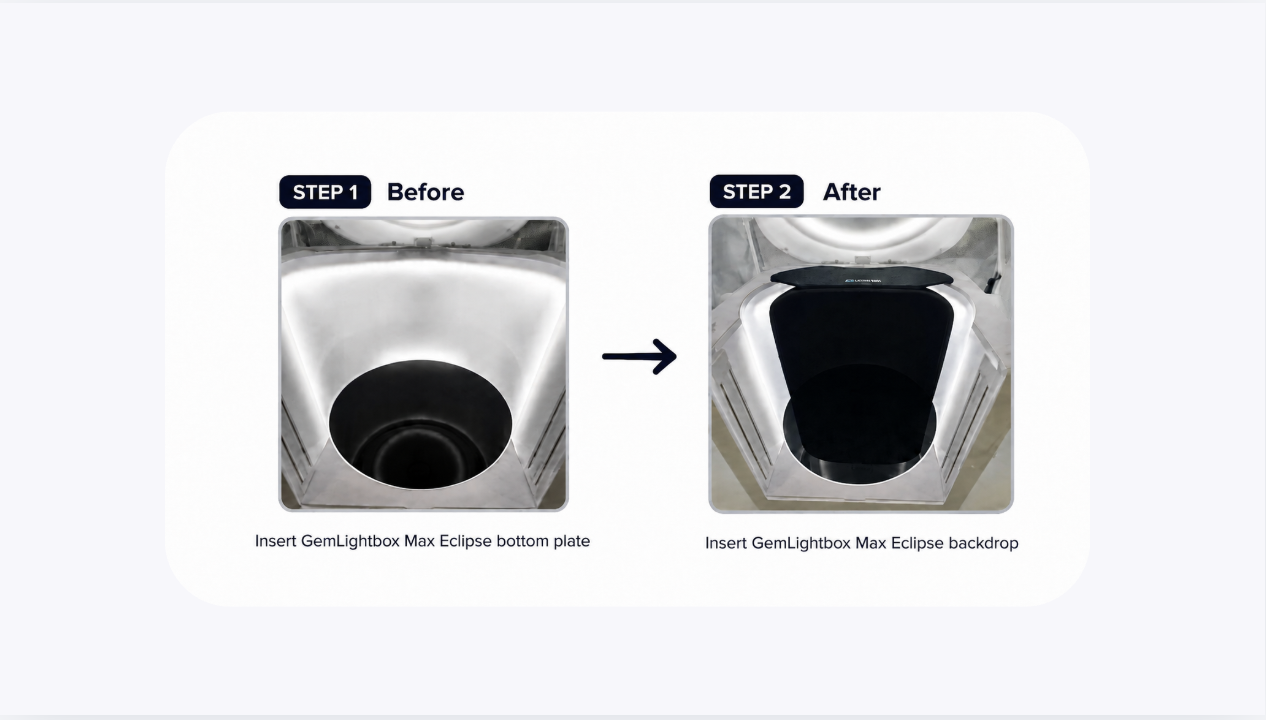
Make sure the Eclipse backdrop and plate:
Sits securely inside the lightbox.
Is properly aligned.
Is free from dust and fingerprints before use.
No disassembly or removal of the white surface is required.
Position Your Jewelry#
Place your jewelry on the Eclipse. For large statement necklaces, you can use the mannequin as well. There is a white spot to mark the center of the plate.
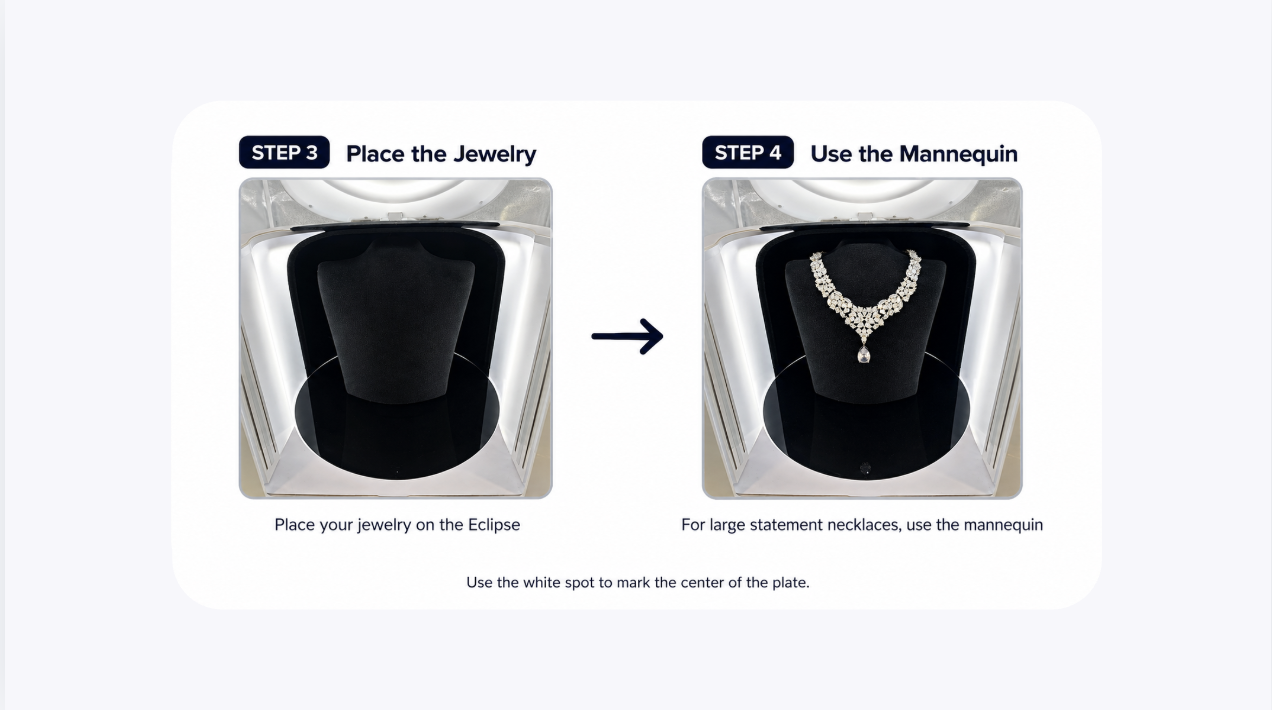
You can also use the accessories included such as:
Ring clip
Necklace holder
Earring holder
Watch holder
Mannequin
Ensure the jewelry is positioned securely before capturing your images.
Adjust Your Lighting#
Because the Eclipse uses a black background, you may need to adjust your lighting depending on the jewelry you're photographing.
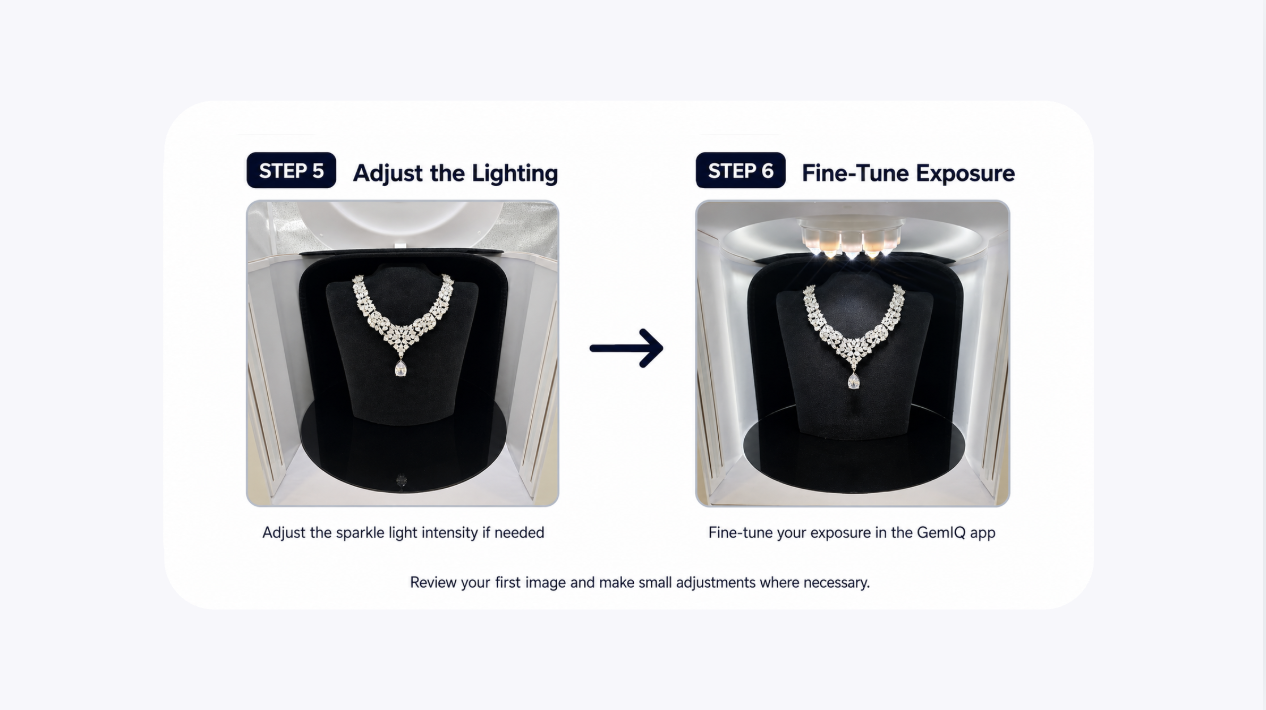
For best results:
Adjust the sparkle light intensity if needed.
Fine-tune your exposure in the GemIQ app.
Review your first image and make small adjustments where necessary.
Different gemstones and metals may require slightly different lighting settings.
Capture Your Images#
Once everything is positioned correctly, capture your images as you normally would using the GemIQ app.
Review your photos and make any small lighting adjustments if needed to achieve your preferred look.
Best Practices#
Clean the Eclipse with an air duster before every shoot, as dust is more noticeable on black surfaces.
Use the Eclipse when you want a premium black background that enhances contrast and highlights the brilliance of your jewelry.
Experiment with lighting settings for different gemstones and metals to achieve the best results.
Expected Result#
Your jewelry will be photographed against a clean black background, creating a premium, high-contrast look while showcasing the sparkle and details of the piece.
Common Questions#
Do I need to remove the white shooting surface?#
No. The GemLightbox Max Eclipse is designed to sit directly over the built-in white shooting surface.
Do I need to adjust my lighting?#
In many cases, yes. Black backgrounds may require small adjustments to the lighting or exposure depending on the jewelry being photographed.
Can I use my existing GemLightbox Max accessories?#
Yes. The Eclipse is compatible with accessories such as the ring clip, necklace holder, earring holder, and watch holder.
Why can I see dust on the Eclipse?#
Dust and fingerprints are more visible on dark surfaces. Cleaning the Eclipse with an air duster or lintless cloth before each session will help produce the best results.