Quick Answer
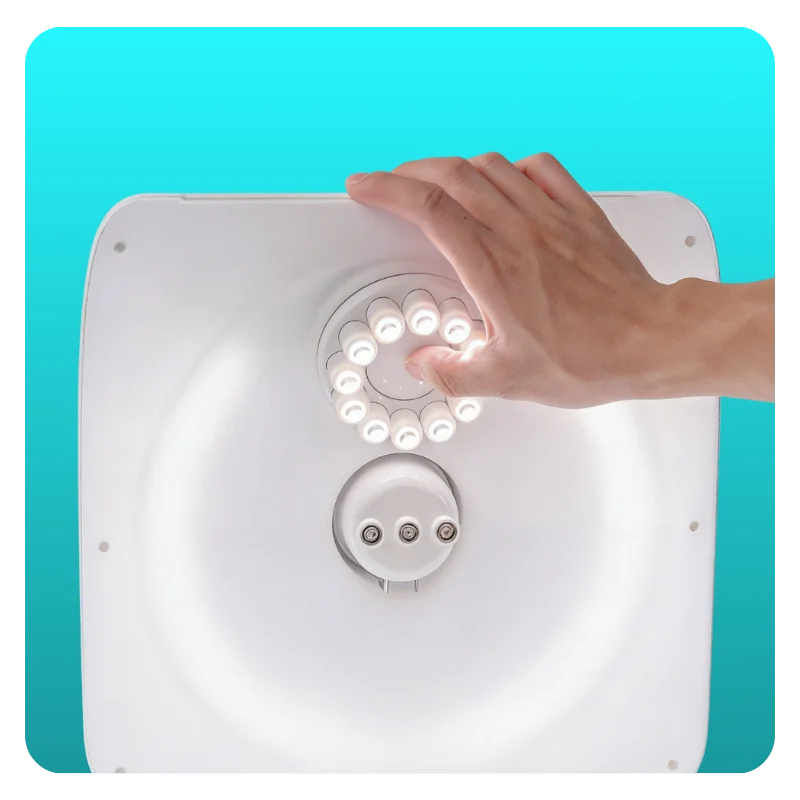
To turn on the Rotating Lights System, press the button located in the centre of the ring of lights. Once powered on, the lights will begin rotating automatically.
Steps

Locate and Attach the Sparkle Lights in the Rotating Lights System
Find the circular ring of lights positioned at the top of your GemLightbox Max.
Press the Centre Button
Press the button located in the centre of the light ring.
Start Photographing
Once turned on, the Rotating Lights System will begin rotating automatically, creating dynamic reflections that enhance the sparkle and brilliance of your jewelry.
How the Rotating Lights System Works
The rotating lights are designed to create movement in the reflections across your jewelry. This movement helps highlight the brilliance of diamonds, gemstones, and polished metals in both photos and videos.
The rotation is automatic and cannot be adjusted, ensuring consistent lighting and sparkle effects every time you photograph.
Expected Result
The Rotating Lights System will switch on and begin rotating immediately, helping produce brighter, more dynamic jewelry photos and videos.
Common Questions
Why aren't the top lights turning on?
Make sure your GemLightbox Max is powered on before pressing the centre button on the light ring.