Quick answer#
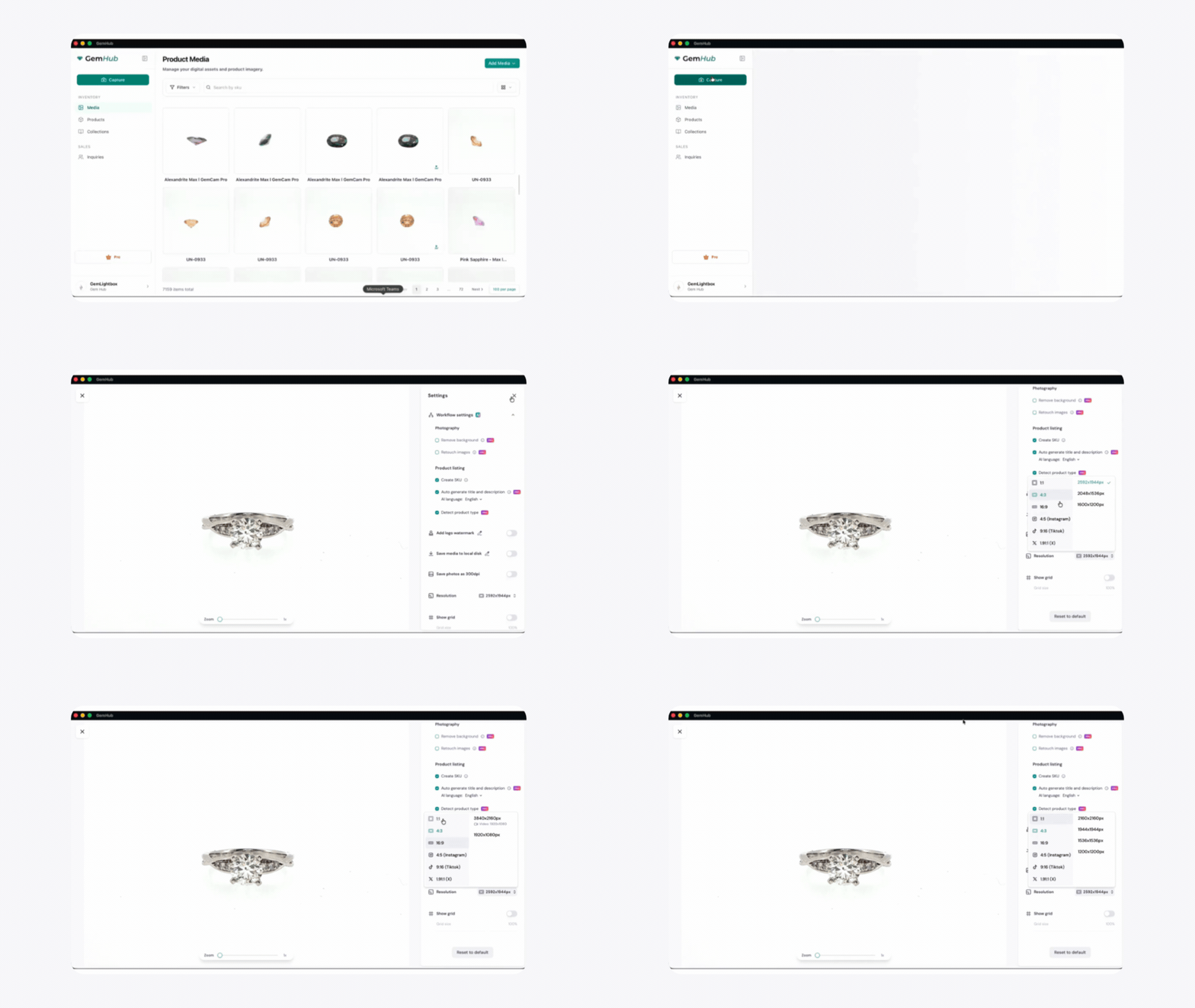
To change your GemCam Pro's resolution, open GemIQ on your desktop, navigate to Camera Settings, and select your desired resolution from the dropdown menu. Higher resolutions offer more detail, while lower resolutions can improve capture speed and performance.
Before you start#
Your GemCam Pro is connected to your computer via USB.
GemIQ is installed and running on your computer.
Your GemLightbox is powered on and connected to the GemIQ.
Your GemCam Pro is recognized and selected within the app.
Steps#
Open GemIQ on your computer.
From the device list, select your GemCam Pro and click Capture to open the live view.
In the Capture window, navigate to Camera Settings in the top-right corner.