Quick Answer#
The GemSparkle offers three lighting colors (warm, neutral, cool) and four shooting modes to highlight the unique qualities of your jewelry. Combine these settings to capture everything from the warm glow of yellow gold to the brilliant sparkle of a diamond.
GemSparkle Lighting Colors#
Choosing the right light color, or color temperature, is key to accurately capturing the beauty of your metals and gemstones. The GemSparkle provides three distinct options.
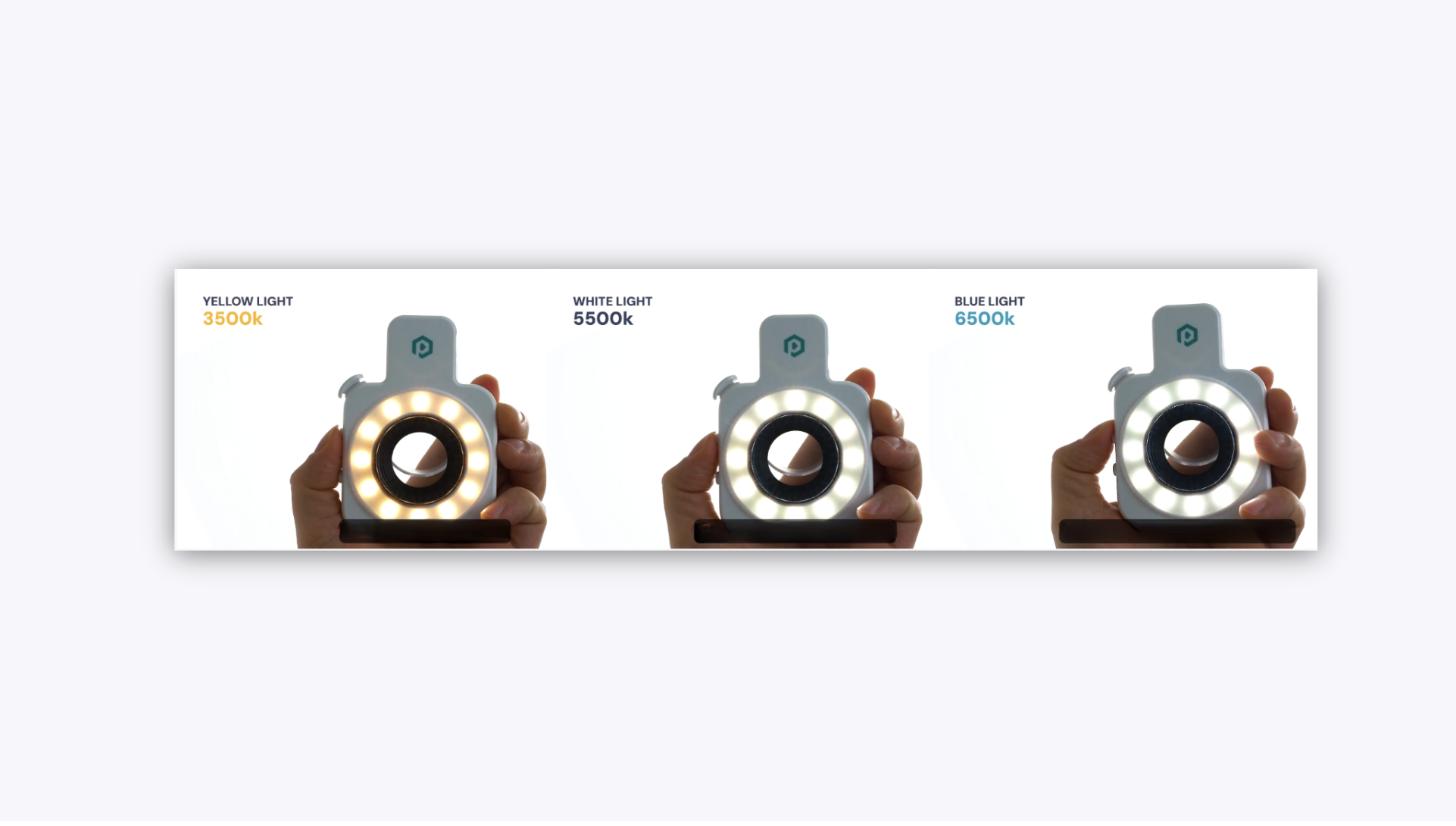
Yellow Light (3500K – Warm White)#
Yellow light adds warmth and depth, making it ideal for jewelry where richness, saturation, and luxurious tones are important.
Best for:
• Red and green gemstones – Enhances the fiery tones of rubies and enriches the deep hues of emeralds.
• Opals – Makes the play-of-color effect more vivid and dynamic.
• Yellow and rose gold – Complements warm metal tones for a rich, premium appearance.
White Light (5500K – Neutral White)
This is the most versatile lighting setting, offering balanced and true-to-life color reproduction. When unsure, start with white light.
Best for:
• All metals – Accurately captures yellow gold, white gold, rose gold, silver, and platinum.
• Multi-stone jewelry – Balances different gemstone colors in one shot.
• Catalog photography – Ensures consistent color across a full product range.
Blue Light (6500K – Cool White)
Cool-toned blue light enhances brilliance, sparkle, and perceived clarity. It is ideal for stones and metals that benefit from a crisp, bright finish.
Best for:
• Colorless and near-colorless diamonds – Makes diamonds appear whiter and more brilliant.
• Blue gemstones – Deepens tones of sapphires, aquamarines, and blue topaz.
• White gold and platinum – Creates a clean, high-contrast appearance.
• Moissanite – Maximizes signature rainbow fire and sparkle.
GemSparkle Shooting Modes#
After selecting a light color, you can choose a shooting mode to add motion and style to your photos and videos.
Brightness Adjustment#
Before selecting a mode, adjust the brightness by pushing the Sparkles button up or down. A lower brightness can often reveal more detail in highly reflective pieces.
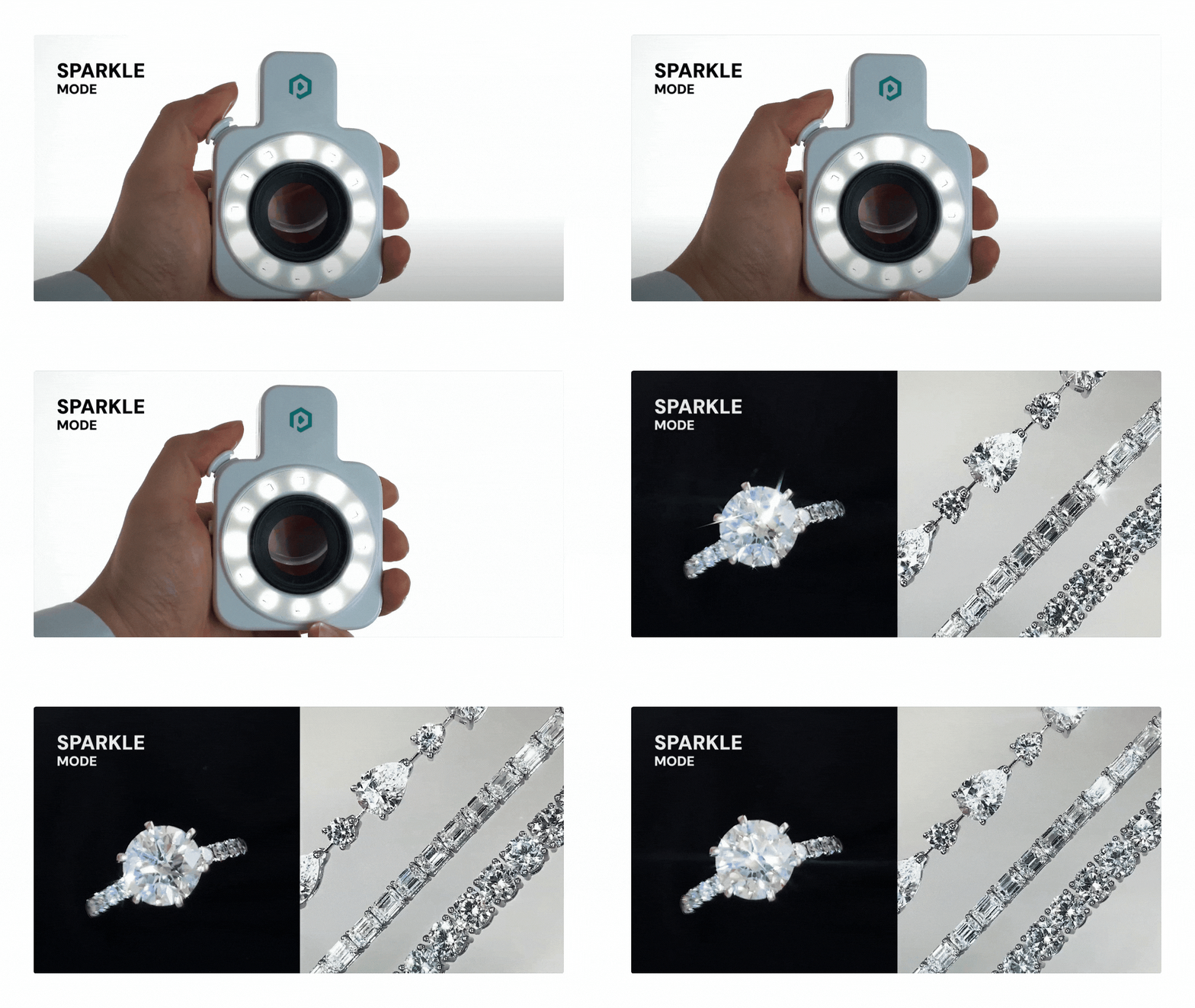
Sparkle Mode#
This mode creates dynamic, animated sparkles across your jewelry. It is highly effective against a black background and is best used for compelling hero shots and social media content.
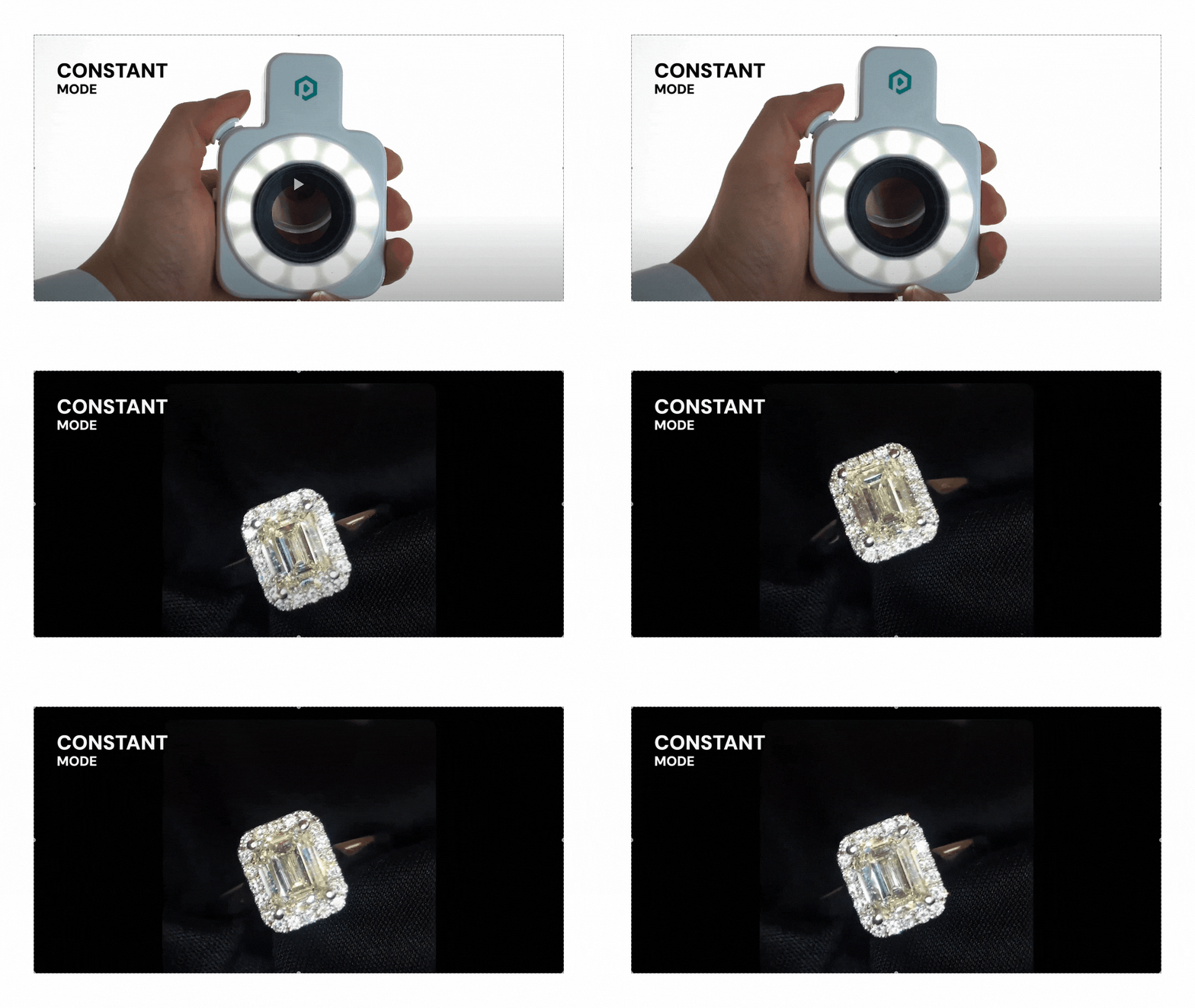
Constant Mode#
Constant Mode provides steady, even light for clean still photography. This is the ideal setting for standard catalog shots and product listings where consistency and accuracy are most important.
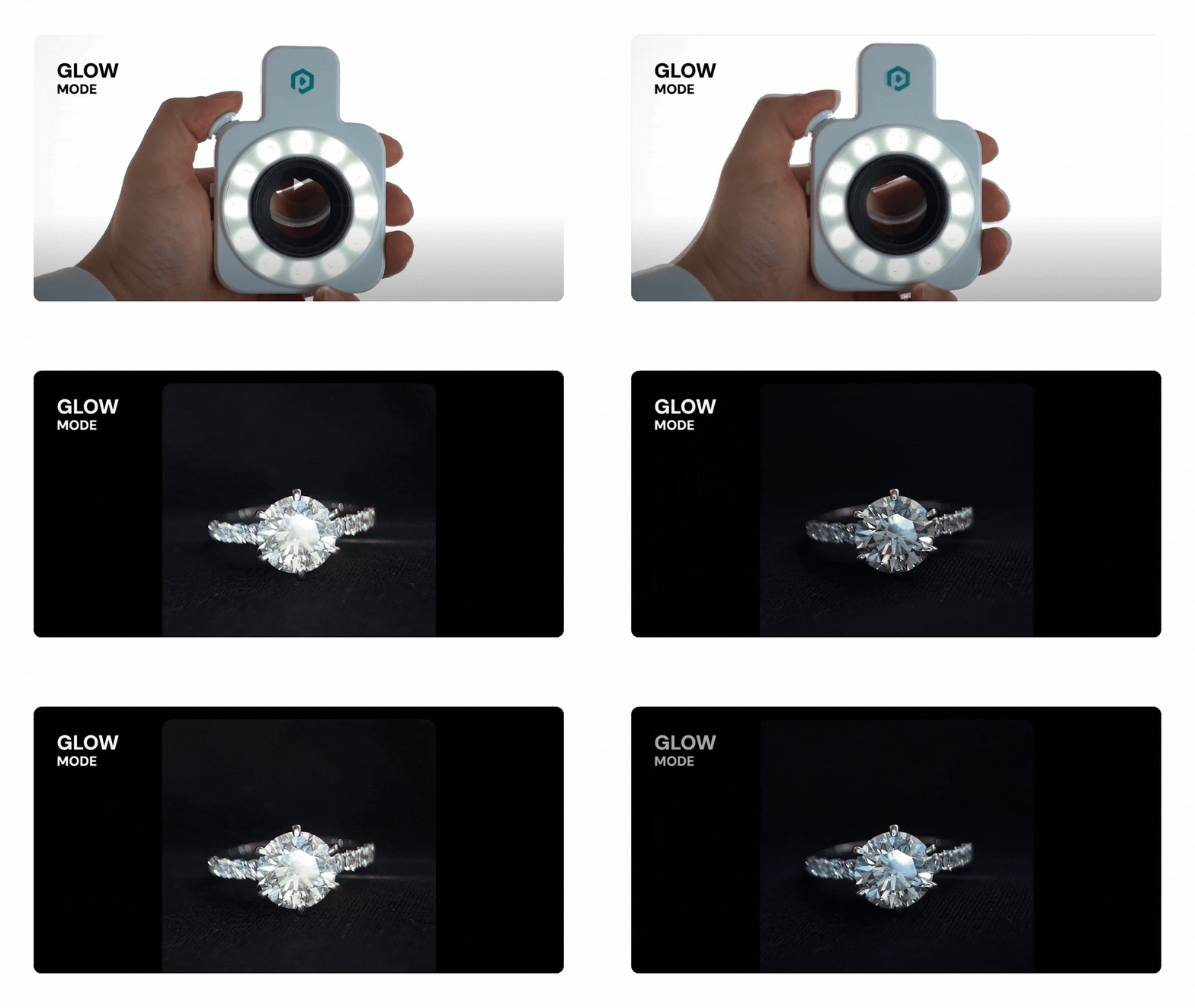
Glow Mode#
This mode produces a subtle, pulsing shimmer by gradually adjusting the light intensity. It creates an elegant effect and works best when both your jewelry and camera are completely still.
Creating a Softer Sparkle#
For a gentler, more natural shimmer, remove the magnetic sparkle lens and use only the 5X macro lens. This softens the effect, which is particularly effective for delicate or vintage-style jewelry.