

Before you start After you buy a GemStudio credit package, we send your redemption code to the email address you used at checkout, in a separate email from your order confirmation. Keep your order number from the confirmation email handy in case you need to contact us. The code arrives immediately after purchase.
Redeeming your code
Open the GemIQ App and sign in with the account you want the credits added to.
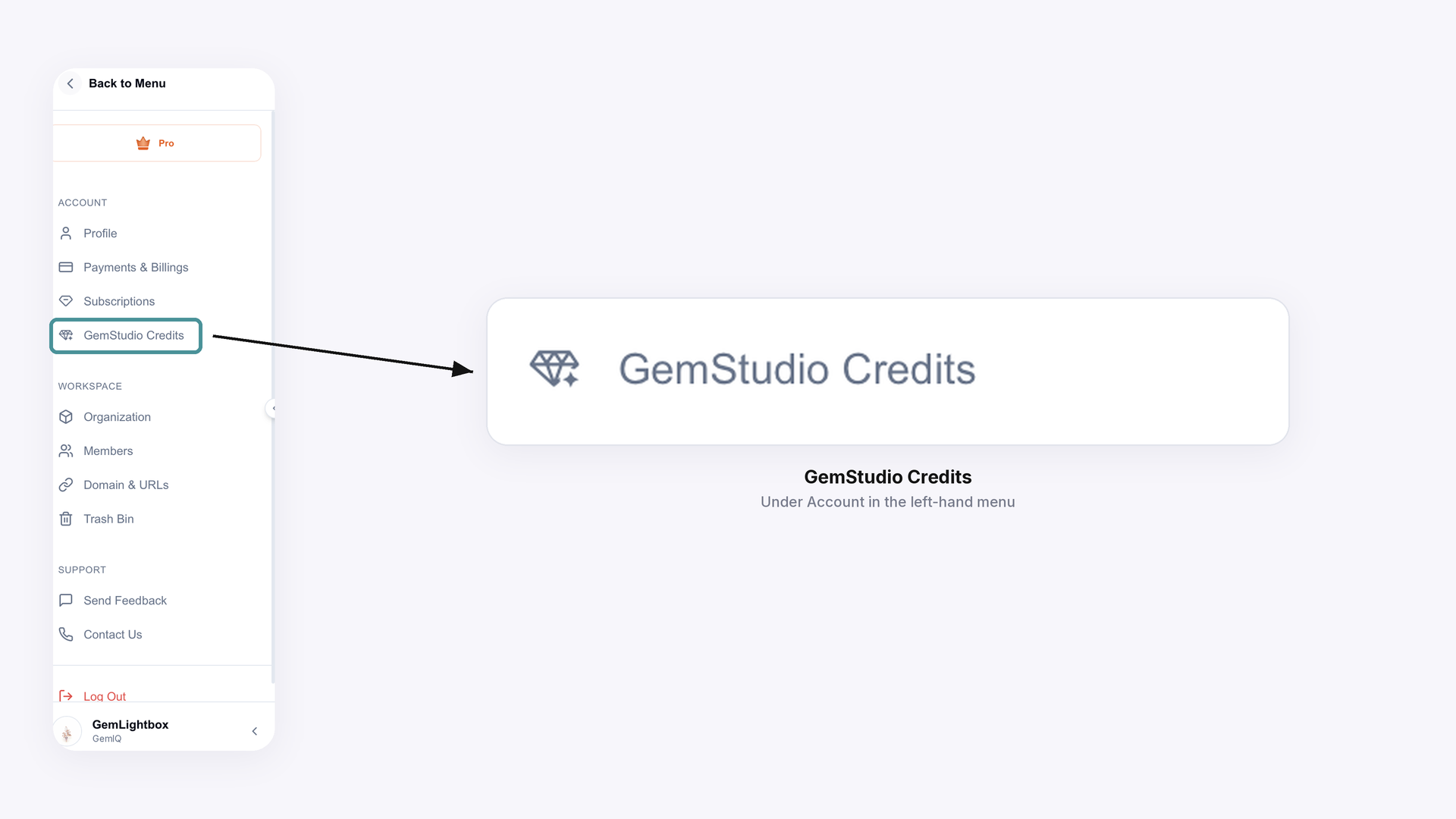
Click your profile name in the bottom-left corner, then select GemStudio Credits under Account.
Scroll to Redeem Your Credits, paste the code from your email into the code field, and click Apply.
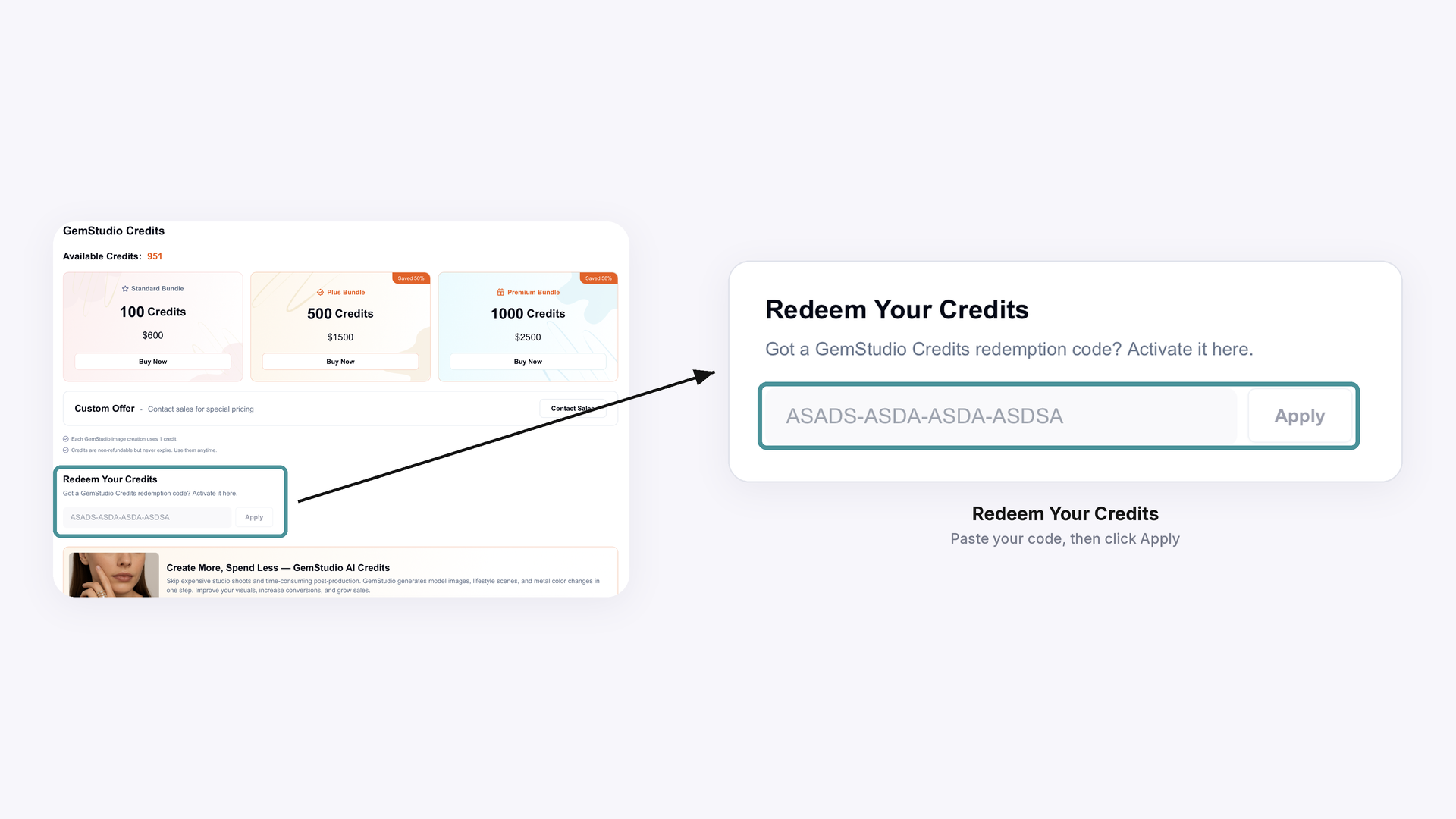
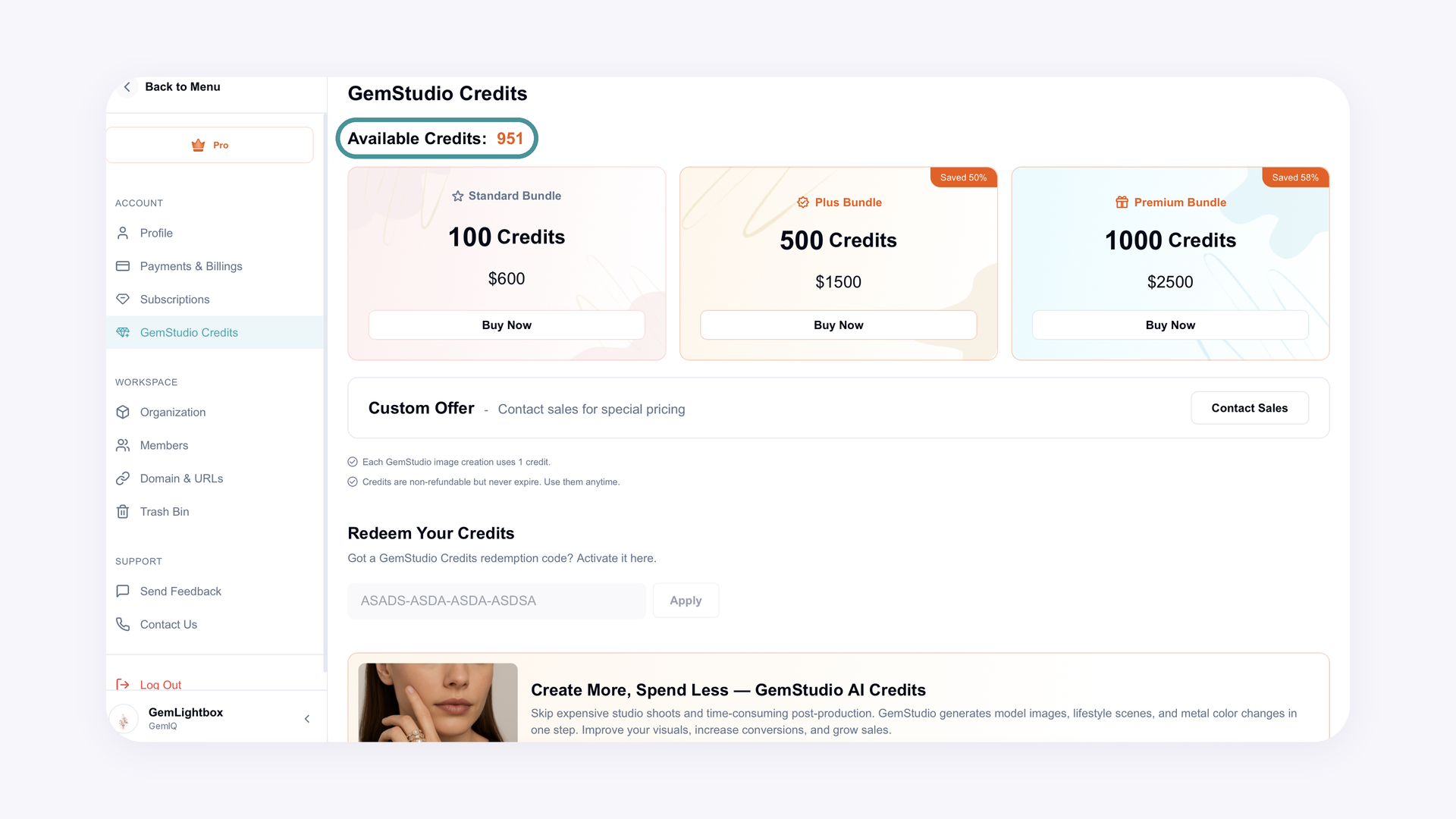
Your credits are added as soon as the code is applied, and your new balance shows next to Available Credits at the top of the page.
If you didn't receive a code #
Check your spam, junk and promotions folders, and check the inbox of the email address you used at checkout. If you still can't find it, email support@gemiq.com with your order number and we'll help.
If your code shows as invalid, or your credits still don't appear #
Copy and paste the code rather than typing it, to avoid typos. If it's still rejected, email support@gemiq.com with your order number and the GemIQ account email you'd like the credits added to, and our team can activate them for you. Logging out and back in won't add purchased credits; they only appear once the code is redeemed.
Purchased credits vs. monthly credits #
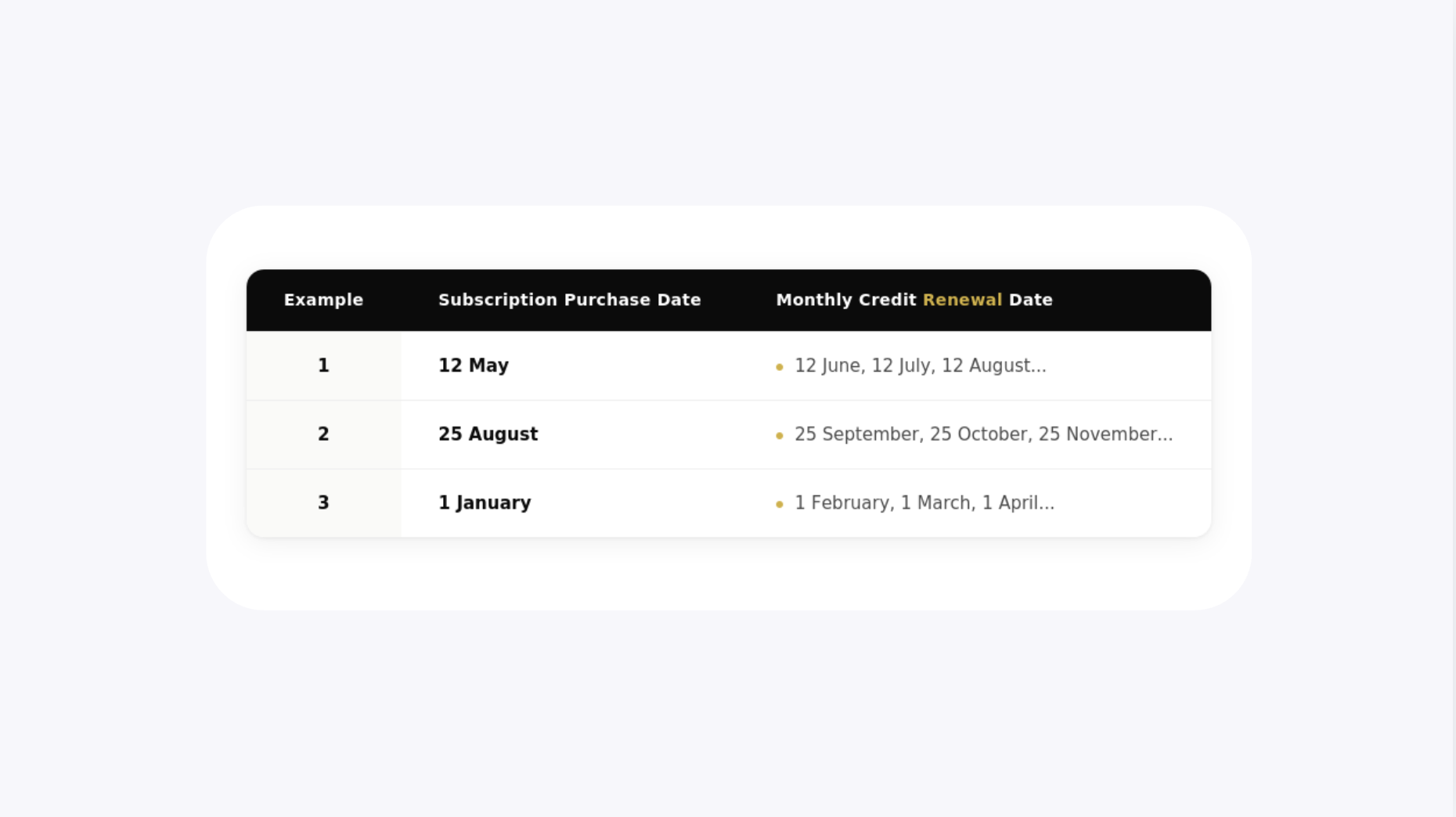
The monthly GemStudio credits included with your subscription renew automatically on your subscription purchase date and don't need a code. Only credit packages you buy separately need to be redeemed. Each GemStudio image creation uses 1 credit, and purchased credits never expire, so you can use them anytime. Credits are non-refundable.
Expected Result Customers can redeem their GemStudio credit code in the GemIQ App and know what to send support if the code is missing or rejected.
Common Questions
Q: Why aren't the GemStudio credits I bought showing on my account?
A: Purchased credits aren't added automatically. Look for the separate email containing your redemption code and enter it in the GemIQ App under your profile name > GemStudio Credits.
Q: When will I receive my redemption code?
A: Immediately after purchase, to the email address you used at checkout, separately from your order confirmation. If it hasn't arrived, check your spam folder, then contact support@gemiq.com with your order number.
Q: What should I do if my code says it's invalid?
A: Try copying and pasting the code exactly as it appears in the email. If it still doesn't work, email support@gemiq.com with your order number and GemIQ account email, and our team can activate the credits for you.
Q: Which account will my credits be added to?
A: Credits are added to the GemIQ account you're signed in to when you redeem the code. If you need them on a specific account, sign in to that account first, or tell our support team which account email to use.
Q: Do my monthly GemStudio credits need a code too?
A: No. Monthly credits included with your subscription renew automatically on your subscription purchase date; only separately purchased credit packages need a redemption code.