

Before you start#
You need an active GemIQ account and access to the email address you’ll use for the purchase, because your redemption code is sent there. Credits are non-refundable, but they never expire.
Credit bundles#
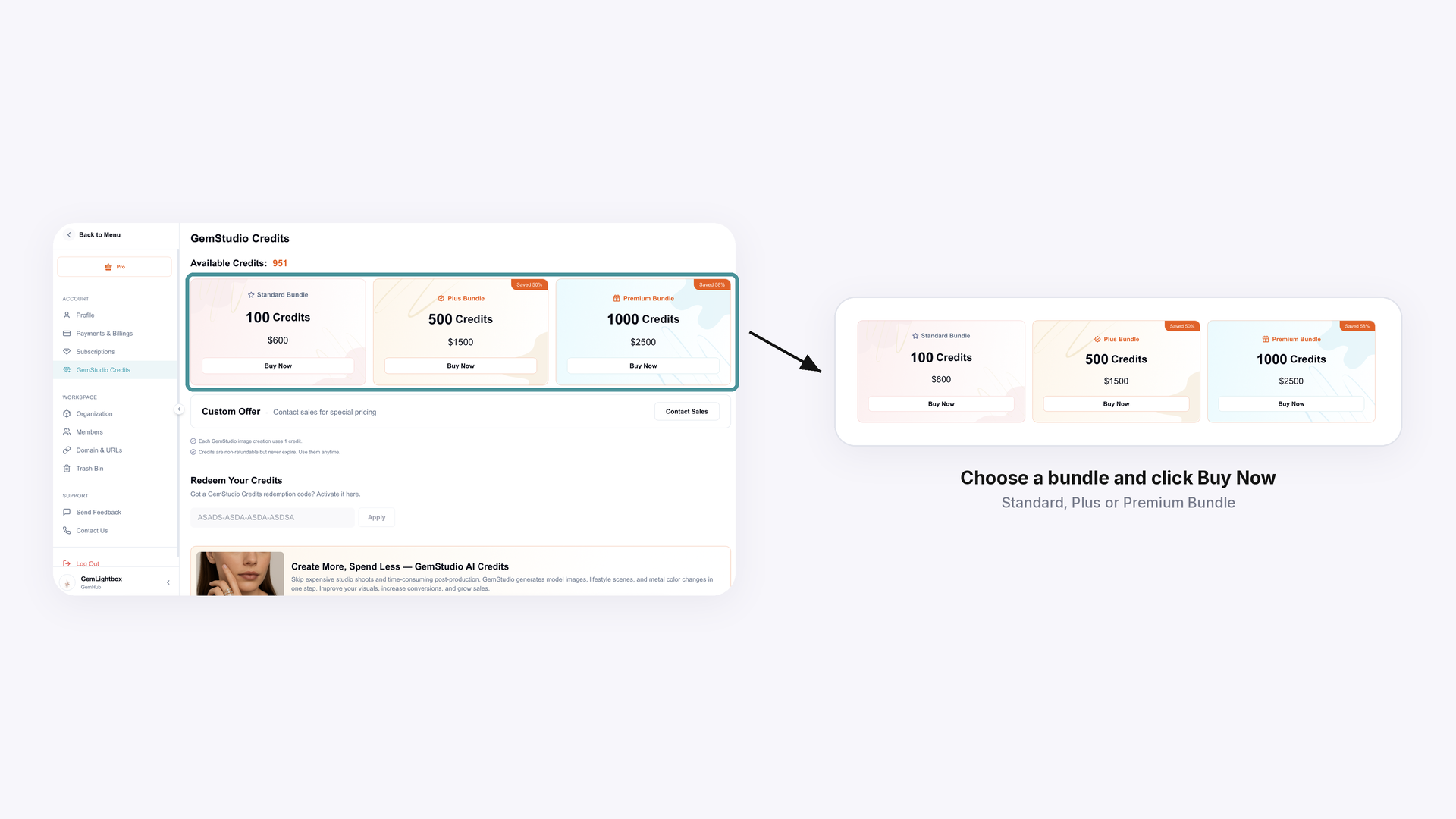
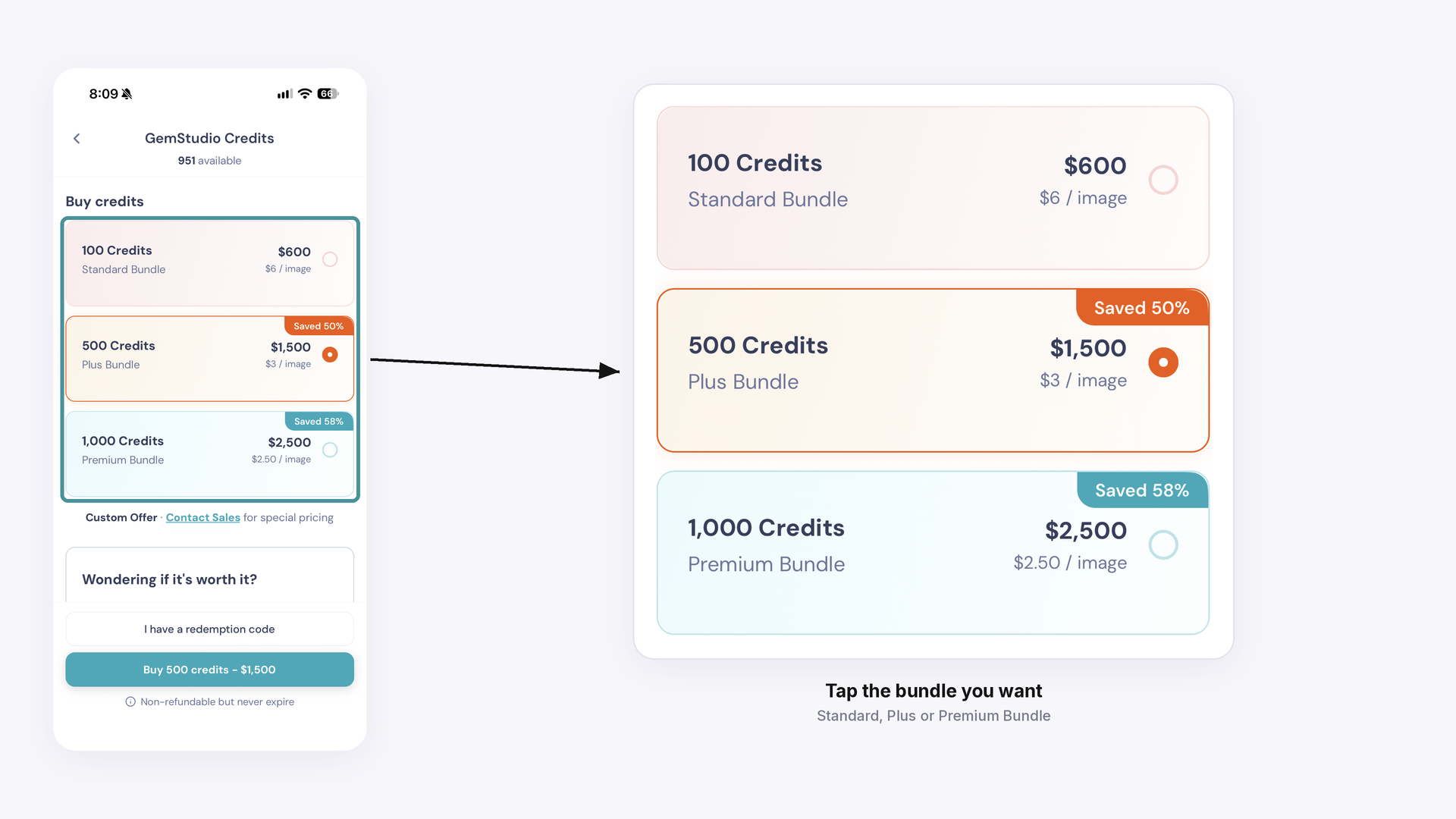
The GemIQ App offers three bundles:
Standard Bundle: 100 credits, US $600 ($6 per image)
Plus Bundle: 500 credits, US $1,500 ($3 per image)
Premium Bundle: 1,000 credits, US $2,500 ($2.50 per image)
Prices can change, and the GemStudio Credits screen always shows the current ones. The GemIQ website at gemiq.com/pages/gemstudio also offers smaller packs. For custom pricing, click book a demo at https://pages.gemiq.com/new-demo-booking.
Buying credits on desktop#
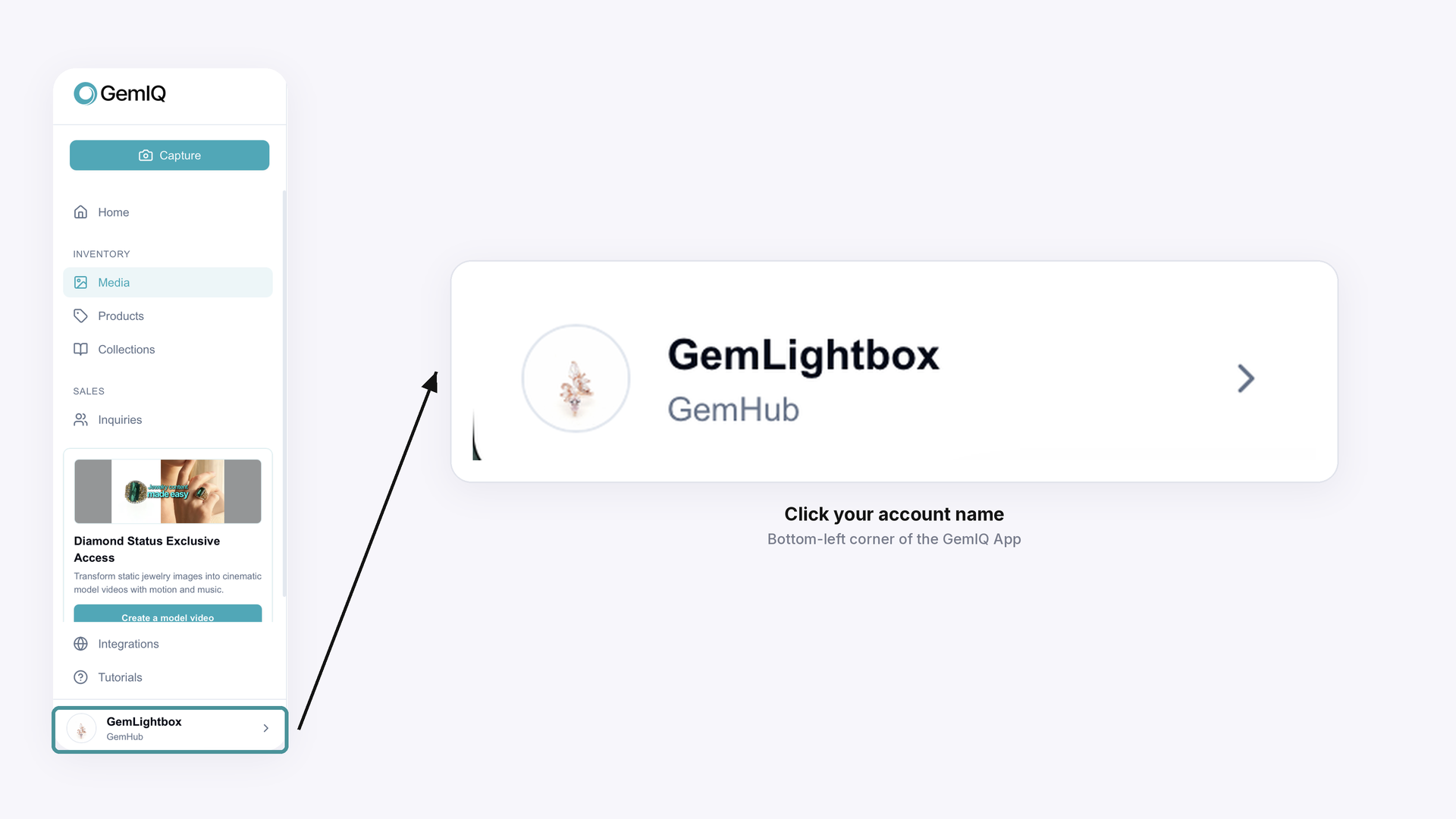
In the GemIQ App, click your account name in the bottom-left corner.
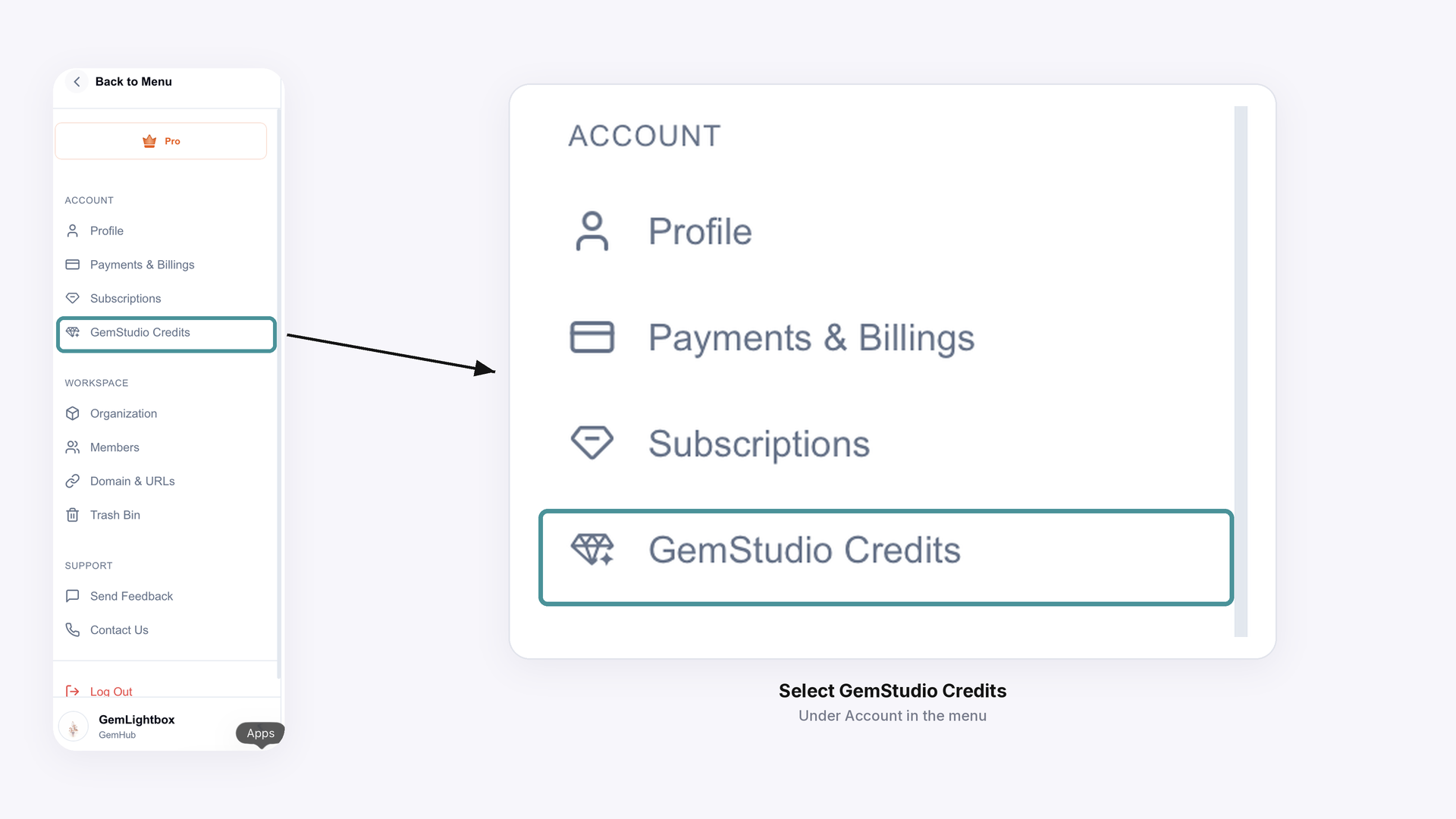
Under Account, select GemStudio Credits.
Choose a bundle and click Buy Now, then follow the on-screen prompts to pay.
Buying credits on mobile#
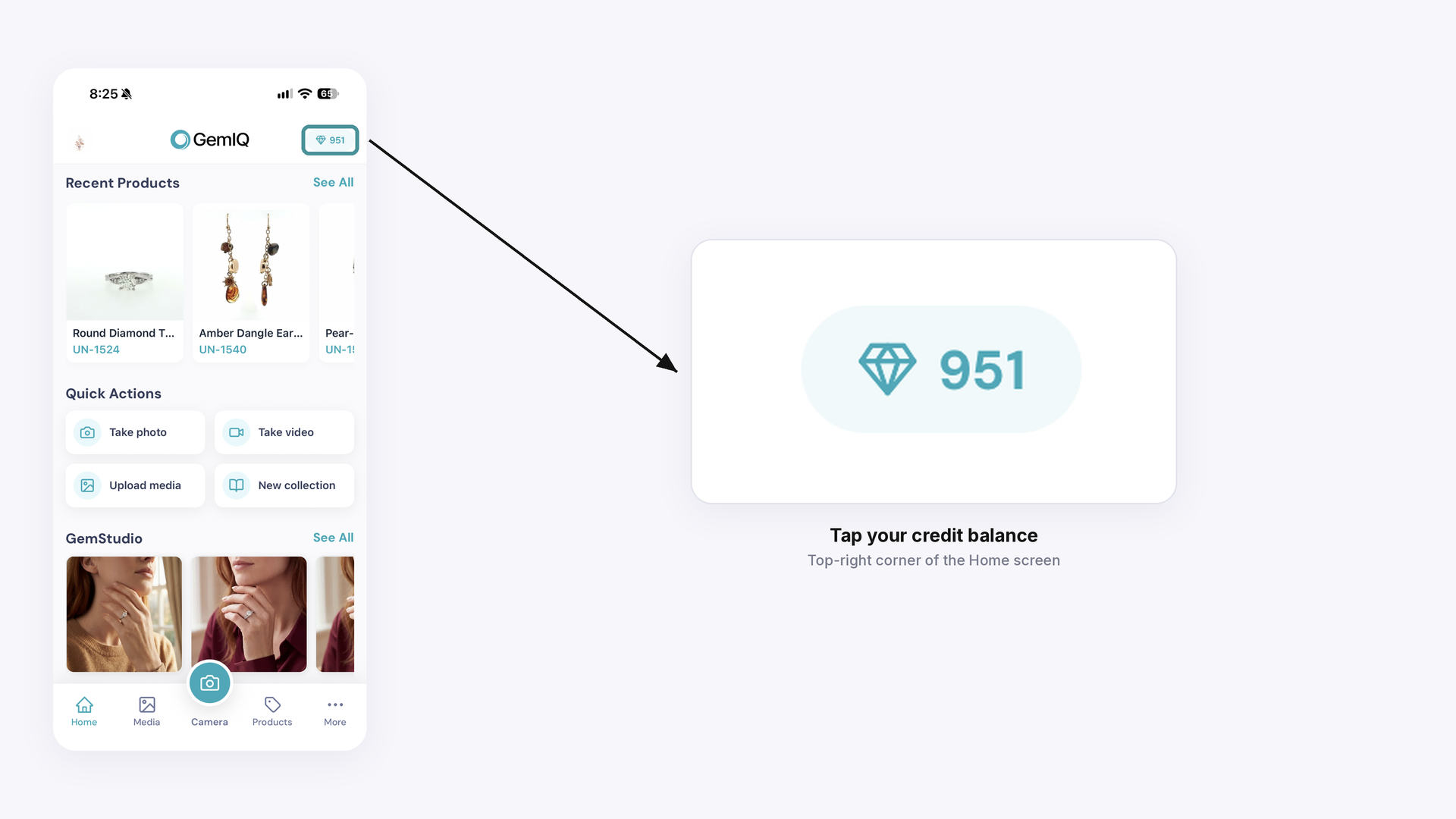
On the GemIQ App Home screen, tap your credit balance (the diamond icon with a number) in the top-right corner to open GemStudio Credits.
Tap the bundle you want.
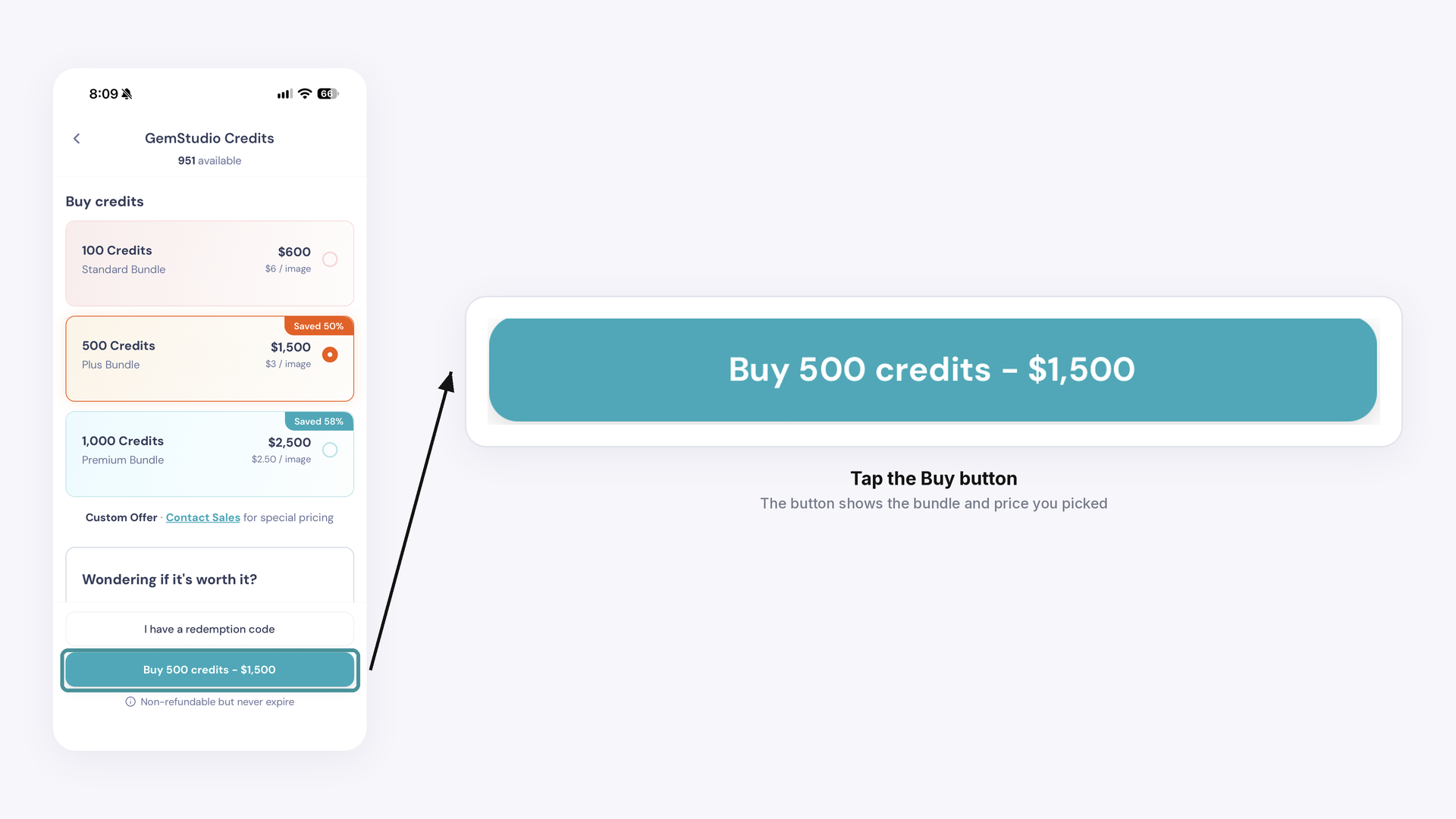
Tap the Buy button, which shows the bundle and price you picked, and follow the prompts to pay.
Activating your credits#
Your redemption code is sent to the email address used for the purchase as soon as payment is complete. Your credits aren’t added until you redeem the code.
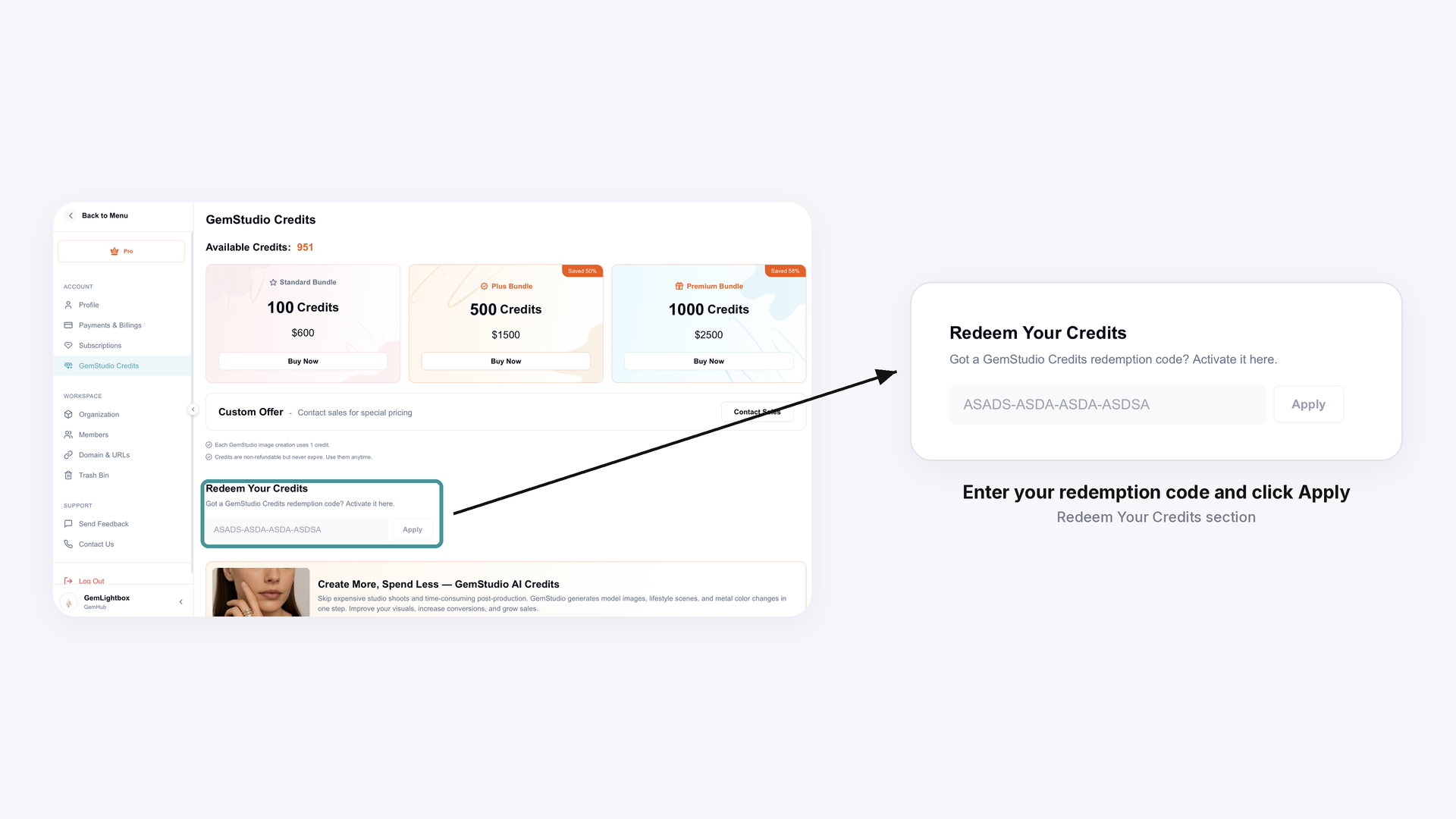
Desktop: On the GemStudio Credits screen, enter the code in Redeem Your Credits and click Apply.
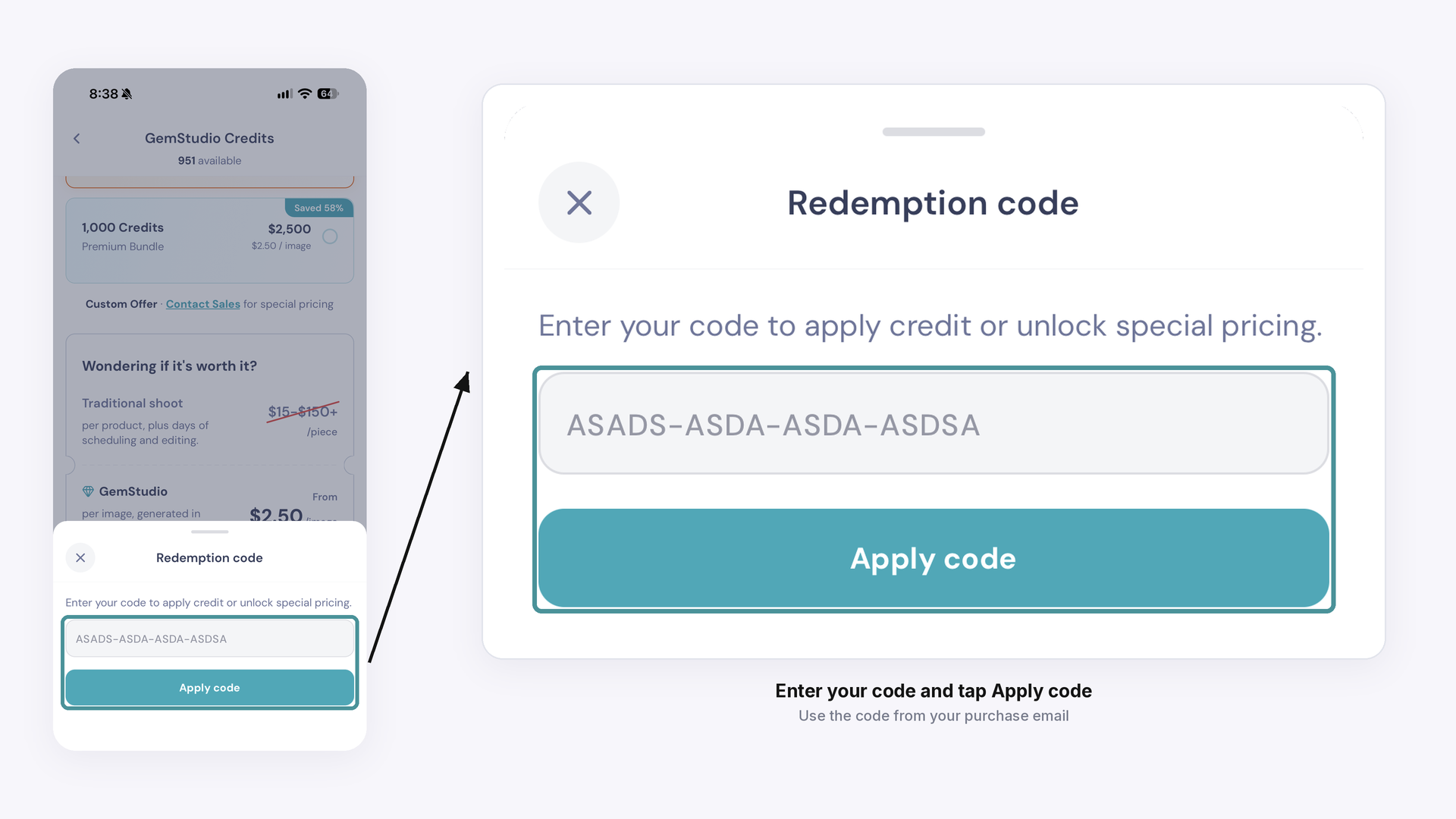
Mobile: On the GemStudio Credits screen, tap I have a redemption code and enter your code.
Checking your balance#
Your balance appears at the top of the GemStudio Credits screen, labelled Available Credits on desktop and available on mobile.
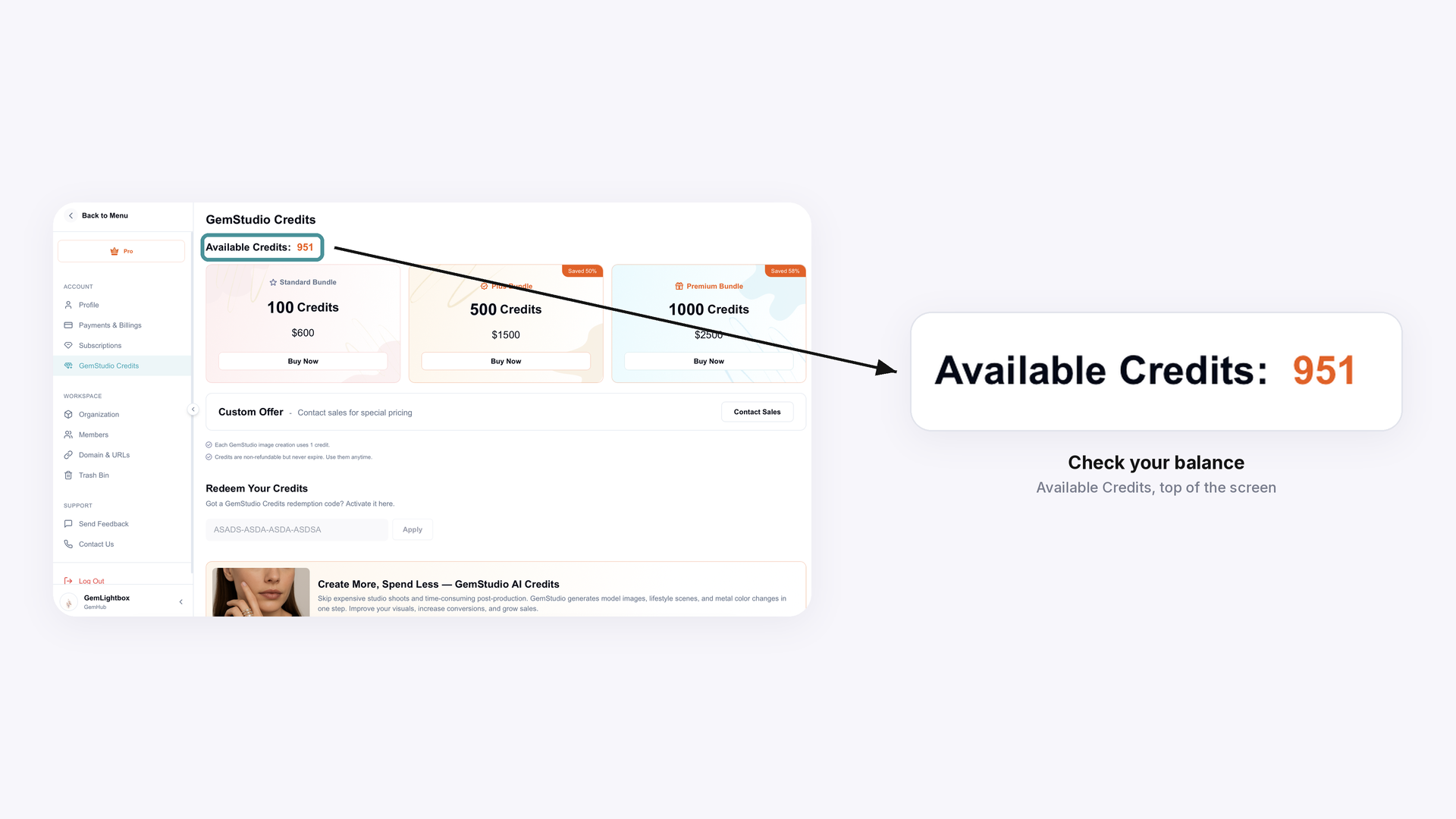
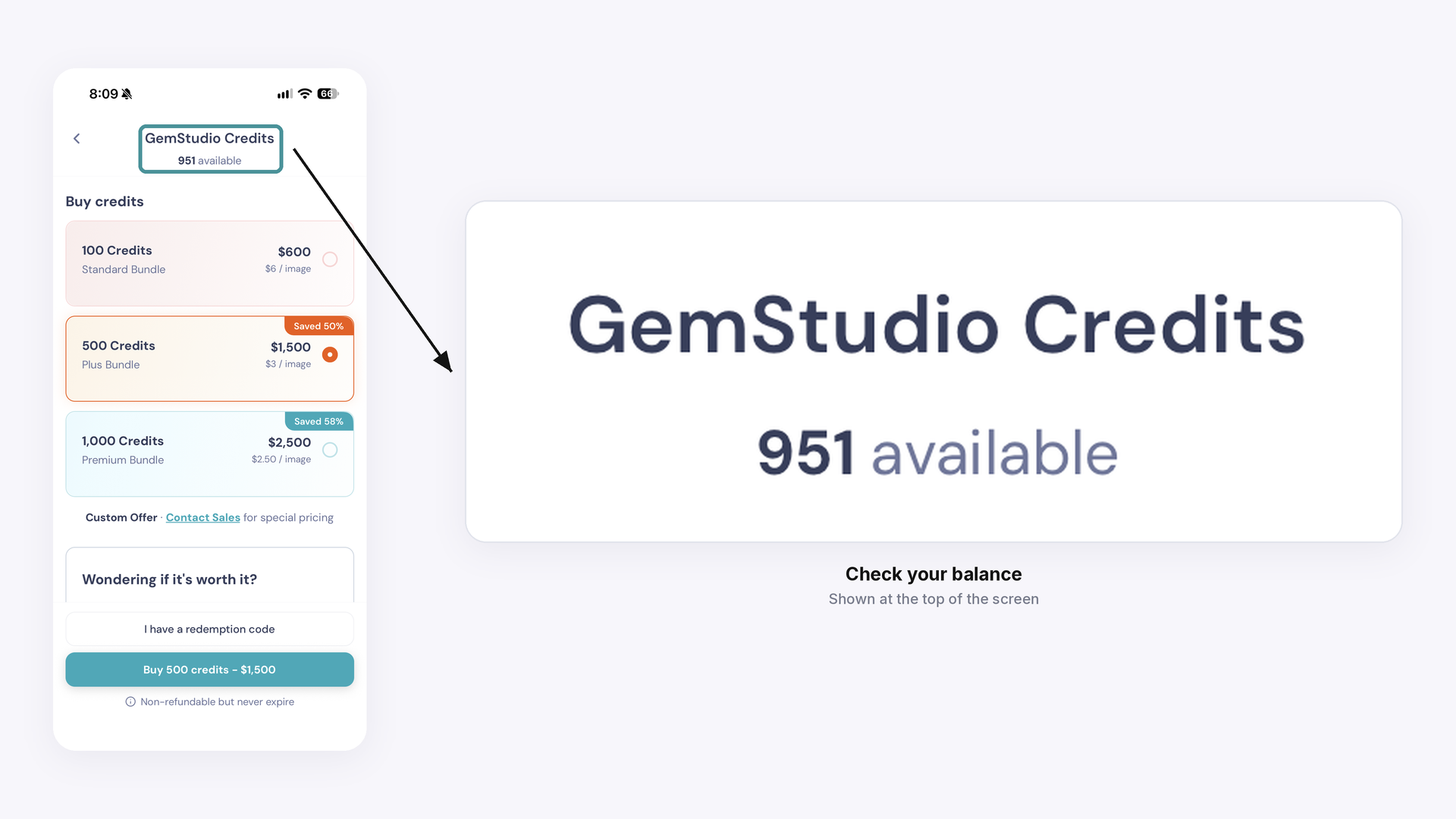
If it hasn’t updated after you redeem a code, restart the GemIQ App or log out and back in. If it still hasn’t changed, email support@gemiq.com.
Expected Result
After reading, you’ll be able to buy a GemStudio credit bundle, redeem the emailed code, and see your updated balance in the GemIQ App.
Common Questions
Q: How do I activate my GemStudio credits?
A: A redemption code is sent to the email address used for the purchase right after payment. On the GemStudio Credits screen, enter it under Redeem Your Credits and click Apply (desktop), or tap I have a redemption code, enter it and tap Apply code (mobile).
Q: How do I buy and activate GemStudio credits?
A: Buy a bundle on the GemStudio Credits screen of the GemIQ App, then enter the redemption code from your email under Redeem Your Credits (desktop) or I have a redemption code (mobile).
Q: When will I get my redemption code?
A: Right after your purchase, at the email address you used to pay. If that’s different from your GemIQ account email, check that inbox.
Q: I haven’t received my redemption code. What should I do?
A: Check the spam or junk folder of the inbox you used to pay. If it isn’t there, email support@gemiq.com with your account email and purchase details.
Q: Do GemStudio credits expire, and can I get a refund?
A: Credits never expire, so you can use them any time. They are non-refundable.
Q: Can I get a custom credit package?
A: Yes. Book a demo at https://pages.gemiq.com/new-demo-booking to discuss your bundle options.