Quick Answer#
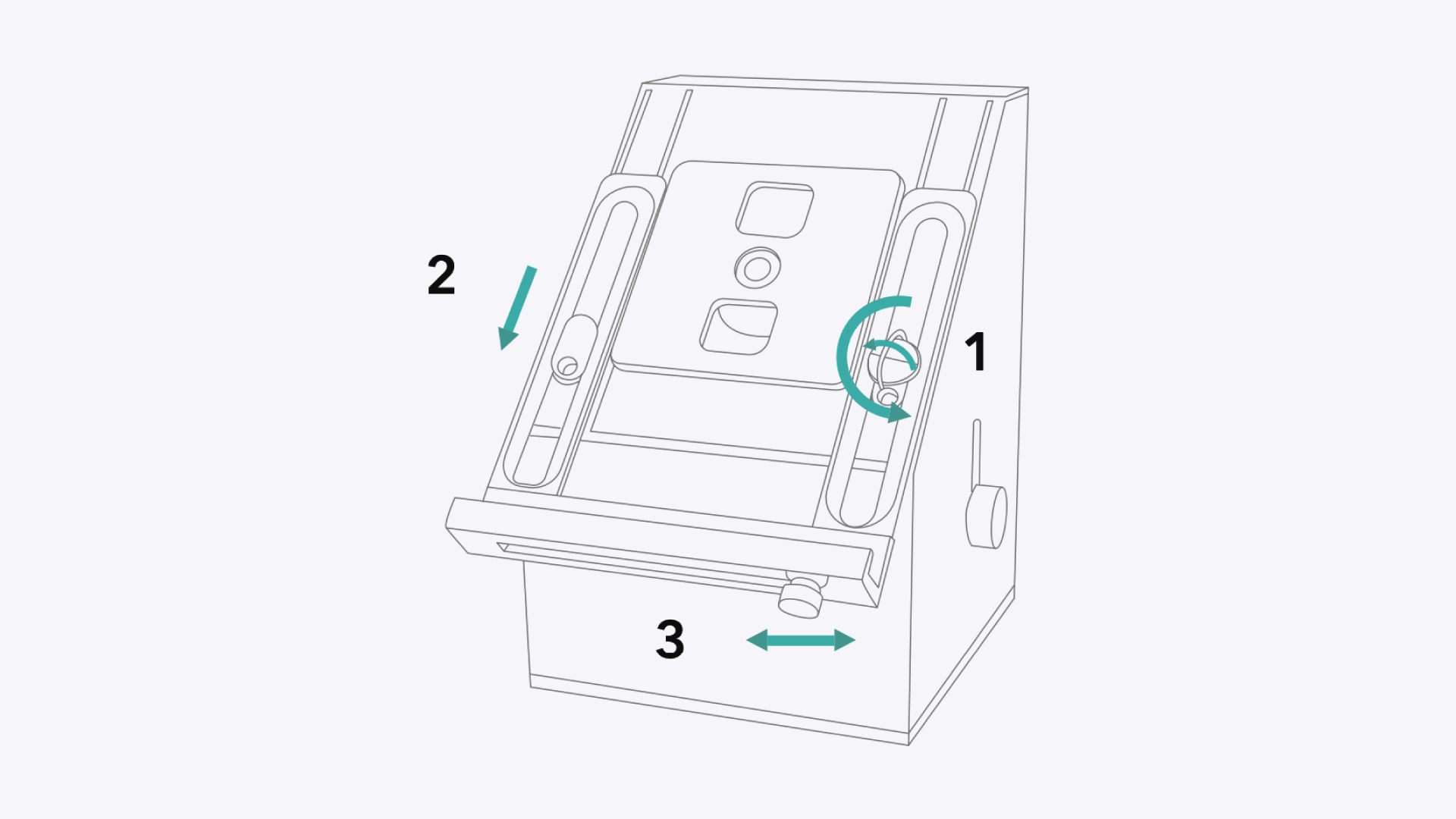
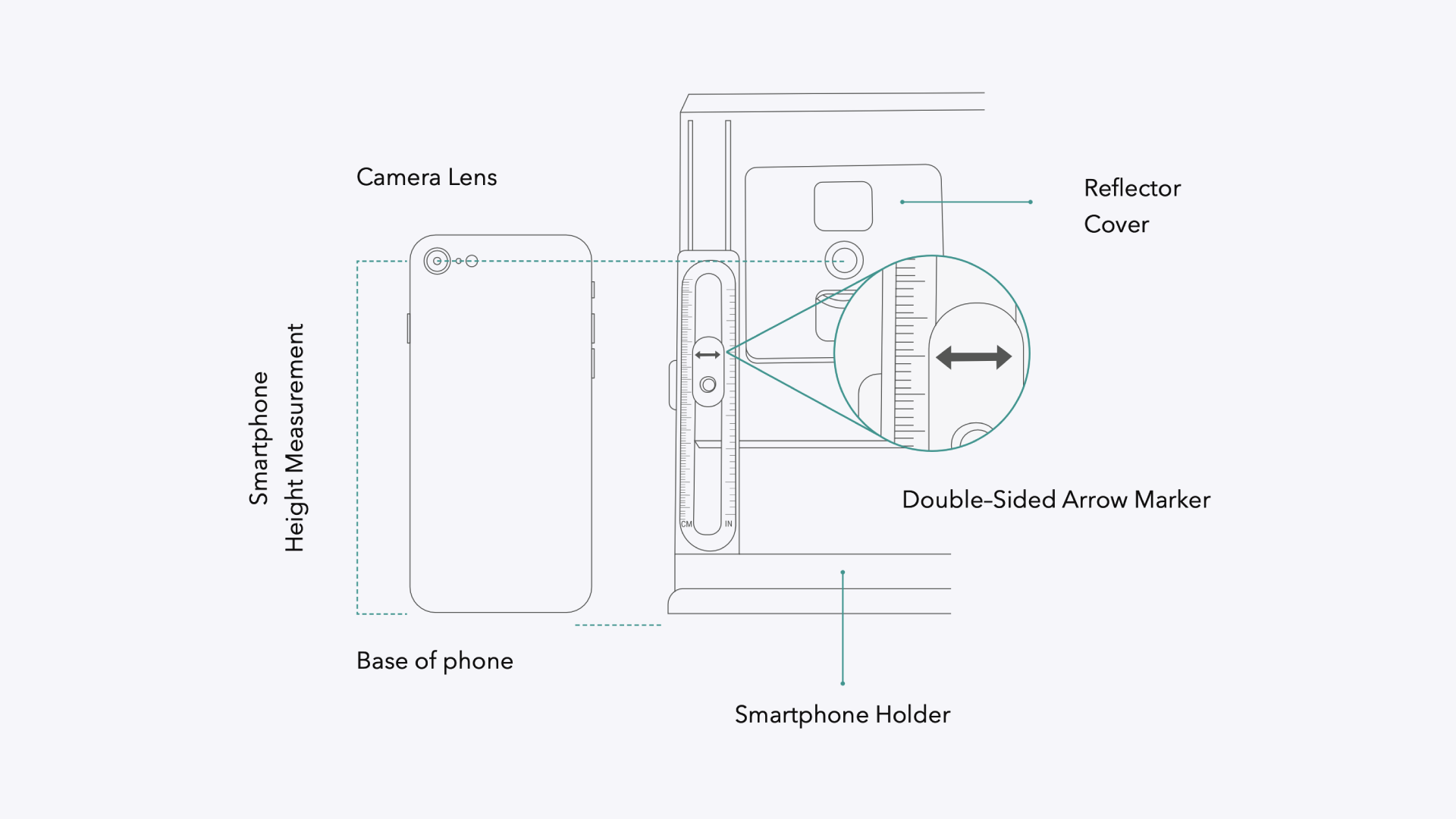
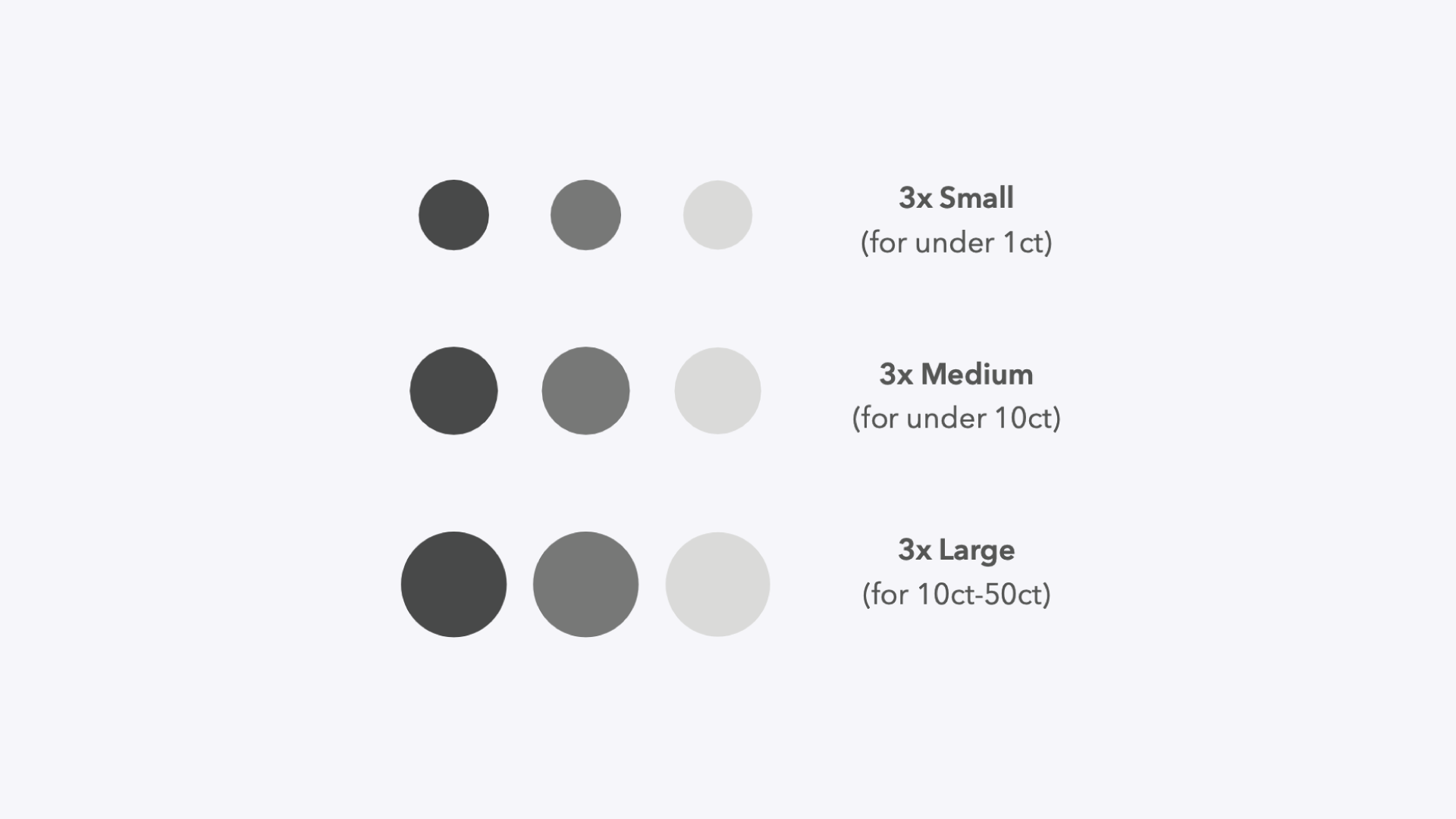
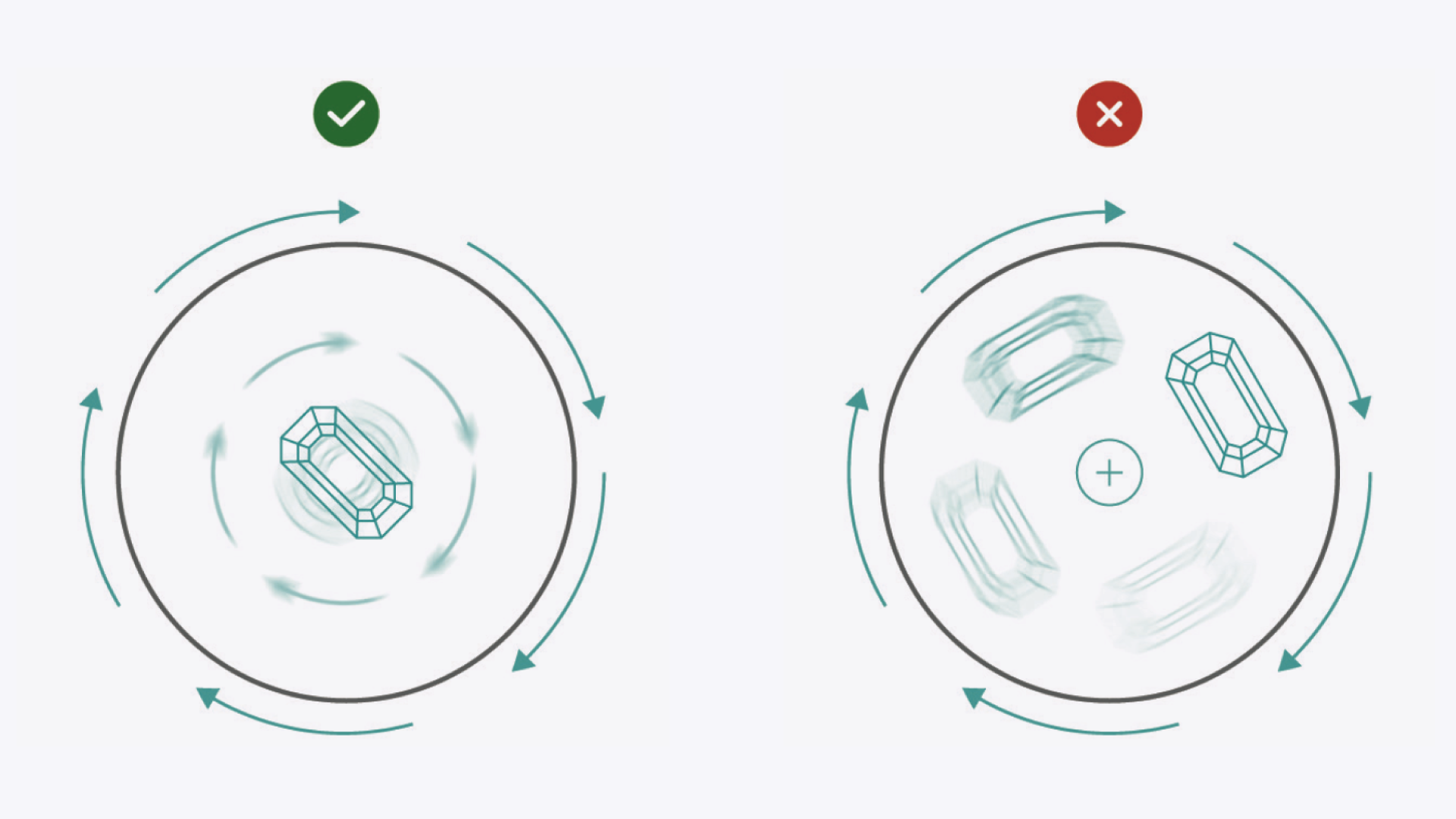
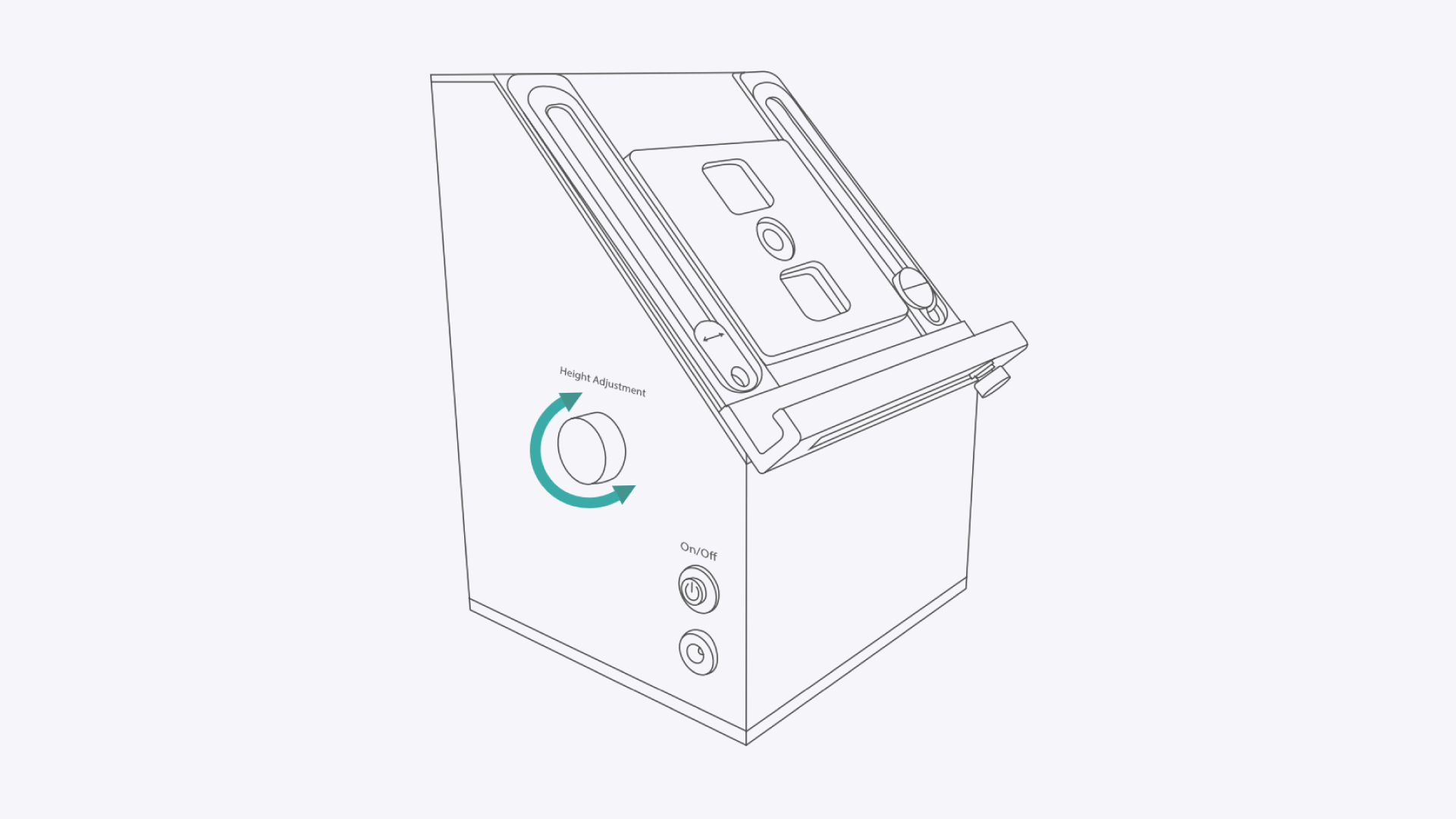
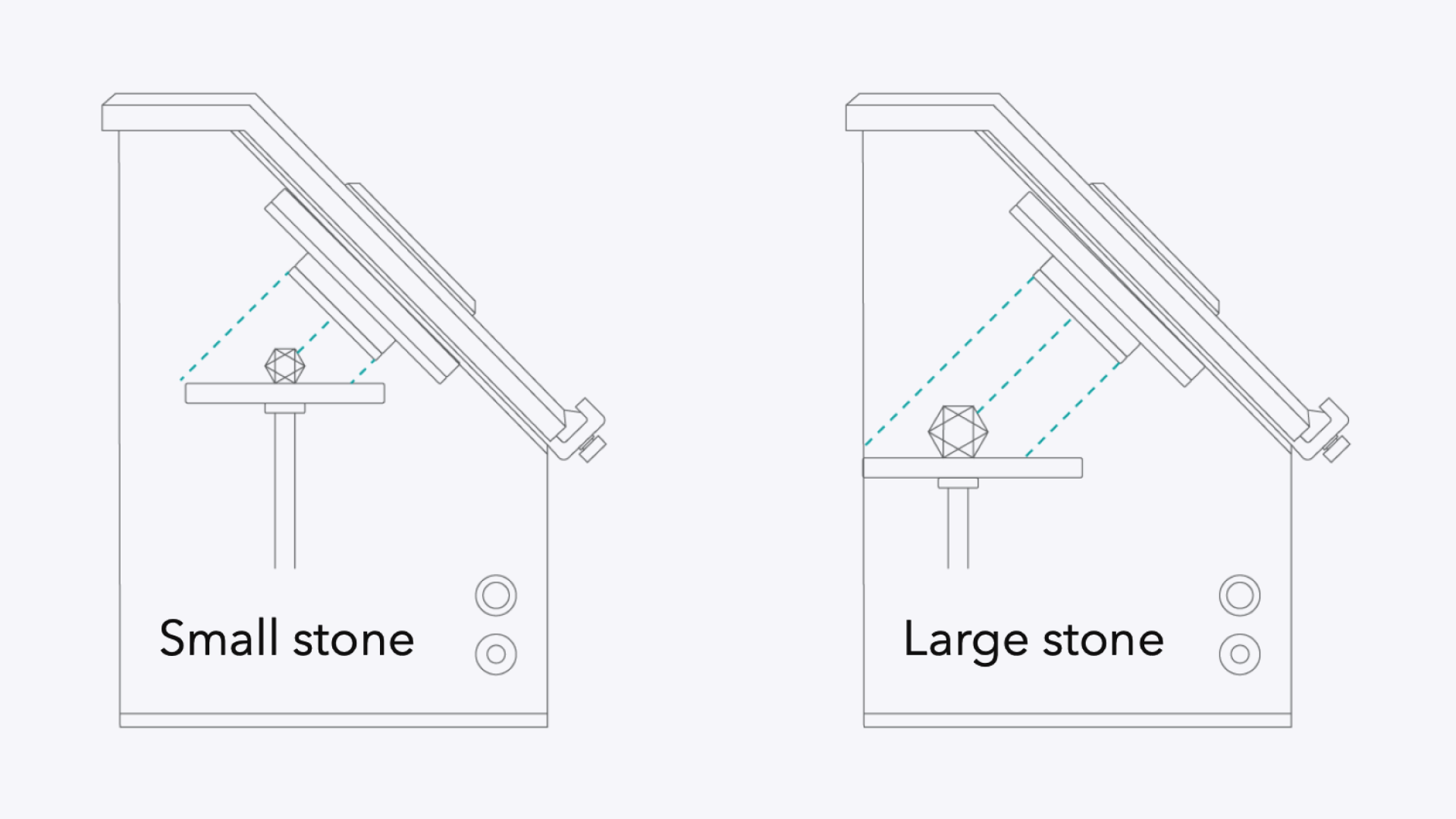
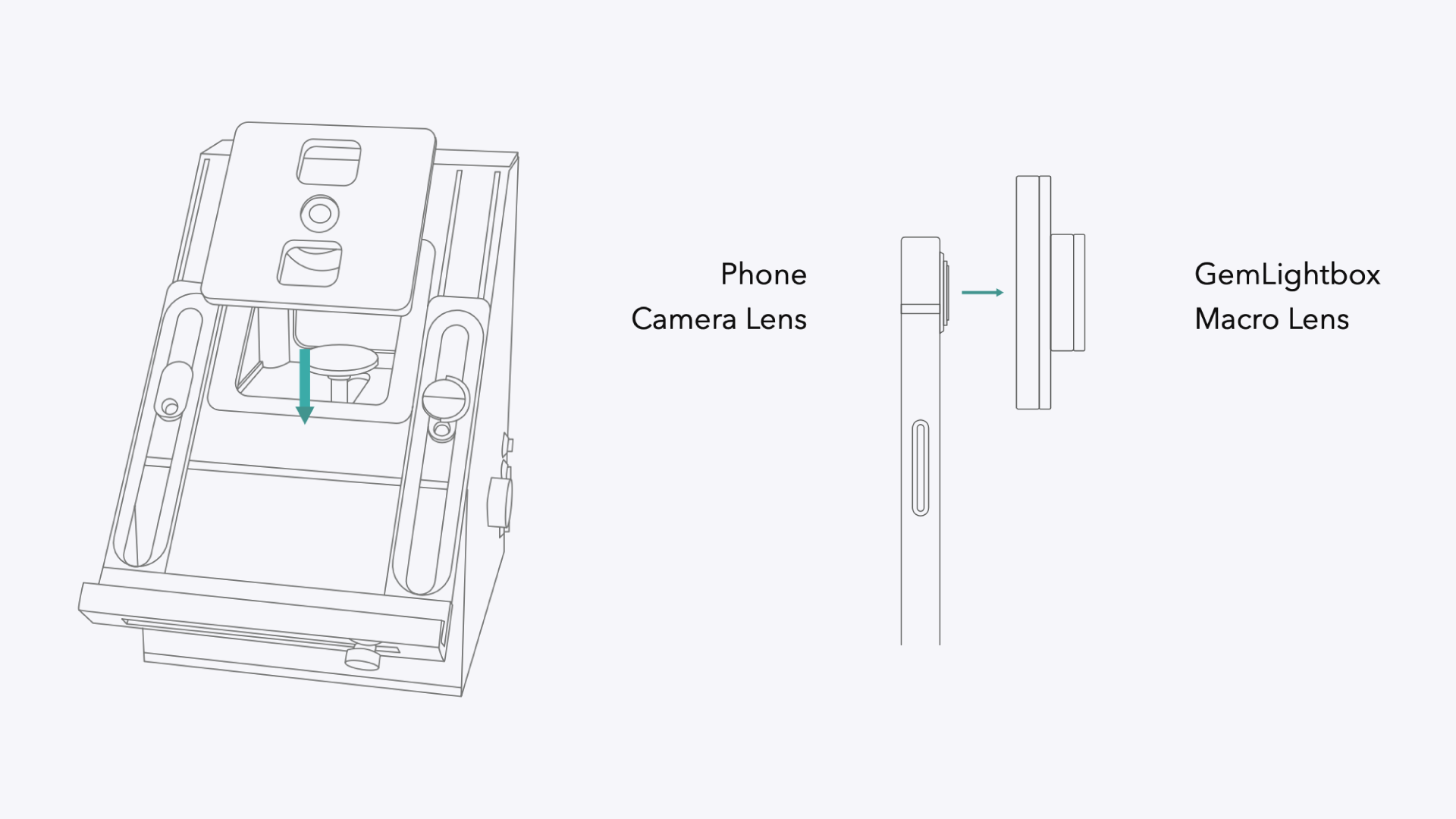
To set up your GemLightbox Macro, first attach and align your smartphone using the adjustable stand. Next, choose the correct size loose stone disc (Small, Medium, or Large) and place it inside the Macro. Position your stone in the center of the disc and adjust its distance from the lens for a perfect shot.
Before You Start#
GemLightbox Macro device.
A compatible smartphone with the latest version of the GemIQ installed.
The set of three loose stone discs included with your GemLightbox Macro.
Remove your smartphone's case for the best fit.
Remove the front cover from the GemLightbox Macro.