

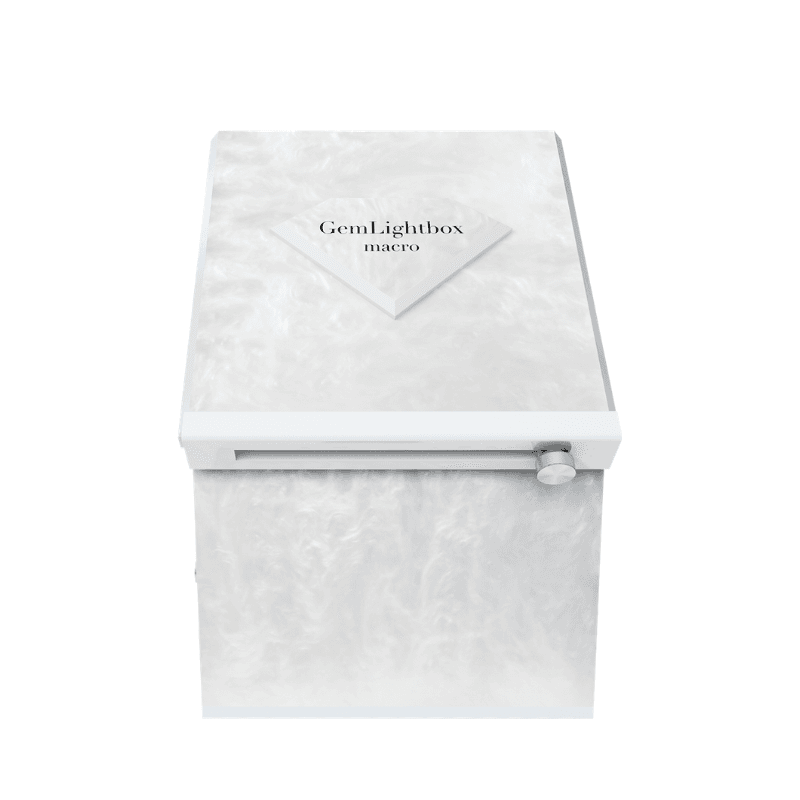
Quick Answer#
To set up your GemLightbox Macro, first attach and align your smartphone using the adjustable stand. Next, choose the correct size loose stone disc (Small, Medium, or Large) and place it inside the Macro. Position your stone in the center of the disc and adjust its distance from the lens for a perfect shot.
Before You Start#
GemLightbox Macro device.
A compatible smartphone with the latest version of the GemIQ installed.
The set of three loose stone discs included with your GemLightbox Macro.
Remove your smartphone's case for the best fit.
Remove the front cover from the GemLightbox Macro.
Steps#
1. Set Up the Smartphone Stand#
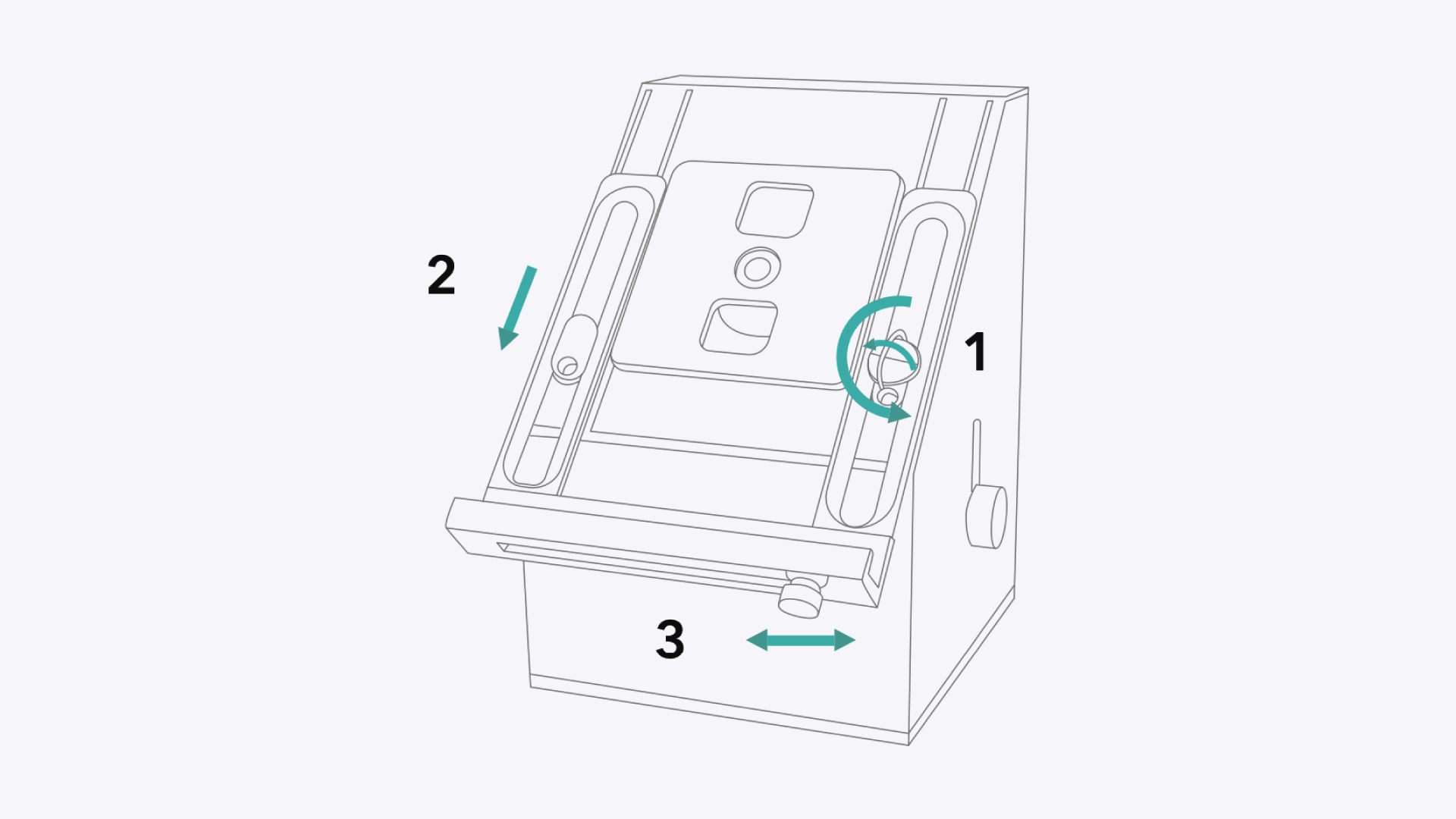
Loosen the Holder: Turn the lock on the smartphone holder counterclockwise to loosen it.
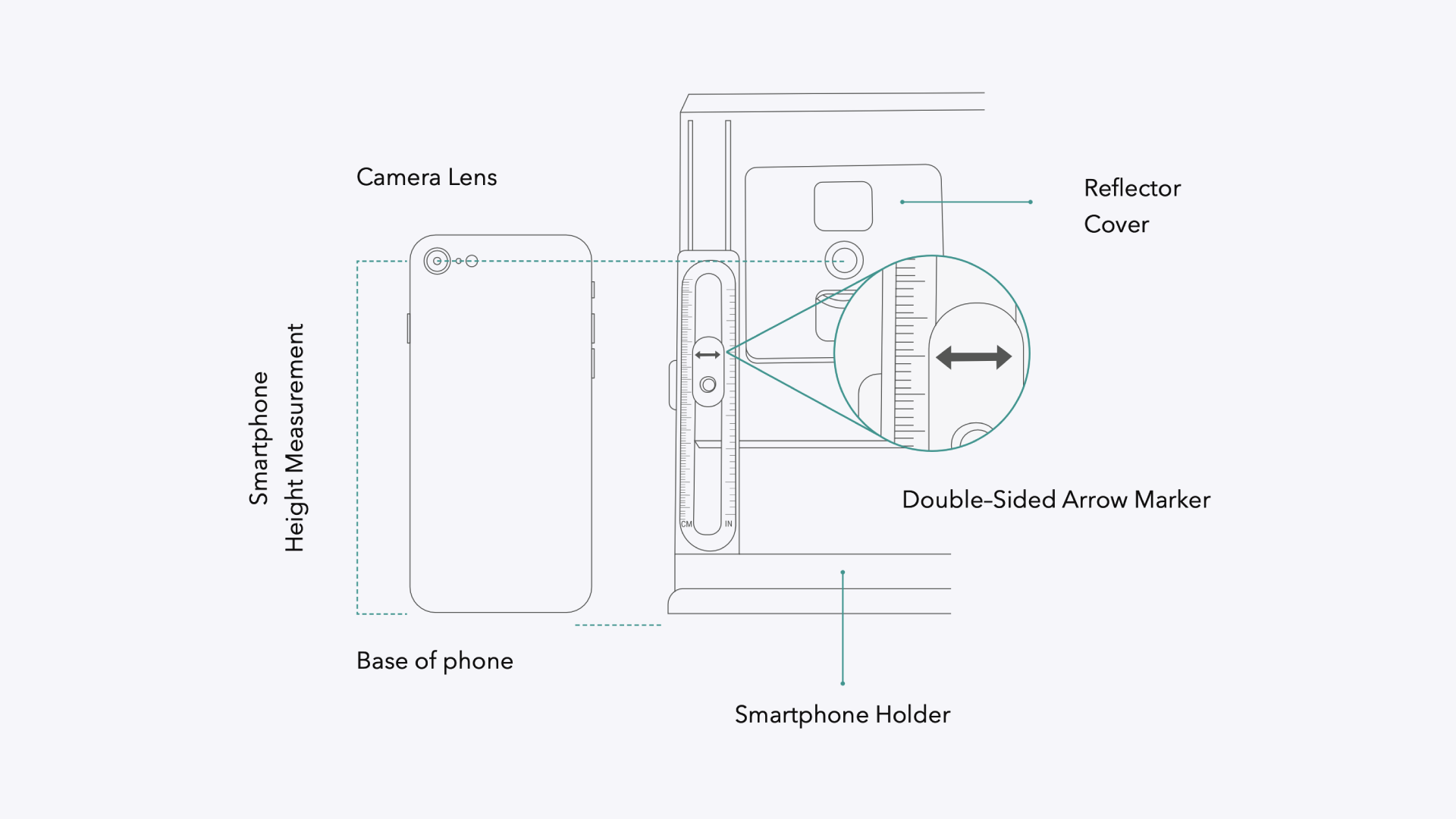
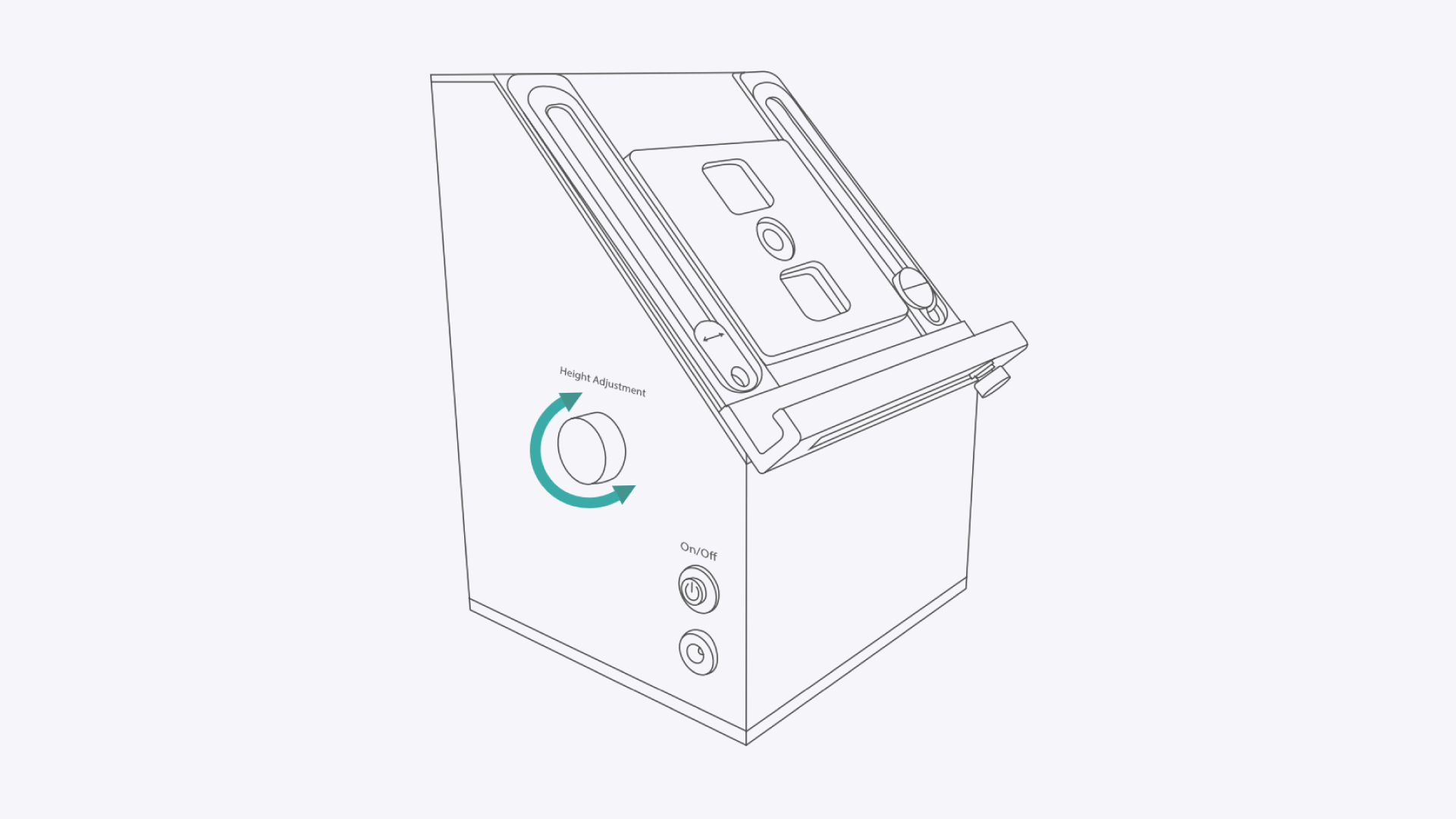
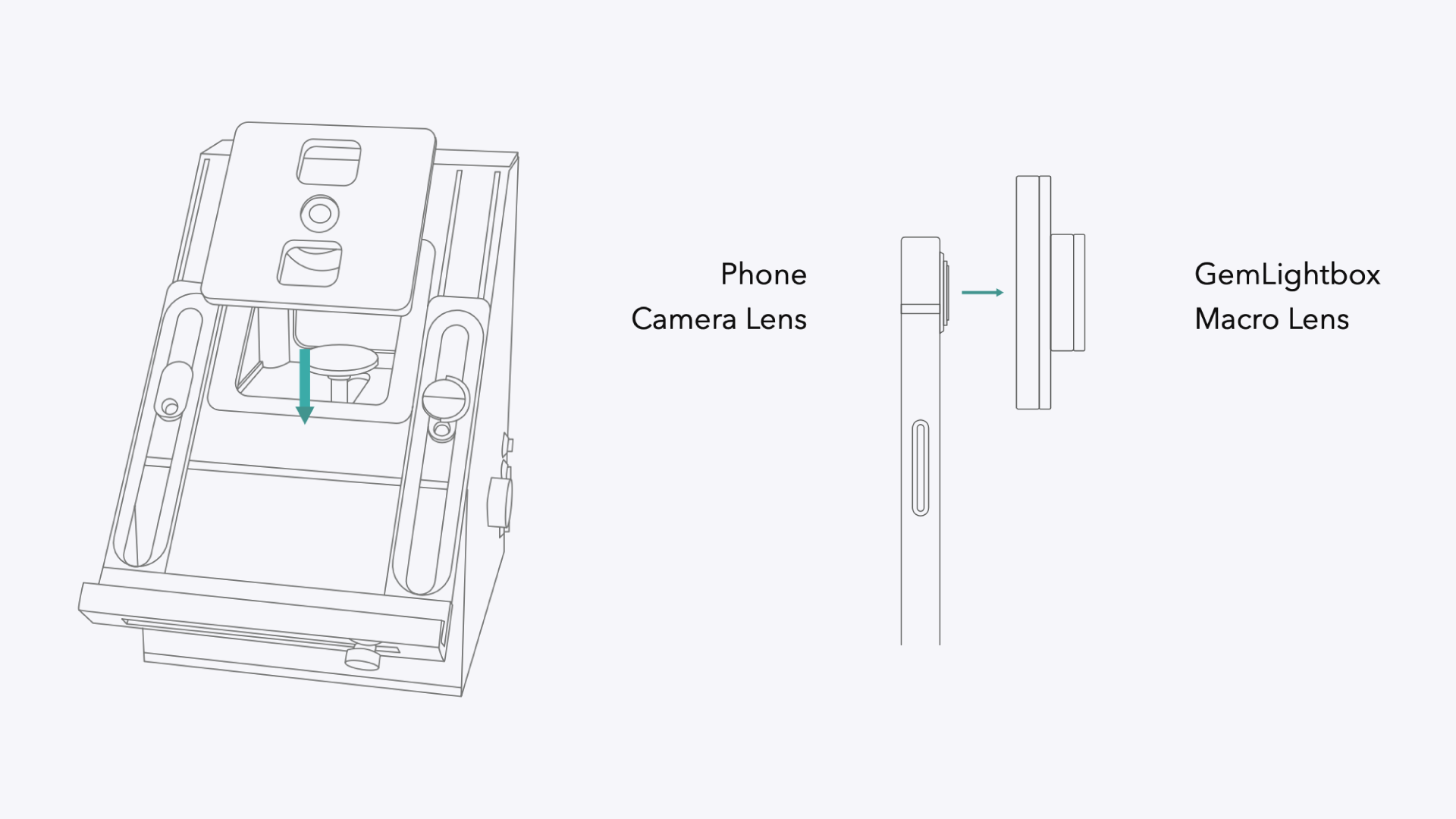
Adjust Height: Pull the smartphone holder down until your smartphone's camera lens aligns perfectly with the center of the Macro lens.
Secure Your Phone: Place your smartphone in the holder. Push the width adjuster in to grip your phone securely, then turn the lock clockwise to tighten it.
2. Choose and Install the Correct Loose Stone Disc#
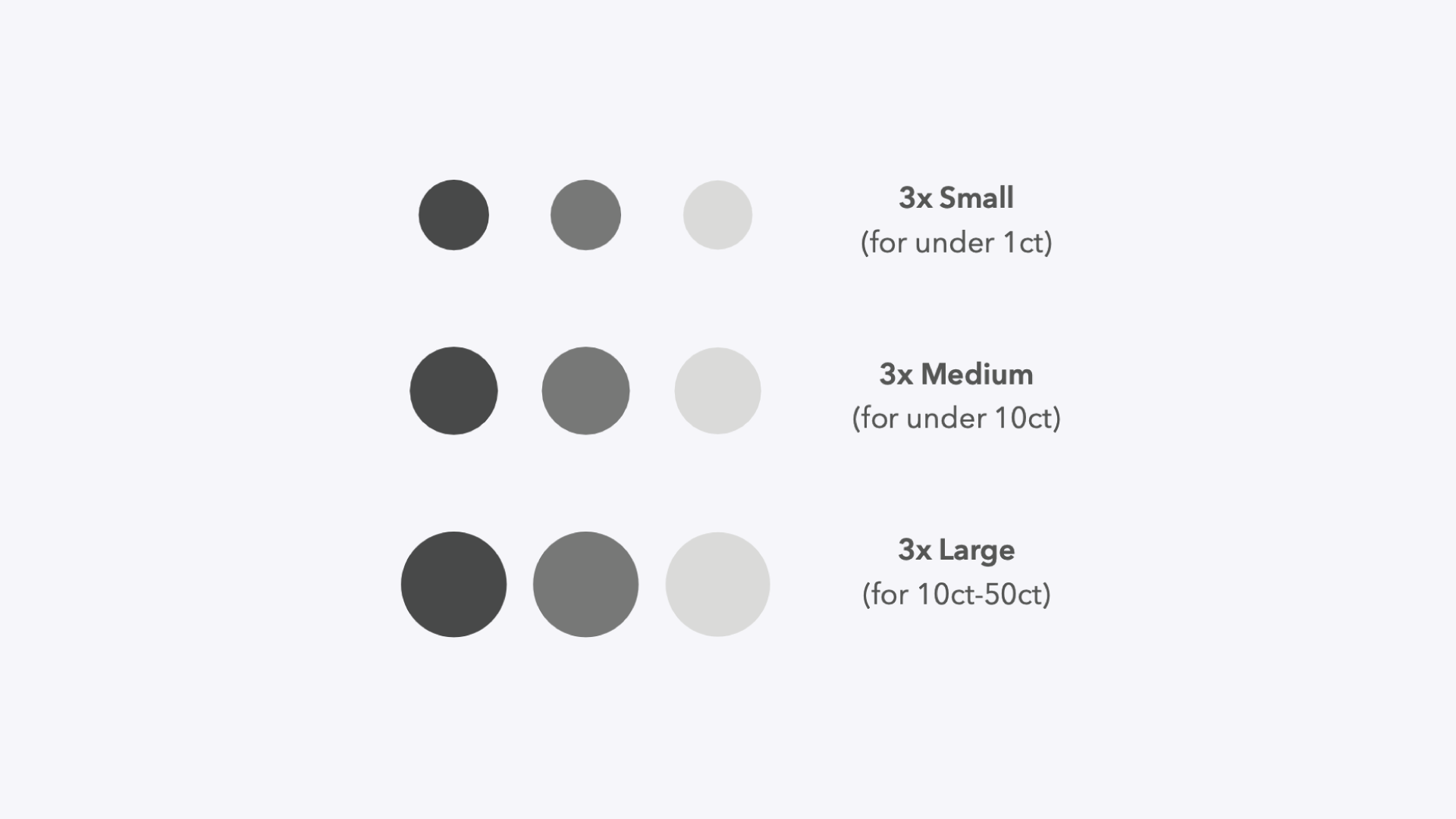
GemLightbox Macro includes three disc sizes to match your stones. Choose the appropriate size:
Small: For stones under 1 carat.
Medium: For stones between 1 and 10 carats.
Large: For stones 10 carats and above.
Each size is available in white, grey, and black. Place your chosen disc onto the metal stand inside the Macro and push down firmly to secure it.
3. Position Your Loose Stone#
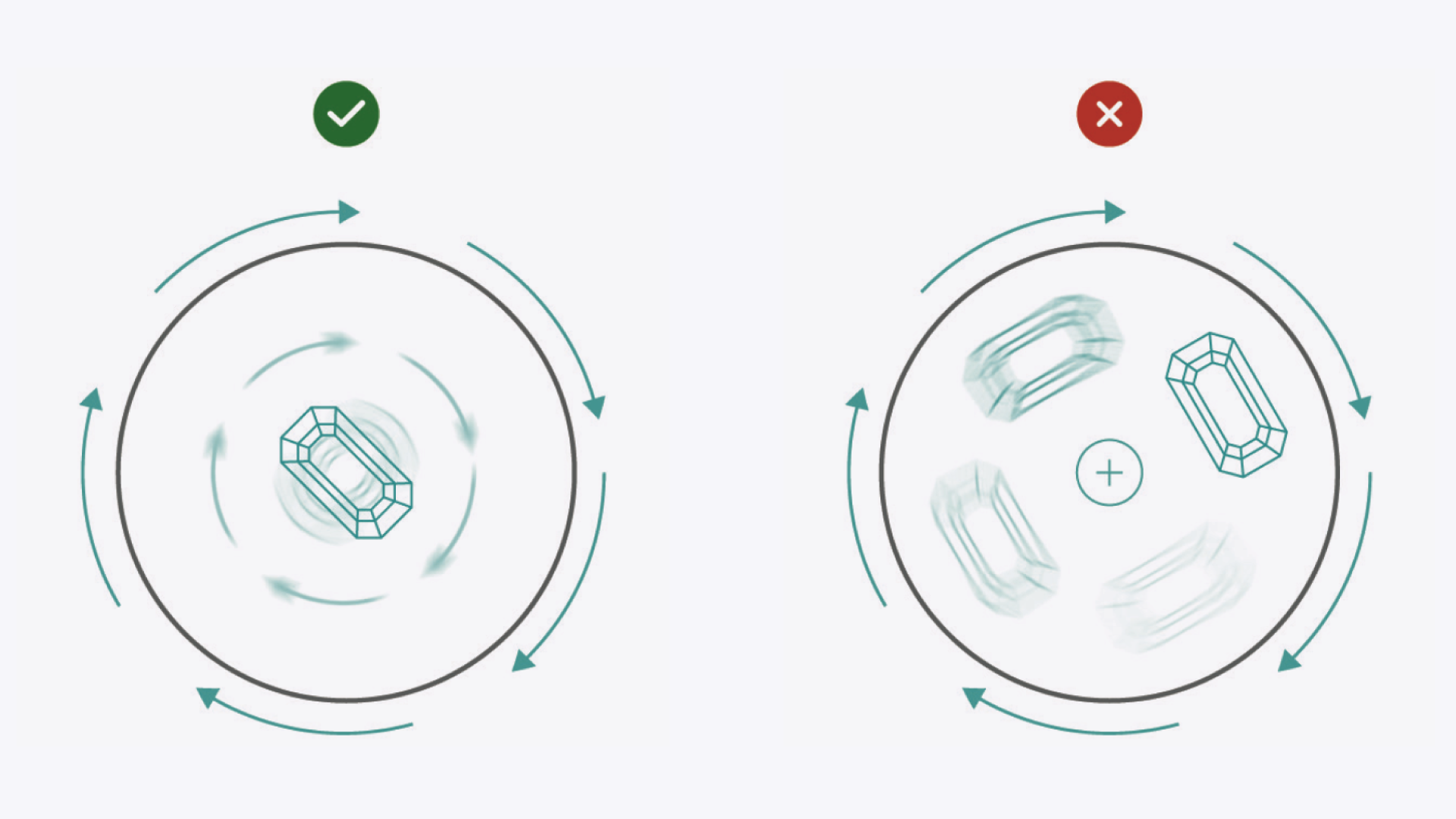
Proper placement is key to a great 360° video.
Center the Stone: The disc has a small groove marking the exact center. Place your loose stone directly on this groove.
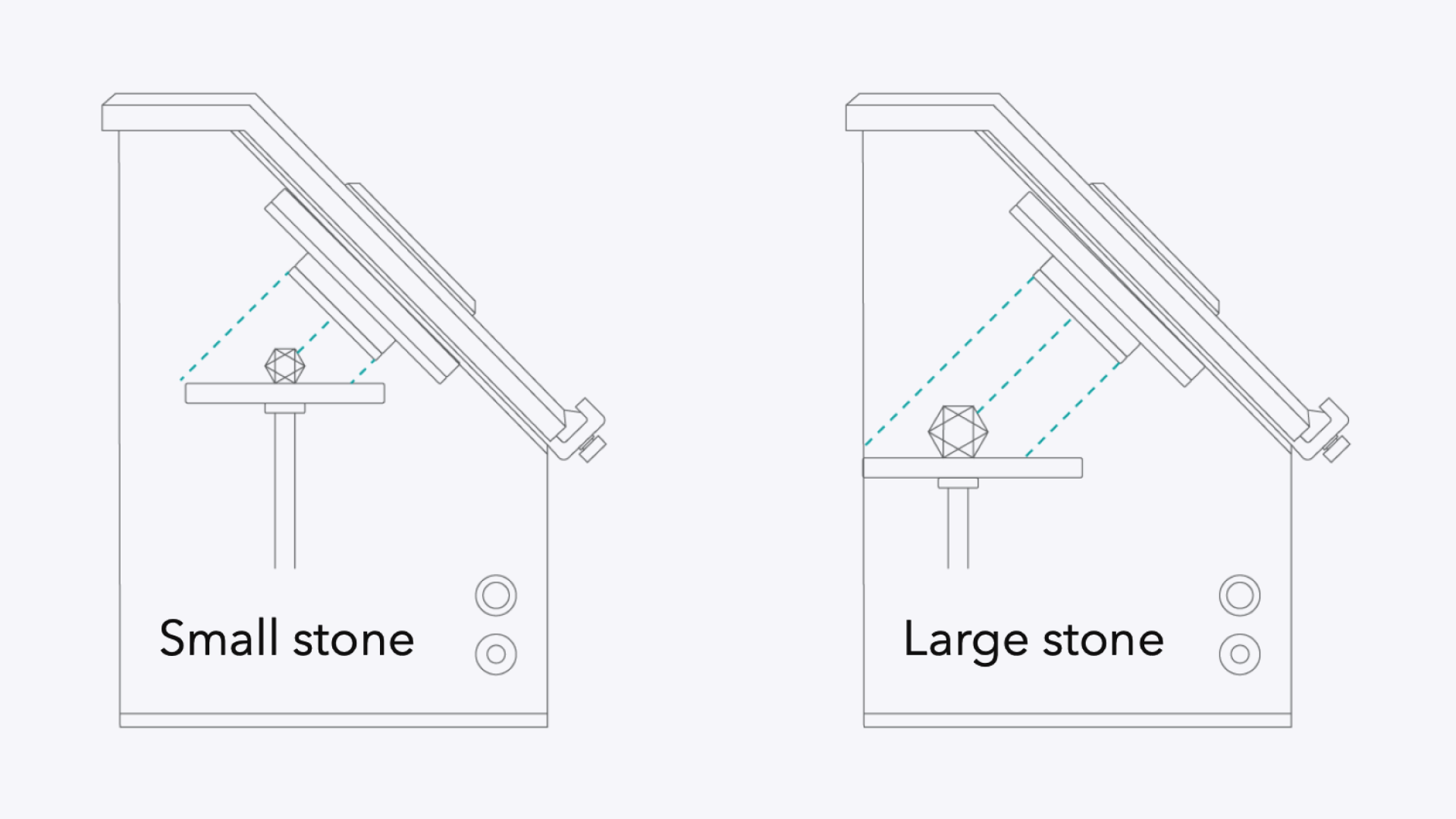
Frame Your Shot: Use the height and width adjustment knobs on the smartphone stand to move the stone closer to or farther from the lens. This allows you to fill the frame perfectly.
As a general rule, small stones should be moved closer to the lens, while large stones should be moved farther away.
4. Maintain the Macro Lens#
For the best results, keep your Macro lens in great condition.
Ensure the Macro lens is active before you start taking photos or videos.
Keep the lens away from water and other liquids.
Clean the lens periodically with a microfiber cloth to remove dust and fingerprints.
Expected Result#
Your GemLightbox Macro will be fully set up, with your smartphone securely mounted and your loose stone centered and in focus, ready for you to capture high-quality images and videos using the GemIQ.
If This Does Not Work#
Image is blurry: Gently wipe both your smartphone camera lens and the Macro lens with a clean microfiber cloth. Ensure you have tapped to focus within the GemIQ.
Stone is off-center in videos: Double-check that the stone is placed exactly on the center groove of the disc before you start recording.
Phone doesn't align with the lens: Loosen the smartphone holder and carefully re-adjust the height until the phone's camera is perfectly centered with the Macro lens.
Common Mistakes#
Forgetting to remove your smartphone case, which can prevent a secure fit and proper camera alignment.
Using the wrong size disc for your gemstone.
Placing the stone slightly off-center, causing it to wobble or shift out of frame during rotation.