

Quick Answer#
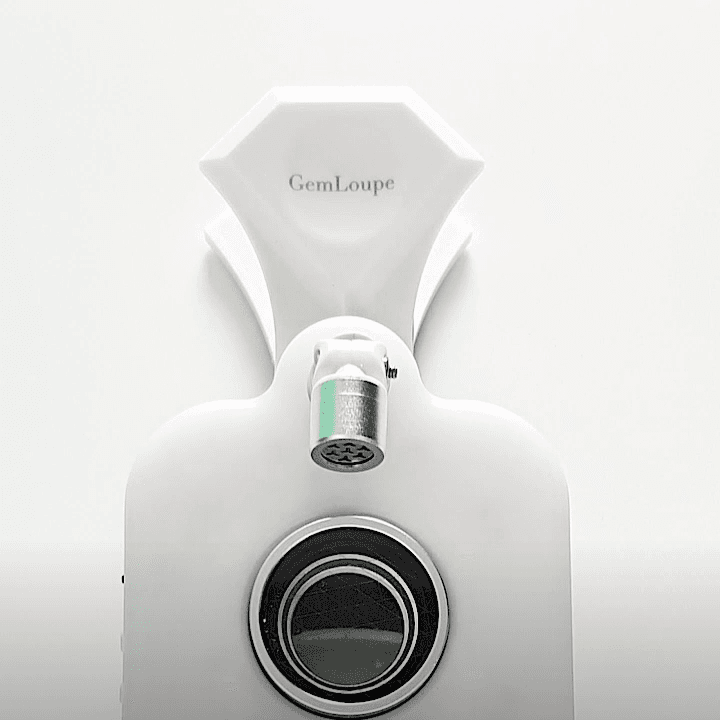
GemLoupe is a clip-on smartphone lens for jewelers. Attach the clip to your smartphone camera, select your lens (5X or Sparkle), choose your light mode (white, yellow, or Sparkle), and start shooting detailed jewelry images and videos.
Before You Start#
Your GemLoupe unit and all included accessories
A compatible smartphone
A fully charged GemLoupe
Steps#
Remove GemLoupe from its packaging. Confirm all accessories are present.
Clean the lens. Use the included cloth to wipe the 5X and Sparkle lenses before first use.
Align the clip with your smartphone's rear camera. Center the GemLoupe lens directly over your camera lens.
Clip GemLoupe firmly onto your phone. The clip should feel secure and the lens centered.
Select your lens: - 5X lens — sharp close-up detail on fine metalwork, engravings, and gemstone facets - Sparkle lens — emphasizes brilliance and sparkle in diamonds and gemstones
Choose your light mode: - White light — neutral, accurate color rendering - Yellow light — warm tone suited to yellow gold - Sparkle light — maximizes sparkle and brilliance in gemstones
Open your camera app and begin capturing images or video.
Expected Result#
Your smartphone captures sharp, detailed jewelry images with visible brilliance and accurate color. Switching between lens and light modes lets you match the output to the specific piece you are shooting.
If This Does Not Work#
Blurry images: Check that the lens is clean and precisely centered over your phone camera. Even a small offset causes blur.
Clip feels loose: Reattach and press the clip firmly until it sits flat against the phone.
Lights do not turn on: Check the battery charge and recharge GemLoupe if needed.
Sparkle effect is weak: Confirm you have selected both the Sparkle lens and Sparkle light mode.
Image appears dark: Ensure the GemLoupe light is turned on and is not blocked.
Common Mistakes#
Mounting the clip off-center, which softens the image
Forgetting to clean the lens before use, which reduces sharpness
Using the wrong light mode for the metal color (for example, using Sparkle light on yellow gold)
Shooting with GemLoupe's lights off and relying on ambient lighting alone